




- New


RKR Makito Connector - Makito catalog, prices, stock and branding in your PrestaShop images
RKR Makito Connector - Makito catalog, prices, stock and branding in your PrestaShop
Makito's catalog in your PrestaShop, always up-to-date: colors and sizes, your tiered pricing converted to the selling price, images, and specifications in 7 languages. The customer adds the product with their logo to the cart, and the branding is calculated automatically. With RKR Supplier Stock (PrestaShop 9), your stock and Makito's are managed separately, each with its own lead time. Four modules in one package; you need a Makito customer account with API access.
PrestaShop 1.7.6 to 9.x · without overrides. Developed by Rekire .
Makito catalog in your store
Putting together the Makito catalog by hand takes weeks. And keeping it up-to-date is a never-ending task.
Colors, sizes, quantity rates, stock, images, seven languages and the marking of each product: Makito publishes it all, but not in a format that your store can read on its own. RKR Makito Connector Bring the catalog to PrestaShop, keep it up to date, and let your customer add the product to the cart with their logo and the price of the marking already calculated.
/ Your stock and Makito's, each with its own deadline
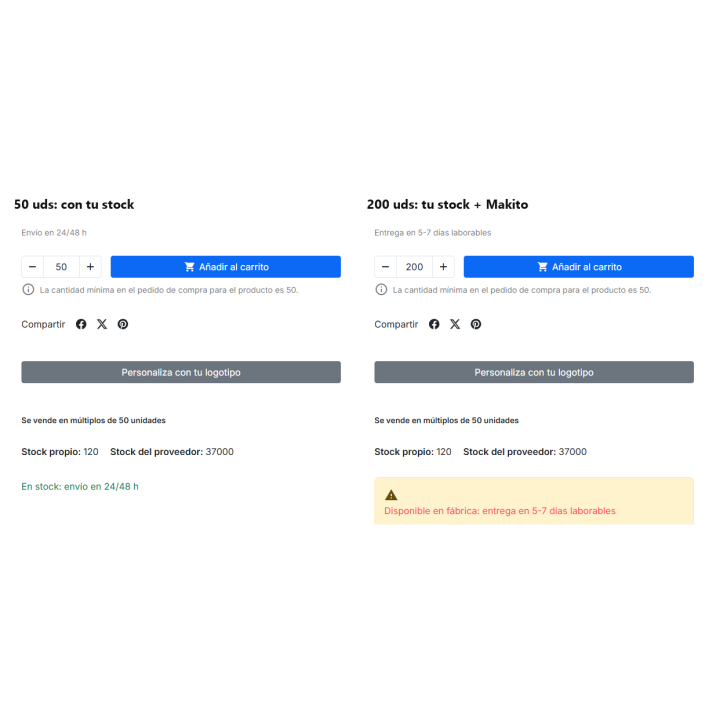
If you're a distributor, you have stock in your warehouse and, in addition, the stock that Makito supplies from the factory, with different delivery times. RKR Supplier Stock PrestaShop's stock becomes solely yours, while Makito's stock is stored separately, by combination. Your customer knows what to expect before making a purchase.
Requirement for this part: RKR Supplier Stock, which is included in the package, and PrestaShop 9. It is optional: without it, the connector works the same in PrestaShop 1.7.6 In version 9.x, Makito's stock is transferred to the PrestaShop stock (this is the default setting). When activated for a product, its PrestaShop stock is reset to 0 (previously it was Makito's stock), and orders can be placed even without its own stock.
/ A complete spec sheet, not just a name and a price
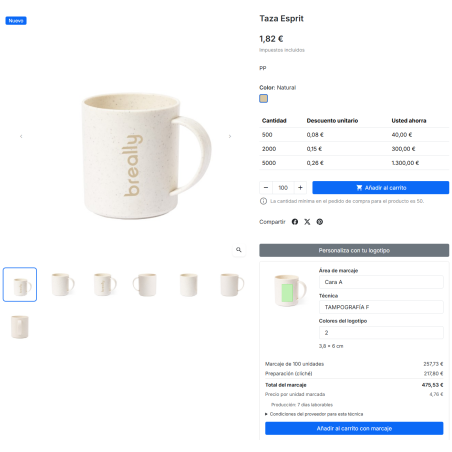
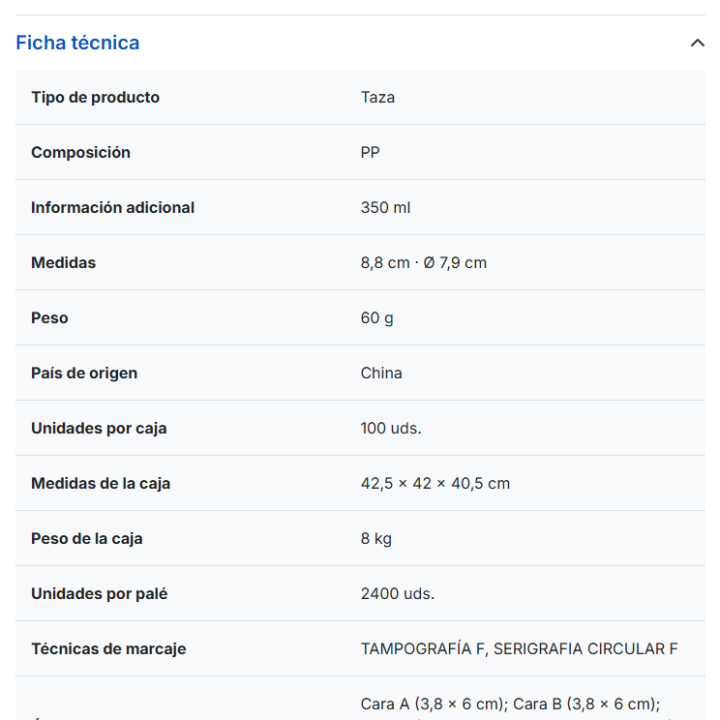
Each Makito product arrives as a PrestaShop listing with a color and size combination, including its Makito reference, description, and technical specifications. The main image, the color image (assigned to its combination), the details, and the background images are all included.
/ Personalize with your logo, with the price on the front
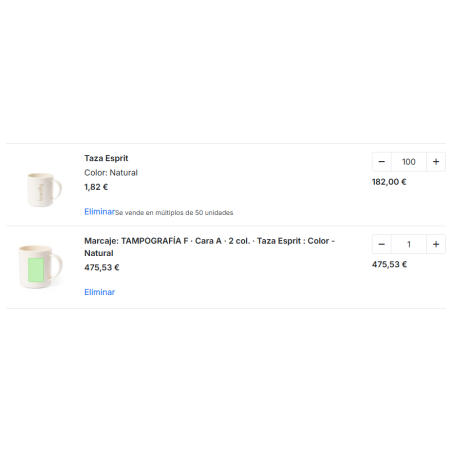
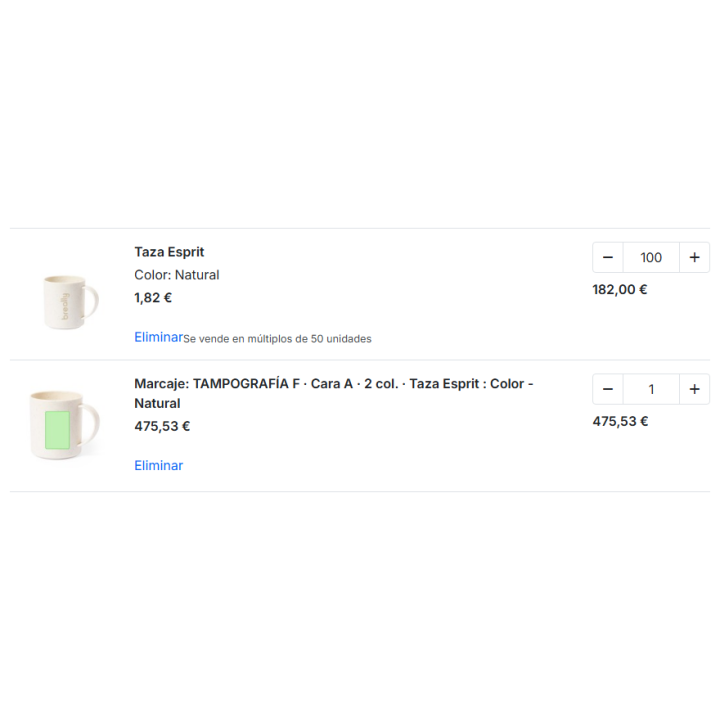
It's the best-selling promotional item and the one that takes the most time to keep in good condition in the store. It appears on every product "Personalize with your logo": the client chooses the area (sees their image and its measurements), the technique, the logo colors and, in surface techniques, the size in cm².
No overrides. The markup works with any theme; it's been tested on Classic and Hummingbird.
/ Your selling price, on your terms
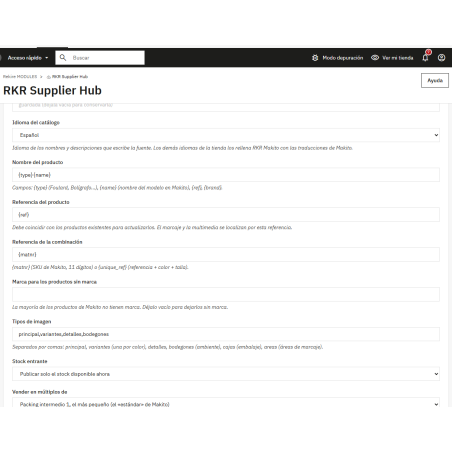
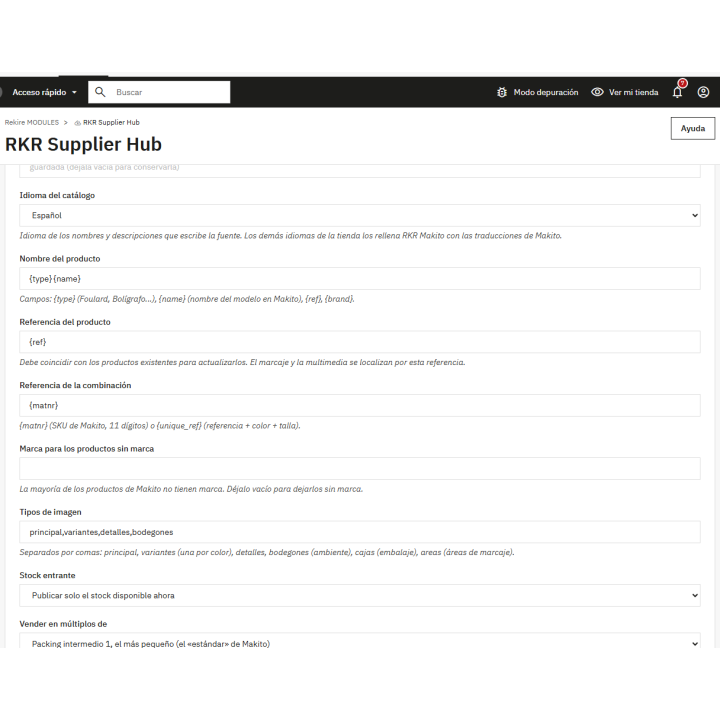
Makito's prices are your cost. The hub converts them into a selling price using the rules you choose, and the simulator shows you the result before you touch anything.
/ It stands on its own and doesn't interfere with your work
/ Categories without spending hours matching
Each new Makito category is automatically assigned to a similar category in your store by name, without AI and at no cost ("Cups, Jugs, and Thermoses" goes to "Cups and Thermoses"). Categories that don't match can be assigned using AI (Anthropic, OpenAI, Gemini, Mistral, DeepSeek, OpenRouter, or an OpenAI-compatible API) or manually. AI can also rewrite the description, meta title, and meta description of new products for SEO, in a queue that never delays an import.
/ Sell in packs, if Makito works for you in packs
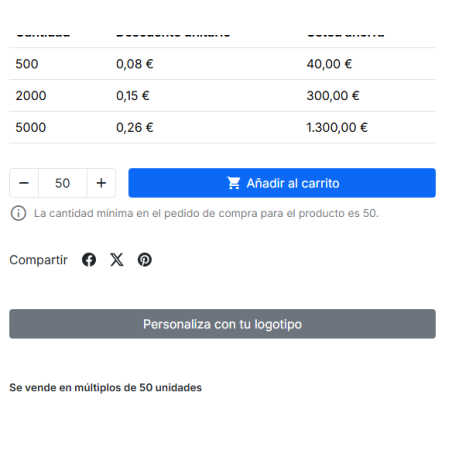
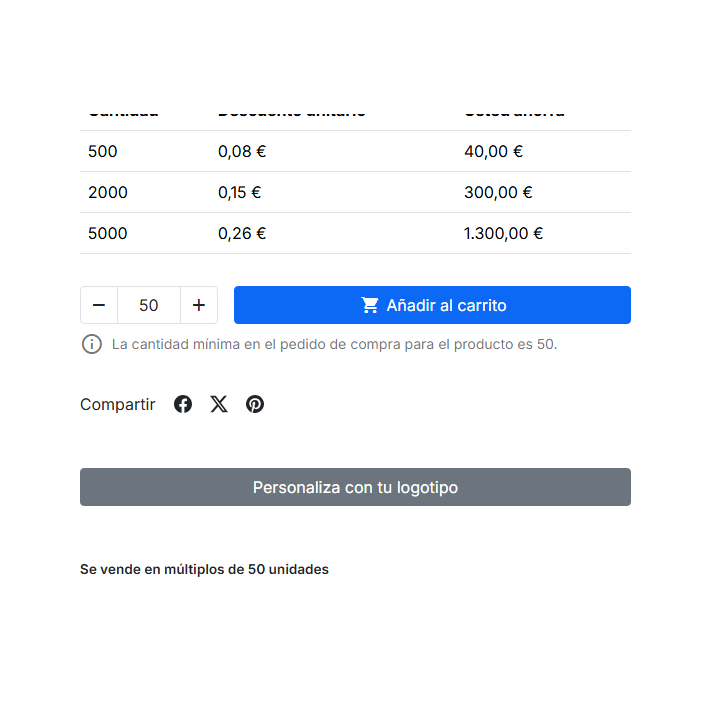
Makito sells in packs, and PrestaShop only recognizes the minimum quantity: with a minimum of 25, the customer can buy 26. The third module in the package, RKR Quantity Multiples, This feature restricts purchases to multiples of Makito's intermediate pack 1, the one with the fewest units. It's optional: if your store sells any quantity, don't activate it.
/ Video and 3D
The Makito API doesn't publish videos or 3D models, so we don't create them: if you have them, you register them by reference (manually, via CSV, or with a URL template). {ref} (which the cron checks) and are displayed below the tab. It supports YouTube, Vimeo, and MP4, and 3D models in .glb format with a viewer that rotates and zooms.
/ Why this connector and not another?
Makito connectors have been on the market for years. Prices, stock, images, categories, color and size combinations, and volume pricing all matter. Here's what this one adds, point by point.
/ What you need and what you should know
Compatible with PrestaShop 1.7.6 9.x · no overrides · requires Makito client account with API
Four modules in one package. Developed and maintained by REQUIRE
-
Referencerkrconectormakito
v1.3.1
- With the marking calculator, the "Add to cart" button on Hummingbird was not adding: fixed (Makito connector 1.3.1 ).
- Multiple sales: the + and − buttons jump from multiple to multiple and the typed amount is no longer corrected mid-typing (Multiples of quantity 1.0.2 ).
v1.3.0
Your own stock and the manufacturer's stock are kept separate. The package now includes RKR Supplier Stock 1.1.2 (optional, PrestaShop 9): PrestaShop's stock is yours, and Makito's stock is stored separately. Customers see "In stock: ships in 24/48 hours" when you have it and "Available from the factory: delivery in 5-7 business days" when supplied by Makito. Sales never exceed the sum of both stocks, and PrestaShop's delivery times are automatically calculated. Makito Connector 1.3.0.
v1.2.1
First version available for sale. The package includes RKR Supplier Hub 1.1.1 , Makito Connector 1.2.1 , and RKR Quantity Multiples 1.0.1.
- Makito catalog by color and size from the current API (v1.06): pricing by quantity tiers, stock, images per color, 7 languages and all features.
- Marking: table of areas and techniques on the sheet, calculator with real price and own line in the cart, recalculated when changing the units.
- Only what changes is written, with field-by-field history, simulation before applying, and sales price rules.
- Material and color for filters, color samples, labels and sale in multiples of intermediate packing 1.
- Categories matched only by name with those in the store (or with AI).
Questions and answers
Nobody has asked anything about this product yet.

