Reconciling the bank and supplier invoices with AI: what to automate and what to check
Ticking off bank lines against supplier invoices is one of the most tedious tasks of the quarter. AI helps read invoices and suggest matches, but you need to know what to check and what data is being sent. Here is how to approach it.

Updated: 25/10/2026
12

Share:
The end of the quarter arrives and the accountant asks for the usual: purchase invoices and the bank statement. In an online store that means dozens or hundreds of documents: stock suppliers, carriers, the payment gateway, advertising, software, hosting. Some invoices arrive by email, others have to be downloaded from a dashboard, others never arrived at all.
Ticking off the bank, line by line, against that pile of PDFs is one of the most tedious admin tasks in a small business. It is also one of the best suited to help from artificial intelligence, as long as it is treated as help and not as autopilot.
What reconciling means in an online store
Reconciling is checking that every bank movement has its document and every document has its movement. On the purchasing side, it answers three questions:
- What have I paid that has no invoice? This is the most important: an expense without an invoice cannot be deducted, and if you do not chase it soon, it never arrives.
- Which invoices do I have that I have not paid? Outstanding debts or duplicate payments.
- Which amounts do not match? An invoice in another currency, a deducted fee, a partial credit.
The sales side (making sure what was collected in the store reaches the bank) is a different job with its own problems, and is best done separately.
Where AI really helps
Reading invoices in any format
Every supplier has its own template. An AI model with vision can extract the data you need from a PDF or a photo: supplier, NIF (Spanish tax ID), date, number, tax base, VAT rate and amount, total. What used to be typing becomes reviewing a list.
Suggesting matches
With the list of invoices and the statement, matching by amount and approximate date solves most cases. AI adds value in the difficult ones: the bank description that looks nothing like the supplier's name, the payment that covers several invoices, the charge with a small difference due to a fee.
Assigning ledger accounts
If you do the bookkeeping yourself, a model that knows your chart of accounts can suggest the account for each invoice based on what was done before with that supplier.
Where not to trust it
- Misread numbers. A 1 for a 7, a decimal comma, a total that is really the subtotal. Always check that base plus tax equals the total.
- Invoices with several VAT rates, or with recargo de equivalencia (the Spanish equivalence surcharge applied to some retailers), withholdings or exempt items. These are the ones it gets wrong most often and the ones that matter most.
- Foreign suppliers with reverse charge: the invoice carries no VAT and that is not a mistake.
- Duplicates. The same invoice downloaded twice under different names.
- Tax decisions. AI can suggest an account; whether an expense is deductible is for your accountant to decide.
AI suggests, a person approves. The realistic goal is to move from typing to reviewing. A list nobody looks at before sending it to the accountant just moves the errors to another desk.
The invoices that do not arrive on their own
In an online store, many of the payments without an invoice are not from stock suppliers but from services that invoice through a dashboard rather than by email:
- Payment gateways, which deduct their fee from the amount they pay you. In the bank you see a net deposit, and the fee invoice is in their dashboard.
- Advertising platforms, which charge several times a month depending on spend.
- Marketplaces, which settle sales minus fees and issue their own service invoices.
- Carriers, with monthly invoices covering hundreds of shipments and sometimes later surcharges.
- Software and subscriptions paid by card, many of them from outside Spain.
Make a list of these services, with where each invoice is downloaded and how often. Reconciliation tells you what is missing; the list tells you where to go and find it. And when a charge appears in the bank that nobody can explain, take it seriously: it is also how you discover a forgotten subscription or a charge that should not be there.
Document privacy
Invoices and bank statements contain data about your company, your suppliers and sometimes individuals. Before using any AI tool with them, ask:
- Where are the documents sent? Even if the application runs in your browser, if it uses a cloud model, the content travels to that provider.
- What are the terms of that account? Some free AI services reserve the right to use what you send to improve their models; paid ones usually exclude it. Read the terms before uploading anything.
- Who keeps the result? Better a file on your computer than yet another third-party platform.
A quarterly process that works
- Collect invoices in a folder throughout the quarter, not on the last day.
- Extract the data with the tool and review the list: totals, NIF, VAT rates.
- Load the statement and let it suggest the matches.
- Review the unmatched items: payments without an invoice (chase them now) and invoices without a payment.
- Export the list or the journal entries and send them to the accountant with a note of what is outstanding.
Done this way, the quarter's work comes down to reviewing and handling exceptions, which is where a person is really needed.
How to handle it in PrestaShop
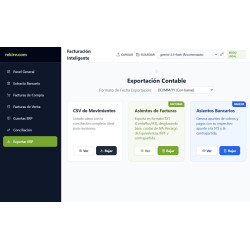
The Organizador de Facturas y Conciliador Bancario IA (Rekire's AI invoice organiser and bank reconciler) is a Rekire tool that does not depend on PrestaShop: it runs in the browser with your own Gemini API key. If you only want to organise invoices, you drag in the PDFs or images and get an Excel file with CIF (company tax ID), bases and VAT amounts ready for your accountant. If you upload your bank movements, it matches them against the invoices and flags which purchases you have paid that still have no invoice. And if you do your own bookkeeping, it uses your chart of accounts to assign the account for each invoice and exports the journal entries to your software. For confidential documents we recommend using a paid account with the AI service, not the free one. Rekire offers it to its customers free of charge and without support, although we welcome suggestions and bug reports.
-

-
 Payments, subscriptions and checkout Tips, donations and charity round-up in an online store: how to do it properly
 -
 Performance and hosting Full-page cache in PrestaShop: when it helps and what to leave out
 -
 SEO for online stores Recipes, projects and events: your own content that ranks and leads to your products


-
 Regulations for online stores Sales and discounts under the Omnibus Directive: how to advertise a reduced price without risking a fine
 -
 Regulations for online stores The right of withdrawal in 2026: the new mandatory button and everything your store must comply with
 -
 Strategy and conversion The real margin on each order: the calculation almost no store does (and should)
 -

-
 Regulations for online stores Mandatory web accessibility for online stores: what the law requires since 2025 and how to comply
 -
 ERP, invoicing and integrations REST APIs for ecommerce integrations: authentication, limits and errors
 -
 Purchasing, stock and logistics Purchasing management: where an online store gains or loses its margin
 -
 Marketing and loyalty Black Friday and seasonal campaigns: preparing the store technically