PrestaShop hacks: skimmers, diverted payments and backdoors we have seen
Fake card forms at checkout, payments that end up in someone else's account, backdoors hidden in modules nobody uses. Without saying whose stores they were, we describe what we have found while cleaning PrestaShop stores, how we handle an incident and why an outdated store is the one that ends up on this list.

Updated: 26/10/2026
149

Share:
Online stores do not get hacked the way they do in films. There are no red screens and no skulls on the home page. Usually it is the exact opposite: the store works perfectly, orders come in, customers pay and the owner notices nothing. Meanwhile, someone is copying cards at the payment step, collecting money in an account that is not yours or keeping a backdoor to come back whenever they like.
At Rekire we clean up compromised PrestaShop stores more often than we would like. This article brings together what we have seen in that work. The cases are real, but we tell them in a way that makes it impossible to know which store is involved: no sector, no city, no dates, no figures and no details that would let anyone look it up. What matters is not who, but how, because the how keeps repeating itself.
This article is long on purpose. If your store runs on an old version of PrestaShop, please read it to the end.
What a skimmer is and why it is the favourite attack against a store
A skimmer (also known as a card cloner or a Magecart-style attack) is a piece of JavaScript that gets into your store and steals card details at the very moment the customer types them. Card number, expiry date, CVV and cardholder name are sent to a server controlled by the attacker, and the order carries on as normal.
It is the most profitable attack there is against an online store, for three reasons:
- It breaks nothing. The customer buys, you get paid, nobody complains. The stolen details are used weeks later, somewhere else, and when the customer's bank detects the fraud nobody links the card to your store.
- It does not need your payment gateway to be vulnerable. It makes no difference whether you use your bank's card terminal, Stripe or PayPal. The skimmer does not attack the gateway: it attacks the page the customer is on.
- It scales. A store with normal traffic hands over dozens of cards a week without the attacker having to do anything else.
“My payment page belongs to the bank, so this doesn't affect me.” It is what we hear most, and it is wrong. If payment takes place on an external page, the skimmer draws a fake card form inside your checkout beforehand, keeps the details and then lets the customer continue to the bank. The customer types their card twice and assumes something went wrong. You see nothing.
Case 1: the card form that did not exist
The first sign was an automatic alert from our security module: a template from the theme's payment step had changed although nobody had touched the theme.
Pulling on that thread revealed the whole sequence, reconstructed from the server logs:
- Someone logged into the hosting control panel with the correct username and password. It was not a PrestaShop flaw: the password had been leaked.
- Using the panel's file manager, they wrote about 60 KB of JavaScript into a file in the theme itself that had been empty until then. A file with a boring name, the kind nobody opens.
- They added a single line at the end of the payment step template: a
<script src>that loaded that file. From the store's own domain, so no “external domains” filter would have flagged it. - They uploaded a small PHP file to clear the template cache, ran it and left. All in less than twenty minutes.
The JavaScript did nothing while the customer browsed. It only kicked in when the customer selected the card payment option. At that point it drew a card form identical to the store's own and, once it was filled in, sent the encoded details with navigator.sendBeacon to another online store, also hacked, that acted as a drop box. Using another victim's website as the destination is common: an ordinary commercial domain raises no suspicion.
It was active for about a week. The follow-up work was just as important as the clean-up: extracting the list of orders and payments from those days to inform the payment provider, and assessing with the store's owner the notification to the AEPD (the Spanish Data Protection Agency), which the GDPR (Article 33) requires within 72 hours of becoming aware of the breach.
What turned up underneath
Going through the back office employees, we found something worse: more than twenty fake super administrators, all with the same email address and the name “Prestashop Addons”, created in one-second bursts months earlier. That way of creating them — many at once, with the same email — is the signature of an SQL injection, not of someone coming in through the login form. The most likely origin was a controller in the page builder of a commercial theme that answered anyone, without checking the session, and put an unfiltered parameter straight into a query.
No previous audit had spotted them. The store had had its door open for months, and the skimmer was simply what finally got noticed.
Case 2: the payments that went to another account
This is the case that best explains why we say an attack cannot be seen. The store was selling normally. Card orders showed up in the back office as paid, with their transaction number, the right status and their invoice. Everything added up… except that the money never reached the store's bank.
The attacker had replaced the main file of the bank's payment module with a modified copy. The modification did the following:
- It replaced card payment with a form from an international payment gateway linked to an account belonging to the attacker. It left Bizum untouched and hid another method, so that the customer went straight to the card.
- It wrote a fake record into the bank module's tables, so that the order looked like a normal payment in the back office.
- It did not activate for the store's employees, nor for email addresses that looked like test addresses or belonged to the agency that maintained the store. Anyone testing the store saw the usual payment.
- It notified the attacker of every payment via Telegram.
- It kept its keys outside the web folder, in the home directory of the hosting account.
- And it could self-destruct, restoring the original files it had saved alongside.
The way in was FTP, with the main hosting account, which had the same password as the panel. The FTP logs showed dozens of sessions from the same address over several weeks, uploading and editing files as if it were just another developer.
So how was it discovered? Through a mistake by the attacker, and this is the part that interests us. The store had just migrated to PrestaShop 9. The malicious code had been written for the old version, and when re-injecting it the attacker uploaded the payment module files from the old store. In PrestaShop 9 those files no longer worked: the store went blank. Without that failure, the diversion would have carried on. Cross-checking the orders against the trace left by the fake code revealed dozens of diverted payments over several months.
The lesson from this case: “the orders are marked as paid in the back office” is not the same as “the money is in my account”. Reconcile your gateway's payments against your orders every week. It is tedious, and it is the only way to detect a diversion designed not to be seen.
Case 3: backdoors where nobody looks
A skimmer or a payment diversion requires the attacker to be able to write to your store. To come back whenever they want, they leave a web shell: a PHP file that, when called by its URL, lets them run commands or write files on your server. These are some of the ones we have found, and notice where they were:
- A 30-byte line (an
evalof whatever arrives in the request) inside the folder of a module that was not installed. The folder had been on the disk for years, nobody checked it, and PrestaShop 1.7 runs any.phpfile inmodules/if someone requests it by URL. - A file of under 200 bytes, with a name starting with a dot, in the store's root. It did only one thing: write any file it received to the server. No automatic scanner caught it; it turned up when the store was compared, file by file, with an earlier copy.
- A full shell of more than 80 KB (file manager, command execution, file upload) inside the folder of a native PrestaShop module, with the PrestaShop licence header, “PrestaShop” as the author and functions with innocent names. An exact copy sat in another abandoned module, in case the first one was deleted.
- A file manager disguised as a QR code reader, written in clean, readable PHP, inside a plugin of a WordPress site that shared hosting with the store. From there, the PrestaShop theme's JavaScript was rewritten without PrestaShop being touched at any point.
- A line in a module's
vendor/folder that included a file with a.jpegextension… which was actually PHP. The store had gone through two clean-ups with that door open because the tool used excludedvendor/by default. - A 6 KB loader inside an otherwise legitimate shipping module, which opened a WebSocket and ran whatever it was sent. There was nothing else on the disk: the malicious code arrived on every visit and was used to send the back office URL, with its token, to an external domain.
Single-character sabotage
The case that taught us the most was a store where, besides the backdoors, the attacker had altered two PrestaShop core files. In one, a regular expression that strips HTML tags had been loosened so that it stopped stripping them. In the other, the attacker removed the closing of the class index that PrestaShop generates, so that anything added at the end was executed as code: automatic reinfection without needing any file of its own.
No pattern-matching rule would have caught that. What found it was a byte-by-byte comparison with the official PrestaShop ZIP for that same version.
How they get in (almost always)
With all the cases on the table, the entry points repeat themselves:
| Entry point | What we have seen | What closes it |
|---|---|---|
| Leaked panel or FTP password | Valid login to the hosting panel or the main FTP account, with no technical flaw at all | Unique passwords, 2FA on the panel, SFTP, minimal FTP accounts and rotation after any incident |
| Module with SQL injection | Super administrators created in bursts; public controllers that check nothing | Updated modules, removing the ones you do not use, checking the employee list regularly |
PHP files reachable in modules/ | Web shells in uninstalled or abandoned modules | PrestaShop 9 (denies it out of the box) or an .htaccess with carefully chosen exceptions |
| Another website on the same hosting | An unmaintained WordPress used to write to the store | Separate hosting accounts, or keep both websites equally up to date |
| The computer of whoever runs the store | Malware that steals passwords saved in the browser and in the FTP client | Do not save FTP passwords in the client; use a password manager and 2FA |
Note that only one of the five is a “pure” programming flaw. The rest are about maintenance: what is installed, what is no longer needed and who holds the keys.
Why almost all the hacked stores were old
It is no coincidence. In almost every incident we have worked on, the store was on PrestaShop 1.6 or 1.7, with PHP 7.x and modules that had not been updated in years. That adds up to risks that multiply one another:
- PHP 7.4 stopped receiving security patches at the end of 2022, and earlier versions even before that. A new flaw in PHP will never be fixed for your server.
- Old PrestaShop branches no longer receive fixes, and many third-party modules have stopped releasing versions for them. When a vulnerability in a popular module is published, the fix comes out for the current version. If you cannot install it because your store is too old, the vulnerability is public and your store is still open.
- Old stores accumulate orphaned modules: folders of modules that were tried and uninstalled years ago, still on the disk and, in 1.7, executable by URL. In PrestaShop 9, the
.htaccessinmodules/already denies direct execution of PHP. - The older the store, the scarier it is to touch. And what is not touched is not checked.
Updating is not an absolute guarantee: the store in case 2 was already on PrestaShop 9, but the attacker had got in earlier, with the hosting password. What an up-to-date store does do is close the known entry points and make any odd change noticeable. An old store is one where the known entry points are still open and nobody compares anything with anything.
What we do at Rekire when a store has been hacked
When a compromised store comes to us, we always follow the same order. The order matters: deleting the malicious file first is the quickest way to make sure the attacker comes back the same way a week later.
- Forensic copy before touching anything. Files and database, stored outside the website. If you delete without copying, you lose the evidence of what happened, since when and which data has been exposed.
- Work on an isolated copy. We bring the store into our own environment, with no Internet access, email captured and payment gateways disabled, so that we can analyse it with no risk of it writing to customers or taking payments.
- Compare with something known. The core, against the official ZIP of the same PrestaShop version. The modules, against their original package. The whole store, against an earlier copy if there is one. Whatever has changed for no reason is the first suspect.
- Check what is not in files. Employees and profiles, webservice accounts and their permissions, scheduled tasks on the server, payment gateway configuration keys, and JavaScript inside CMS pages, the configuration or product descriptions.
- Find the entry point. Web access logs, FTP logs and panel logs. Without knowing how they got in, any clean-up is temporary.
- Close the entry point, then clean up. Fix or remove the vulnerable module, lock down the folders, remove surplus FTP accounts. Then quarantine the malicious files, which are kept as evidence instead of being deleted.
- Rotate every credential. Panel, FTP, database, employees, API keys for gateways and services. And close all open back office sessions.
- Assess the damage. Which orders and payments went through the store while the code was active, in order to inform the payment provider and decide with the data controller on notifying the AEPD.
- Leave monitoring in place. A clean baseline and alerts that fire the moment anything changes again.
- Propose the long-term fix. If the store is on an unsupported version, the migration plan. Cleaning an old store without migrating it buys time; it does not solve the problem.
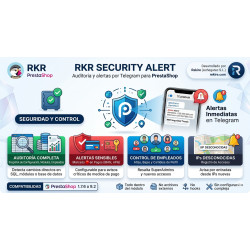
RKR Security Alert: the module that came out of all this
Every incident described here forced us to carry out by hand checks that could be automated. That is where RKR Security Alert came from: the security module we have developed at Rekire and use in our own audits. It works on PrestaShop 1.7.6 to 9.2, precisely because the stores that need it most are the ones that have not migrated yet.
What it monitors
- Payment details and configuration. It takes a snapshot of the configuration, modules, employees, store URLs and webservice accounts, and compares it with the current state. It does not depend on PrestaShop events: if someone changes something directly via SQL, bypassing the back office, the change still shows up. Changes to payment gateways are flagged as critical.
- Employees. New accounts, changes and deletions, with super administrator accounts highlighted. The fake administrators in case 1 would have triggered an alert on the very day they were created.
- Logins. Back office logins from a new IP address, with country, city and a warning if it is a proxy, a VPN or a data centre.
- Payment templates. A fingerprint of every checkout template in all installed themes, not just the active one. A change in any of them is already the alert: it is exactly what gave case 1 away.
- Modules by version. If a module's files change without its version changing, or a new one appears, you are alerted. That is what would have given away the replacement of the payment module in case 2.
- Scheduled tasks and folder lockdown.
What it looks for in files
- Payment skimmers, backdoors and web shells, command execution, obfuscation, injected JavaScript and code hidden in images.
- Web shells recognised by what they can do and not just by signatures: listing, writing and deleting files using a path received as a parameter. That is how it catches the ones written in clean PHP, like the fake QR reader in case 3.
- Comparison of the core with the official PrestaShop ZIP, which is the only thing that detects a single-character change in a legitimate file.
- A critical finding cannot be hidden with a path pattern: we learnt that from the store that went through two clean-ups with a loader in
vendor/.
The scan runs in stages and resumes where it left off, so it does not fail because of the server's time limit, and every finding comes with its evidence: what was found, on which line and from where it can be reached.
The browser sentinel
Some attacks leave nothing on the disk, like the WebSocket loader in case 3, or only appear when the customer does something, like the fake form in case 1. For those, the module includes a sentinel that watches the page once it has been rendered in the browser: it alerts you if a card field appears outside an iframe after the page has loaded, if the checkout sends data to a new domain with sendBeacon, fetch or XHR, if an external WebSocket is opened or if a page writes a system command to the clipboard without the user having clicked anything (the fake captcha technique known as ClickFix). The sentinel never stores the content of those requests: on a checkout page they would contain real card details.
Designed for stores that are already compromised
It installs in first audit mode: it treats nothing as “normal” until you have reviewed the report. If the store was already infected when you installed it, the infection does not become part of the baseline. Alerts arrive via Telegram, classified by severity (you can use one group for what matters and another for information only), and they also stay in the panel's inbox even if you do not use Telegram.
And one design decision that we think matters: nothing leaves your store. The analysis runs on your server with rules that ship with the module. No file, fragment or data from your database is sent to anyone.
What it is not. RKR Security Alert is not a firewall or an antivirus that blocks attacks. It detects and alerts, so that you react in hours rather than months. It complements the basics: an up-to-date store and modules, unique passwords, controlled access and backups.
Checklist for this week
If you have read this far, here is what you can do without anyone's help:
- Go to Advanced Parameters → Team and check each employee. If there is one you do not recognise, especially with a super administrator profile, treat the store as compromised.
- Reconcile last week's payments in your gateway's dashboard against the paid orders in your store.
- Place a test order with an email address that is not the store's, from a browser with no administrator session, and check whether the payment form is the usual one.
- Change the hosting panel and FTP passwords, making sure they are not used anywhere else, and enable two-step verification on the panel if your provider offers it.
- Ask your hosting provider for the list of FTP accounts and delete the ones you do not use.
- Look in Modules to see what you have installed, and via FTP to see which folders are in
modules/. Anything that is on the disk but not in the list should go. - Check which versions of PrestaShop and PHP you are running. If it is PrestaShop 1.6 or 1.7, or PHP 7.x, set a date for the migration.
Migrating is not a luxury: it is the biggest security measure there is
We know that migrating a store feels like a chore and a risk. Modules, theme, URLs, payments and invoices all need checking. But having seen all these cases from the inside, our conclusion is clear: the most expensive store to maintain is the one that never gets updated. An incident costs the clean-up, the notification, the chargebacks, the team's time and, above all, the trust of the customers whose cards were used somewhere else.
A migration to PrestaShop 9 with a current PHP version closes, in one go, the known entry points of the old versions, forces you to take stock of what you have installed and leaves you on a version that still receives fixes. If you also monitor what changes, the next attempt gets noticed the same day.
How to solve it in PrestaShop
RKR Security Alert monitors configuration, payments, employees, logins, checkout templates and files, compares the core with the official ZIP and alerts you via Telegram as soon as something changes, on PrestaShop 1.7.6 to 9.2. RKR Sentinel alerts you to errors on your website before your customers tell you about them, and a store that suddenly goes blank, like the one in case 2, is an error you want to see within the minute. RKR Order Guard prevents duplicate orders, payment statuses and invoices, so that what the back office says can be trusted when you reconcile it with the bank.
And if you suspect your store has been compromised, or you want to migrate it before it is, with Rekire's support hour packs we carry out the audit, the clean-up using the method in this article and the migration to PrestaShop 9.
-
 Payments, subscriptions and checkout Tips, donations and charity round-up in an online store: how to do it properly
 -
 Performance and hosting Full-page cache in PrestaShop: when it helps and what to leave out
 -
 Payments, subscriptions and checkout Reconciling orders and bank: how to spot payments your store thinks it has and doesn't
 -
 Purchasing, stock and logistics Shared stock between products, packs and combinations: how not to sell what you don't have


-
 Regulations for online stores Sales and discounts under the Omnibus Directive: how to advertise a reduced price without risking a fine
 -
 Regulations for online stores The right of withdrawal in 2026: the new mandatory button and everything your store must comply with
 -
 Strategy and conversion The real margin on each order: the calculation almost no store does (and should)
 -

-
 ERP, invoicing and integrations REST APIs for ecommerce integrations: authentication, limits and errors
 -
 Marketing and loyalty Black Friday and seasonal campaigns: preparing the store technically
 -
 Purchasing, stock and logistics Purchasing management: where an online store gains or loses its margin
 -
 Regulations for online stores Mandatory web accessibility for online stores: what the law requires since 2025 and how to comply