Reconciling orders and bank: how to spot payments your store thinks it has and doesn't
An order showing «Payment accepted» does not mean the money is in your account. We explain why orders, gateway and bank stop matching, how to cross-check them every week and what to do when a paid order turns up that nobody has actually collected.

Updated: 19/10/2026
25

Share:
The back office says «Payment accepted» and the order goes off to the warehouse. That is normal, and it is almost always true. But that status is written by your store, not by your bank: it is what the store believes has happened. The money is confirmed in two other places, the gateway dashboard and the bank statement, and if nobody compares them with the orders, a mismatch can go on for months.
This is not a theoretical oddity. We have seen stores with «paid» orders whose money had gone into someone else's account, stores with two orders for every payment and stores with payments that never became an order. In every case, a weekly reconciliation would have caught it within days.
Why orders, gateway and bank stop matching
Payment diversion
This is the most serious case. Someone with access to the store's files —through a stolen FTP password or a vulnerable module— modifies the payment module so that the customer pays through a gateway controlled by the attacker. The order is created under the name of the legitimate module, the status is the usual one and everything looks normal in the back office. There is only one difference: that transaction does not exist in your gateway dashboard.
The simple variant is changing the IBAN for bank transfers in the configuration. The customer pays, the order stays pending, the customer insists they paid, and you cannot find the money.
Duplicate or lost notifications
The gateway tells your store that the payment has been completed through a notification (IPN, webhook or the customer returning to the store). If two arrive at the same time, you can end up with two orders for a single payment, each with its own invoice and its own stock deducted. If none arrives, you have the opposite case: a payment without an order, and a customer who has paid and receives nothing.
Manual changes and refunds made outside the store
- An employee marks a bank transfer order as paid before seeing the money arrive.
- A refund is made from the gateway dashboard and the order stays as paid.
- A chargeback comes in and the order never finds out.
Payouts that are not orders
Gateways do not pay out order by order: they settle in batches and deduct fees, refunds and chargebacks. That is why you cannot reconcile the bank directly against the orders; you need the intermediate step of the gateway.
The two reconciliations you need to do
Reconciling means cross-checking three sources in two steps:
- Orders ↔ gateway transactions. Every order paid by card, Bizum or PayPal must have its transaction in the dashboard, for the same amount. And every captured transaction must have its order.
- Transactions ↔ bank credits. The sum of the transactions for a period, minus fees, refunds and chargebacks, must equal what the gateway has paid into your account.
The first step is the one that uncovers diversions and duplicates. The second uncovers unexpected fees, withheld funds and payouts that never arrive.
The weekly reconciliation, step by step
- Export the week's paid orders with reference, total amount, payment module and transaction number. In PrestaShop that number is usually stored in the order payment (the
ps_order_paymenttable,transaction_idfield), although some modules keep it in their own tables. - Export the transactions from each gateway's dashboard for the same period, with their number, amount and status.
- Match by transaction number, not by amount. Two orders of €49.90 matched by amount are both accepted even if one is fake.
- Produce three lists: orders without a transaction, transactions without an order and amounts that do not match.
- Reconcile the gateway payouts with the credits on the bank statement.
- Record what you did with each discrepancy. Nobody will remember an unexplained difference next week.
| What you find | Likely cause | What to do |
|---|---|---|
| Paid order with no transaction in the gateway | Payment diversion or status changed manually | Do not ship; check the payment module files and who changed the status |
| Two orders, one transaction | Duplicate notification | Cancel the extra one and return its stock; cancel its invoice with a credit note if it has already been numbered |
| Two transactions, two orders from the same cart | Double charge | Decide on the refund; the customer will complain if you do not |
| Captured transaction with no order | Lost notification | Create the order or refund the payment, and let the customer know |
| Different amount | Partial refund outside the store, shipping costs added incorrectly | Adjust the order and its invoice |
A paid order that does not appear in the gateway is not shipped. Look up its transaction number in the gateway dashboard: if it does not exist there, the payment is not yours, however normal it looks in the back office. And if there is one, there are probably more: check every order with that payment method since the last change to the payment module files.
Bank transfers, cash on delivery and manual Bizum
With payment methods that have no automatic notification, the order becomes paid because a person decides so. The rule is simple: only mark it as paid with the bank statement in front of you, never because the customer sends a screenshot of the receipt, which can be faked in a minute. And check from time to time that the IBAN your store shows on the order confirmation and in emails is yours.
Signs that payments are being diverted
- Transaction numbers with a different format from the ones that gateway normally uses.
- A gateway that pays out less than the orders say.
- Customers who say they have paid and whose payment does not appear in any dashboard.
- Payment module files with a modification date that does not match any update.
- Changes to the gateway configuration that nobody on the team remembers making.
Why this is also about keeping the store up to date
Payment diversion requires writing to your server. The most common ways in are stolen FTP or hosting panel credentials and modules with known vulnerabilities that nobody updated. A store with PrestaShop, PHP and modules up to date, and with its access accounts reviewed, makes life much harder for the attacker. Reconciliation detects the problem; updating reduces how often it happens.
Checklist
- Orders ↔ gateway reconciliation every week, by transaction number.
- Gateway ↔ bank reconciliation on every payout.
- Bank transfers marked as paid only with the statement.
- Regular review of the IBAN and gateway keys in the configuration.
- Alert when the payment module files change.
- A record of every discrepancy and how it was resolved.
How to solve it in PrestaShop
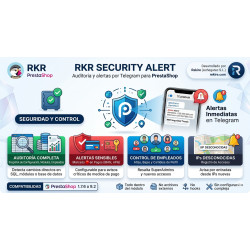
RKR Order Guard prevents duplicate orders when two gateway notifications arrive at the same time and reviews the history to find the ones you already have, classifying them according to whether there are one or two payments: the extra order is set to Canceled and its stock is returned, while refunds are decided by a person. It also watches for diverted payments on two levels: it checks the transaction number of each order (by signature in Redsys, by the format of the identifier in PayPal, PayPlug and Stripe) and stores a fingerprint of your payment module files to alert you if they change without an update. The alert appears on the order page, where the person who is going to ship it will see it. RKR Security Alert completes the monitoring: it keeps a snapshot of the configuration, modules and employees, flags changes to payment gateways as critical even when they are made via direct SQL and alerts you by Telegram.
-

-
 Payments, subscriptions and checkout Tips, donations and charity round-up in an online store: how to do it properly
 -
 Strategy and conversion Customer registration: what to ask for, what not to and how to handle businesses
 -
 ERP, invoicing and integrations Reconciling the bank and supplier invoices with AI: what to automate and what to check


-
 Regulations for online stores Sales and discounts under the Omnibus Directive: how to advertise a reduced price without risking a fine
 -
 Regulations for online stores The right of withdrawal in 2026: the new mandatory button and everything your store must comply with
 -
 Strategy and conversion The real margin on each order: the calculation almost no store does (and should)
 -

-
 Marketing and loyalty Black Friday and seasonal campaigns: preparing the store technically
 -
 Purchasing, stock and logistics Purchasing management: where an online store gains or loses its margin
 -
 Regulations for online stores Mandatory web accessibility for online stores: what the law requires since 2025 and how to comply
 -
 ERP, invoicing and integrations REST APIs for ecommerce integrations: authentication, limits and errors