
A till for your physical shop, connected to all your online stores.
RKR POS is a complete point-of-sale program: it keeps selling when the internet goes down, issues invoices ready for VERI*FACTU and, if you also sell online, connects to all your PrestaShop, WooCommerce and Shopify stores at once to share catalogue, stock, orders and customers.
- Keeps selling offline
- PrestaShop, WooCommerce and Shopify, as many stores as you have
- Lifetime licence from €990 + VAT
See it in action
Your counter and your website, each going their own way
If you sell in-store and online, you usually end up with two programs that don't talk to each other, and someone reconciling by hand what one doesn't know about the other.
Stock never adds up
You sell the last unit at the counter and the website keeps offering it. Or the other way round: someone buys it online and it's no longer on the shelf.
No internet, no sales
Cloud POS systems go blank when the connection drops. And it always drops on a Saturday morning, with the shop full.
The tax office asks for more
Under the invoicing systems regulation (VERI*FACTU), every invoice has to be chained to the previous one and carry its QR code. An old-style cash register won't do.
One till, all your stores
It isn't a module for a single store: it's your till software, and your online stores plug into it. However many you have, on whichever platform.
Several stores at once
PrestaShop, WooCommerce and Shopify side by side, with no limit on stores. Each one with its own name and, if you like, its own invoice series.
Two-way stock
What you sell at the counter comes off the website, and what sells online comes off the till. Offline, it's recorded and syncs on its own when the connection is back.
Every sale, an order in your store
Counter sales show up in your online store as just another order, with their payment method and without deducting stock twice.
Web orders, invoiced
From your VERI*FACTU start date, the till invoices paid web orders every few minutes. Until then, your store keeps invoicing as it always has.
Reserve online, pay in store
The customer reserves on the website, the stock is set aside, and you take payment at the counter when they come to collect it. With PrestaShop and WooCommerce.
Web customers at the till
Look up your online stores' customers at the counter, and their invoices appear in their "My account". With PrestaShop and WooCommerce.
One receipt, several stores
If a receipt has items from two different stores, each store gets its own order with its own items.
If one goes down, the rest carry on
A store under maintenance doesn't stop the others from updating. And if none of them respond, the till keeps its catalogue and carries on selling.
Designed for the person behind the counter
Big buttons, touchscreen or mouse, and everything one or two taps away.
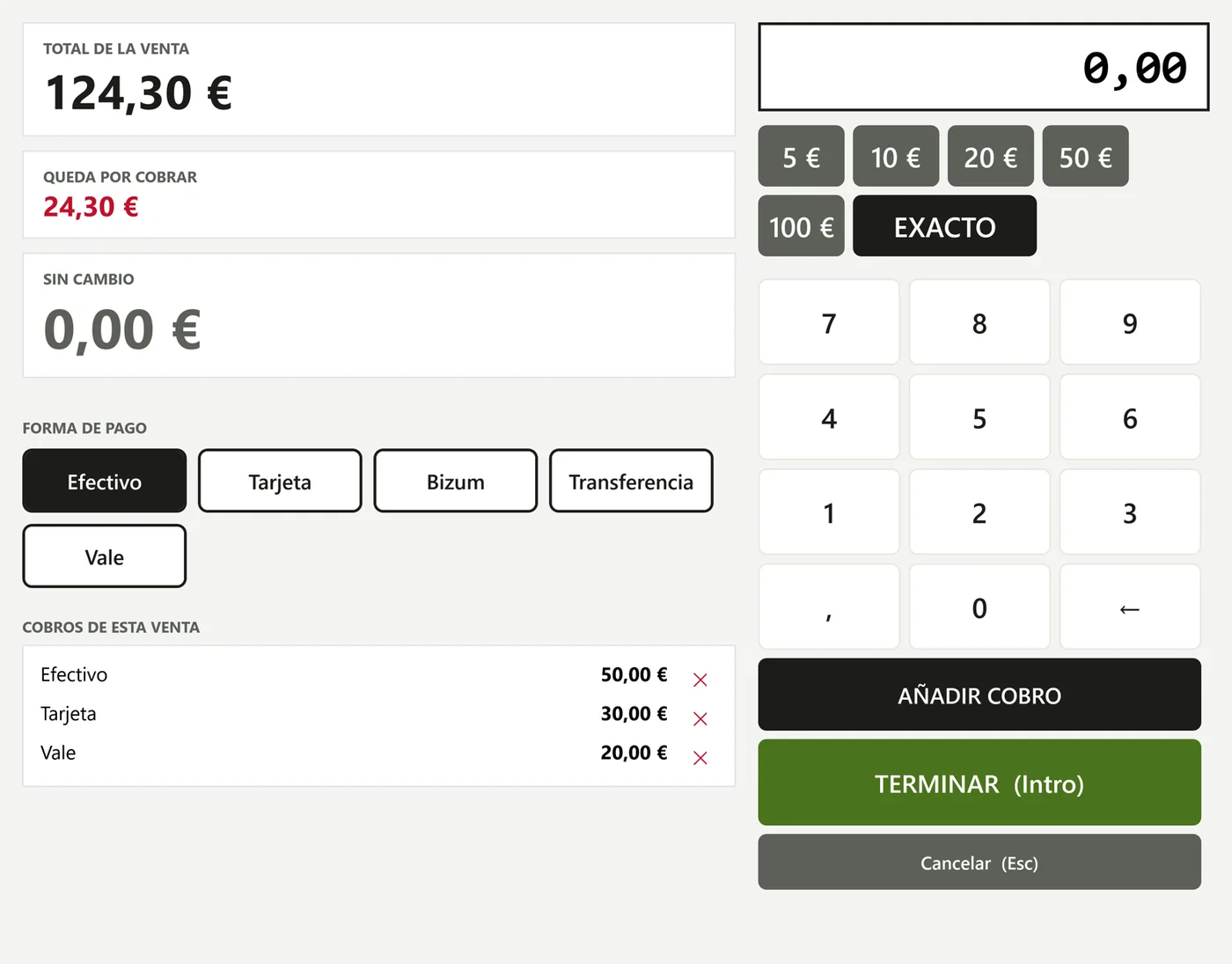
Split payments
Part in cash and part by card, with the change shown on screen.
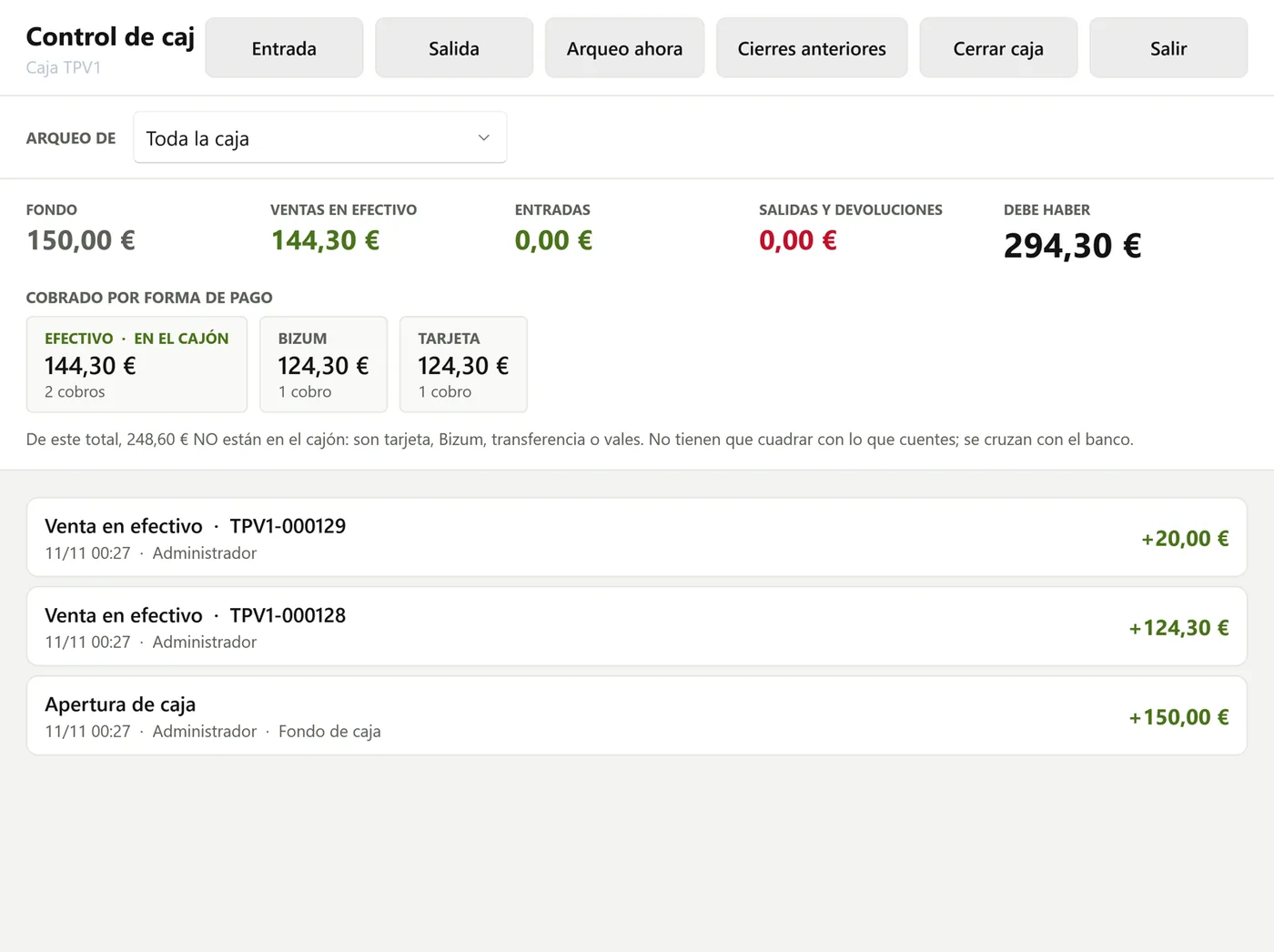
Cash and closing
Opening float, cash in and out, cash count per employee and blind closing.
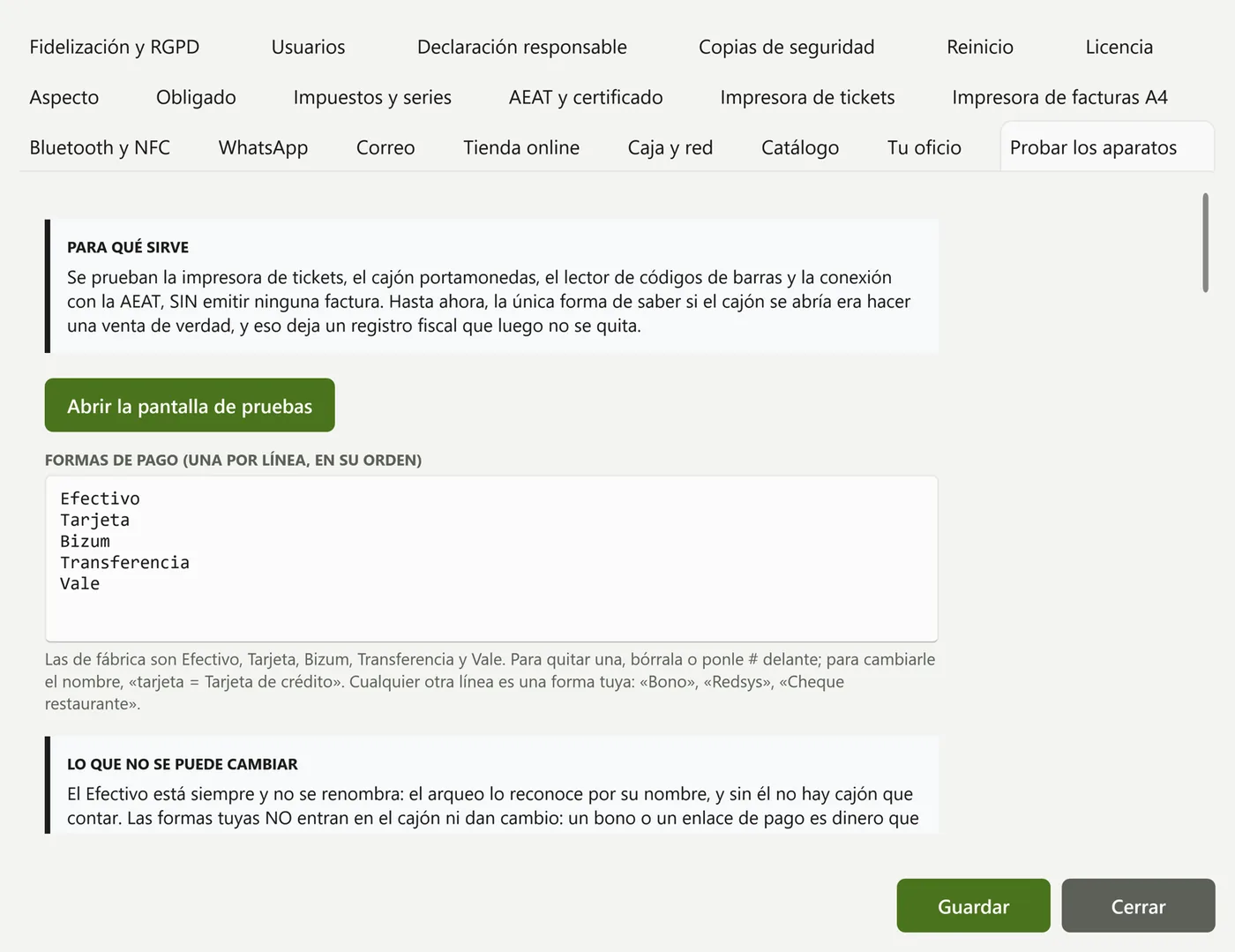
Your own payment methods
Reorder, rename or hide payment methods and add your own: vouchers, Redsys, bank transfer…
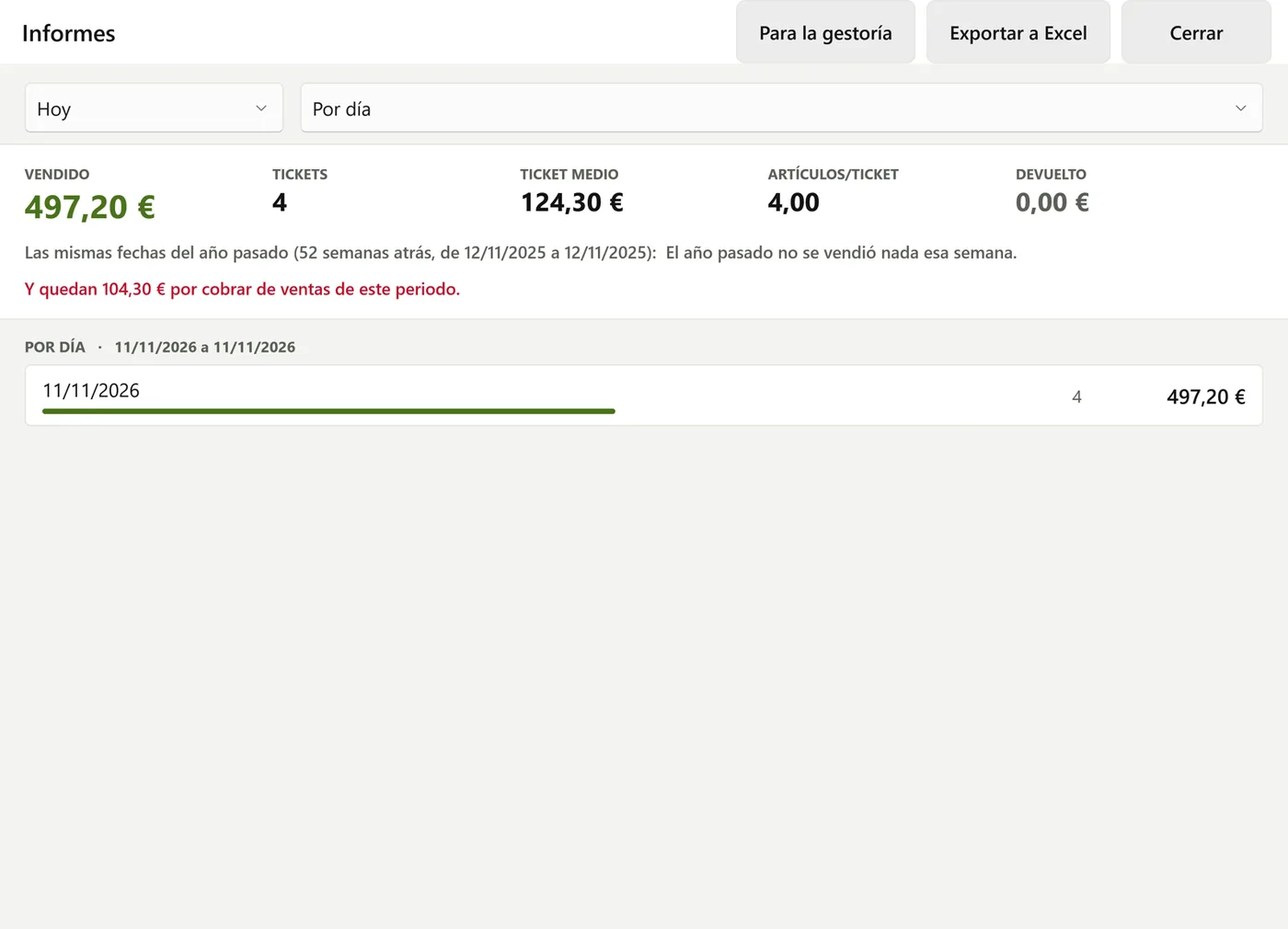
Reports
Sales by day, hour, employee and item, margins and comparison with last year.
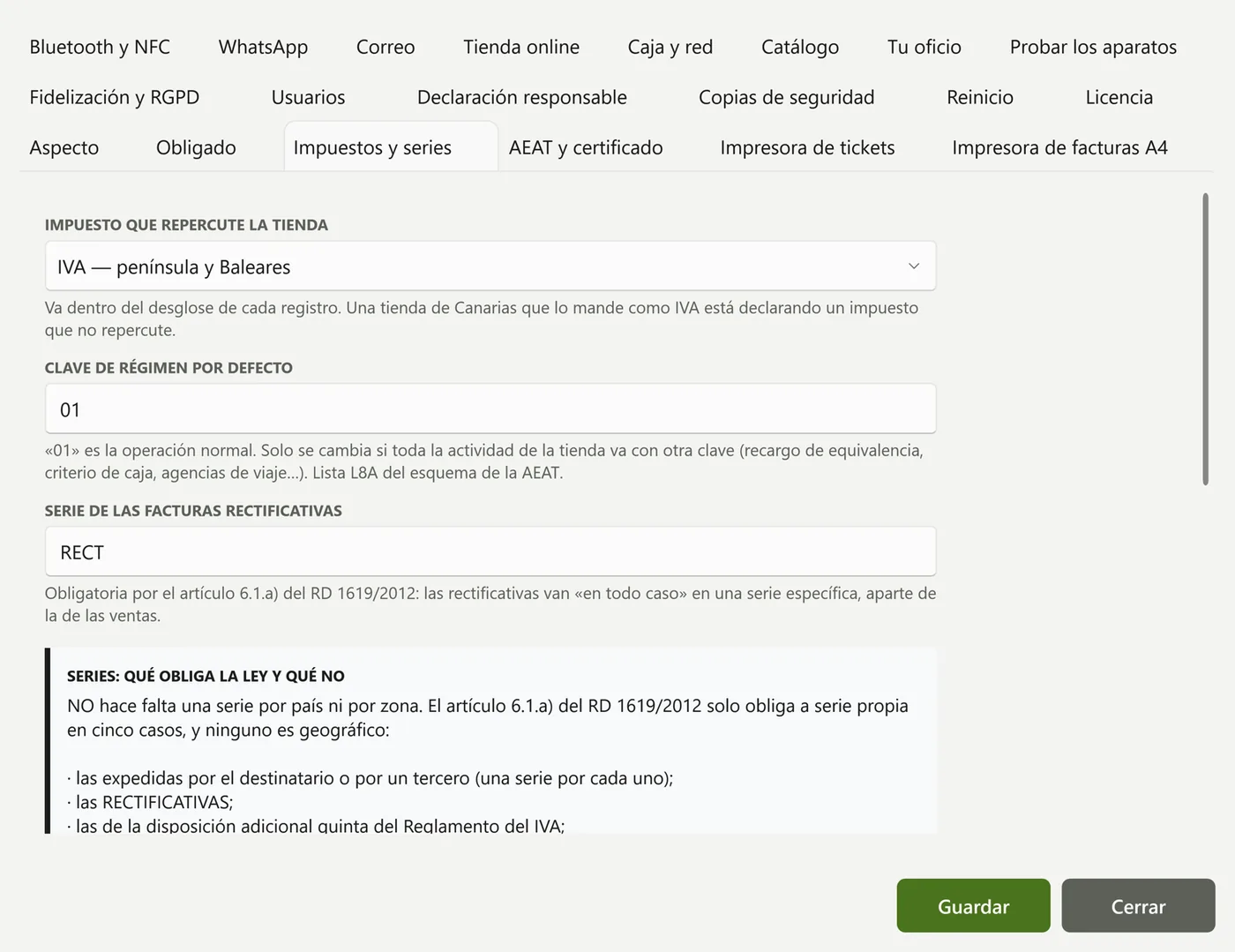
Taxes and series
IVA (VAT), IGIC or IPSI, and one invoice series per till.
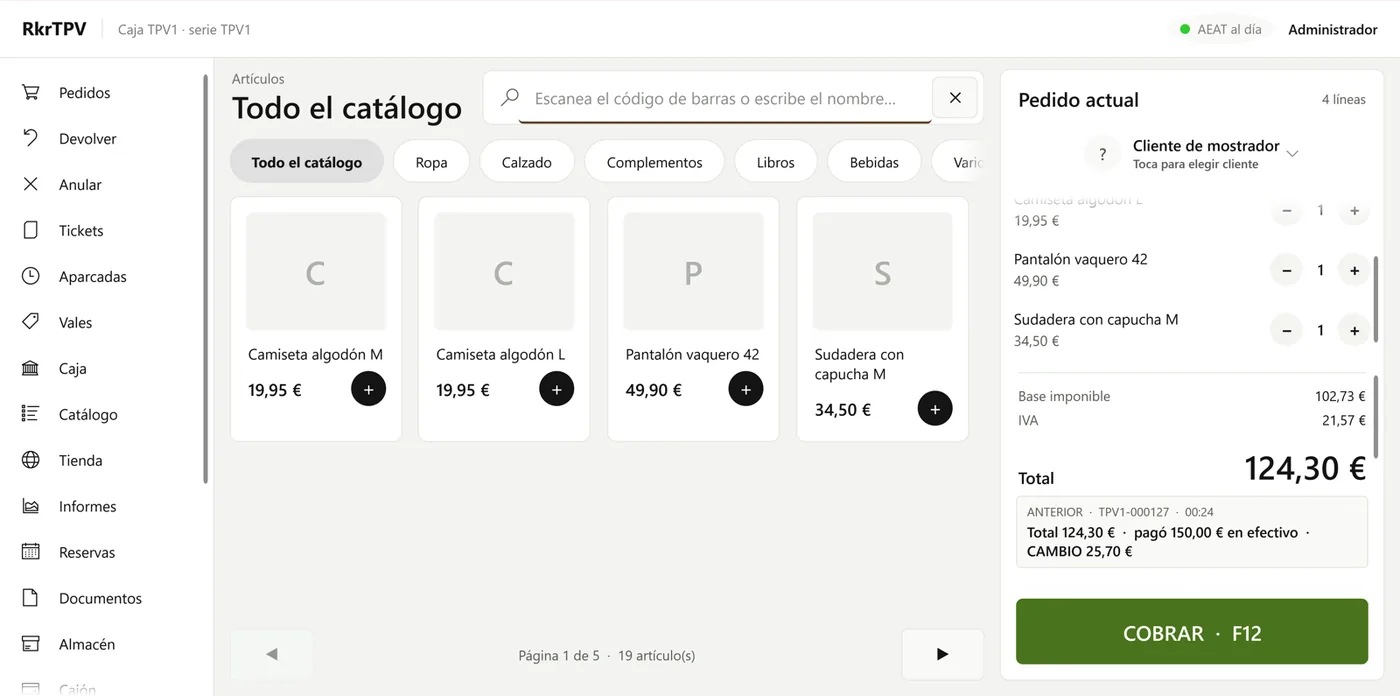
Selling
Barcode scanner, category buttons and up to six receipts open at once.
Everything a counter needs
It has everything a shop needs day to day, and whatever you don't use can be hidden.
Selling
- Barcode scanner, category button panel and photos
- Sizes and colours, sale by weight and open price
- Up to 6 open receipts and parked sales
- Quotes, special orders and delivery notes
- Split and merge bills, gift receipt
Payments
- Cash, card, split payment and your own payment methods
- One-key quick card payment
- Deposits, with the balance paid later
- Store credit with a credit limit
- Session packs, tips and rounding
Cash and closing
- Blind closing, counting note by note
- Cash count per employee and X and Z reports
- Email alert if the cash doesn't balance
- Who's out and by how much, per employee
- Staff clock-in and clock-out
Returns and vouchers
- Full or line-by-line returns, with their corrective invoice
- Voucher instead of cash, valid for as many days as you choose
- Voucher on paper, by WhatsApp or by email
- Receipt or full invoice, on the spot
Customers and loyalty
- Price lists, discounts and agreed prices
- Purchase history and outstanding balance alert
- Points, stamp cards and coupons
- 2-for-1, 3-for-2, second unit and happy hour
- Offers by WhatsApp, GDPR-compliant
Catalogue and stock
- Goods received, stocktaking and shrinkage
- Suppliers, purchase orders and restock list
- Barcode labels
- Bulk price changes, with undo
- Batches and expiry dates
Reports and accounting
- Sales by day, hour, employee and item
- Margins and taxes by rate
- Comparison with last year
- Export to ContaPlus, Contasol, a3, ClassicConta and Odoo
- Report by email when you close the till
Staff and security
- Each employee with their own PIN and 20 permissions
- Sales assistant, manager and administrator profiles
- Log of who did what
- Backups to USB, NAS or the cloud
Hardware
- 58 or 80 mm receipt printer, or A4
- Cash drawer and barcode scanner
- Second customer-facing display
- Printer per category for kitchen and bar orders
- Screen to test each device
The law, handled at the till
RKR POS is an invoicing system built for Royal Decree 1007/2023: every invoice is chained to the previous one, with its hash and QR code, and the software comes with its statement of compliance.
The compliance date has been moved several times, so you set the start date yourself. Until that day your online store keeps invoicing as it always has; from that day the till does the invoicing, web orders included, with no duplicate numbers.
Submission to the AEAT is switched on with the update released ahead of your start date, included in maintenance.
What it does for you
- No internet: it invoices just the same, and the records are sent automatically when the connection is back
- IVA, IGIC and IPSI: mainland Spain, the Canary Islands, Ceuta and Melilla
- Corrective invoices: issued automatically when you refund or correct
- Receipt to invoice: turns a simplified invoice into a full one, with the tax ID verified
- Never locks you out: even if the licence expires, the till keeps invoicing
It adapts to your type of business
When you install it, you choose your line of business and the till shows what your trade uses.
From your old till to RKR POS in four steps
- 01
You buy the licence
Right here, on rekire.com. We generate your key from your tax ID: it's yours for life and includes the first year of maintenance.
- 02
We set up your till
Employees, payment methods, series and cash floats. If you're coming from another POS, we copy the way you work so your team notices as little change as possible.
- 03
We connect your stores
One connector in each PrestaShop or WooCommerce store, or an app in Shopify. Installing it changes nothing until you decide.
- 04
Training and you're live
Printer, cash drawer and scanner configured, a session with your team, and you're ready to sell.
Learn to use it at your own pace
Eleven videos, one hour in total, so each person on your team watches what they need: from installing the till to the end-of-day close and VERI*FACTU. The licence also includes one hour of training with us. Videos in Spanish.
01 · Getting started: installation, your trade and users5:56 · For whoever sets up the till: the owner or manager
02 · Selling at the counter4:50 · For counter staff
03 · Taking payment and handing over the receipt4:58 · For counter staff
04 · Returns, cancellations and vouchers3:56 · For the manager and counter staff allowed to process returns
05 · The till: opening, blind close and cash count5:15 · For store managers and sales staff
06 · Catalogue, prices and offers6:24 · For store managers
07 · Customers and loyalty5:42 · For store managers and sales staff
08 · Connecting your online stores5:45 · For store managers and whoever runs the online store
09 · Invoices, taxes and Verifactu5:02 · For the business owner or their accountant
10 · Stock, replenishment and reports5:28 · For the business owner and whoever runs the warehouse
11 · Devices, backups and security7:41 · For the business owner or whoever sets up and maintains the till
You pay for the licence once. No fee per connected store.
Connect as many online stores as you like at no extra cost. Prices exclude VAT.
Licence
Your first till, for life.
€990 + VAT, one-off payment
- Full software for one till
- Connection to PrestaShop, WooCommerce and Shopify
- Unlimited online stores
- Remote setup and 1 hour of training
- 12 months of updates and support
Extra tills
For a second counter or a second physical shop.
€350 + VAT per till
- Setup included
- Same company and same tax ID
- Own invoice series per till
- Catalogue shared across tills
- Combined cash count for all of them
Maintenance
From the second year, if you want to stay up to date.
€300 / year + VAT
- New versions: AEAT changes and changes in your stores
- Support by email and remote access
- €100 / year for each additional till
- Without it, the till keeps working
Other services
| Migration from your current POS (employees, payment methods, closings and customers) | €290 |
| Printer, cash drawer and scanner configured remotely | €35 / till |
| On-site installation | On request |
Prices exclude VAT. The licence is tied to the tax ID your business invoices under.
What you should know
RKR POS is a Windows program installed on the counter computer. It doesn't run on Mac or on Android tablets or iPad.
The licence never blocks invoicing: if you stop paying for maintenance, the till keeps selling and invoicing with the latest version you have; you just stop receiving new versions.
The card terminal isn't integrated: card payments are marked on the till and processed on your usual card terminal.
With Shopify, the till talks to its API and there is no plugin: products and order status are changed in Shopify, stock is moved at the main location and the merchant creates the app in their own account. There is no “reserve online, pay in store”, payment links or tax ID correction from the till, and an order partly refunded or with more than 50 lines is invoiced by hand (the till warns you).
Works with
What each till needs
- Computer: Windows 10 (1809 or later) or 11, 64-bit
- Memory: 4 GB, ideally 8 GB
- Screen: touchscreen recommended, not required
- Internet: only to sync and to submit to the AEAT
- Certificate: your company's digital certificate, for VERI*FACTU
What people ask us first
Do I need an online store?
No. RKR POS is a complete till program, with its own catalogue, and it works on its own. If you open an online store one day, you connect it without changing software.
How many online stores can I connect?
As many as you like, at no extra cost per store. They can be PrestaShop, WooCommerce and Shopify at the same time, and each one can have its own invoice series.
Does it work with Shopify?
Yes. Shopify doesn't support modules, so the till talks directly to its API: you create an app in your Shopify store and give us its key. It downloads the catalogue with sizes and colours, deducts stock, invoices paid orders and records counter sales as orders. It's the newest connection: during setup we leave it tested on your store.
What happens if the internet goes down?
Nothing: the till keeps selling, taking payments and invoicing. Stock, orders and tax records are saved and sent automatically when the connection is back (tax records, once sending to the AEAT is activated).
With VERI*FACTU postponed, is it useful to me now?
Yes. Today it's your till and your link to your website; you set the start date yourself, and we change it if the date moves again. Until then, your online store invoices as it always has.
Can I keep using my current POS in the meantime?
Yes. It's normal to leave the old one installed until the team gets used to the new one. With the migration we copy your employees, payment methods and the way you close the till.
What happens if I don't renew maintenance?
The till keeps working and invoicing: the licence is for life and never locks you out. You just stop receiving new versions and support.
How long does setup take?
A shop with one or two tills is usually ready in a morning, remotely, training included. With a migration from another POS, allow one extra day to prepare your data.
Your counter and your website, together at last
A till that never stops and keeps all your online stores up to date.

