Orphaned modules in PrestaShop: the code nobody looks at that still responds
Uninstalling a module does not always delete its files. Those orphaned folders do not appear in the module manager, are never updated and their PHP can be requested by URL. We explain how to find them and remove them safely.

Updated: 07/10/2026
4

Share:
A store with years behind it accumulates modules the way a storeroom accumulates boxes. A reviews module was tried out, the payment gateway was changed, something was installed for a Christmas campaign. They were uninstalled from the back office, but the folders are still there, in modules/, with all their code.
We call those folders orphaned modules. They do not appear in the module manager, nobody updates them, and in many stores their PHP still responds to anyone who requests it by URL.
Why they become orphaned
- Uninstalling is not deleting. In PrestaShop, uninstalling runs the module's
uninstall()(which removes its tables and configuration), but the folder may stay on disk. Deleting it is a separate action, and it is often skipped. - Migrations and copies. When migrating or restoring, module folders get copied that are never installed in the new store.
- FTP uploads. Someone uploaded a module via FTP to try it out and never got round to installing it.
- Theme leftovers. Some commercial themes ship with their own modules; when you change theme, the old one's modules stay behind.
Why they are a risk
Vulnerable code that is never updated
An installed module, however old, at least appears in the list, and someone can see that an update is available. An orphan appears nowhere. If its version had a known vulnerability, it will have it forever.
Their PHP still runs
This is the key point. The fact that the module is not installed does not stop its files from responding. Many old modules include PHP files meant to be requested directly by URL: an ajax.php, a validation.php, an import script. Those files bootstrap PrestaShop on their own and do their job, whether they are registered or not.
In PrestaShop 8 and earlier, the modules/ folder comes with no built-in protection to prevent those .php files from running. PrestaShop 9 does include an .htaccess in modules/ that denies .php files requested directly, which closes much of the problem on Apache and LiteSpeed. But front controllers that go through the PrestaShop dispatcher remain reachable if the module is installed, and on Nginx the .htaccess is ignored.
A comfortable hiding place
For an attacker, a folder nobody looks at is the ideal place to leave a backdoor. A new file inside an orphaned module is far less likely to be noticed than one in the root.
Severity depends on the contents. An orphan that only holds images and translations is an unimportant leftover. One with PHP reachable by URL and findings inside is an incident. They do not all deserve the same urgency, but they all deserve to be on the list.
How to inventory them
The idea is to cross-reference two lists: the folders in modules/ on disk and the modules registered in the database.
- Get the list of registered modules. In the database:
SELECT name, active, version FROM ps_module ORDER BY name; - Get the list of folders in
modules/, from the hosting file manager or via SSH. - Folders not in the first list are orphaned. For each one, note: whether it has
.phpfiles outsidecontrollers/, its version (inconfig.xmlor in the main file) and the date of its files. - Tell apart the installed but disabled ones. Those are on the list, but they deserve a review too: if they are not used, it is best to uninstall and delete them.
- Flag the suspicious ones. A module with an unknown author, no documentation, an impossible declared compatibility or a description that describes nothing was probably not installed by anyone on your team.
How to remove them without breaking the theme
Deleting a folder looks trivial, but there are cases where something depends on it:
- Theme templates that include files from a module. Some themes call templates or CSS from specific modules directly. Search the theme folder for the module's name before deleting.
- Orphaned overrides. An uninstalled module may have left files in
override/that are still running. Check that folder and, if you remove an override, clear the class cache too. - Modules used as a library by another module. This happens with some packages that share a common folder across several modules from the same author.
- External cron jobs that call a module file. If the hosting panel has a scheduled task pointing to that folder, it will fail; better to know beforehand.
The safe procedure:
- Make a backup of files and database.
- Instead of deleting, move the folder outside the web directory (or rename it if you have no other option) and let a few days go by.
- Browse the store, place a test order, check the back office and the error logs.
- If nothing has complained, delete it for good.
- Repeat the inventory every few months, or whenever something is uninstalled.
What else is worth doing
- Block direct execution of PHP in
modules/if your store predates PrestaShop 9, with exceptions only for the files that genuinely need it. - Scan the orphans before deleting them: if one contains a backdoor, simply deleting it leaves you not knowing how they got in or what else they did.
- Use a migration to start with a clean
modules/: in a new store only what is actually installed goes in. It is one of the least talked-about advantages of leaving behind a 1.6 or a 1.7 with years of leftovers.
How to solve it in PrestaShop
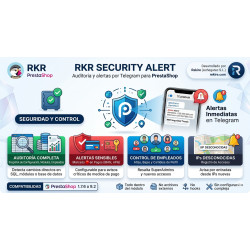
RKR Security Alert looks inside modules/ for folders with no record in the database and grades their severity by what they contain: informational if there are only assets, critical if there is reachable PHP with findings. It also checks which extensions the .htaccess in modules/ really denies and cross-references them with the entry points it finds, to answer how many module files anyone can request from outside, and it counts the installed modules not covered by the integrity baseline. If you would rather we did it, with a Rekire support hours pack we inventory your store's modules, remove the ones you do not need after checking they do not break the theme and give you the list of what should be updated.
-

-
 Payments, subscriptions and checkout Tips, donations and charity round-up in an online store: how to do it properly
 -
 Performance and hosting Full-page cache in PrestaShop: when it helps and what to leave out
 -
 SEO for online stores Recipes, projects and events: your own content that ranks and leads to your products


-
 Regulations for online stores Sales and discounts under the Omnibus Directive: how to advertise a reduced price without risking a fine
 -
 Regulations for online stores The right of withdrawal in 2026: the new mandatory button and everything your store must comply with
 -
 Strategy and conversion The real margin on each order: the calculation almost no store does (and should)
 -

-
 Marketing and loyalty Black Friday and seasonal campaigns: preparing the store technically
 -
 Purchasing, stock and logistics Purchasing management: where an online store gains or loses its margin
 -
 Regulations for online stores Mandatory web accessibility for online stores: what the law requires since 2025 and how to comply
 -
 ERP, invoicing and integrations REST APIs for ecommerce integrations: authentication, limits and errors


Related products