SQL injection in PrestaShop modules: how to detect fake administrators
Automated campaigns exploit SQL injection flaws in modules to create administrators in your store without going through the back office. We explain how it happens, how to detect it in the database and what steps to take.

Updated: 21/10/2026
43
Share:
You open the employee list in the back office and see accounts you did not create. Sometimes one, sometimes several in a row, with similar email addresses and all with the SuperAdmin profile. Nobody logged in with your password: a program wrote them straight into the database, taking advantage of a module with an SQL injection flaw.
It is one of the most frequent attack patterns against PrestaShop. Let us look at how it works, how to detect it and what to do.
What SQL injection means in a store
A module receives a value from the request (an identifier, a search text, a filter) and puts it into a database query without sanitising it. If instead of the expected number a piece of SQL arrives, the database runs it. In PrestaShop the basic defence is simple: cast to integer whatever should be a number and pass whatever is text through pSQL(). The problem is that not every module does this at every one of its entry points.
The most dangerous are module front controllers: public URLs, accessible without logging in, designed for the cart, an Ajax search, a filter or a payment gateway's return. If one of them has the flaw, anyone on the Internet can exploit it.
What a typical campaign looks like
- Mass scanning. A bot crawls thousands of stores looking for modules with known vulnerabilities. It does not pick you: it only needs you to have the vulnerable version installed.
- Exploitation. It sends the request that injects an
INSERTinto the employee table, or anUPDATEthat raises the profile of an existing account. - Burst. Since the bot does not know whether it worked, it repeats. That is why it is common to find several accounts created almost at the same time, with consecutive identifiers.
- Later use. With the account, someone logs into the back office, installs a module that is really a backdoor, changes the details of a payment method or injects a skimmer into the checkout template.
This attack does not go through the back office and does not trigger any PrestaShop event. The row appears in the table without any hook running or anything being recorded in the store's history. A system that only listens to events will not see it. You have to compare the state of the table with what it was a while ago.
How to detect it in ps_employee
The employee table (with your store's prefix, usually ps_) is small and easy to review. From phpMyAdmin or your hosting's database tool:
SELECT id_employee, firstname, lastname, email, id_profile, active, last_passwd_gen FROM ps_employee ORDER BY id_employee DESC;
What to look for:
id_profile = 1is the SuperAdmin profile. Count how many you have and whether you recognise them all.- Consecutive identifiers at the end of the list that nobody on your team created.
- Email addresses outside your domain or with generic names.
- Empty or repeated first and last names, which an account created from the back office would not allow.
last_passwd_genwith dates that do not match any account creation you remember.- Old accounts whose profile has changed: a logistics employee who is suddenly a SuperAdmin.
On the same visit, also check the webservice accounts (Advanced Parameters → Webservice). A new API key with write permission on the configuration is a door that survives changing every password and does not appear in the employee menu.
What to do if you find one
- Do not delete it yet: deactivate it. Set the account to inactive and keep its details. They will help you find out since when and what it did.
- Check what it has touched. Recently installed modules, changes to the payment method settings (the bank transfer IBAN, gateway keys), checkout templates, employees and webservice, and the store's URLs.
- Look for new files. Usually, once in, the attacker has left a backdoor on disk. Compare the core and the modules with their original packages.
- Identify the vulnerable module. The server access logs usually show odd requests to a module controller just before the account appeared. That module must be updated or removed.
- Change credentials: the passwords of all employees, the webservice keys and, if there are signs the configuration has been read, the database password.
- Check recent orders against the bank or the gateway, in case money has been diverted.
Why prevention means updating modules
Mass campaigns almost never use unknown flaws. They use published vulnerabilities, often with a patch available for months. The bot works because many stores do not update their modules, or because the vulnerable module has been abandoned by its author and nobody has replaced it.
Some concrete measures:
- An inventory of modules with their version and origin. Knowing what you have is the first step to knowing what affects you when an advisory is published.
- Update on a copy first and then in production, but do update. A module left without updates for two years is a gamble.
- Remove what you do not use, including folders of uninstalled modules still on disk.
- Follow the security advisories from PrestaShop and from the authors of your modules.
- Keep PrestaShop and PHP on supported versions. Many modules stop receiving patches for old versions: if your store is still on 1.6 or an early 1.7, every new advisory is more likely to be left without a fix for you, and migrating becomes a security measure too.
A web application firewall can stop some of the attempts, but it does not replace the patch: there are many variants of the same injection, and one getting through is enough.
How to solve it in PrestaShop
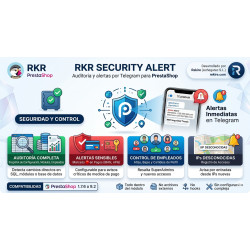
RKR Security Alert keeps a snapshot of employees, modules, configuration, the store's URLs and webservice accounts, and compares it with the current state on every back office load and via cron. That is why it detects a SuperAdmin created by SQL injection even if no hook was involved, and reports it via Telegram as a top-priority alert, separate from the rest; it does the same when an existing account is escalated to SuperAdmin or a new webservice account appears. Its scanner includes an SQL injection analyser that flags request values reaching a query without casting or escaping. If you already suspect something or have an incident on your hands, with a Rekire support hours pack we carry out the audit, find the module they got in through, clean up and leave the store up to date.
-

-
 Payments, subscriptions and checkout Tips, donations and charity round-up in an online store: how to do it properly
 -
 Performance and hosting Full-page cache in PrestaShop: when it helps and what to leave out
 -
 SEO for online stores Recipes, projects and events: your own content that ranks and leads to your products


-
 Regulations for online stores Sales and discounts under the Omnibus Directive: how to advertise a reduced price without risking a fine
 -
 Regulations for online stores The right of withdrawal in 2026: the new mandatory button and everything your store must comply with
 -
 Strategy and conversion The real margin on each order: the calculation almost no store does (and should)
 -

-
 ERP, invoicing and integrations REST APIs for ecommerce integrations: authentication, limits and errors
 -
 Marketing and loyalty Black Friday and seasonal campaigns: preparing the store technically
 -
 Purchasing, stock and logistics Purchasing management: where an online store gains or loses its margin
 -
 Regulations for online stores Mandatory web accessibility for online stores: what the law requires since 2025 and how to comply


Related products