Web shells in PrestaShop: what they are, where they hide and how to find them
A web shell is the key an attacker leaves behind to come back whenever they like. We explain where they usually sit in a PrestaShop store, how they disguise themselves, how to search for them methodically and what to check besides deleting them.

Updated: 06/10/2026
16
Share:
When someone breaks into a store, the first thing they do is almost never steal. The first thing is to make sure they can come back. To do that, they leave a web shell: a PHP file that, when requested by URL, lets them list folders, edit files, run database queries or execute commands on the server. With it in place, even if you patch the vulnerability they used and change every password, they are still inside.
This article covers what they look like, where they get into PrestaShop and how to search for them without drowning in false positives.
What exactly a web shell is
It is a small program written in the same language as the store, running with the permissions of the web user. It does not need to exploit anything else: if the server executes PHP in that folder, the shell works. They come in many sizes:
- One-line loaders. Thirty or forty bytes that simply include another file. The malicious code lives in that other file, which often has an image extension.
- Full file managers. An interface to browse the server, edit, upload, rename and delete, protected by a password written into the file itself.
- Command runners. They take a parameter and pass it to the operating system.
- Entire modules. A folder with the structure of a PrestaShop module, a spotless main file and the payload hidden in a controller.
Where they hide in PrestaShop
The attacker looks for places where a new file will not draw attention. PrestaShop has several classics:
Extra files in native modules
An ajax.php or a config.php inside the folder of an official module that does not contain that file in the original package. Nobody looks inside the modules that ship with the store, and the name looks perfectly ordinary. The only way to spot it is to compare the folder with the package its author published.
Orphaned modules
Folders of uninstalled modules that are still on disk. They do not show up in the module manager, nobody updates them and their PHP is still reachable by URL. They are a comfortable hiding place and, at the same time, a way in.
The core and vendor/
A line appended to the end of a core file (the product classes, the dispatcher, the autoloader) or of a library in vendor/. Many scanners exclude vendor/ because it is noisy, and that is exactly why it is a good spot. In real incidents, more than a dozen backdoors have been found in legitimate files of a single store, all added at the end and without a single suspicious word in sight.
Images with PHP inside
A perfectly valid JPEG or PNG, which opens in any viewer, with PHP code appended at the end. On its own it does not run; it is run by a loader that includes it. So if you find one, look for the other as well.
Data folders
upload/, download/, img/ or translations/ should never contain an executable .php. If one turns up, there is no innocent explanation.
How they camouflage themselves
The shells that last for months are not the ones that shout eval(base64_decode(...)). They are the ones that look like normal code:
- They carry the PrestaShop licence header copied from another file, with its comment block and version guard at the top.
- They are named after something harmless:
uninstall.php,index.php,cron.php, or a title that talks about a QR code reader. - They build the names of dangerous functions at runtime, picking individual letters from a long string. No forbidden function appears in the text.
- They return a 404 unless they receive the right key, just like a URL that does not exist. Crawling the store by requesting paths will not find them.
- They keep the modification date of the original file, so they do not show up when sorting by date.
Searching for dangerous text is not enough. Signature rules find what the attacker writes; the best shells write nothing suspicious. What they cannot hide is what they are able to do: to write a file you have to call a function that writes, and to install an SSH key you have to name the keys file.
How to search for them methodically
Order matters. Go from the most conclusive and cheapest check to the most expensive:
- Is it identical to what its author published? Compare the core with the official ZIP of your exact version (the release one, not the repository, which includes development folders and produces hundreds of false differences) and each module with its package. A file that is identical byte for byte is not infected.
- Was it in the package? Whatever was not there was added by someone later. This question finds files that no pattern would detect, because they can be impeccably written.
- Has it changed since last time? If you have an integrity baseline from when the store was clean, any change without an update behind it is an answer.
- What can it do? For anything with no reference: listing directories and writing files with a path that arrives as a parameter, executing commands, reading system files, passwords compared against a hash stored in the code itself.
- Where can it be reached from? A module controller in
controllers/front/can be requested from the Internet without a session; one incontrollers/admin/requires an employee session. That decides whether you act tonight or tomorrow.
And one rule for the noise: if you mark something as safe, do it by content hash, not by path. A path-based exception will keep hiding that file on the day someone replaces it.
Why deleting it is not enough
Deleting the shell is the last step, not the first. Before touching it:
- Keep a copy of the store exactly as it is, so you can find out what it did and since when.
- Check whether other doors have been left open. Keys in the
authorized_keysof the server accounts, new employees in the back office, webservice accounts with broad permissions and scheduled tasks that download and run something every few minutes. Deleting a file does not close an SSH key or a cron job. - Find the way in. A vulnerable module, a stolen FTP password, an unpatched version of PrestaShop. If you do not close it, the shell is back within days.
- Change credentials after cleaning up, not before: database, FTP, hosting panel, employees and the cookie key if you suspect the configuration has been read.
And once it is clean, the usual: PrestaShop, PHP and modules kept up to date. The vast majority of intrusions exploit flaws already fixed in versions the store had not installed.
How to solve it in PrestaShop
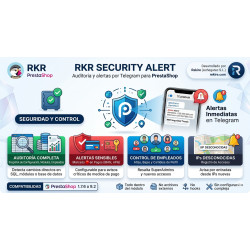
RKR Security Alert scans the store's files for skimmers, backdoors and web shells, including those with no dangerous signatures: it detects shells by what they can do, loaders that include an image, PHP hidden inside valid images and files with function names assembled by index. It compares the core with the official ZIP, states for each finding whether it can be reached by URL without a session, and keeps an integrity baseline that is only built once you mark the first audit as reviewed, so that a pre-existing infection is not taken as clean. It alerts you via Telegram, stores the alerts in the store and sends no file off the server. RKR Sentinel complements this monitoring by alerting you to PHP errors, 500 responses and payments that do not end in an order, which are often the first visible sign that something has been tampered with.
-

-
 Payments, subscriptions and checkout Tips, donations and charity round-up in an online store: how to do it properly
 -
 ERP, invoicing and integrations Reconciling the bank and supplier invoices with AI: what to automate and what to check
 -
 Strategy and conversion Customer registration: what to ask for, what not to and how to handle businesses


-
 Regulations for online stores Sales and discounts under the Omnibus Directive: how to advertise a reduced price without risking a fine
 -
 Regulations for online stores The right of withdrawal in 2026: the new mandatory button and everything your store must comply with
 -
 Strategy and conversion The real margin on each order: the calculation almost no store does (and should)
 -

-
 ERP, invoicing and integrations REST APIs for ecommerce integrations: authentication, limits and errors
 -
 Purchasing, stock and logistics Purchasing management: where an online store gains or loses its margin
 -
 Regulations for online stores Mandatory web accessibility for online stores: what the law requires since 2025 and how to comply
 -
 Marketing and loyalty Black Friday and seasonal campaigns: preparing the store technically