Stolen card fraud in your online store: warning signs and what to check before shipping
A fraudulent order arrives paid and looking fine; the problem shows up weeks later, when the cardholder disputes it. We go through the signs that give it away, what 3D Secure does and does not protect you from, and a review routine before shipping.

Updated: 30/09/2026
13

Share:
An order from a new customer, a high amount, express shipping to an address that is not the billing address. Paid by card, no issues. You pack it, it goes out, and a few weeks later a chargeback arrives: the cardholder does not recognise the purchase. You have lost the product, the money and the shipping costs, and on top of that you pay the chargeback fee.
Stolen card fraud cannot be seen at the moment of payment, because the payment works. It shows in the details of the order, and that is why the review has to happen before shipping, which is the last moment at which you can still lose nothing.
How this fraud works
- Stolen details. Card numbers come from data breaches, phishing or skimmers installed in other stores' checkouts, and are sold in batches.
- Card testing. Before using them, the fraudster checks which ones work with small, repeated payments in poorly protected stores. If you see dozens of failed low-value attempts in a short time, you are being used as a testing ground.
- Buying products that are easy to resell. Electronics, perfumes, gift cards, expensive spare parts, designer clothing. Anything that turns into cash quickly.
- Shipping to a drop address. Pickup points, parcel lockers or people who forward the package.
What 3D Secure covers and what it does not
Since the European Payment Services Directive (PSD2), card payments in Europe require strong customer authentication, which online stores carry out with 3D Secure: the customer's bank asks them to confirm in their app or with a code. When a payment has been authenticated this way, liability for a fraud chargeback generally shifts to the bank that issued the card, not to you.
But there are important nuances:
- Exemptions. The gateway can request that a payment skips authentication (low amounts, risk analysis). It is more convenient for the customer, but if that payment turns out to be fraudulent, liability usually comes back to you.
- It only covers fraud. A chargeback for «item not received» or «not as described» is not won with 3D Secure, but with proof of delivery and of what you sold.
- It does not cover a cardholder who lies. If the cardholder makes the purchase and then claims it was not them, 3D Secure is your best evidence, but you will have to submit it.
Check in the gateway dashboard whether each payment was authenticated. The order in PrestaShop does not usually tell you. If your gateway applies exemptions by default and you sell expensive products, consider disabling them for high amounts even if it adds a step for the customer.
The signs that give away a fraudulent order
No single sign proves anything on its own: a legitimate customer may send a gift to another city. What counts is how many add up.
| Sign | Why it raises suspicion |
|---|---|
| Shipping address different from the billing address, in another province or country | The fraudster does not ship to the cardholder's address |
| New customer with an order well above your average order value | The card is squeezed before it gets blocked |
| Several units of the same resellable product | Buying to resell, not to use |
| Express shipping regardless of cost | They want the package before the cardholder complains |
| Several failed payment attempts with different cards | Testing cards until one works |
| Newly created email or one unrelated to the name, phone that is never answered | Disposable contact details |
| Pickup point or parcel locker far from the billing address | Drop address |
| Request to change the address after paying | The package is diverted at the last moment |
| Several accounts with the same address or phone number | The same person behind several «customers» |
The routine before shipping
- Set a threshold. Above a certain amount, or with two or more signs from the table, the order does not go out until someone has looked at it.
- Check the payment in the gateway dashboard: that it exists, that the amount matches and whether it was authenticated with 3D Secure.
- Look the customer up in your previous orders by email, phone and address.
- Call the phone number on the order. A short call to confirm delivery clears up many doubts: a legitimate customer answers and appreciates it.
- If you still have doubts, refund instead of shipping. A refund before shipping costs you little; a chargeback after shipping costs you the product, the money and the fee.
- Do not change the address of a suspicious order after payment. If the customer insists, cancel it and let them buy again.
Do not ask for photos of the card by email or WhatsApp. Receiving and storing card details puts you under security obligations your store is not prepared to meet, and it proves nothing: whoever has the stolen details may also have the photo.
When you are used for card testing
A wave of small failed payments does not cost you products, but it does cost fees, it can lead your gateway to review your account and it skews your statistics. The measures that work are limiting payment attempts per customer and per connection, enabling whatever anti-fraud rules your gateway offers and filtering automated traffic before it reaches the checkout.
And fraud that comes from inside your store
There is another kind of fraud that has nothing to do with the customer: someone has modified your payment module to collect into their own account, or has planted a skimmer in your checkout to steal your customers' cards. Both need to write to your server, and the most common way in is through outdated modules and stolen access passwords. Keeping PrestaShop, PHP and modules up to date is not a formality: it is the difference between being the victim of fraud or its tool.
Checklist
- Manual review threshold by amount and by number of signs.
- 3D Secure enabled, and exemptions reviewed for high amounts.
- Check in the gateway dashboard before shipping flagged orders.
- Confirmation call when in doubt.
- Preventive refund rather than a doubtful shipment.
- Limit on payment attempts and the gateway's anti-fraud rules enabled.
How to solve it in PrestaShop
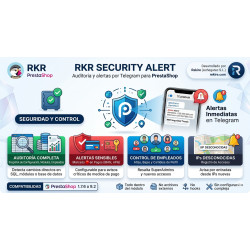
Neither of these two modules scores a customer's risk: that is done by your gateway's rules and your review routine. What they do is cover the fraud that comes in through your own store. RKR Order Guard checks the transaction number of each order according to the gateway, alerts you on the order page —where the person who is going to ship it is— when a payment does not look legitimate and monitors the fingerprint of your payment module files; it also prevents a double notification from leaving you with two orders and two charges. RKR Security Alert alerts you by Telegram to back office logins from new IPs, to changes in the payment gateways and in employees, and scans files for skimmers and backdoors.
-

-
 Payments, subscriptions and checkout Tips, donations and charity round-up in an online store: how to do it properly
 -
 Strategy and conversion Customer registration: what to ask for, what not to and how to handle businesses
 -
 ERP, invoicing and integrations Reconciling the bank and supplier invoices with AI: what to automate and what to check


-
 Regulations for online stores Sales and discounts under the Omnibus Directive: how to advertise a reduced price without risking a fine
 -
 Regulations for online stores The right of withdrawal in 2026: the new mandatory button and everything your store must comply with
 -
 Strategy and conversion The real margin on each order: the calculation almost no store does (and should)
 -

-
 Purchasing, stock and logistics Purchasing management: where an online store gains or loses its margin
 -
 Regulations for online stores Mandatory web accessibility for online stores: what the law requires since 2025 and how to comply
 -
 ERP, invoicing and integrations REST APIs for ecommerce integrations: authentication, limits and errors
 -
 Marketing and loyalty Black Friday and seasonal campaigns: preparing the store technically