Stolen FTP and cPanel passwords: the most common way into an online store
Many intrusions do not exploit any PrestaShop flaw: they get in with the FTP or hosting panel password, stolen from someone's computer. We explain how it happens and which measures stop it.

Updated: 30/09/2026
10

Share:
After cleaning up a store, the question is always the same: how did they get in? And sometimes the answer is not in any vulnerable module. The web logs show nothing unusual, there are no strange requests to any controller, and yet the files have changed. The attacker has not hacked the store: they logged in with a valid password, via FTP or through the hosting panel.
It is one of the most common ways in and one of the least monitored, because it does not depend on the store's code but on where its credentials are stored.
How passwords end up in someone else's hands
Infostealers on someone's computer
An infostealer is a program that, once on a machine, collects everything it finds useful: passwords saved in the browser, session cookies, and the profiles of FTP clients that store connections with their password. It bundles it all up and sends it off. These bundles are sold in batches, and someone goes through them testing which logins still work.
It arrives by very everyday routes: a pirated program, an attachment, a browser extension, or a fake captcha that asks you to paste a command into your computer. It does not have to be the owner's computer: the designer's, the agency that built the store years ago or the nephew who helped out one weekend is enough.
Password reuse
The FTP password is the same as the one for another service that suffered a leak. Bots automatically try combinations leaked from other sites.
Credentials shared by email or messaging
Login details sent by email to a supplier, which end up in a mailbox compromised years later.
Accounts nobody remembers
FTP accounts created for a specific job that were never deleted, with weak passwords because "it was temporary".
Why it leaves no trace in the web logs: FTP and the panel have their own logs, separate from those of the web server. If you only look at the store's HTTP access, an intrusion via FTP is invisible. Ask your hosting provider for the FTP and panel access logs covering the period of the incident.
What someone can do with your FTP or your panel
- Modify any file: add a skimmer to the checkout JavaScript, a backdoor in the core, a redirect in the
.htaccess. - Read the PrestaShop configuration, which contains the database password and the cookie encryption key.
- From the panel, on top of that: access the database, create new FTP accounts, schedule cron jobs, change the DNS or redirect email.
In other words, the hosting panel is a master key. Protecting it is as important as protecting the back office.
What to change
Use SFTP and drop unencrypted FTP
Classic FTP sends the username and password in clear text. If your hosting offers SFTP (over SSH) or FTPS, use it, and ask them to disable plain FTP if you do not need it. Better still, if your hosting allows it, SSH access with a key instead of a password.
Turn on two-factor authentication in the panel
cPanel, Plesk and most hosting panels support a second factor with an authenticator app. With it, a stolen password is not enough. Do the same with the PrestaShop back office and with the email address linked to the hosting account, since that is how everything else gets recovered.
Review the FTP accounts
- Delete the ones that are not used. If you do not know what one is for, it is probably not needed.
- One account per person or supplier, with a name that identifies them, not a shared one.
- Restrict each account to the folder it needs.
- If your hosting allows it, restrict access by IP.
Do not save passwords in the FTP client
It is convenient, but it is exactly what infostealers look for. Use a password manager and copy the password when you need it, or better, use passphrase-protected SSH keys.
Unique, long passwords
One per service, generated by the manager. None shared with your personal email or with other stores.
After an incident: the full rotation
If you suspect they got in with credentials, changing only the FTP password is not enough. From a clean machine (if a computer is infected, whatever you type on it leaks again):
- Check the computer of whoever had the credentials saved. If an infostealer is suspected, the machine needs cleaning or reinstalling before it is used to manage the store again.
- Change the hosting panel password and turn on the second factor.
- Change all FTP accounts and delete the unneeded ones. Check whether there is any recently created one you do not recognise.
- Change the database password and update it in the PrestaShop configuration.
- Change the passwords of the back office employees and check there are no new accounts.
- Review the panel's scheduled tasks and the account's authorised SSH keys.
- Close open sessions in the panel and in email, because stolen cookies allow access without a password.
- Clean the modified files and leave the store with an integrity baseline to detect the next change.
And use the moment for what is always left pending: updating PrestaShop, PHP and the modules. An up-to-date store does not prevent password theft, but it limits what the attacker can do once inside and makes it easier to detect what has changed.
How to solve it in PrestaShop
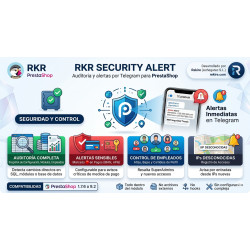
No module can stop someone from logging in with a valid password, but it can alert you as soon as they touch something. RKR Security Alert keeps an integrity baseline of the files and a quick watch that can run every few minutes, so a new or modified file in modules/, override/ or themes/ reaches you via Telegram even if the change was made by FTP. It also watches the account's scheduled tasks, employees and webservice accounts, and alerts you when an employee logs into the back office from an IP they had not used before. If it has already happened to you, with a Rekire support hours pack we do the clean-up, review the hosting accounts and access, and leave your store up to date and monitored.
-

-
 Payments, subscriptions and checkout Tips, donations and charity round-up in an online store: how to do it properly
 -
 Strategy and conversion Customer registration: what to ask for, what not to and how to handle businesses
 -
 ERP, invoicing and integrations Reconciling the bank and supplier invoices with AI: what to automate and what to check


-
 Regulations for online stores Sales and discounts under the Omnibus Directive: how to advertise a reduced price without risking a fine
 -
 Regulations for online stores The right of withdrawal in 2026: the new mandatory button and everything your store must comply with
 -
 Strategy and conversion The real margin on each order: the calculation almost no store does (and should)
 -

-
 ERP, invoicing and integrations REST APIs for ecommerce integrations: authentication, limits and errors
 -
 Purchasing, stock and logistics Purchasing management: where an online store gains or loses its margin
 -
 Regulations for online stores Mandatory web accessibility for online stores: what the law requires since 2025 and how to comply
 -
 Marketing and loyalty Black Friday and seasonal campaigns: preparing the store technically


Related products