



- New




Módulo más que un social login images
Módulo más que un social login
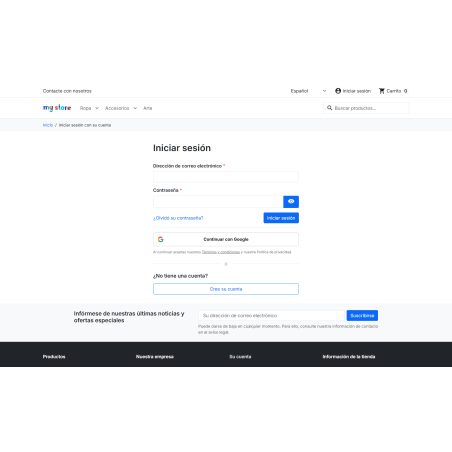
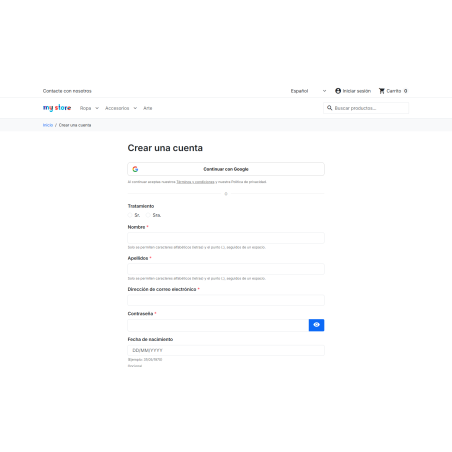
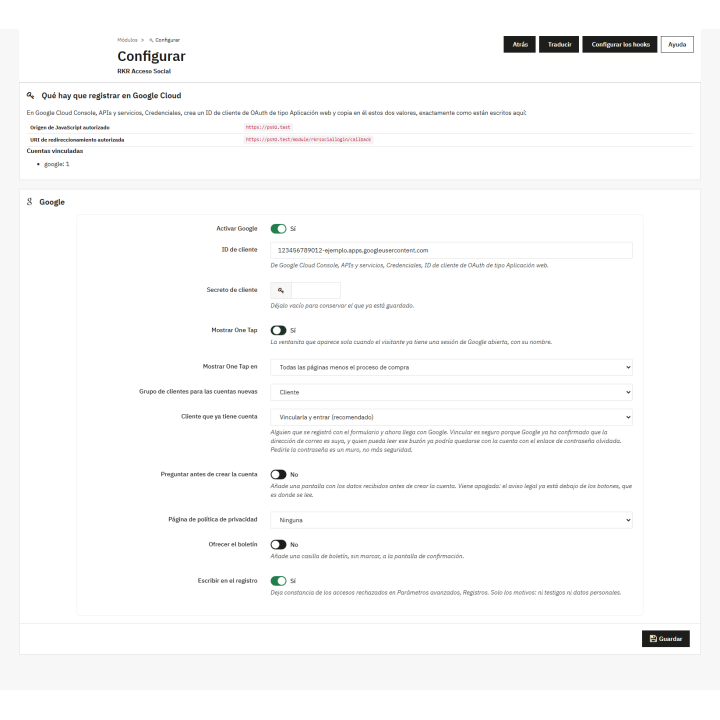
Your customers enter and register with their Google account: with the "Continue with Google" button and with One Tap, the little window that greets them by name if they already have Google open.
No passwords to forget and with robust security. Compatible with PrestaShop 1.7.6 to 9.x.
Registration and access
Every password you ask for is a hesitant customer.
Create another account, invent another password, confirm another email. RKR Social Access lets you log in with Google in two clicks, and if you're already logged in, in one.
Those who were already customers, enter anyway
Customers who have been shopping with their email and password for years simply click "Continue with Google" and log in to their existing account, including their orders. Both login methods are now linked, and the first time they log in, they'll see a screen explaining how. If you prefer to be prompted for the store password first, that's an option.
Safety without switches to turn it off
The connection with Google always verifies the certificate, and the access token is not saved: it is not needed once the profile has been read.
The customer decides, and the GDPR is complied with.
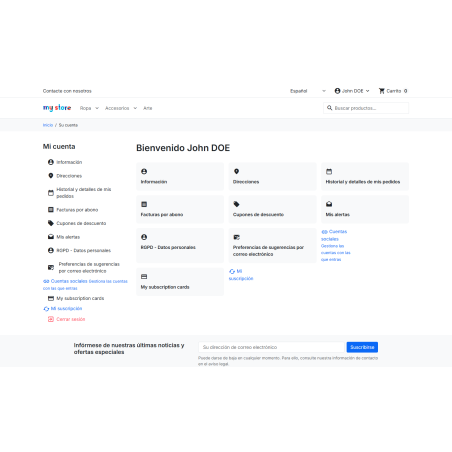
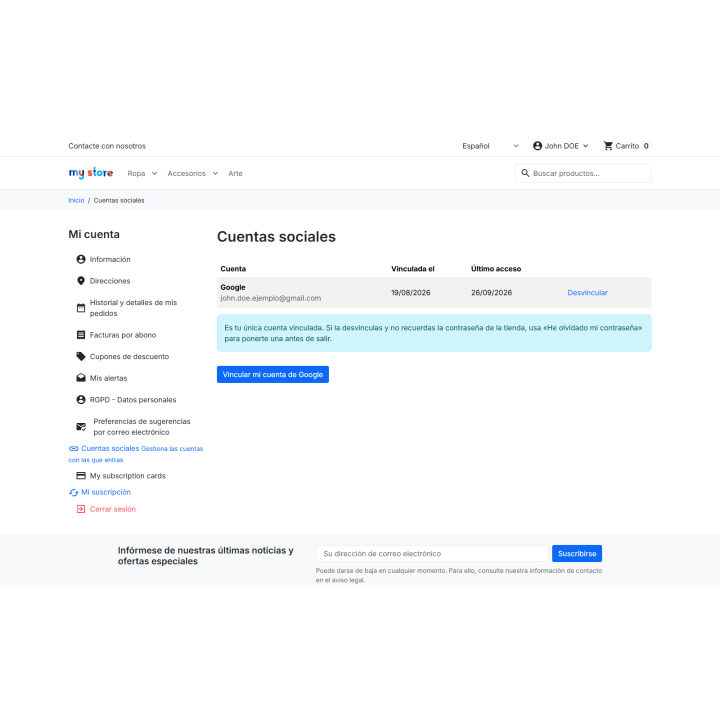
The legal notice is located below the buttons, with links to your terms and conditions and privacy policy. In "My Account → Social Accounts," the client can view their linked accounts and remove them at any time, and the module handles the export and deletion of data from the official GDPR module.
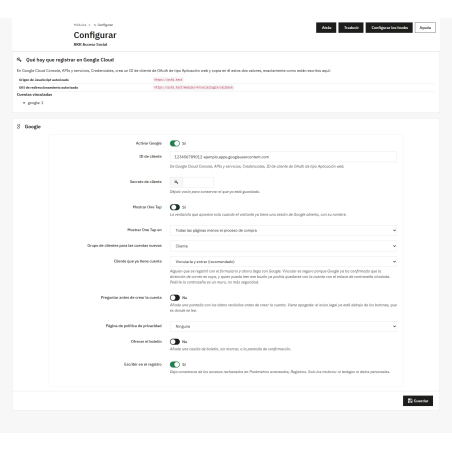
You need to create a Google customer ID for your store in the Google Cloud Console. There's also an optional confirmation screen with the information provided by Google; it's disabled by default to avoid lengthening the login process.
Compatible with PrestaShop 1.7.6 through 8.x and 9.x
Developed and maintained by REKIRE
v1.0.0
First version.
- Access and registration with Google through the authorization code flow, with
stateandnonceofrandom_bytes()and PKCE S256 . - Google One Tap with FedCM (
data-use_fedcm_for_prompt), bydata-callbackand not bydata-login_uri: the token arrives at our JavaScript and is sent by the store, with thenoncethat generated that same page. - Full identity token verification : mandatory RS256 algorithm, signature against Google's JWKS with cache and key rotation retry,
iss,aud,exp,iatandnonce. - TLS verified without the possibility of turning it off on all outgoing calls, using PrestaShop's own authority package and without following redirects.
- Table of links with unique key (supplier, identifier, store) .
- A deactivated or deleted client cannot log in and cannot be reactivated .
- The email address must be verified by the provider. Without it, it won't be paired with any account, no matter what.
- Those who registered using the standard form can log in with Google without further steps , and the two access methods are linked: this is what Decathlon and Zalando do. This is possible because the email is verified—anyone who proves to Google that they own that email address could already log in with "forgot your password," so asking for the password again creates a barrier, not added security. Merchants who prefer this barrier can configure it in a setting.
- The first time this happens, the "your accounts are already linked" screen appears , so the customer doesn't miss out on knowing if they have one account or two.
- Full-width buttons with the legal notice below , linking to the store's terms and conditions and privacy policy. The entire phrase is translated, with the two links as blanks, so each language can place them where appropriate.
- Confirmation screen with genuine consent before creating an account, with a link to the privacy policy and an optional newsletter checkbox. It comes unlit : the legal notice is already next to the buttons, which is where it's read.
- Screen of linked accounts in the client area, with unlinking by POST and witness.
- GDPR hooks implemented : export and deletion of links.
- Limit of attempts per IP on public endpoints, with the saved IP summarized.
- The return address goes through a sanitizer that only returns addresses from the store itself.
- Return URI set to default language : a single one to register with Google. The visitor's language is included in the attempt.
- Spanish and English.
4 other products in the same category


- New

También podría interesarte

Product Videos



Product Videos


Product Videos

Product Videos


Product Videos


Product Videos


Product Videos

Questions and answers
Nobody has asked anything about this product yet.
