Sin impuesto Con impuesto
Recurring payments module - subscriptions with Redsys
Read also on our blog

Recurring payments module - subscriptions with Redsys

Price: €321.74
First year: €321.74 tax incl.
From the second year: €80.44/year tax incl.
  • One year of technical support and lifetime updates; from the second year, support is extended for €80.44/year and includes taking on your general improvement ideas for the module.
  • Renews automatically; cancel whenever you want, with no minimum term.
One-time payment: €321.74 tax incl.
  • One year of technical support and lifetime updates; after that, support ends (with the subscription it is extended for €80.44/year).
  • A single payment, with no automatic charges.
€265.90 + VAT = €321.74

Sell your products by subscription: customers subscribe directly from the product page, and the store generates an order for them each period. Customers can sign up, cancel, pause, and resume subscriptions from their account, receive frequent discounts, view payment forecasts, and see the subscription status in each order.

Compatible with PrestaShop 8 and 9.

Black Friday, 7 to 30 November: spend €50 or more on modules (VAT included) and we give you a €200 voucher (VAT included) to spend on more modules for one month. Ends in until 30 November at 23:59.

Expert content

Reviewed by our experts

Written by

Reviewed by

See all our experts

Content written and reviewed by qualified professionals. Information is provided for guidance only.

Recurring revenue

Your customer buys the same thing every month. Don't let them have to remember.

Coffee, pet food, cosmetics, spare parts: if your customer is a repeat customer, each order they have to place manually is an opportunity for them to forget or buy elsewhere. RKR Subscriptions turns that purchase into an automatically renewing subscription.

1 order per period
The store creates it automatically, via cron, before each delivery date
Days to years
You choose the delivery frequency, with a different discount for each one.
No commitment
The customer pauses, resumes, or cancels from their account.

/ For the customer, clear from day one

On the product page, you choose between a one-time purchase or a subscription , selecting the frequency and discounted price, right after choosing your size or color. Before paying, you'll be informed that the amount will be charged each period until you cancel, and in the order confirmation, you'll see the amount for each renewal, the date of the next payment, and a button to manage or cancel your subscription.

From your account
View your subscriptions and, if you allow it, cancel, pause, resume, or change the amount and frequency.
By mail
Notifications upon subscribing, updating, canceling, renewing, pausing or resuming, each of which can be activated separately.

/ For you, everything in plain sight

Forecast of collections
What you will be paid and when.
Scheduled orders
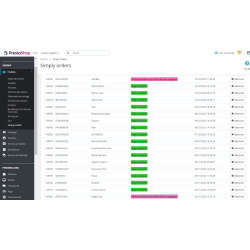
The next deliveries, and the subscribers with their products.
Status in each order
A column in the order list —active, paused, or canceled— and a warning on the card if the subscription is canceled and the order has not yet shipped, so you don't send merchandise that will no longer be charged.
Notice of termination
When someone cancels their subscription and there are still orders of theirs that haven't been shipped, you receive the list.

You decide the price of the renewal

By default, each renewal is charged at the price agreed upon when you subscribed. If you prefer, you can follow the current catalog price with your frequency discount, or you can set a price for a specific subscription. Renewals that cannot be charged are not processed: the subscription is flagged, and the store receives a notification.

Renewals are handled by your store's cron job , so you'll need to schedule it. The module uses core overrides—cart, order, payment methods, and checkout—where PrestaShop doesn't offer hooks, such as filtering payment methods or splitting a mixed cart into two orders; keep this in mind if your store already has other overrides in those classes.

Compatible with PrestaShop 8.x and 9.x

Developed and maintained by REKIRE

v5.13.0

  • All the module's text is now translated from English: Telegram notifications, Redsys rejection reasons, Stripe, PayPal, and SEPA remittance errors, the SEPA mandate text, and the expired card email and its subject line. In a Spanish-language store, they appear the same as before; in an English-language store (or one in another untranslated language), Spanish no longer appears. Merchant notifications are displayed in the store's language, while the customer sees them in their own language.
  • The headers of the forecast and SEPA remittance CSV files are now in English.
  • The settings screen no longer crashes if opened without the back-office controller (which happened in the Addons review in PrestaShop). 8.1.2); in case of any failure it displays a warning and leaves it in the log, instead of a broken page.
  • The PayPal account change and Stripe card change links validate the key and token before use and only redirect to PayPal or Stripe Checkout via HTTPS. Technical notes:
  • RkrSubsText::t() (classes/RkrSubsText.php) translates entire sentences with vsprintf and undoes the HTML escaping of l() for Telegram. The two Redsys code maps are combined into one (RkrSubsRedsysHelper). getContent() wraps renderRkrConfiguration() in try/catch (Throwable) and the forms take the languages of getRkrFormLanguages().

v5.12.2

  • Performance: jQuery UI, its calendar, and the translation file with ALL languages (approximately 110 KB) are no longer loaded on every product page, listing, homepage, cart, and order. The first delivery calendar only appears on physical products with "Show first delivery date" enabled; it is now downloaded when that field is encountered, and only in the store's language.
  • Out with a console.log that remained in the browser console when changing combinations.

v5.12.1

  • Bank transfer: The customer's default group is also used to view the payment method. A customer created via import or API, without their group row, would not see it even if their group was selected.

v5.12.0

  • Orders awaiting bank transfer can be paid by card (Stripe or Redsys) or PayPal: click the "Pay now with…" button in the order details of My Account and the link in the transfer and reminder emails. The SAME order is paid for, for its exact amount: no new order is created.
  • The order only moves to "Payment accepted" when the payment gateway confirms it (notification from Stripe or Redsys, or a PayPal screenshot taken from the store); then the payment is registered with its reference, the invoice is generated, and the downloads are opened. Before that, there is no access to anything.
  • If the order is for a subscription, the subscription is processed through the payment gateway used, and the card or PayPal account is saved: subsequent renewals are charged automatically. Transfer reminders will no longer be sent.
  • A payment in progress blocks another for 30 minutes, and a repeated notification from the payment gateway does not duplicate the payment. If a second payment arrives for an already paid order, it is not applied, and you are notified via Telegram to return it; if the transfer arrives later, the Transfers screen will indicate this.
  • The customer receives an email: "Payment received, you no longer need to make the transfer."
  • PayPal is included but not fully tested (like the rest of PayPal). Technical notes:
  • RkrSubsTransferPayNow (classes/gateways/transfer), drivers transferpay and transferpayreturn, prefix P{id_order} in the Redsys notification, metadata.rkr_pay_order in Stripe's PaymentIntent and custom_id = order-{id} on PayPal. New columns in rkr_subs_transfer and hook displayOrderDetail (upgrade 5.12.0).

v5.11.0

  • New payment method: bank transfer, for individual purchases and subscriptions, only for the customer groups you choose. You configure the account holder, IBAN, BIC, bank, payment reference (including the order number), and instructions.
  • The order remains "Awaiting Transfer," which is NOT a paid status: there are no downloads, no invoice, and nothing awaiting payment (including the gift subscription) until you mark it as paid in Subscriptions > Transfers. Marking it as paid changes it to "Payment Accepted," and the customer receives their download links.
  • Renewals are created the same way, without payment, and the customer receives an email with the transfer details.
  • Unpaid transfers: customer reminders (default 3 and 7 days), Telegram notification, and after the deadline (14 days by default), the subscription is paused as with failed payments. Marking it as paid automatically resumes it. Technical notes:
  • Catwalk transfer (identifier rkrtransferpayment) in classes/gateways/transfer, board rkr_subs_transfer, own order status (paid=0, logable=0, no email) and screen AdminRkrSubsTransfers. It is installed turned off (upgrade 5.11.0).

v5.10.1

  • Update from a previous version to 5.8.0 failed ("Updated from 5.5.2 to 5.7.0, 4 remaining updates») and PrestaShop deactivated the module: the update of the 5.8.0 I was trying to complete a table that creates the 5.10.0 and it didn't exist yet. Now it skips the tables that aren't there yet. From the 5.8.0 or later it did not happen.

v5.10.0

  • Changing the plan of an existing subscription: other modules can transfer it to another product or combination with RkrProductSubscriptionGlobal::swapProduct(). The next renewal is charged at the new plan price, on the same date, and using the same payment method. In Stripe Billing, the price is changed in Stripe without proration (if Stripe fails, nothing changes). Each change is reflected in the "Plan Changes" section of the subscription in the back office. Technical notes:
  • New table rkr_subscription_swap (upgrade 5.10.0) and hook actionRkrSubscriptionProductSwapped with id_subscription, , before, , after and note.

v5.9.4

  • Manually opening (or using a search engine like Bingbot) the address of the module's internal calls, without parameters or with a non-existent action, resulted in a PrestaShop error ("Missing'$template'parameter") that was reaching the error log. Now it responds "400 invalid request" in JSON and asks search engines not to index it (X-Robots-Tag: noindexThe same applies to all module controllers that do not have their own page (gateway returns, webhooks, cron).

v5.9.3

  • PrestaShop Addons product key (module_key) for product 99324. No changes in operation.

v5.9.2

  • Redsys, SEPA, and PayPal were displayed in English in the Spanish, French, Italian, German, and Portuguese stores (payment options, settings, "My subscription cards," payment page, and confirmation): 175 texts have been translated. Conversely, some Redsys screens and the Telegram panel were displayed in Spanish in the English stores; now they are in English.
  • The collection forecast shows the frequency, payment method and status of each collection ("No mandate", "No card", "Expires"...) in the employee's language (previously, always in Spanish).
  • In PrestaShop 9, the header of the collection forecast table was misaligned across several rows.
  • The "Documentation" link in the configuration opens the new manual (Spanish or English depending on the employee's language); it used to lead to the old manual, which no longer exists.
  • The "Test PayPal" and "Test SEPA" buttons correctly spell the payment gateway name. Technical notes:
  • New sources in the translation catalog: rkrsubsredsysgateway, , rkrsubssepagateway, , rkrsubscriptionforecast and the templates redsys_*. 18 strings change their base text from Spanish to English (the Spanish remains in translations/es.php).
  • Tested again after updating the demo from the 5.5.1The upload and migration assistant transfer mandates, SEPA remittances and collections, and Stripe plans and subscriptions from the individual modules.
  • Addon Validator (submission 3780450): only the false positive "Mandatory use of PaymentOption".

v5.9.1

  • Ready for PrestaShop Addons: The Stripe library now comes from Composer, in the folder vendor/ of the module, and the code passes PrestaShop's style rules and static analysis (PHPStan).
  • Requires PHP 8.0 or higher. In PrestaShop 8, the cart override requires a PHP 8 module to be compatible with PrestaShop 9. In PHP 7, the module is not installed, and a store that already has it will not copy that override when updating.
  • Redsys always signs with the module's own code, exactly the same byte for byte as the official library. apiRedsys.php. If a store had left that file in the folder, it is no longer used, and the signatures do not change.
  • Minor fixes found during the analysis: Stripe webhook payment notifications displayed an empty identifier in the log, manually created Stripe plan amounts were sent in whole cents, and dead code was removed from Stripe trial periods and cart rules in the cron job. Technical notes:
  • stripe/stripe-php 15.0.0 by Composer (composer.json and composer.lock in the root directory, autoload without preceding the PrestaShop one). The upgrade deletes the previous copy of classes/gateways/stripe/vendor.
  • PHP CS Fixer with PrestaShop rules throughout the module. Signatures split across multiple lines are combined into one: the comma after the last parameter does not compile in PHP 7.4.
  • Addon Validator (submission 3780321): 0 in all sections except "Mandatory use of PaymentOption", a false positive that appears in all PaymentModule (also in the official) ps_pickupinstore; see addons.md).
  • Tested in 9.0.0 (clean install from ZIP, screens in debug mode), 9.2 (upgrade from 5.9.0, (orders with SEPA and Stripe, cron, back-office) and 8.2.8 (scratch installation, PS 8 overrides and orders by) validateOrder).

v5.9.0

[destacado]

  • PayPal included as a fourth payment gateway, Along with Redsys, Stripe, and SEPA direct debit, the customer pays via PayPal. If the cart includes a subscription, PayPal saves their account for renewals, which the module automatically charges on each renewal date without requiring the customer to return. It works the same as with Redsys: editable renewal date and amount, pause option, failed payment retries using the customer's email address and a link to change their PayPal account, and payment forecast. A free trial period only authorizes the account; no charges are applied. Activation is in Settings → Payment with PayPal app credentials (sandbox or live). The "Try PayPal" button verifies the credentials and that the app has account saving (Vault) enabled; otherwise, renewals will not be processed.
  • If the customer pays via PayPal and does not return to the store, the cron job collects the payment and creates the order; a payment that PayPal leaves pending remains "Waiting for payment by PayPal" until it is completed.
  • Remove all remnants of the original module: third-party license and customization policy, outdated manual, and code that communicated with other third-party payment modules (wallet, WePay, Adyen, and another PayPal module) that a store using this module no longer uses. The license is now AFL 3.0 for the modules of Rekire.
  • Own manual in Spanish and English (README_ES.md, , README_EN.md and their PDFs in docs/), which replaces the old: catwalks, failed collections, cron and the day-to-day.
  • In the details of a Stripe subscription with payments, PrestaShop's debug mode returned a 500 error. Technical notes:
  • Headboards with @copyright In the files that did not contain it, forecast values and renewal amounts escaped in the templates, and outside the return; Gateway gaps. What the Addons validator (Stripe library) keeps flagging. vendor/, PHPStan and PHP CS Fixer style) was already in the 5.7.0 and it's treated separately.
  • PayPal has been tested against the sandbox up to the point of buyer redirection (keys, Vault, orders, checkout). Buyer approval, the resulting order, and renewals with the saved account have not been fully tested: placing a test order in the sandbox before moving to a live account.
  • The primary keys of the subscription tables are still called id_wk_* (id_wk_subscription_products, , _subscribers, , _subscriber_products, , _orders, , _schedule, , _temp_cart, , _cache). Renaming them requires a ALTER TABLE With active subscriptions and around 300 references, a half-hearted upgrade would leave the store unable to collect payments, and the profit is purely nominal. They aren't being changed.
  • RkrProductSubscriptionGlobal::isWkPayPalRecurringEnabled() and isWkAuthorizeNetEnabled() They remain, always in false, because the overrides of OrderController They're called the ones already installed in stores. New overrides, no longer.
  • The menu container tab goes from AdminWkSubsModule to AdminRkrSubsModule; The upgrade also renames its permissions (authorization_role), so employee profiles retain it. Older upgrades (5.4.6, , 5.4.35They keep referring to the old class because they are ahead of the change.
  • The upgrade deletes the files left behind by previous versions (uploading a ZIP file over them doesn't delete anything) and removes the old hook. actionWkSubscriptionCancel.

v5.8.0

[destacado]

  • Failed payments: the module tries again and notifies the customer. When a renewal payment fails, the system retries according to a configurable schedule (by default, 1, 3, and 7 days later) instead of using up all attempts in three consecutive cron runs. After each failed attempt, the customer receives an email with the date of the next attempt and a secure link to add another card, free of charge, on that page (Redsys or the Stripe page). If all attempts are exhausted, the subscription is paused (or canceled, or left as is: this can be selected in Settings → Payment → "Failed Payments"), and as soon as the customer adds a new card, the subscription resumes and the outstanding balance is charged.
  • Stripe Billing: Stripe handles retries; the module notifies the customer with the payment link and reflects Stripe's decision (cancel or leave it unpaid). The registered webhook is automatically updated with new events.
  • SEPA: In the "SEPA Payments" section, there is a "Returned" button with the bank's reason for the return. The returned payment is resubmitted in the next batch, except when it cannot be processed correctly (incorrect or closed account, no mandate, deceased debtor), and the customer receives a notification.
  • Each subscription details panel displays failed payment attempts, the next attempt, a customer link, and "Retry" and "Clear Attempts" buttons. The billing forecast shows retry attempts up to their date.
  • Redsys charged the card for the first payment even if the customer had changed it. (for example, from the expiration notice) or the store would have removed it. Now send the active card.
  • The cron job would stop without warning in stores with some modules that count the products in the cart when creating it: the renewal was given by "empty cart" and the pass ended without creating the order.
  • The return page after changing the card displays the store's design.

v5.7.1

Version update 5.7.1.

v5.7.0

  • Redsys, Stripe and SEPA direct debit are included in the module. There's no longer a need to install a separate payment module to collect subscription payments: in Settings → Payment, there's a block for each payment gateway with its toggle switch, settings, and a "Test" button that verifies the keys against the bank or Stripe. Redsys saves the card details for the first purchase and processes renewals without the customer present; Stripe supports the Stripe payment page or the form within the store and renews subscriptions using Stripe Billing or via cron with the saved card details; SEPA collects the mandate in the order, sends the pre-notification, and generates the payment request (pain.008) for the bank from the back office.
  • Migration assistant. A store that already uses the standalone modules (rkrredsyspayment, rkrstripepayment, rkrsepapayment) can bring them here with a single button: it copies cards, mandates, payments, Stripe subscriptions and settings, reuses order statuses, moves the Stripe webhook, and deactivates the standalone module without deleting anything. This can be undone with another button. Until the migration is complete, everything remains the same.
  • SEPA renewals are "Pending remittance" until the bank collects. Previously, the status that the cron posted overwrote the payment status, and they appeared as paid.
  • Reinstall over data from a previous version It no longer leaves columns uncreated (it used to give "Unknown column" when saving a product).
  • Uninstalling also preserves saved cards, mandates, and Stripe subscriptions, just as subscribers were already preserved.
  • Addon Ready: No deprecated core calls or HTML within PHP, no warnings in PrestaShop 9 debug mode, and with the same name and description in config.xml. Tested on PrestaShop 8.2, 9.0, 9.1 and 9.2.

v5.6.1

Version update 5.6.1.

v5.6.0

Version update 5.6.0.

v5.5.5

  • The renewal price shown on the card was not the price actually charged. A product with a "Renewal Price" (for example, a module with one year of support included and then a lower annual fee) used to display "Price per period: €12.09" and "You will be charged this amount each period," although a different amount is charged from the second renewal onwards. Now the block displays both: "First year: €12.09" and "From the second year: €3.03/year", with the corresponding tax label and a notice that the renewal price is charged after the first payment. The labels change frequently when another plan is selected ("First month", "From the second month").
  • The shopping cart, the confirmation page, and the registration email also say so. The shopping cart line reads "Subscription, renews annually for €3.03". The order confirmation no longer refers to the first payment as "Amount per renewal", and the subscription email adds "Each renewal: ..." below the total. It's calculated like an automatic payment: first the amount manually set for that subscription, and if there isn't one, the renewal price of the product.
  • The "Subscribe" and "One-time purchase" radius is aligned with its label, And on mobile, it no longer just stays on a line above the text.
  • The text in the block, shopping cart, and confirmation messages was translated into French, Italian, German, and Portuguese, even though it was originally in English. The shopping cart line also said "renews yearly" in Spanish.

v5.5.4

  • With PrestaShop's enhanced shipping enabled, the mixed order was not created. PrestaShop 9.1 and 9.2 include the beta option "improved_shipment" (multiple shipments per order, disabled by default). With this option enabled and mixed sales (standard and subscription) activated, the customer would pay but the order wouldn't be created: the module would continue sending the products to PrestaShop in the previous format. Now, it creates one order for the subscription and another for the standard products, each with its own shipment, and shipping costs are only charged for the subscription order, as with the option disabled; the total of the orders matches the amount paid, and the confirmation email lists the products in each order. With the option disabled, and in 1.7.8, 8 and 9.0, nothing changes.
  • When updating, the module copies its override/classes/PaymentModule.php in the store.

v5.5.3

  • Ready for PrestaShop 9.2. The module replaces PrestaShop's order validation, and version 9.2 changed it in three ways that the module now also does: it securely compares the cart's security key (hash_equals), attach the invoice to the confirmation email according to the status option that requests attaching the invoice in PDF format, and, if the order is being shipped in multiple shipments, specify in the email which carrier is handling each product. 1.7.8, 8, 9.0 and 9.1 the invoice and the carrier remain as in their own version of PrestaShop.
  • Orders from other payment modules lost their reference. When the mixed sale (normal and subscription) is turned off, the module passed the validation to PrestaShop without the order reference that some payment modules send, and PrestaShop generated another one.
  • The confirmation email could cancel the order at the checkout of a page. If the order was validated from the order page itself, the price of each line of the email arrived at the module as a list and not as an object; with debugging enabled, the PHP warning cut off the order after creating it and without sending the email.
  • When updating, the module copies its override/classes/PaymentModule.php in the store.

v5.5.2

  • The product listings checked the card to see if the product had a subscription. In a category of 36 products, there were 180 almost identical queries (from the payments module, the override of Link and the hooks themselves), without any subscriptions being displayed. Now the module reads the store's subscription IDs all at once and responds from memory to the rest of the request, and the price block appears instantly for non-subscription products, without loading the product or translating nine strings. Memory is cleared when creating, modifying, or deleting a subscription and is separated by store, so the shopper sees the same thing as before with fewer queries.

v5.5.1

  • The price of the token did not change when choosing another frequency. The module requested it via AJAX and wrote it in .current-price of the theme, which is not available in many stores: the module itself hides the price of the theme in "subscription only" products, and in rekire.com replaces it rkrdualprice. The response would arrive, but there was nowhere to write it down, so the customer would see the catalog price no matter what they chose. Now the subscription block displays "Price for each period" The price is calculated instantly based on the chosen option. Each option's price is automatically calculated on the server using the same system that handles cart payments, so what you see is what you pay—no requests to the server and no dependence on the theme. With "Single Purchase," the line item is hidden because the product's regular price is used.

You might also like

4 other products in the same category

Viewed products

Questions and answers

  • ¿Con qué formas de pago se cobran las suscripciones?

    Equipo de Rekire

    0
    • El módulo trae integradas Redsys, Stripe, PayPal y SEPA (con remesas pain.008). Desde la versión 5.11 también admite transferencia bancaria para los grupos de clientes que elijas: el pedido queda en espera y solo cuenta como pagado cuando lo marcas en Suscripciones > Transferencias.

      Equipo de Rekire The shop

  • ¿Cómo se generan los pedidos de cada renovación?

    Equipo de Rekire

    0
    • Los crea el cron de tu tienda, un pedido por periodo antes de cada fecha de entrega, así que hay que programarlo. La frecuencia la eliges tú, de días a años, con un descuento distinto para cada una.

      Equipo de Rekire The shop

  • ¿Puede el cliente pausar o cancelar su suscripción?

    Equipo de Rekire

    0
    • Sí, sin permanencia. Desde su cuenta ve sus suscripciones y, si lo permites, las cancela, las pausa, las reanuda o cambia la cantidad y la frecuencia. Cada cambio puede ir acompañado de su email, activable por separado.

      Equipo de Rekire The shop

  • ¿A qué precio se cobran las renovaciones si cambio el precio del producto?

    Equipo de Rekire

    0
    • Por defecto, al precio pactado al suscribirse. Si lo prefieres, puede seguir el precio actual del catálogo con el descuento de su frecuencia, y también puedes fijar el precio de una suscripción concreta.

      Equipo de Rekire The shop

  • ¿Qué pasa si falla el cobro de una renovación?

    Equipo de Rekire

    0
    • Esa renovación no se sirve: la suscripción se marca y la tienda recibe un aviso. Desde la 5.8.0 el módulo reintenta el cobro según un calendario, manda al cliente un email con enlace para cambiar la tarjeta y pausa la suscripción si se agotan los intentos.

      Equipo de Rekire The shop

  • ¿Instala overrides?

    Equipo de Rekire

    0
    • Sí, del carrito, el pedido, las formas de pago y el paso de pago, porque PrestaShop no tiene hooks para cosas como filtrar formas de pago o dividir un carrito mixto en dos pedidos. Tenlo en cuenta si tu tienda ya tiene otros overrides en esas clases.

      Equipo de Rekire The shop

  • ¿Qué versiones de PrestaShop y PHP necesita?

    Equipo de Rekire

    0
    • PrestaShop 8.x o 9.x, y PHP 8.0 o superior (desde la versión 5.9.1 no se instala en PHP 7).

      Equipo de Rekire The shop

Loading...
Cookie consent
Back to top