












Product change history module in back office images
What it does for your store
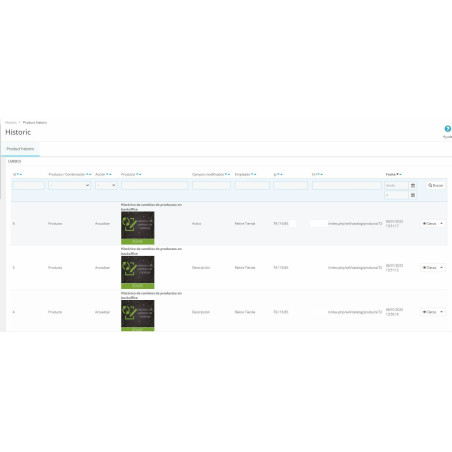
- Who changed each product? Each change is signed by the employee who made it, or by the web service user if it came from there.
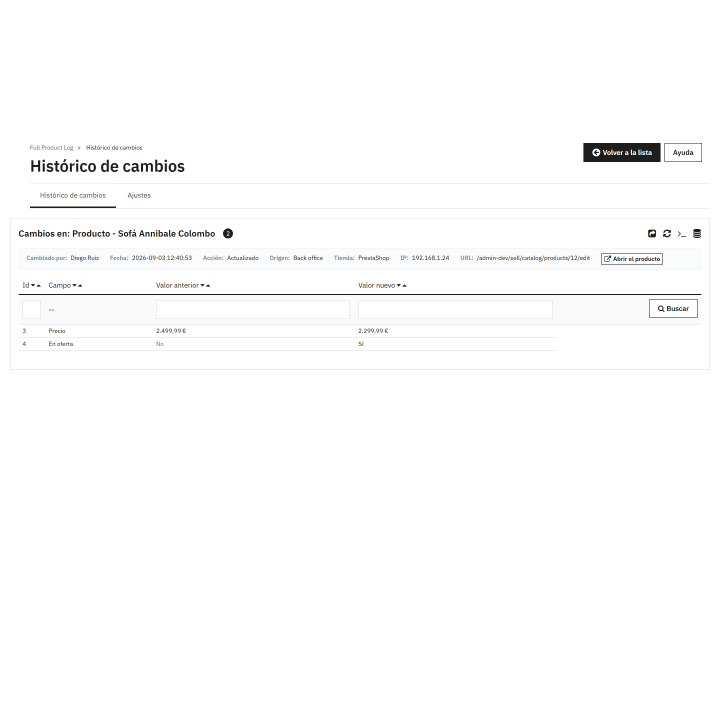
- Before and after: You see the previous and new value of each field, to instantly detect a price with an extra zero or a deleted description.
- When and from where: Exact date and time, IP address and the back-office page from which the change was made.
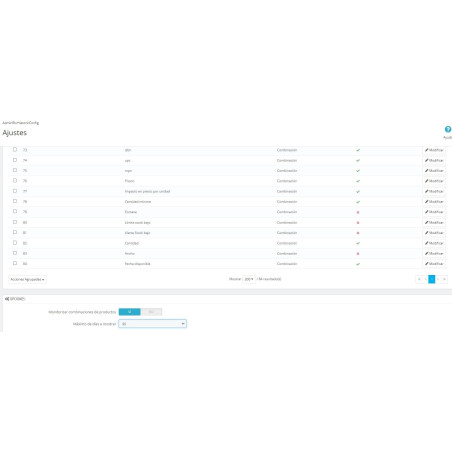
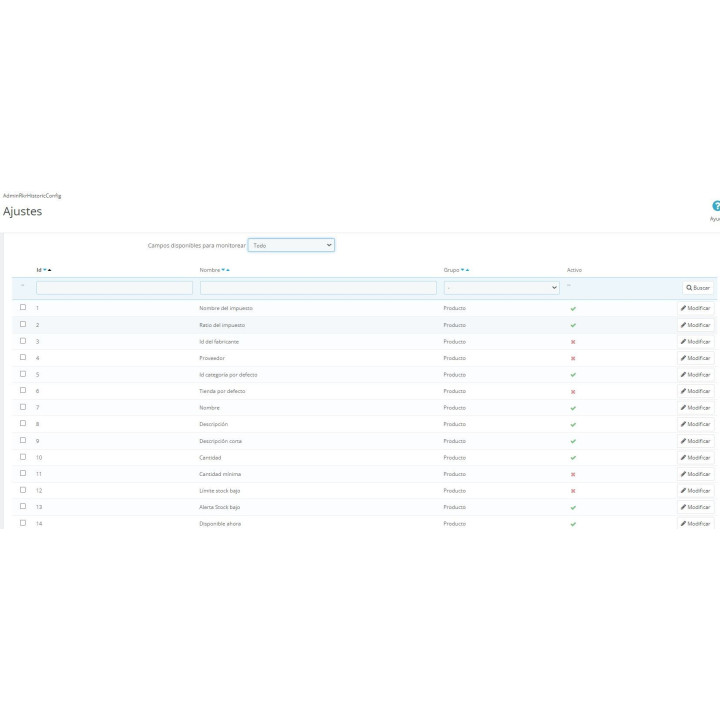
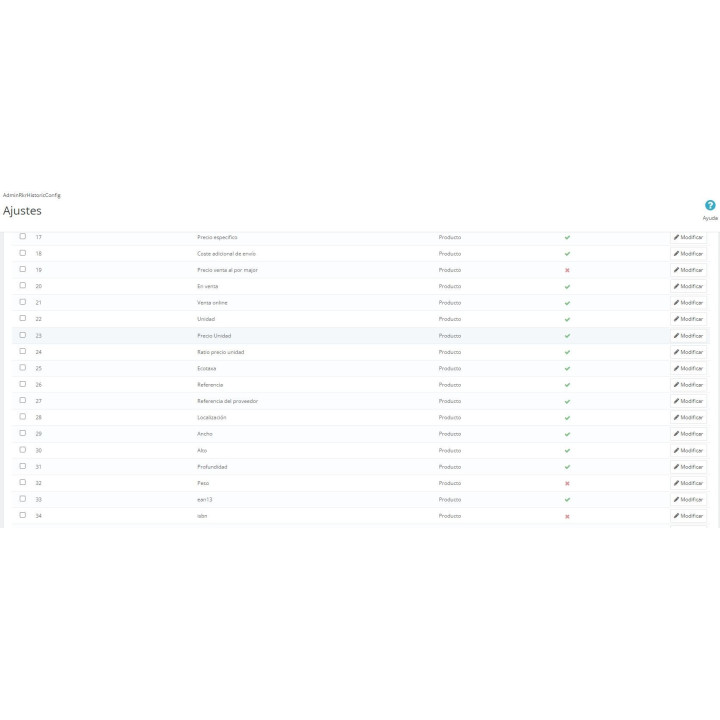
- Up to 84 monitored fields: Price, stock, references, SEO, descriptions, status and combinations; you activate only the ones that interest you and give them the name you prefer.
- Chronology of each product All changes of a product in a timeline grouped by days.
- Additions and removals included. It also records when a product or combination is created or deleted, and who did it.
Product change history module in back office
Track every change made to your products: who, when, from where, and the previous and current values . Includes a period summary, filter shortcuts, a timeline for each product, CSV export, and multi-store support. Compatible with PrestaShop 1.7.6 to 9.x.
Installation, updates and support
Free installation
We'll do it for you! We'll install and configure the module in your store completely free of charge , guaranteeing a quick and hassle-free start.
Lifetime updates
Get permanent access to the latest version of your module. Your investment is protected and it will always be compatible with new versions of PrestaShop.
Certified quality
Our modules have passed the official PrestaShop validation, ensuring their security, performance and compatibility with the platform's standards.
Premium support (1 year)
You have a full year of dedicated support . Any questions or problems that arise regarding the module will be resolved by our expert team.
Why did we create this module?
PrestaShop, by default, doesn't save the original price of a product before it was changed, nor does it record who changed it field by field. When multiple people or an agency edit the catalog, an incorrect price or zero stock is discovered late and without any clues.
That's why we created this module: it records every change to products and combinations with the before and after value, the employee, the date, the IP address, and the page from which it was made.
This way, when something doesn't add up, you find out in the back office itself instead of asking the whole team.
Catalog
Someone has changed a price. Nobody knows who.
A product appears deactivated, the stock doesn't match, the description is no longer what it used to be. PrestaShop saves the current state of each product and forgets its previous state. The Full Product Log records every change: who made it, when, from where, and the previous value alongside the current one.
/ You guard, and it is written
There's no need to do anything different. Your team edits the products as usual, and each save is recorded with the employee's name, the date and time, the address from which it was made, and all the fields that changed, including their before and after values.
What you notice on the first day: when something changes without explanation, there's no need to ask anyone anymore . It's written in the stars.
Your catalog month at a glance
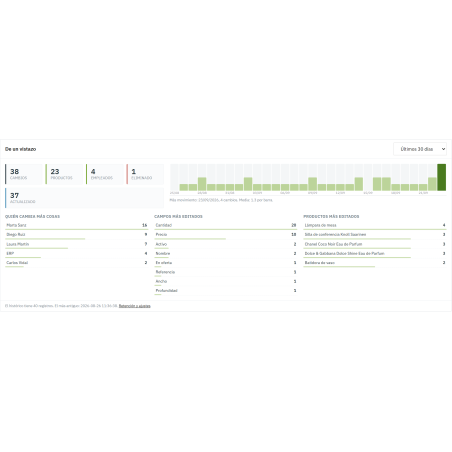
Above the list, you'll find a summary for your chosen period: the number of changes, the number of products, and the number of people who made them. There's also a graph showing the days the store was active, along with lists of who makes the most changes, which fields are most frequently modified, and which products are most edited. If you increase the timeframe, the graph automatically groups by week or month to ensure it still fits.
One click and it's filtered.
Each name in the summary is a shortcut: an employee, a field like price, or a product, and the list only includes that. You can also filter by date, action, source, or store, and export exactly what you're seeing to CSV.
/ A real department store
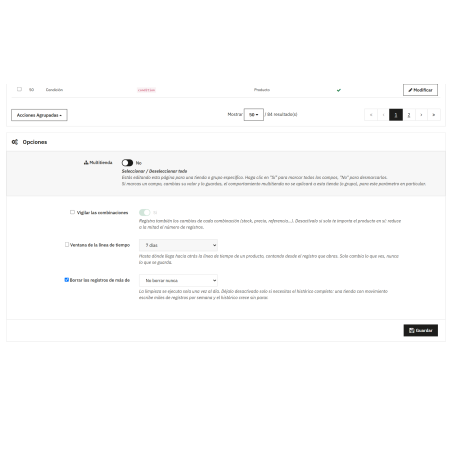
With multiple stores, each has its own monitored fields, its own retention, and its own history, and the amounts are displayed in the currency of the store to which each transaction belongs. A new store inherits the existing configuration.
/ He doesn't touch your products or your shop window
The module only records changes to products: it doesn't modify anything, add anything to the product display, and the changes aren't noticeable in the store. Customer changes aren't recorded; the history is kept by whoever edits the catalog. The module includes manuals in six languages.
Compatible with PrestaShop versions 1.7.6 through 8.x and 9.x
Developed and maintained by REKIRE
-
Brand

-
Referencem72
-
Compatible PrestaShop versions1.7.3
1.7.4
1.7.5
1.7.6
1.7.7
1.7.8
8.0
8.1
8.2
9.0
9.1
| Version | 1.2.5 |
|---|---|
| Compatibility | PrestaShop 1.7 – 9.1 |
| PHP | 7.0 or higher |
| Languages included | Spanish and English |
| Modify the core | No: no overrides |
| Own tables | 5: monitored fields, changes and their previous and new values |
| Documentation | PDF guide in Spanish and English |
v1.5.3
Fixed
- The summary panel and the settings screen were shown in English whatever the employee's language. Since 1.5.1 their texts are translated in PHP, and they were being looked up under a key the translation catalog does not use: no error, no log line, just English on a Spanish, French or German back office. Every one of those 53 texts is translated again in the six languages.
- The month on the product timeline was always in English ("September 2026"). It is translated now like the rest of the screen.
v1.2.5
- Improved Maintenance Version.
v1.2.0
- New First public version: record of changes in products and combinations.
At Rekire we want to make things easy for you. That's why our PrestaShop modules come with a flexible usage license:
- Unlimited use in your projects. You can use the module in as many of your own installations as you want, even if you are an agency and manage several websites (without needing to be in multi-store mode).
- Distribution restrictions. It is not permitted to exchange, distribute, sell, or republish the module to third parties.
Professional ethics. This software is our livelihood. We ask for your professional ethics and that you make new purchases if the volume of projects requires it: it's the only way for us to make it worthwhile to continue developing such great modules and maintain our constant improvements.
Technical support
In order to provide you with the best service, module support is governed by these conditions:
- Support is provided exclusively on the website declared as the main site .
- If you have not declared a primary site, support is automatically applied to the first installation where the module is activated.
4 other products in the same category




También podría interesarte

Product Videos



Product Videos




Product Videos



Product Videos


Product Videos

Questions and answers
Nobody has asked anything about this product yet.
