







Legal compliance module for PrestaShop Omnibus. Minimum price images
What it does for your store
- Lowest price for 30 days. Display next to each offer the lowest price for the period you choose, as required by the Omnibus Directive, in the data sheet and in the listings.
- No discounts that aren't really discounts. If you activate it, it removes the crossed-out price, the percentage, and the sale labels when the price doesn't go below the minimum; the customer pays the same.
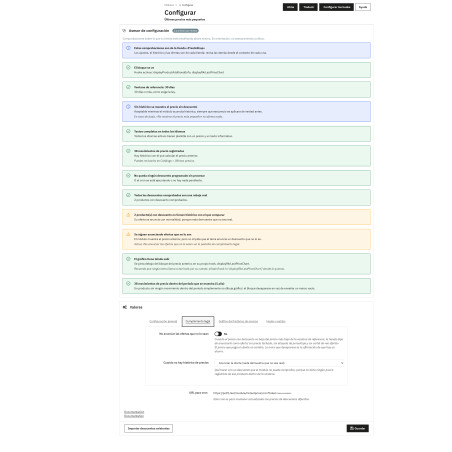
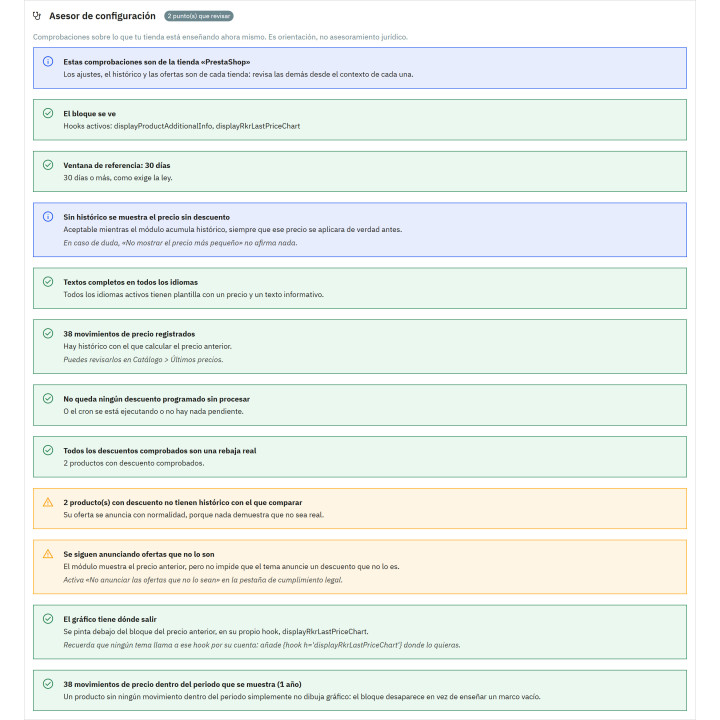
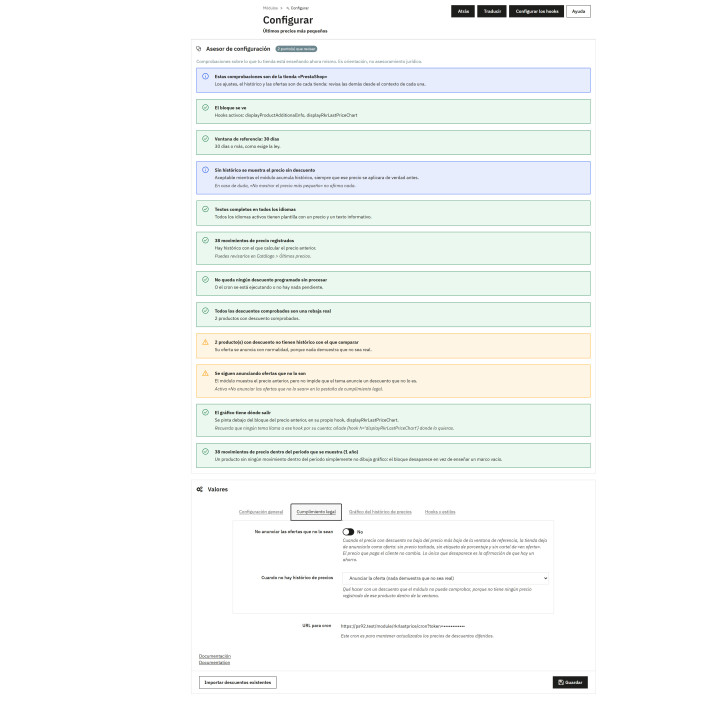
- An advisor reviews your store. Check what you're showing today: where the block appears, the days window, the texts by language, the cron job, and the offers that aren't real.
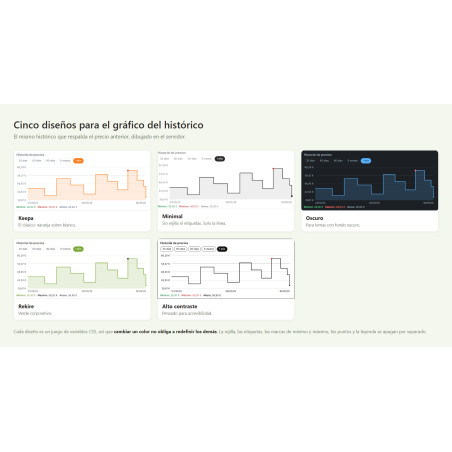
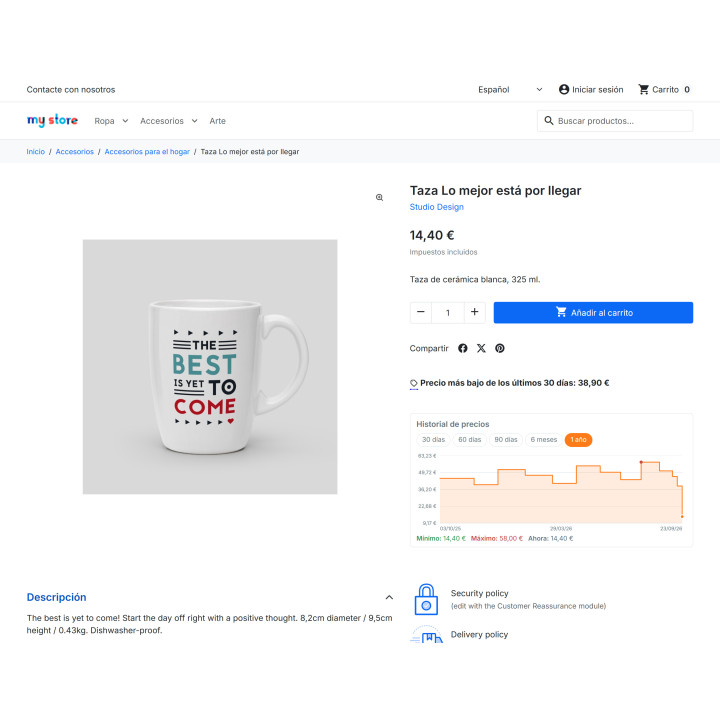
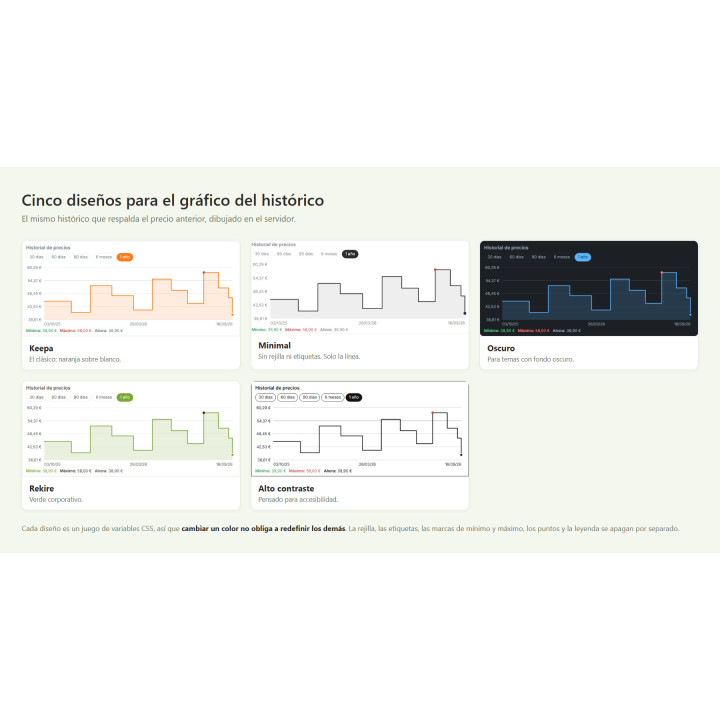
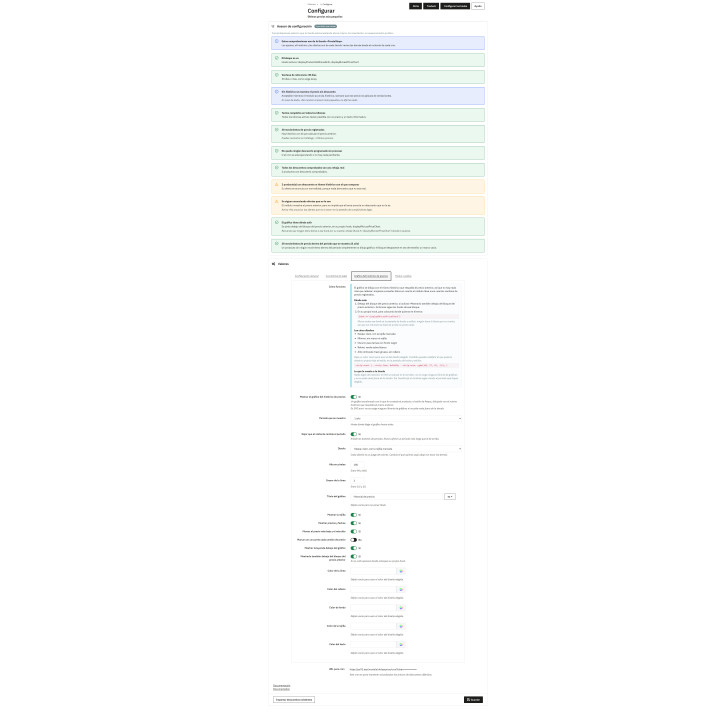
- Historical Price Chart: A Keepa-style chart, drawn on your server without external libraries, with five layouts and the period you want to display.
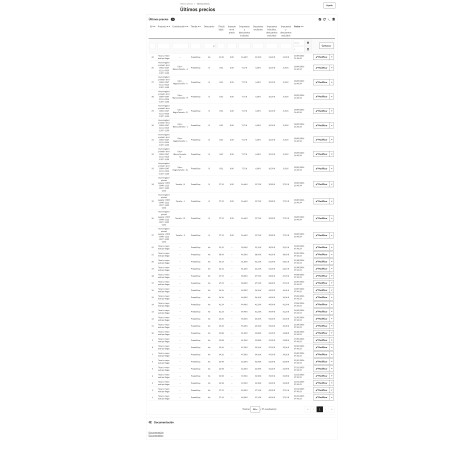
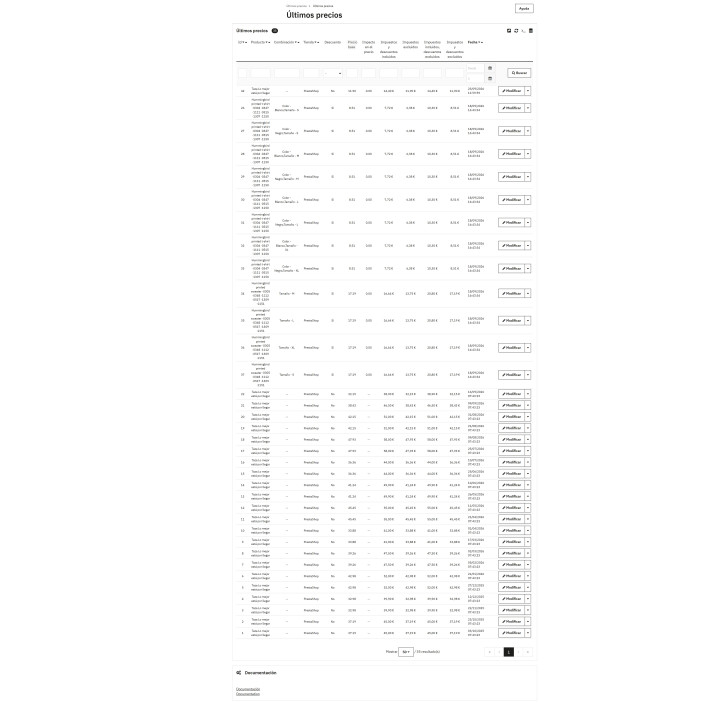
- A historical record that serves as proof. Each price change is recorded by product, combination and store, with its date, and exported to CSV.
- Scheduled discounts included. A cron job records discounts with dates, which change the price without anyone touching the back office, and a button imports the ones you already have.
Legal compliance module for PrestaShop Omnibus. Minimum price
It displays the lowest price from the last 30 days, as required by the Omnibus Directive, and—if you activate it—prevents your store from advertising as a discount anything that doesn't fall below that minimum, which is the actual infraction that results in penalties. It includes a Keepa-style price history graph, drawn on your server, and an advisor that audits what your store is currently displaying.
Installation, updates and support
Free installation
We'll do it for you! We'll install and configure the module in your store completely free of charge , guaranteeing a quick and hassle-free start.
Lifetime updates
Get permanent access to the latest version of your module. Your investment is protected and it will always be compatible with new versions of PrestaShop.
Certified quality
Our modules have passed the official PrestaShop validation, ensuring their security, performance and compatibility with the platform's standards.
Premium support (1 year)
You have a full year of dedicated support . Any questions or problems that arise regarding the module will be resolved by our expert team.
Why did we create this module?
The Omnibus Directive requires that, next to each price reduction, the lowest price from the previous 30 days be displayed. PrestaShop does not store price history by default, so there's no way to obtain that number.
And the law requires a second, often overlooked, requirement: not to advertise as a discount a price that doesn't fall below that minimum. That's why the module doesn't just print the number: it records every price change and, if you activate it, stops advertising as a discount what isn't, without affecting what the customer pays.
Since almost all violations are simply a misplaced field that doesn't trigger an error, we've added an advisor who reviews what your store is currently displaying. You gain a historical record to back up every previous price and the certainty of knowing exactly what you're showing.
The Omnibus Directive requires two things. Almost all modules only do the first.
A product that you were selling for €20 three weeks ago, which you raised to €30, and which you're now "reducing" to €25. Today's price It is not below Displaying the lowest price of the last 30 days with a crossed-out price and a -17% discount sticker is a deceptive commercial practice, even if a previous price is shown next to it. And that's precisely what consumer inspections look at.
RKR Last Price covers both obligations: publishes the lowest price of the last 30 days and, if you activate it, prevents the store from advertising as a discount what is not.
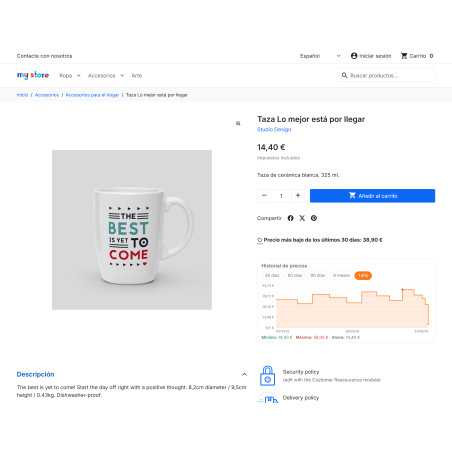
The previous price, where the customer sees it.
The module records every price change for every product and every combination — including those caused by scheduled discounts, which do not trigger any hook — and writes down the lowest price for the period you choose.
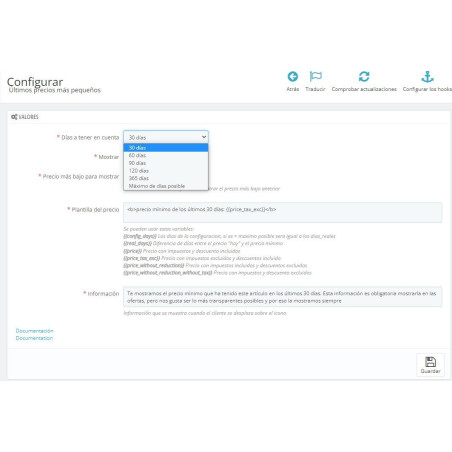
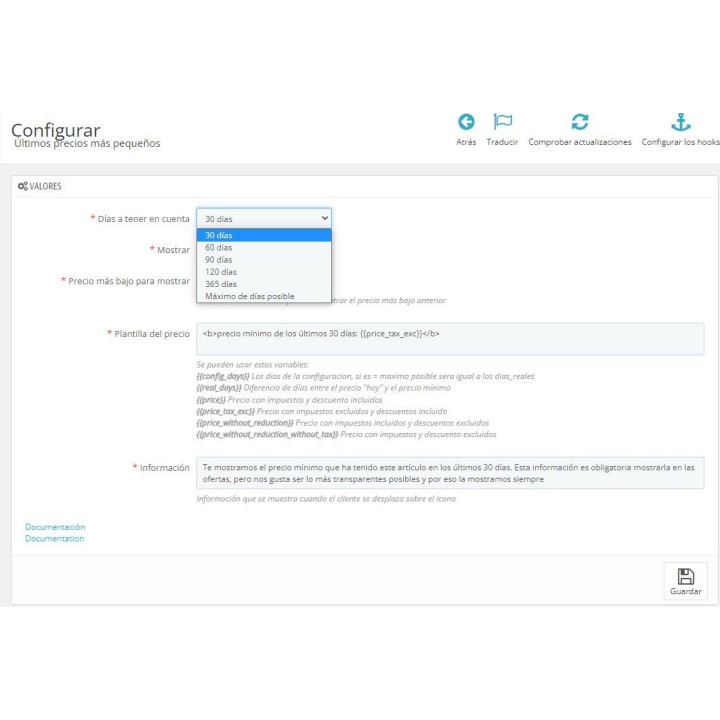
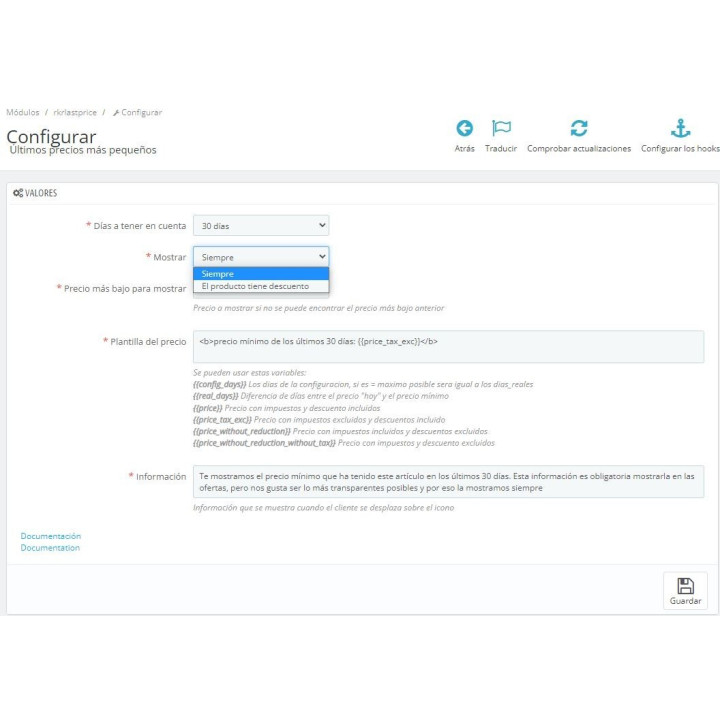
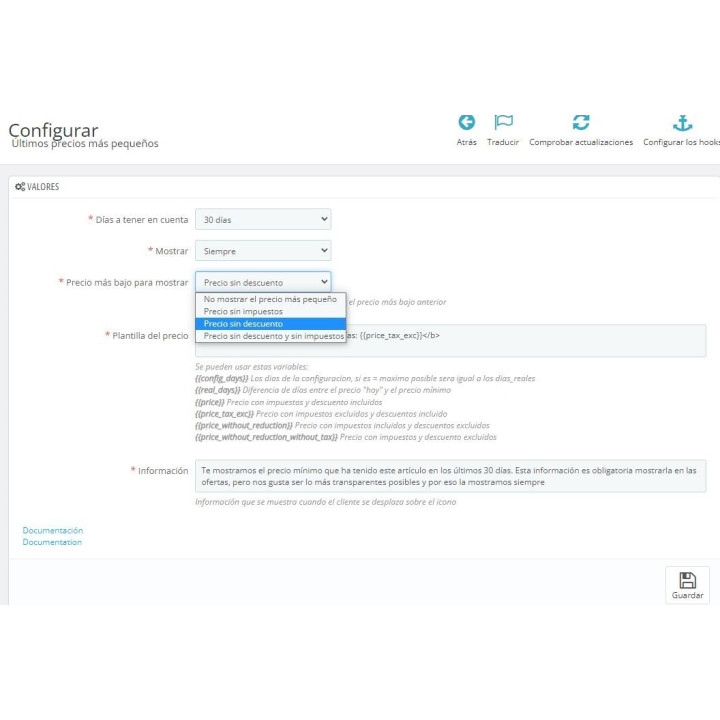
You decide the text, language by language, with variables for the price with and without taxes, dates, and the actual number of days elapsed. It appears on the product sheet and in the reports, without any further input.
It can prevent the advertising of an offer that is not a real offer.
By activating "Do not advertise offers that are not offers", When the discounted price is not below the minimum for the period, the store stops claiming that there is a saving: the crossed-out price, the percentage and the "discount" and "on sale" labels disappear, both in the listing and in the categories, the search and the featured items.
What doesn't change is what the customer pays. The discount is still applied in full to the shopping cart and the order. The only thing that disappears is the notification that there is a discount.
An advisor who audits your store, not the module
Almost all the non-compliances seen in real stores are due to a box in the wrong position, and a box in the wrong position does not cause any errors.
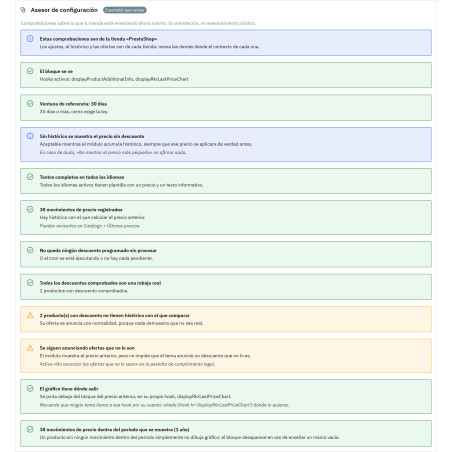
The settings screen opens with an advisor reviewing what you're teaching. today:
- if the block is hooked and where it comes out;
- if the reference window reaches 30 days;
- what samples when there is still no historical data;
- if the template is filled in all active languages;
- how many live offers are not a real price reduction;
- if the cron job is running and there are no unprocessed discounts.
A historical chart, in the style of Keepa
A stepped chart showing the product's cost, drawn using the same historical data that supports the previous price: there's nothing more to feed in, nor a second table to wait for.
The grid, labels, minimum and maximum marks, points, and legend all turn off separately. A buyer who can see a price history trusts the price you're showing them: it's reliability that also sells.
It's born dead, and an update won't turn it on.
The two features that change what the store displays—hiding fake offers and the graph— They arrive turned off, both during installation and when an update brings them, and no update touches what you have already configured.
An update can't automatically change what a store is already selling to its customers. You activate them yourself, after you've read what the advisor says.
Designed for real stores
Compatibility. PrestaShop 8.x and 9.x, PHP 7.2.5 to 8.3. It works with native themes and any theme that uses standard product hooks; the graphic can also be placed anywhere you want with a line in the template.
This module is a tool to help you comply. It is not legal advice.
-
Brand

-
Referencem71
-
Compatible PrestaShop versions1.7.0
1.7.1
1.7.2
1.7.3
1.7.4
1.7.5
1.7.6
1.7.7
1.7.8
8.0
8.1
8.2
9.0
9.1
| Version | 1.8.4 |
|---|---|
| Compatibility | PrestaShop 8.0 – 9.1 |
| PHP | 7.4 – 8.3 |
| Multistore | Yes: historical data, adjustments, and reference price per store |
| Languages included | Spanish, English, French, Italian, Portuguese and German |
| Modify the core | No: no overrides |
| Own tables | 2: Price history and control of scheduled discounts |
| Scheduled tasks | Yes: a daily cron job to record discounts with dates |
| Documentation | Manual in Spanish and English, in Markdown and PDF |
v1.8.4
- Fixed: In English stores, the module no longer fills in the translation notice log on each visit.
- Fixed: The discount import dialog is now translated into all six languages, including two labels that were always in English.
- Fixed: Installing the module from the console no longer gets interrupted with an error.
v1.8.3
- Improved Internal quality and compatibility improvements.
v1.8.2
- Improved Internal quality and compatibility improvements.
v1.8.1
- Improved The advisor also reviews the chart: whether there is a way out, how much the historical price falls in the period, which colors are ignored, and whether the title is missing in any language.
- New Help Box in the chart tab with where it appears, the line to place it in your template and the five designs.
- Fixed: A process launched from the console is no longer interrupted when reviewing offers.
v1.8.0
- New Keepa-style historical price chart, drawn on your server without external libraries. It arrives disabled.
- New Periods of 30, 60 or 90 days, 6 months, 1 year or the entire history, with optional buttons for the visitor to change it.
- New Five designs (Keepa, Minimal, Dark, Rekire and High Contrast) with adjustable colors, thickness, height and each element.
- Fixed: The texts created during installation, such as the graphic title and menu label, now appear in the correct language.
v1.7.3
- Fixed: The cron address given in the configuration screen now works in PrestaShop 9.
v1.7.2
- Improved Internal quality and compatibility improvements.
v1.7.1
- Improved Internal quality and compatibility improvements.
v1.7.0
- Improved full multi-store: history, settings and style sheet are per store, each with its own price.
- Fixed: Discounts from "all stores" are registered in all stores and are already included when importing existing ones.
- Improved The history list shows the store for each transaction and the advisor notifies if the module is not active in any store.
- Fixed: The historical listing no longer fails in multi-store and the menu labels are translated.
v1.6.0
- New option to avoid advertising offers that aren't really offers: no crossed-out price or sale labels when the discount doesn't fall below the minimum. It arrives deactivated.
- New Setup Advisor with nine checks on what the store is currently showing.
- New complete translations into French, Italian, German and Portuguese.
- Fixed: Imports, crons, and processes that touch prices no longer cause errors, and the import discounts button works on new installations.
At Rekire we want to make things easy for you. That's why our PrestaShop modules come with a flexible usage license:
- Unlimited use in your projects. You can use the module in as many of your own installations as you want, even if you are an agency and manage several websites (without needing to be in multi-store mode).
- Distribution restrictions. It is not permitted to exchange, distribute, sell, or republish the module to third parties.
Professional ethics. This software is our livelihood. We ask for your professional ethics and that you make new purchases if the volume of projects requires it: it's the only way for us to make it worthwhile to continue developing such great modules and maintain our constant improvements.
Technical support
In order to provide you with the best service, module support is governed by these conditions:
- Support is provided exclusively on the website declared as the main site .
- If you have not declared a primary site, support is automatically applied to the first installation where the module is activated.
4 other products in the same category



También podría interesarte

Product Videos



Product Videos




Product Videos


Product Videos


Product Videos
Questions and answers
Nobody has asked anything about this product yet.
