





Recommended

€302.50

€157.30

€108.90

€36.30

€72.60
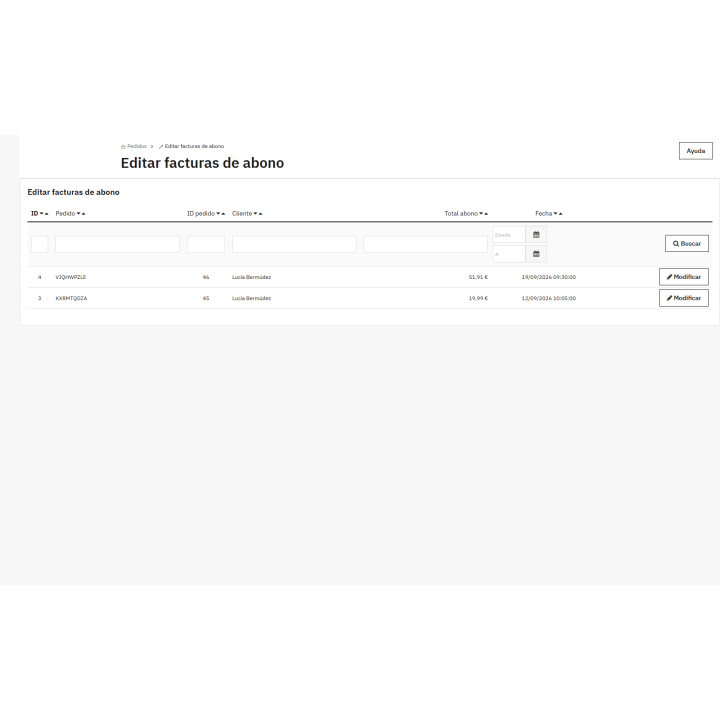
Corrective invoice editor module images
What it does for your store
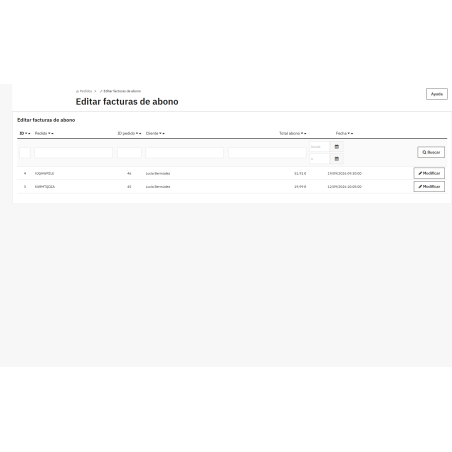
- Without touching the database, correct any corrective invoice from the back office, on a clear screen, without manually editing tables or risking your data.
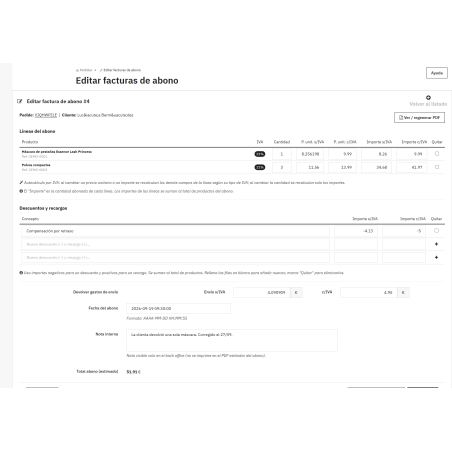
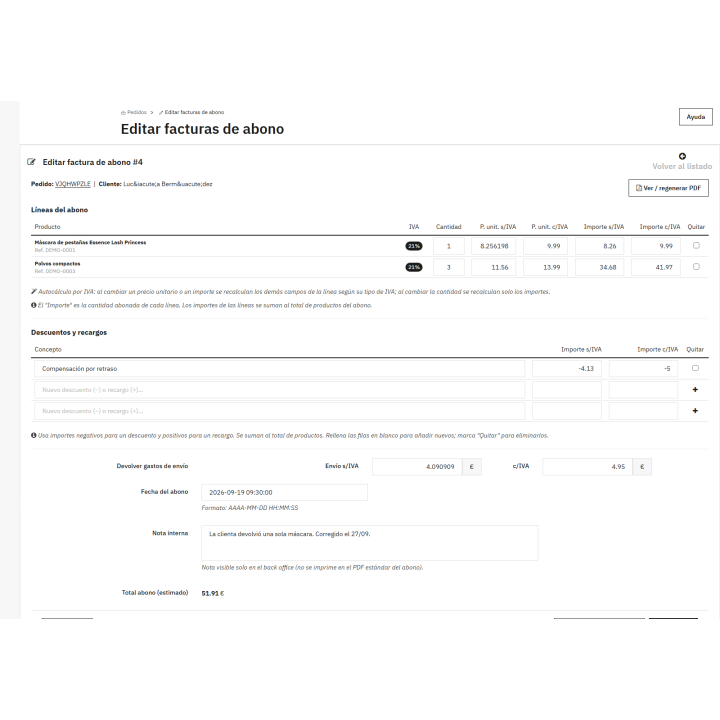
- Lines, quantities and amounts Change the quantity, unit price and amount paid for each line, and add or remove products from the order.
- VAT calculated only. When you change a price or amount, the rest is recalculated according to the VAT rate of the line.
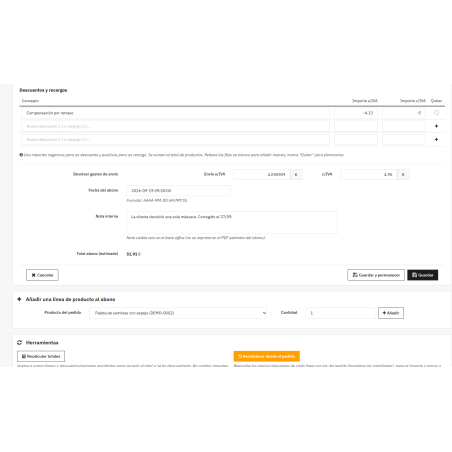
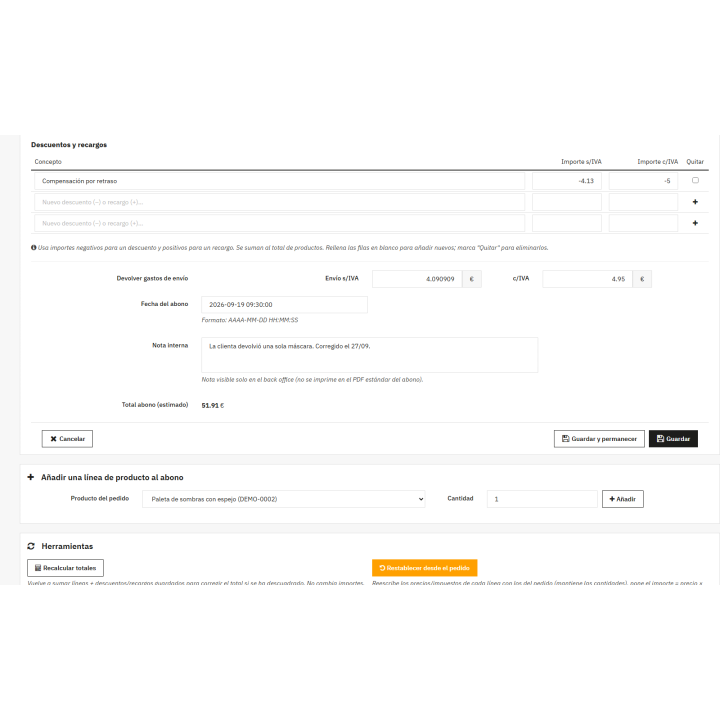
- Discounts, surcharges and shipping Add discounts or surcharges and decide whether to refund the shipping and for what amount.
- Date and internal note: Adjust the subscription issue date and leave a note for your team that is only visible in the back office.
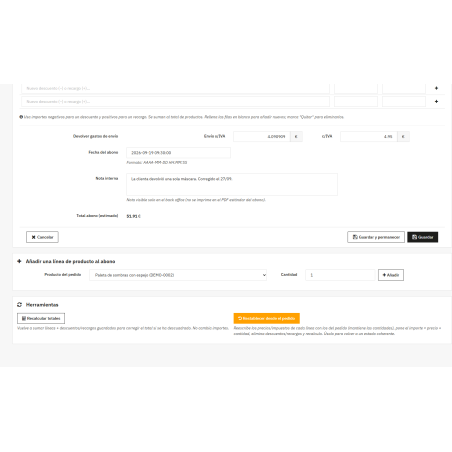
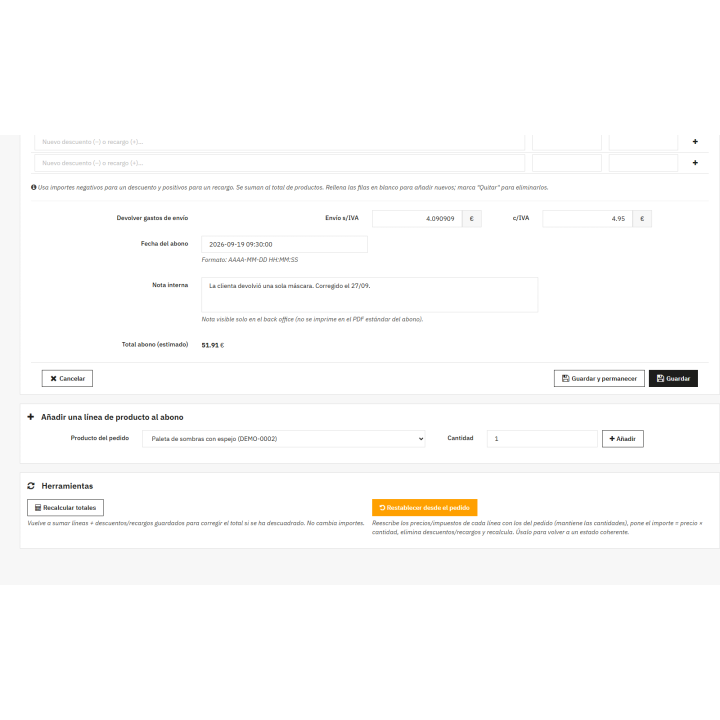
- Always up-to-date PDF. Recalculate or reset the payment with one click and regenerate the PDF with the correct amounts, without errors due to zero amounts.
Corrective invoice editor module
Price:
€60.50
This product can be bought as a subscription. Below you can see what each option includes and what it costs.
First year:
€60.50
tax incl.
From the second year:
€15.13/year
tax incl.
- One year of technical support and lifetime updates; from the second year, support is extended for €15.13/year and includes taking on your general improvement ideas for the module.
- Renews automatically; cancel whenever you want, with no minimum term.
One-time payment:
€60.50
tax incl.
- One year of technical support and lifetime updates; after that, support ends (with the subscription it is extended for €15.13/year).
- A single payment, with no automatic charges.
€50.00 Sin impuesto
€60.50 Con impuesto
Edit credit notes from the back office: lines, amounts with and without VAT, shipping, discounts and surcharges, date, and internal note. Recalculate and reset directly from the order, without manually accessing the database.
Compatible with PrestaShop 8.0 through 9.x.
Installation, updates and support
Free installation
We'll do it for you! We'll install and configure the module in your store completely free of charge , guaranteeing a quick and hassle-free start.
Lifetime updates
Get permanent access to the latest version of your module. Your investment is protected and it will always be compatible with new versions of PrestaShop.
Certified quality
Our modules have passed the official PrestaShop validation, ensuring their security, performance and compatibility with the platform's standards.
Premium support (1 year)
You have a full year of dedicated support . Any questions or problems that arise regarding the module will be resolved by our expert team.
Why did we create this module?
PrestaShop automatically generates credit notes and, once created, cannot be modified. If a quantity, amount, VAT, or date needs to be corrected, the only solution is usually to manually edit the database, with the inherent risks involved.
We created this module to edit any payment from the back office, with the VAT recalculated instantly and the option to recalculate or return to the order status if something goes wrong.
You get accurate corrective invoices and a PDF per day, without touching the database or the PrestaShop core.
Billing
The payment went wrong. And PrestaShop won't let you change it.
Once generated, a credit note is what it is: correcting a quantity or amount requires manually editing the database. Editing credit notes gives you back control from the Orders menu.
Lines, shipping, and settings
Everything that makes up the subscription is edited from a single screen
VAT self-calculation
You change one price and the rest of the line is automatically recalculated
8.0 → 9.x
a single installation for PrestaShop 8 and 9
Everything you can correct
Product lines
Quantity, unit price, and amount paid, including and excluding VAT. Add order lines or remove unnecessary ones.
Shipping costs
Activate or deactivate the return of the shipment and set its amount.
Discounts and surcharges
As many concepts as you need: negative values deduct, positive values recharge.
Date and internal note
The issue date and a note for your team that is only visible in the back office.
The VAT balances itself
Each line item is assigned a specific VAT rate. If you change a unit price or amount, the other fields in the line item are recalculated according to that rate; if you change the quantity, the amounts are adjusted, and the unit prices remain unchanged.
And if something goes wrong, two buttons
Recalculate totals sums lines and makes adjustments to correct the total. Reset from order restores the prices and taxes from the original order, preserves the quantities, and leaves the credit note in a consistent state. Save, regenerate the PDF, and the changes will be reflected.
Do you have an invoice template that's giving a 500 error when you open a credit note ? Some PDF templates fail when a line has a zero amount. The module removes zero-value lines and corrects the amounts without VAT when saving, so opening that credit note and clicking Save fixes it.
/ Without touching the core
It does not install overrides or modify PrestaShop files. Uninstalling it deletes its tab and tables, but your credit notes remain intact.
Compatible with PrestaShop 8.0 through 9.x
Developed and maintained by REKIRE
-
Brand
| Languages included | Spanish |
|---|---|
| Modify the core | No: no overrides |
v1.2.2
- Security: Payment actions respect profile permissions. Recalculating, resetting from order, adding lines, and saving require editing permissions on the tab; generating the PDF requires read permissions. Until now, any back-office employee could perform these actions even if their profile did not have access to the tab.
v1.2.1
- It works in PrestaShop 9. The module screen used to give a 500 error in PrestaShop 9.0 and 9.1; now it lists, edits and generates the PDF just like in PrestaShop 8.
- "Save and stay" remains on the subscription record instead of returning to the list. The same happens when recalculating totals or resetting from the order.
- It is distributed under the Rekire license.
At Rekire we want to make things easy for you. That's why our PrestaShop modules come with a flexible usage license:
- Unlimited use in your projects. You can use the module in as many of your own installations as you want, even if you are an agency and manage several websites (without needing to be in multi-store mode).
- Distribution restrictions. It is not permitted to exchange, distribute, sell, or republish the module to third parties.
Professional ethics. This software is our livelihood. We ask for your professional ethics and that you make new purchases if the volume of projects requires it: it's the only way for us to make it worthwhile to continue developing such great modules and maintain our constant improvements.
Technical support
In order to provide you with the best service, module support is governed by these conditions:
- Support is provided exclusively on the website declared as the main site .
- If you have not declared a primary site, support is automatically applied to the first installation where the module is activated.
You might also like

Invoice series module for PrestaShop
 Blog
Blog
€302.50
€250.00 Sin impuesto
€302.50 Con impuesto
Product Videos

Legal compliance module for PrestaShop Omnibus. Minimum price
 Blog
Blog
€60.50
€50.00 Sin impuesto
€60.50 Con impuesto
Product Videos

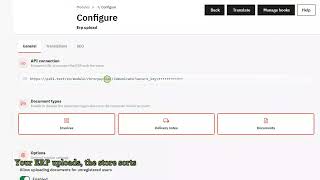
Module for attaching invoices and documentation to a user's private account via web services
 Blog
Blog
€157.30
€130.00 Sin impuesto
€157.30 Con impuesto
Product Videos

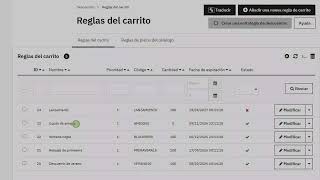
Module to prevent the use of expired coupons
 Blog
Blog
€36.30
€30.00 Sin impuesto
€36.30 Con impuesto
Product Videos


4 other products in the same category

Stock requirements calculation module
 Blog
Blog
€84.69
€69.99 Sin impuesto
€84.69 Con impuesto
Product Videos
- New

RKR Product Rescue - Out of stock, deactivated products and 404 errors with alternatives
€72.48
€59.90 Sin impuesto
€72.48 Con impuesto
- New

RKR Influencer Promo: Influencer codes and links for PrestaShop

€96.80
€80.00 Sin impuesto
€96.80 Con impuesto
Product Videos
Module to prevent the use of expired coupons
Blog
€36.30
€30.00 Sin impuesto
€36.30 Con impuesto
Product Videos
También podría interesarte


€60.44
€49.95 Sin impuesto
€60.44 Con impuesto

€12.09
€9.99 Sin impuesto
€12.09 Con impuesto
- On sale!


€96.79
€79.99 Sin impuesto
€96.79 Con impuesto


€96.79
€79.99 Sin impuesto
€96.79 Con impuesto

€84.69
€69.99 Sin impuesto
€84.69 Con impuesto

€120.99
€99.99 Sin impuesto
€120.99 Con impuesto

€60.50
€50.00 Sin impuesto
€60.50 Con impuesto


€96.79
€79.99 Sin impuesto
€96.79 Con impuesto

€302.50
€250.00 Sin impuesto
€302.50 Con impuesto


€181.50
€150.00 Sin impuesto
€181.50 Con impuesto
Questions and answers
Nobody has asked anything about this product yet.

