Lost shopping carts
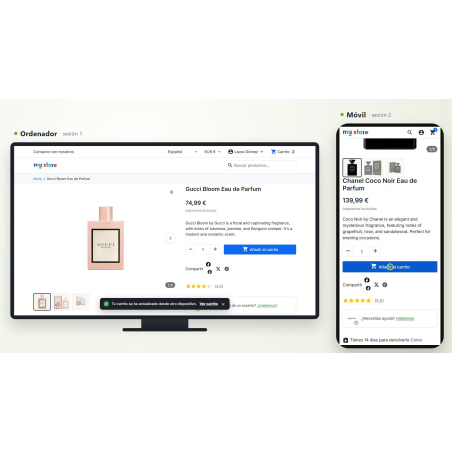
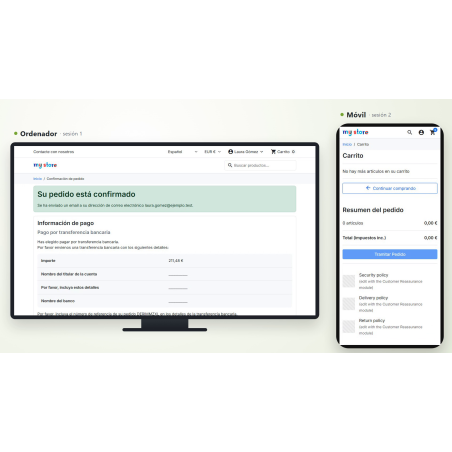
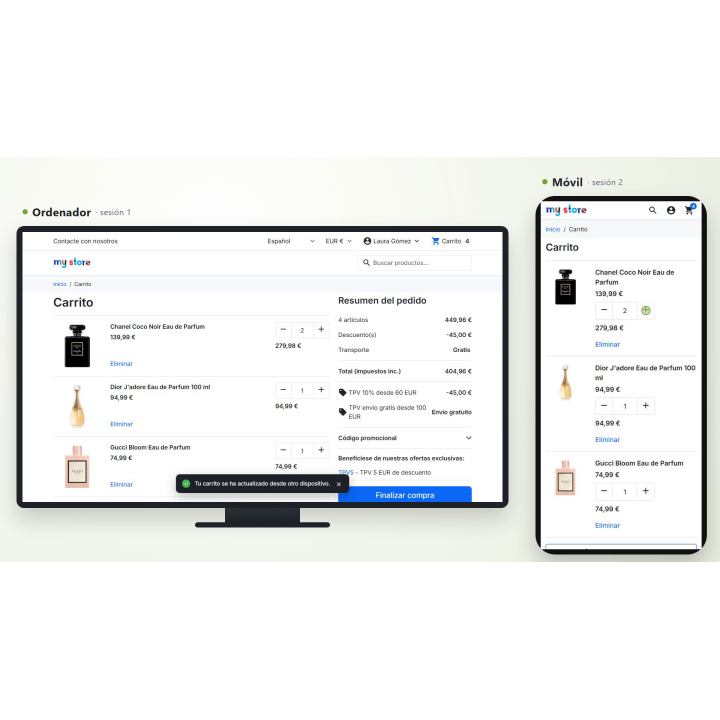
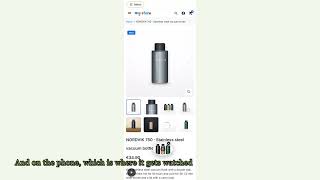
Your customer fills the shopping cart on their computer. They open it on their mobile phone and it's empty.
PrestaShop saves the shopping cart per session, not per customer. With the session open on both a computer and a mobile device, each user ends up with their own separate cart: items added on one don't appear on the other, and on checkout day, they only pay half. Or they don't pay at all. RKR Single Cart It makes all your sessions use the same cart.
1 cart
per identified customer and per store, shared by computer, mobile, tablet and all open tabs
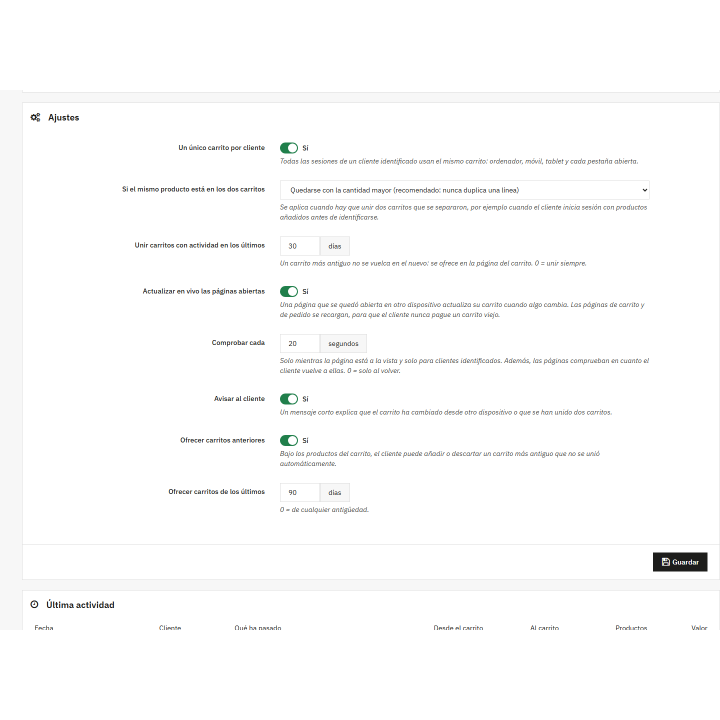
20 seconds
How often does it check an open page if the cart has changed (you adjust it or turn it off), and only while the tab is visible
1.7.8 → 9.x
a single version of the module, without overrides: it doesn't touch a single line of your store's core.
/ Two devices, one cart
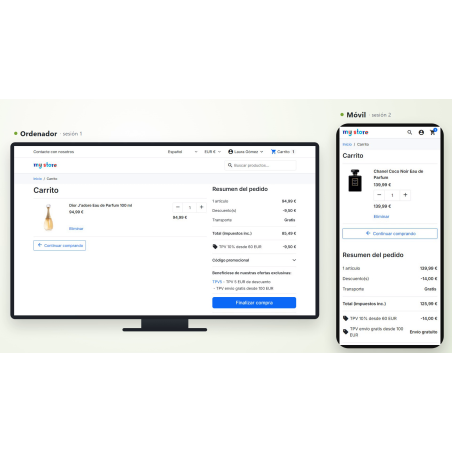
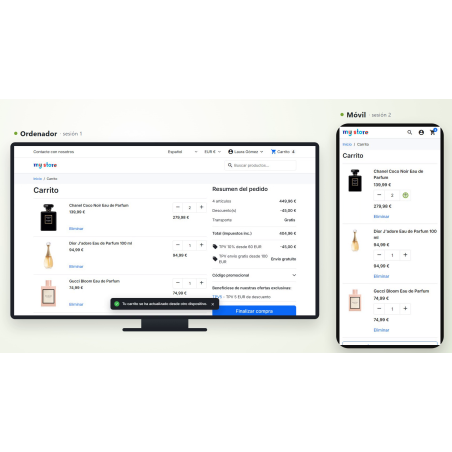
At the beginning of each request, before PrestaShop loads the cart, the module makes the client session use the shared cart. Nothing is copied from one device to another: both write to the same cart, so what you add on the computer is already in the mobile device.
There is no need to activate "Show cart again when logging in". That PrestaShop option only retrieves the cart if the new session doesn't already have one; the module maintains the customer's cart across all their devices. It works exactly as before with the default settings.
/ Open pages update themselves
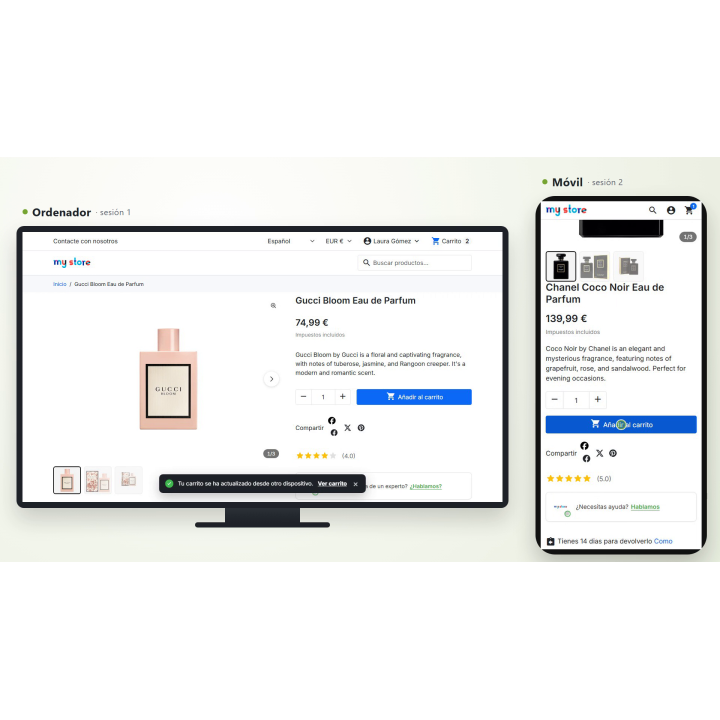
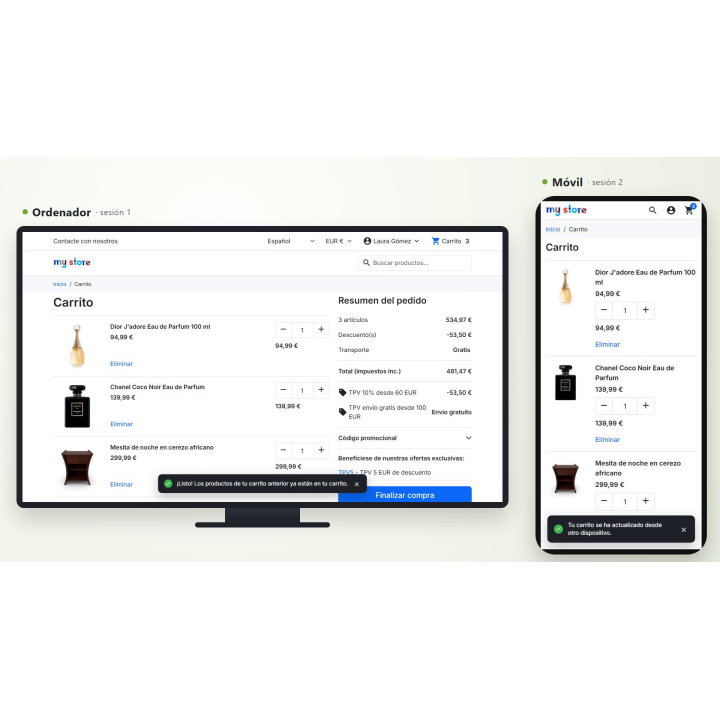
If the customer has the store open on their computer and adds something from their mobile phone, the computer will be notified without anyone having to reload the data.
On any page
The shopping cart at the top is updated and a brief notification appears with a link to view the cart.
In the shopping cart and in the order
The page reloads automatically, so no one arrives to pay with an old shopping cart on the screen.
Cheap for your server
The check is a quick, one-time check, only visible on the tab and only for logged-in customers. Returning to the tab performs an instant check. If you set the time to 0 seconds, it will only perform a check upon returning.
/ If two carts separate, they join together without duplication.
This happens when a customer logs in with products added before logging in, or when two devices create a shopping cart simultaneously. The module links them, and if the same product is on both, It doesn't duplicate your line.
You choose the quantity rule
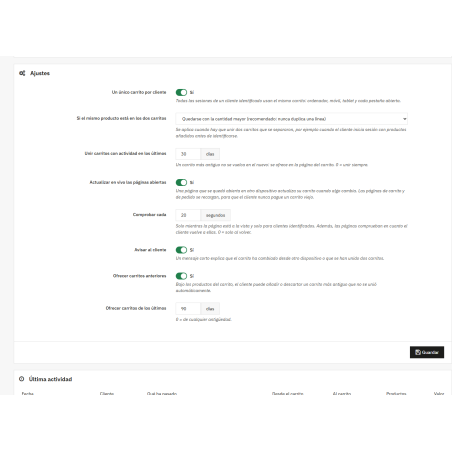
By default, the larger amount is used. You can also add both amounts together or keep the amount from the main cart.
Coupons and personalized items travel with the shopping cart
Coupons with codes and personalized products are processed using your information. Gifts from a coupon are not copied as paid products; the coupon adds their own.
An out-of-stock product doesn't slip through or get lost
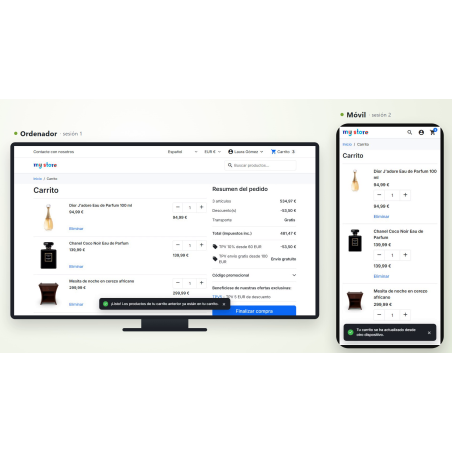
If a product can no longer be purchased when combining shopping carts, it does not go into the common cart: it stays in the previous cart, which is offered to the customer, and the panel counts it as "unavailable".
No duplicate requests at the same time
Each link is made with a lock per customer: two tabs or two devices linking carts in the same second never add up to the same amount twice.
/ Old-fashioned shopping carts don't get lost or sneak in.
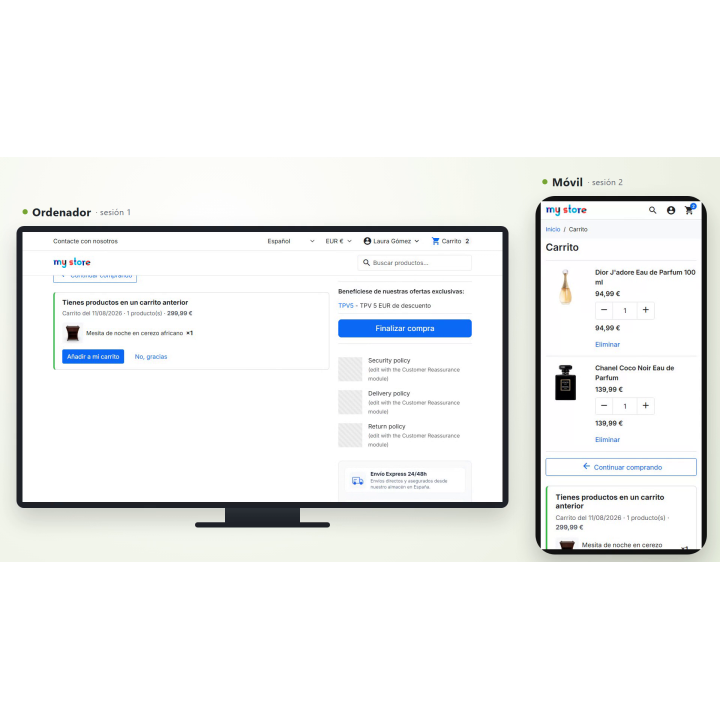
A shopping cart with activity from more than 30 days ago (configurable) is not secretly transferred to today's cart: that would fill the cart with items the customer no longer remembers. It is presented on the cart page, below the customer's products, with photos and the total price, and the customer chooses "Add to cart" or "No, thanks."
By default, shopping carts from the last 90 days are offered; you can change the time frame, or set it to 0 to offer carts of any age.
/ Order on one device, new cart on all
As soon as the cart becomes an order, the other device is automatically emptied and the next cart becomes shared again. No one keeps a cart from a purchase they've already paid for.
/ Agreed prices: they are never mixed
If a salesperson prepares a shopping cart with an agreed-upon price and sends it via a link, that cart becomes the customer's shared cart and never mixes with another, Neither for receiving nor giving products: the agreed price is honored. The shopping cart the customer had previously is offered to them separately.
/ And you see what's happening
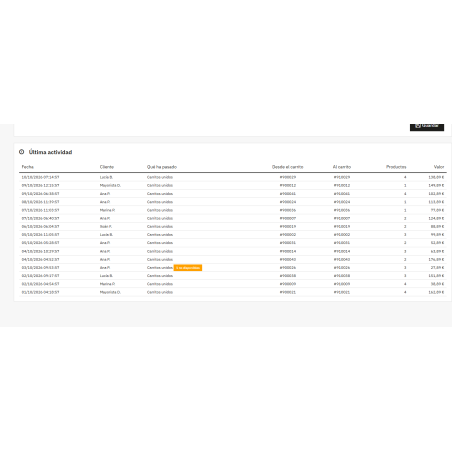
The settings screen shows you what the module is doing for your sales:
Customers with synced carts now
How many customers currently have a shopping cart with products that have not yet been ordered?
Separate carts that have been joined together
How many, with how many products and what value have been kept in the cart, in the last 30 days and since installation.
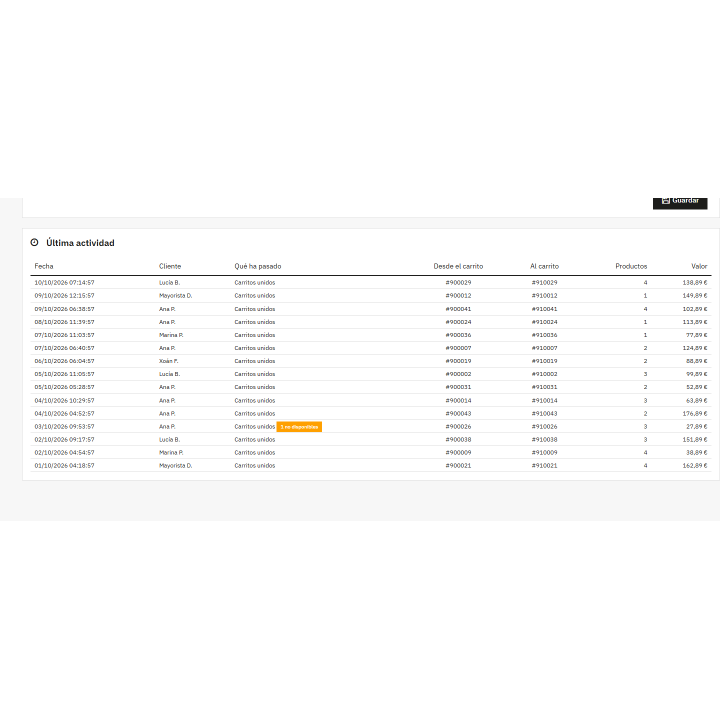
Last activity
Date, customer (with the initial of the last name), what happened, products, value and a direct link to the cart in your back-office.
/ What you should know
It works with identified clientsThe account is what links the devices. Guests don't have a shared identity across devices, so there's no shopping cart to share.
Multistore
Each store has its own shared shopping cart per customer. If a group of stores shares shopping carts and orders, the shared cart belongs to the group.
No fake abandoned shopping carts
A cart that has been joined to another cart remains empty, but it is not deleted, so it does not trigger abandoned cart reminders.
Languages
Interface in Spanish and English.
Customer data (GDPR)
Deleting a client also deletes their history in the module.
Clean uninstallation
Both of your tables and their settings will be deleted. Your customers' shopping carts will not be touched.
Compatible with PrestaShop 1.7.8 to 9.x · PHP 7.1 to 8.4 · no overrides · multistore
Developed and maintained by REQUIRE