Consignment sale
Your customers have things to sell. You don't want to buy them sight unseen.
Keeping other people's stock is risky, and manually keeping track of who lent you what, what was sold, and how much you owe them ends up in an Excel spreadsheet that nobody balances. RKR Consign Turn your PrestaShop store into a consignment store: the item is sold in your catalog, the module calculates the commission and prepares what you owe to each consignor.
8 states
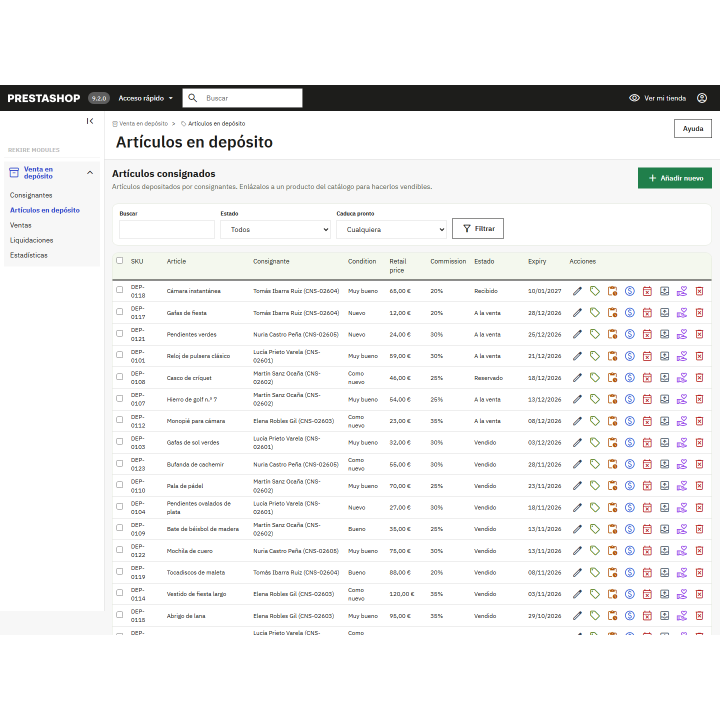
Each item goes through the following stages: received, for sale, reserved, sold, expired, collected, donated, or lost, with a history
4 expiration policies
collection notice, automatic donation, extension or 15% discount with extension
1.7.8 → 9.x
a single version of the module for all your PrestaShop stores
/ From the entry of the item for sale, without spreadsheets
You register the consignor with their contact information, IBAN, and commission. Each item they send you comes with its own agreement: commission, storage period, and what happens when it expires. If you link it to a product or combination in your catalog, it sells like any other product in the store. When an item is closed due to expiration, collection, donation, or loss, its listing is deactivated (unless another open item is still using it) and is reactivated if you put it back on sale.
Sales only with paid order
The sale is recorded when the order reaches a payment status, not when it is placed. If the order is canceled, refunded, or payment fails, the sale is reversed and the item is relisted.
Distribution calculated when selling
The pre-tax amount of the line is divided between your commission and the consignor's net amount, and is saved in that sale.
Retention period
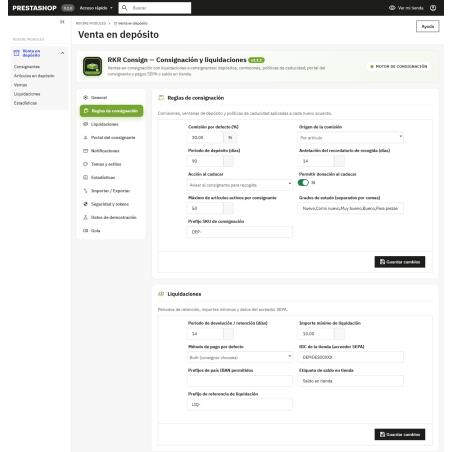
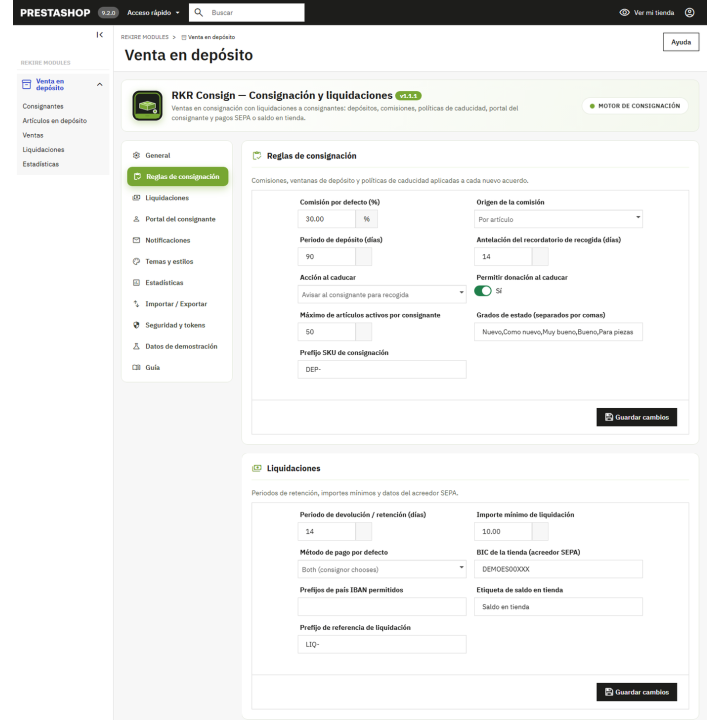
Each sale is held for a few days (14 by default, you can change this) in case of a return. After that period, it moves to "pending settlement," either automatically or by clicking the "Release hold" button.
/ Settle each consignor, in their currency
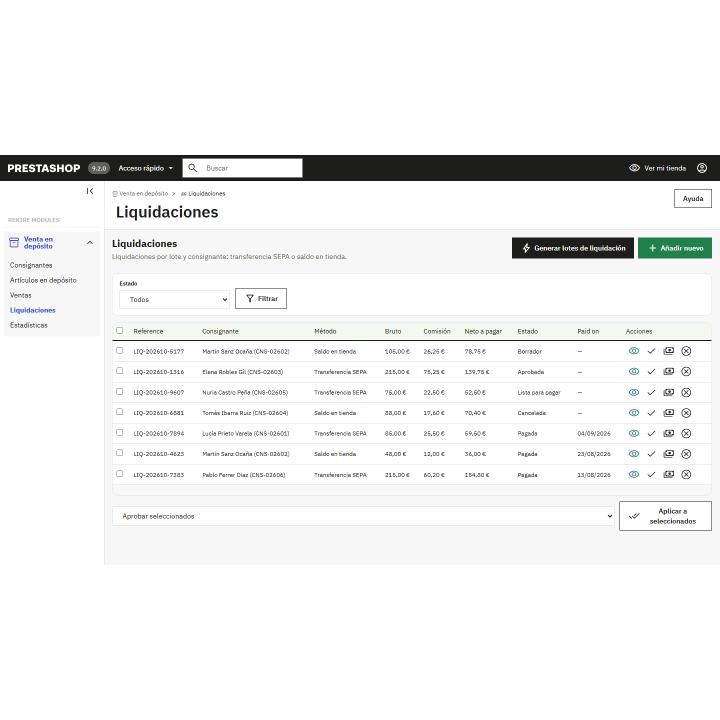
With one click, you generate settlement batches: one per consignor and currency of the orders, provided the net amount reaches your minimum (10 by default). Each batch has one line per sale and cycles through the statuses Draft, Pending Approval, Approved, Ready to Pay, and Paid. A closed settlement cannot be reopened, so it is not paid twice.
Transfer
The batch includes the sender's IBAN and BIC. If you schedule a date, the cron job will mark it as "Ready to pay"; you mark it as "Paid" when you make the transfer.
Store balance
Upon approval of the settlement, the module creates a voucher for the consignor's customer account (if it is not already linked, it searches for it using their email address), for the net amount, in the settlement currency, and for partial use. The settlement is paid using the voucher code.
Email notification
The consignor receives an email when their settlement is paid, with a switch to disable it. The module emails are available in Spanish and English.
The module It does not perform bank transfers or generate SEPA files: prepares the package with all the details and you make the payment from your bank and mark it as paid.
/ What expires is not forgotten
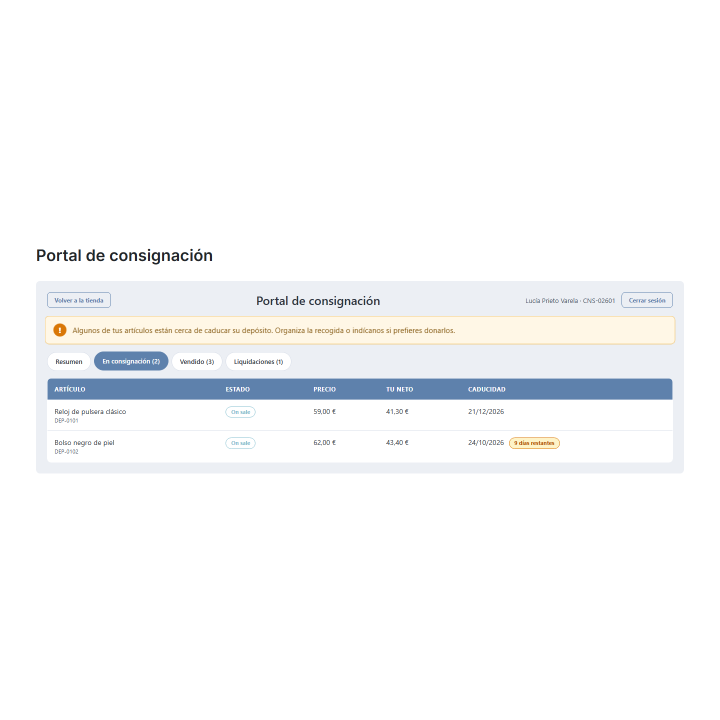
A cron job with its own token-protected URL checks deposits. A few days before expiration (14 by default), it notifies the depositor. Upon expiration, it applies the agreement's policy: it notifies you to collect the deposit, donates it (if you allow it), extends the deposit, or reduces the price by 15% and extends it. In the case of a price reduction, the product's price in the store decreases by the same amount. The same cron job releases expired holds and moves scheduled settlements whose date is approaching to "Ready to Pay."
/ A portal to avoid receiving calls asking questions.
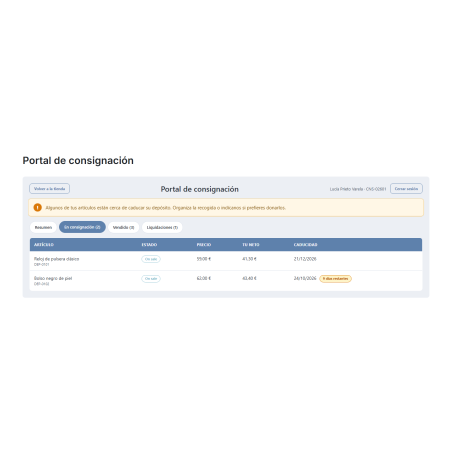
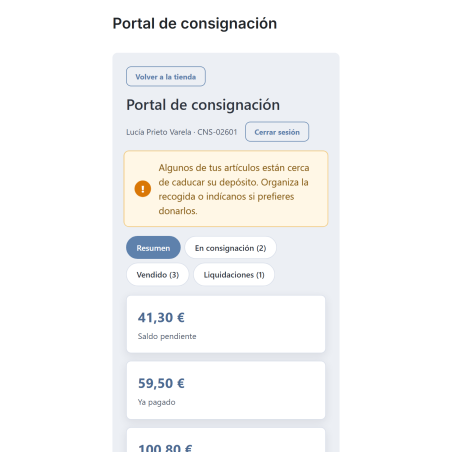
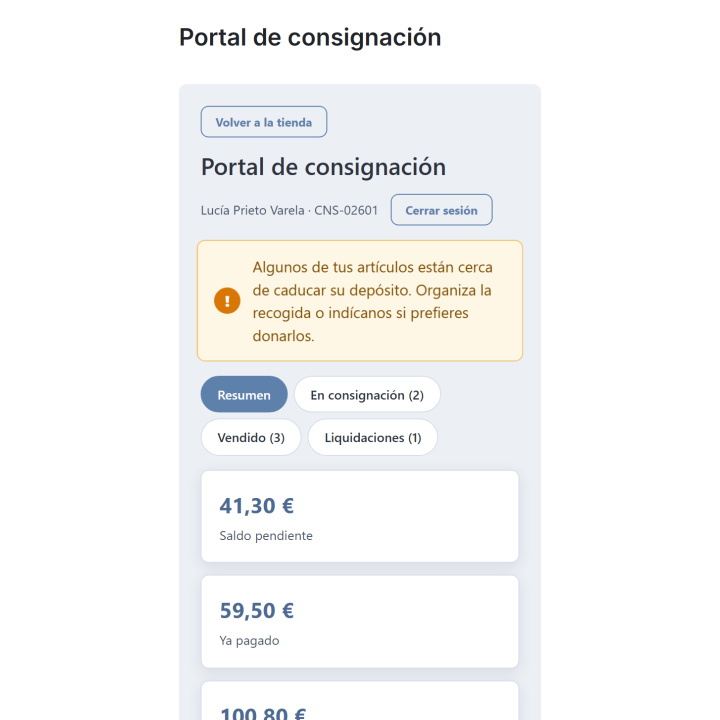
Each consignor logs in with a signed link, their email address, and access code, or via "My Account" if they have a customer account. They see four tabs: summary, items on consignment with their status and expiration date, sales with their settlement status, and settlements. Their IBAN is masked. They can regenerate their token, and the links they send will no longer be valid.
And to attract consignors: a card Become a consignor On your store's registration page, it creates its profile and agreement, validates the IBAN if it's filled in, and takes the user directly to the portal. There's a limit on attempts, and you can deactivate it.
/ Control the business from the back-office
Statistics
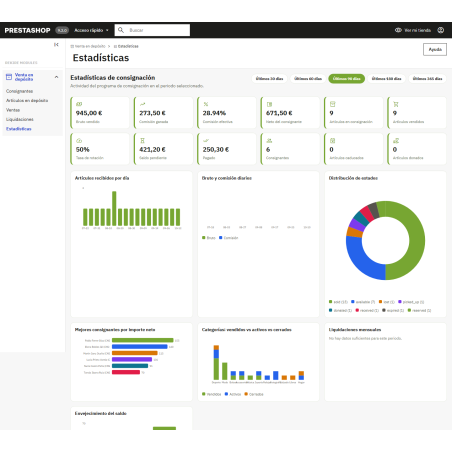
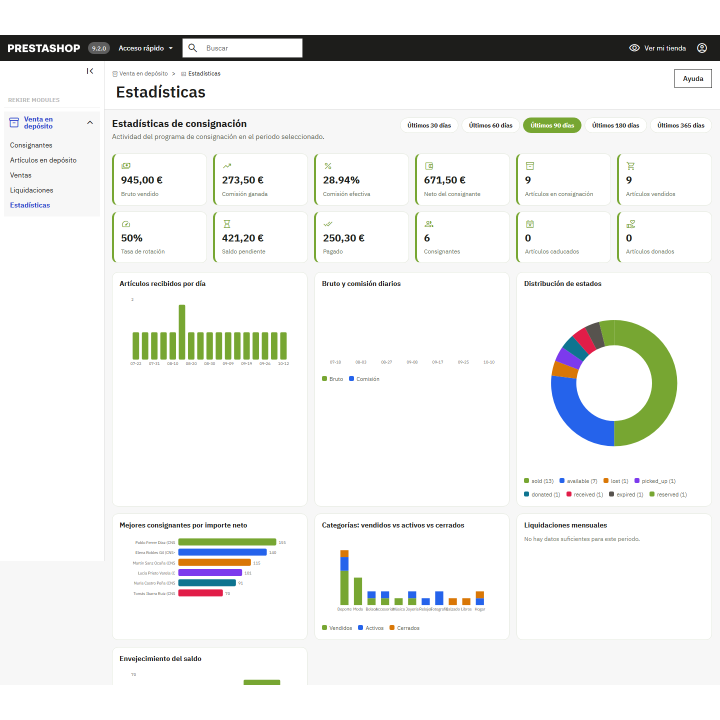
12 indicators (gross sales, commission, effective commission, net of consignors, sales rate, open balance, paid, expired, donated...) and 7 proprietary SVG charts, without external services, with ranges from 30 to 365 days.
Import and export
Consignors, agreements, items, sales and settlements, in CSV or JSON; the import validates each row and tells you how many it has omitted.
Multistore and audit
Listings, statistics, and exports respect the store or group context. Sensitive actions are logged with employee and IP address.
Demonstration data
Install a sample set (consignors, items, sales, and settlements) to see the entire flow before using it, and remove it with a button without touching your own.
Integrated guide
A configuration panel in eleven sections, with a guide within the module itself.
/ Make the portal look like yours
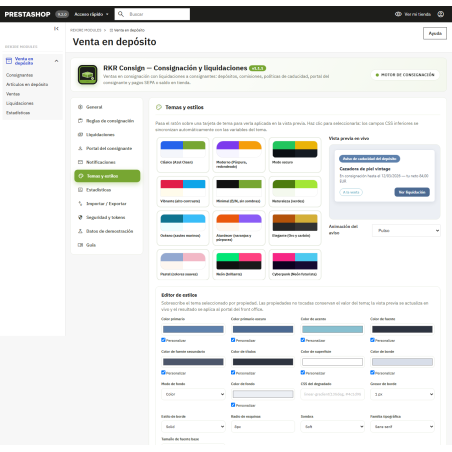
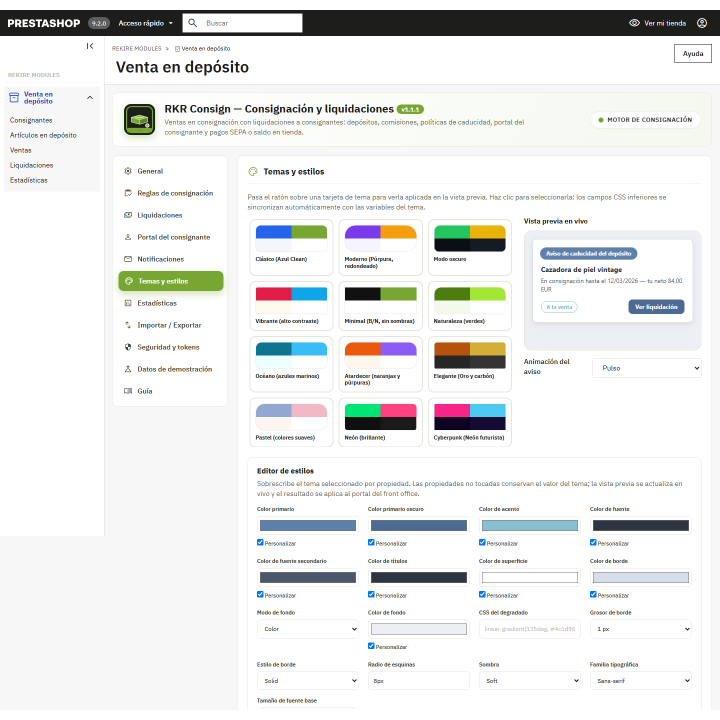
Choose from 23 themes for the portal and registration card, an animated effect for expiration notices, and fine-tune colors, corners, shadow, and typography with the style editor. The portal can be integrated into your theme's design or opened as its own page.
/ Install and update
Install the ZIP file, adjust the commission, deposit, and expiration policy, schedule the cron job with the URL provided by the module, and you can then register your first depositor. If you already had a previous version, upload the ZIP file and the module will add the missing data. Uninstalling the module retains your tables unless you explicitly request complete deletion.
Compatible with PrestaShop 1.7.8 a 9.x
Developed and maintained by REQUIRE