Checkout and cart abandonment
You lose shopping carts at the last step and you don't know why.
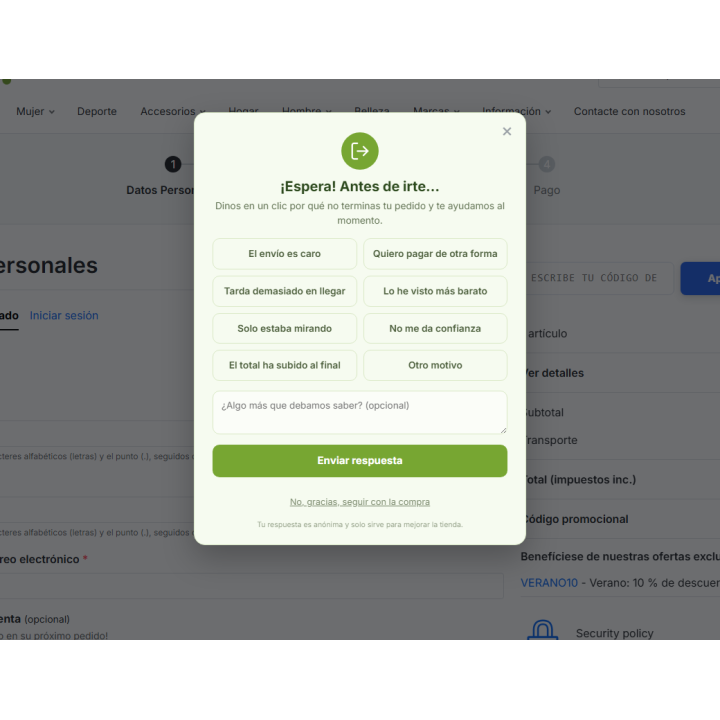
Analytics tells you how many customers leave, not why . RKR Exit Poll asks the customer about to leave, with a single click, and tells you the real reason, giving you the opportunity to offer an incentive right then and there.
1 click
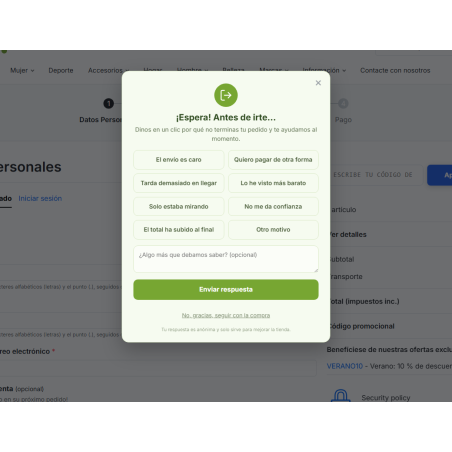
To explain why they're leaving: 8 series reasons that you can edit, and an optional or required free text.
4 triggers
exit with the mouse, abrupt upward scrolling, inactivity, or the first of the three
23 topics
plus a style designer with live preview to make the survey look like yours
Ask at the right moment, without being pushy.
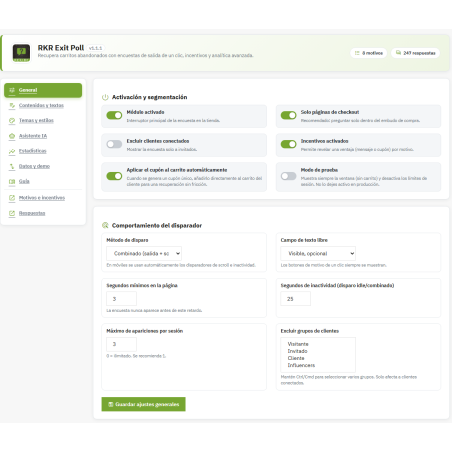
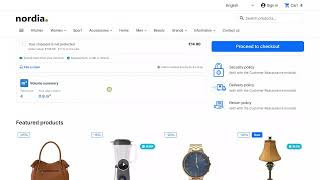
The survey appears at checkout when the customer has items in their cart and shows signs of leaving: they move their mouse to the top edge of the page, scroll up with their finger or the wheel, or remain still for a specified number of seconds. On mobile devices, where there is no mouse, the exit trigger is replaced by a combination of triggers. By default, it appears once per session, but you can change this, exclude customer groups or logged-in customers, and set a minimum delay on the page.
Before publishing it, the test mode lets you see it in your checkout even if your cart is empty.
/ From the motive to the recovered sale
A different incentive for each reason
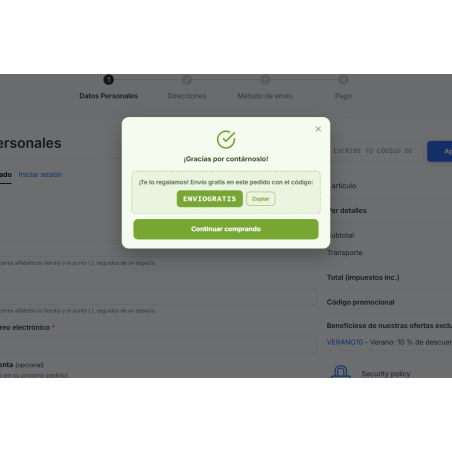
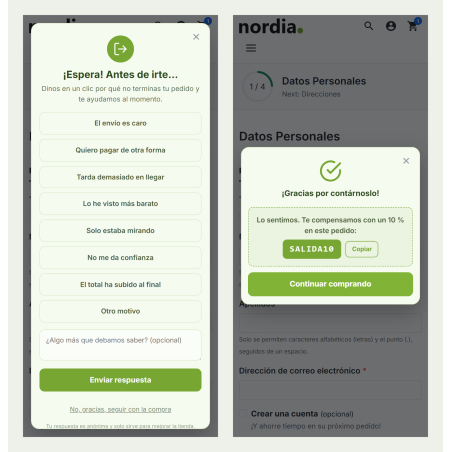
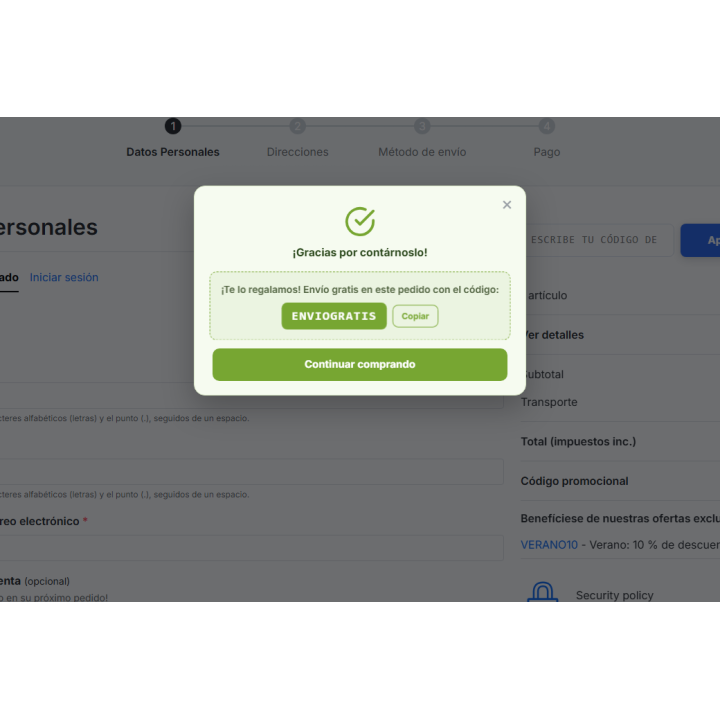
To those who say "shipping is expensive," you offer a coupon; to those who "were just browsing," nothing. Each reason can include its message in each language, a coupon code, and a minimum cart amount for the incentive to be displayed.
One coupon per customer
It uses parts of your coupon template, and the module creates a single-use copy, linked to the customer, with a 30-day expiration date. It's for logged-in customers: visitors without an account aren't offered an incentive, and the template code is never displayed. If you activate it, the single coupon is automatically added to the cart.
You know how much you've recovered
When a customer completes a purchase, the response is marked as recovered, and you see the value of those carts. This data justifies every coupon you distribute.
/ Statistics that speak for themselves
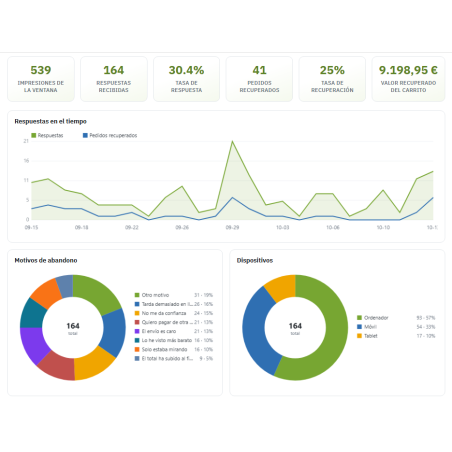
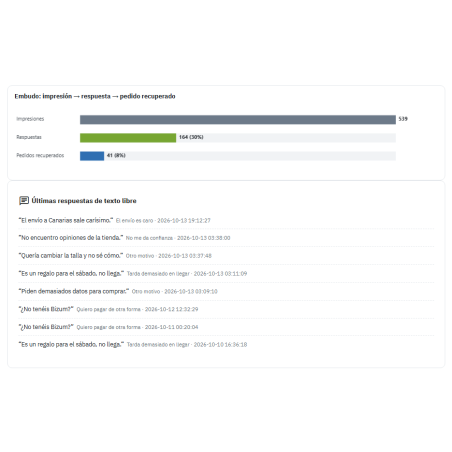
A dashboard displays impressions, responses, response rate, recovered orders, recovery rate, and recovered value. Below, you'll find daily trends, breakdowns by reason and device, carriers and payment methods with the highest abandonment rates, a breakdown by store and language, the impression, response, and recovered funnel, and the latest free text messages as written by the customer. View this data over 7, 30, or 90 days, or view the entire historical data. The charts are custom-built; they don't load external libraries.
Each response saves the context of the moment: device, carrier, payment method, language, store, and cart total. You can view them in a list with filters and a detailed profile, and export them as CSV or JSON.
For example: if mobile abandonments almost always cite the same payment method, the problem isn't the price, it's that button. A visit report doesn't show that, and here you have it cross-referenced by device and payment method.
/ Make it look like it's from your store
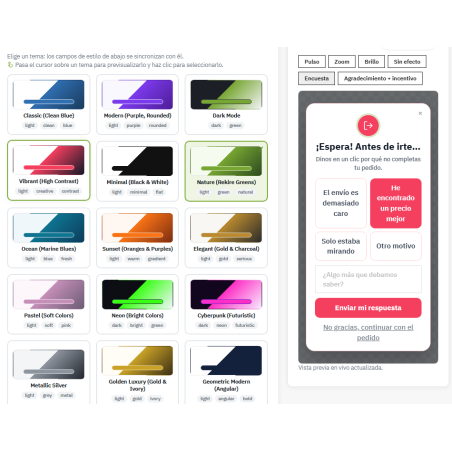
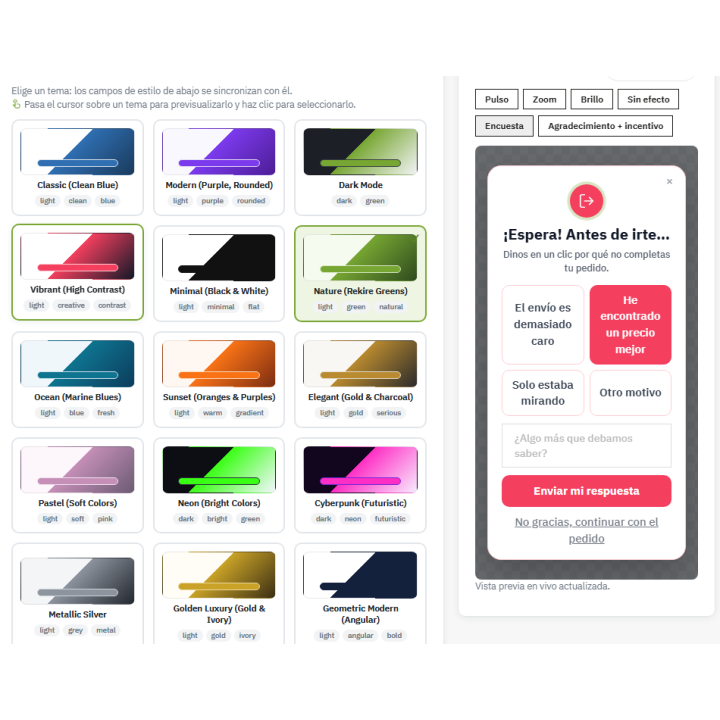
Choose from 23 themes, including "Nature" in Rekire green, and fine-tune colors, borders, typography, shadow, background veil, position, and animation (there are eight, from fade to bounce). Hovering over a theme shows you how it will look in a preview. You can save your own presets, export and import a theme as JSON, and add your own CSS. Text, patterns, and incentives are written by language, and the settings are independent for each store if you use multi-store functionality.
/ Write the survey with AI and review it before applying
Using your own OpenAI, Anthropic, Google Gemini, Mistral, Groq, DeepSeek, or any other OpenAI-compatible service key, the assistant suggests a title, subtitle, thank-you message, and incentive, all in the language of your back office and taking into account your store's name, country, currency, and current themes. The suggestion is shown to you beforehand; nothing is saved until you click "Apply." There's also a button to test the connection.
Your data, under control
Privacy
The IP address is anonymized by default (last octet set to zero). You can set a retention period in days, with automatic deletion via a scheduled task, and write the privacy notice that the customer sees. If you have the official PrestaShop module "psgdpr", the customer's responses are included in your data export and deleted upon their request for deletion.
Daily summary by email
Optional. One email per day, in Spanish or English, with data from the last 7 days and the most frequent reasons for abandonment. It is scheduled with the same cron job that performs the purge.
Configuration copy
Export settings and themes in all languages to a file and re-import it into another store; you can also import responses from CSV.
Example data
Install about 45 days of dummy activity to see the dashboard with data before you have your own, and remove it with a button without touching the real responses.
Accessible and with a guide included
The dialog box is accessible: it closes with the Escape key, the focus remains within it while it's open and starts on the first motif, and the background page doesn't scroll. A user guide is available in the back office, and the module is located in the " Rekire MODULES" menu, alongside the other Rekire modules.
Protected from abuse
Submissions carry a session identifier linked to the shopping cart, with a maximum of one response every 15 seconds per session and 20 per hour per IP address. Free text is sanitized and limited to 2,000 characters, and back-office actions check the token.
/ Updating means uploading the ZIP file.
You install the ZIP file from the module manager. When updating, the module registers what's missing and saves your data. The interface is available in Spanish and English.
Compatible with PrestaShop 1.7.8 and 9.x
Developed and maintained by REKIRE