Sale by surface
Your client knows how many square meters they have. Not how many boxes they need.
And when he calculates wrong, he either asks you to return an open box or you lose the sale. RKR Area Pricing Pro Let him type in the meters he needs and calculate for him the boxes, pieces or complete bars, with their waste.
23 topics
color for the calculator, plus additional custom CSS
4 sales formats
boxes, parts, bars and custom cutting
25 demonstration products
to see the module in action before touching your catalog
/ Enter the square meters, buy the exact number of units.
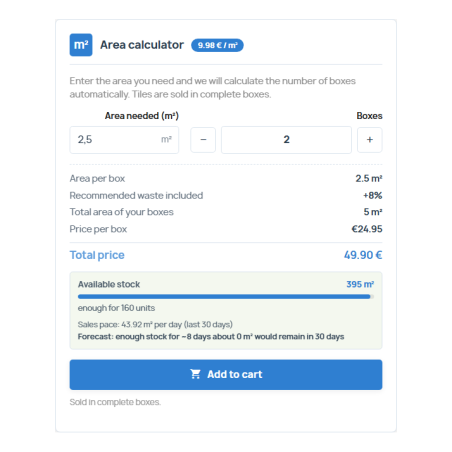
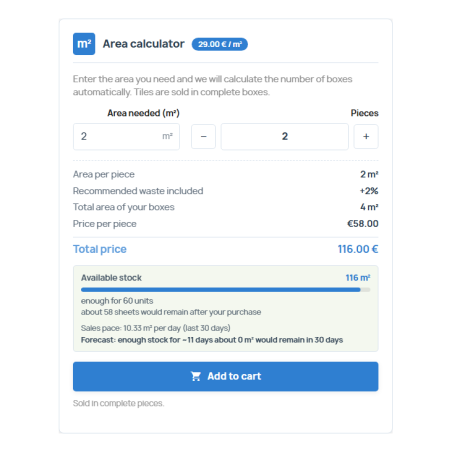
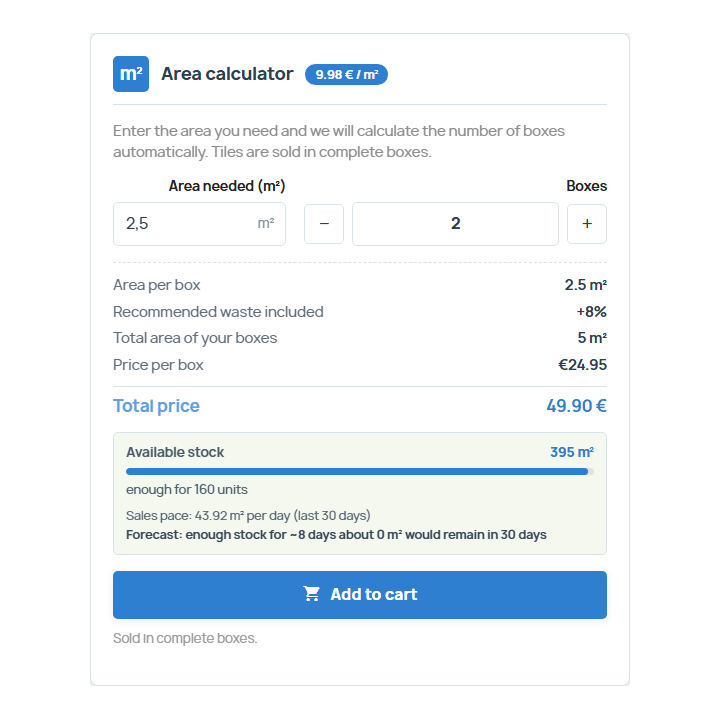
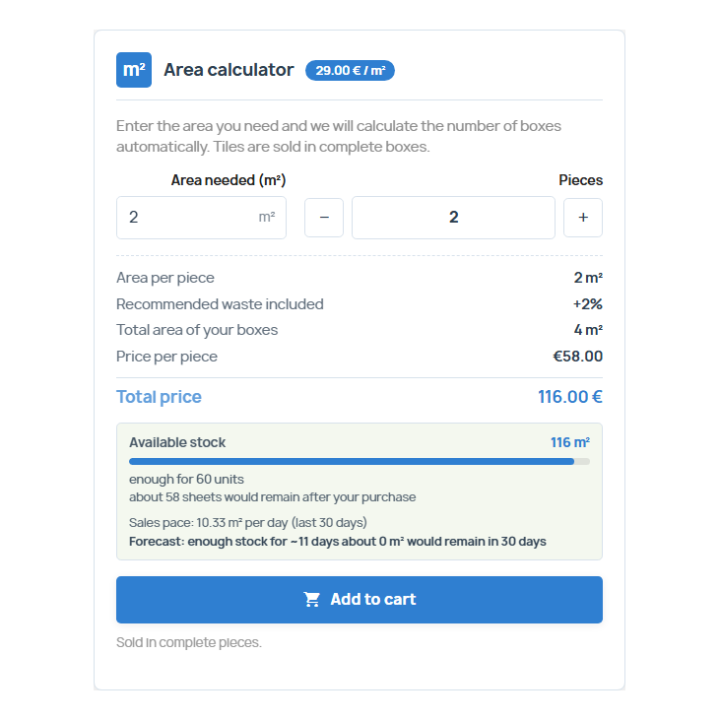
The product page includes a calculator: the customer enters the required surface area, and the module calculates how many complete units to purchase, taking into account any waste you've configured. You can see in real time the total surface area they will receive, the price per unit, and the total price. By default, rounding is up to ensure you never fall short; you can also choose normal rounding or rounding down.
The price of your product is a sales unit. The module does not affect PrestaShop's native prices: the total is units multiplied by the price, with no surprises in the shopping cart.
/ It's good for what you sell per unit area
Tiles and ceramics, laminate and vinyl flooring, wallpaper, stone, veneers, boards, custom-cut glass, artificial grass, shade netting… You choose, product by product, how it is sold:
Full boxes
For tiles, flooring and wall coverings: you indicate the m² that each box covers.
Complete pieces
For sheets, boards and panels: m² per piece.
Bars or profiles
You specify the usable width and length of the bar and the module calculates the surface it covers.
Custom cut
It is sold by cutting steps on the surface unit of your choice.
And if your catalog isn't in m², work with mm², cm², km², hectares, and square feet as well. Establish a unit for the store and change it for the products that need it.
/ Information is not lost along the way
Units and surface area are tracked throughout the order from start to finish: shopping cart items with their details and a summary at the bottom, order confirmation, order details in the customer's account, order record in the back office, PDF invoice, and order emails. Each order saves a snapshot of what was purchased (units, surface area per unit, total surface area, unit, format, and prices), so a subsequent change in configuration does not overwrite the history.
/ Stock by surface, without cron or discrepancies
Stock in m², or in packs
You declare the available surface area, or the number of packs multiplied by the surface area of each pack. Sales are generated from the orders themselves: there's nothing to synchronize.
Out of stock, no purchase
If there is no stock and you don't accept backorders, the button and controls are locked on the product page. Additionally, the server will adjust or remove the line item even if someone tries to force the quantity via URL.
Notices and forecast
Product alert threshold with email when it is crossed, sales rate of the last 30 days and a forecast of stock days that the customer also sees.
Pending orders
For each product, you allow or prohibit continued sales once it runs out.
/ A personal panel, with everything at hand
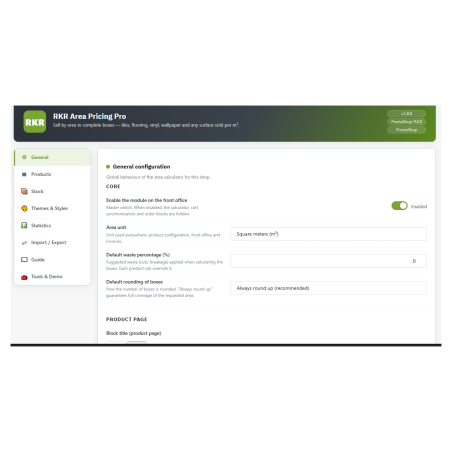
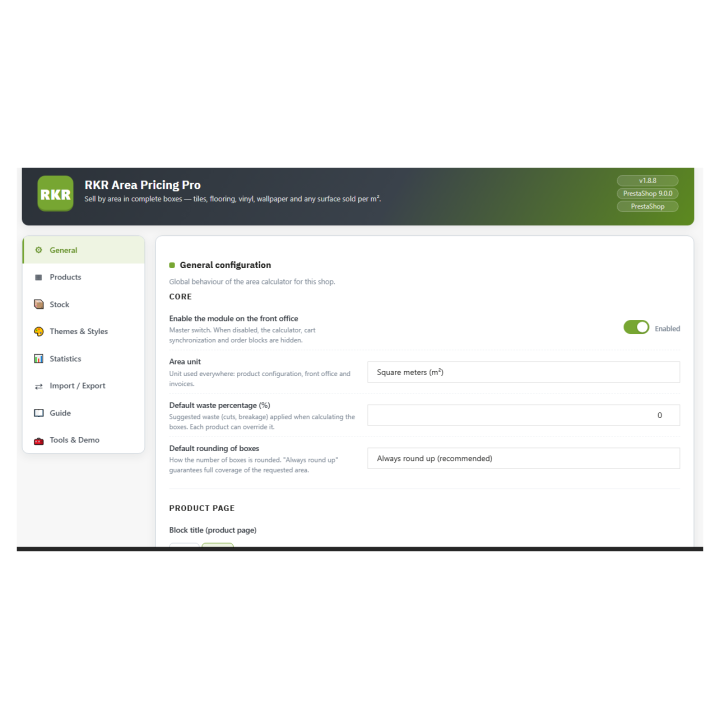
Eight tabs in the back office: General, Products, Stock, Themes and Styles, Statistics, Import/Export, Guide and Tools, and Demo. You can add products by ID or reference without reloading the page, edit the table online, search live, and also configure a product from its own catalog page.
Statistics
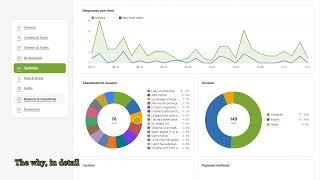
Sales charts by surface area and by store, without external libraries, for 30 days, 90 days, one year or the entire history.
Import and export
CSV of products, orders and stock, and full backup in JSON, with import that merges or replaces.
Filter by m² in orders
Columns and surface filter in the back-office order list.
/ That matches your design
Choose from 23 themes for the calculator, with hover preview, adjust style fields, and add your own CSS. The product description text is multilingual, and each product note supports formatting. The store interface and dashboard are translated into Spanish, and it works with multiple stores.
/ Test before setting up
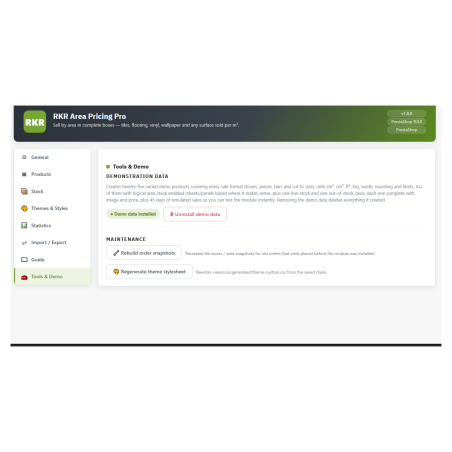
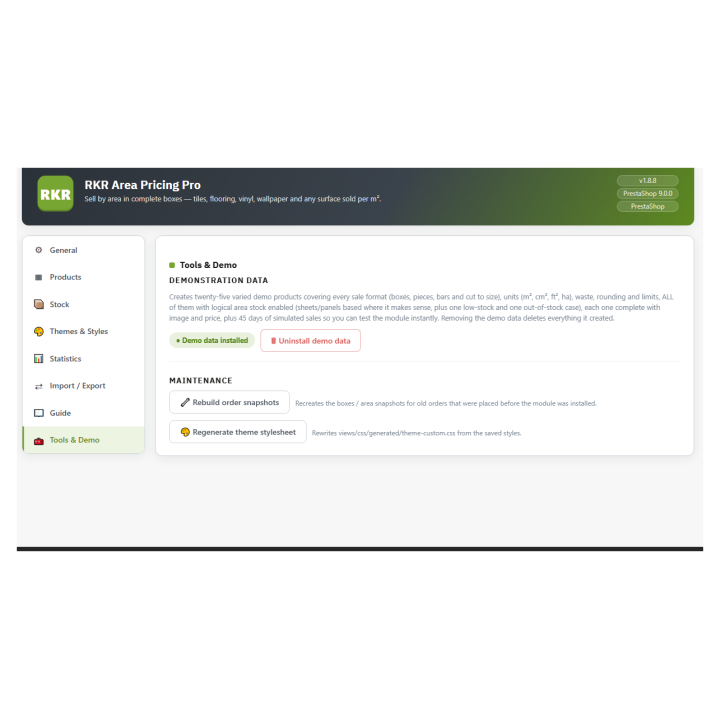
With one button, you can create 25 demo products (tiles, vinyl, bars, veneers, boards, glass, and shade netting, including low-stock and out-of-stock items with pending orders) and remove them whenever you want. This is useful for showing the complete workflow to your team before activating it in the live catalog.
/ She is part of a family
RKR Area Pricing Pro sells by area. If you also sell by linear meter, volume, or weight, Rekire It has sister modules for each case: RKR Linear Pricing Pro, , RKR Volume Pricing Pro and RKR Weight Pricing Pro.
/ Updating means uploading the ZIP file.
If you already have it, you upload the new version on top of the existing one: the module applies the necessary changes without losing your settings, and when uninstalling you can choose whether to keep your data. The version 1.8.8 It also includes compatibility improvements: prices formatted in the store's language also in PrestaShop 9 and the "Configure" page of the module manager without a blank screen.
Compatible with PrestaShop from the 1.7.8 up to 9.x
Developed and maintained by REQUIRE