Second-hand · REBU
You sell second-hand items. VAT is not calculated on what you charge.
It's calculated based on your profit margin, and the invoice doesn't itemize it. Doing it manually for each order is time-consuming and increases the risk of errors. RKR REBU - VAT on margin for used goods It calculates the margin of each line, places the mention in each document, and keeps a logbook in which any alteration is detected by verifying the chain.
4 regimes
Used goods, works of art, antiques and collectibles, and exempt operation, by product or by category
4 legal mentions
Spain, Germany, France and the European framework: the store cites the standard of its country
1.7.8 → 9.x
a single version of the module for all your PrestaShop stores
/ From purchase price to margin, without spreadsheets
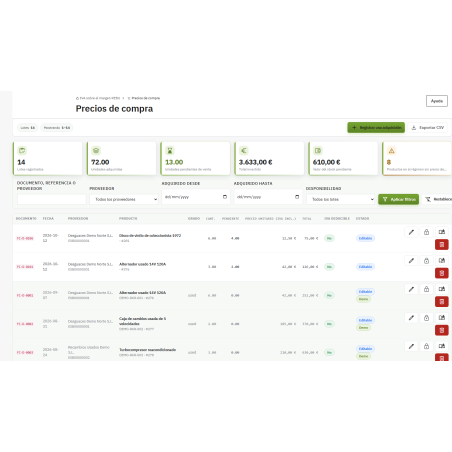
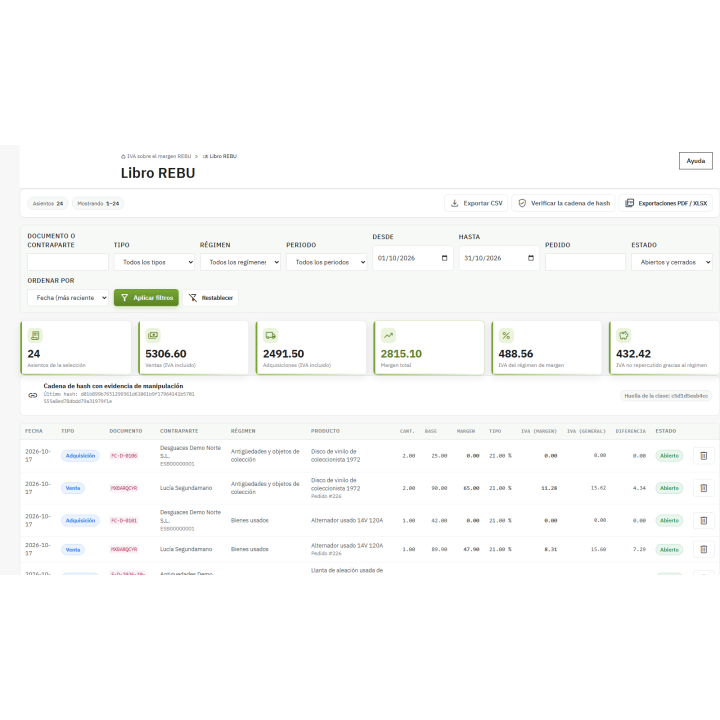
You record each purchase with its supplier, document number, date, units, and price. The module tracks the remaining units in each batch and, upon sale, calculates the margin for each line item: sale price minus the applied batch cost. If you prefer to adjust the margins for the month, you can also work with an overall margin per period, which is resolved in a single adjusting entry during the closing process.
Product with no purchase price
You decide what happens: zero margin, the entire price as margin, or return to standard VAT and draw the line.
Negative margin
Choose between 0% VAT without offsetting, recording the loss in the ledger, or applying standard VAT.
Mixed carts
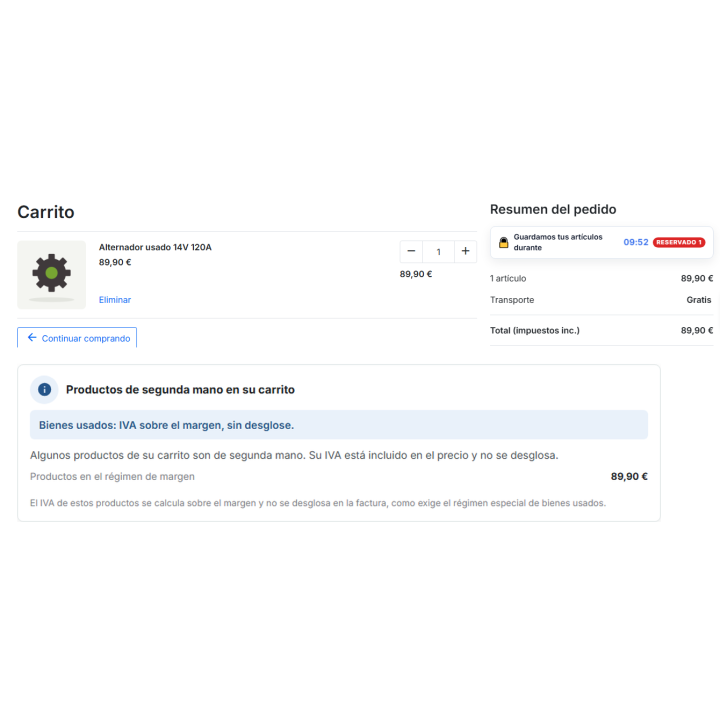
If the customer mixes new and second-hand items, you choose how the VAT and mention are displayed.
Cancelled orders
The states you configure (default, voided, and refund cancellation) revert the lines in the book.
The module It does not modify any native PrestaShop totalsIt calculates and saves its own REBU figures in the module's tables. There is an advanced option to align the native rate with the margin, which is disabled by default.
/ A chained logbook: a retouch does not go unnoticed
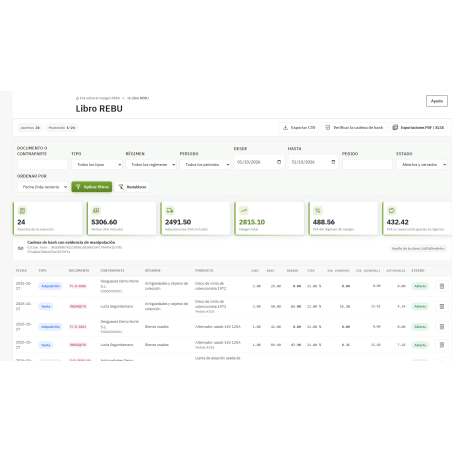
Each transaction is recorded in the REBU ledger and sealed, linked to the previous one, using a unique SHA-256 fingerprint sequence. If someone alters or deletes a row, Verify string It tells you and points out where it breaks. When a period closes, its rows are sealed: the module rejects and records subsequent entries, and reopening it is an explicit action that is also recorded.
Closing of periods
You close the month from the book, or you schedule it with the module's cron job (tools/cron.php, (via command line).
Configurable retention
You set how many months to keep the book; the purge only removes sealed and already exported rows, and 0 means to keep it forever.
Audit
Sensitive actions are recorded with employee, IP address, and whether the token was valid.
/ Export for your manager
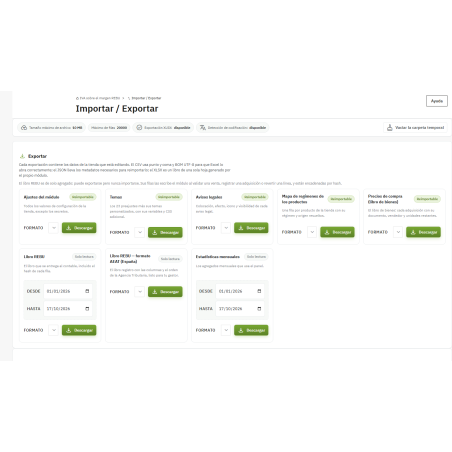
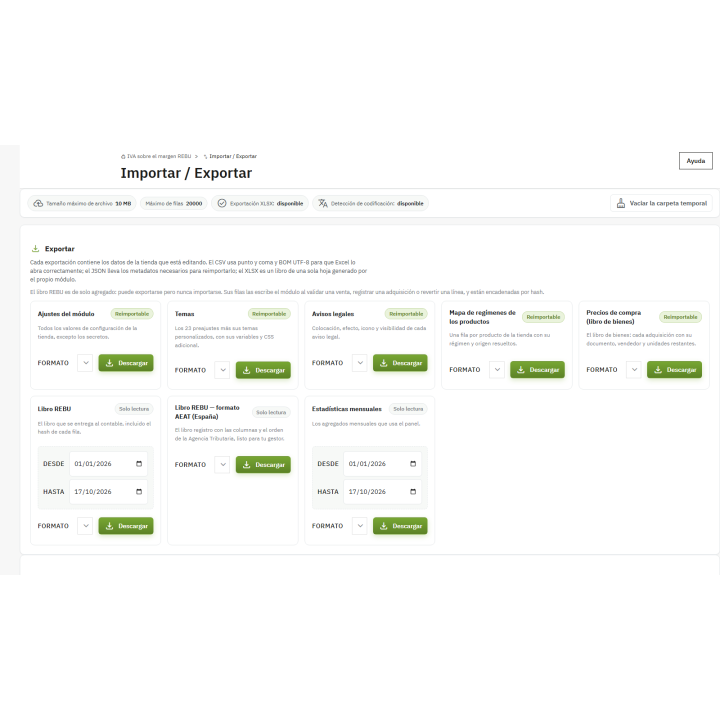
From the Import/Export menu, you extract the ledger in the AEAT format, with the columns and order of the Spanish VAT ledger (Article 137 of the VAT Law): chronological order, tax ID number and counterparty, document, description, margin as base, rate, and amount. It's sent as a CSV file with semicolons and UTF-8 encoding, ready to open with Excel in Spanish. The rest of the module's data (products, purchases, notifications, statistics) is exported in CSV, JSON, or XLSX, and imports are simulated before confirmation.
/ Your client sees what they need to see
At every step of the purchase
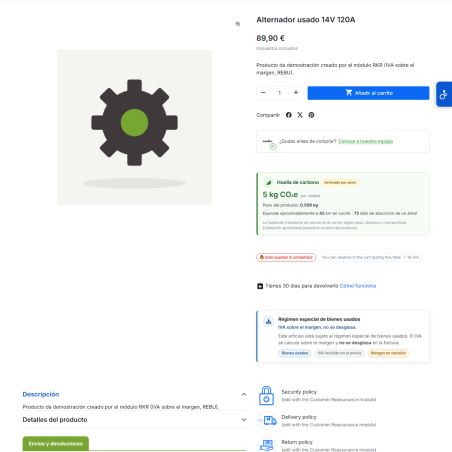
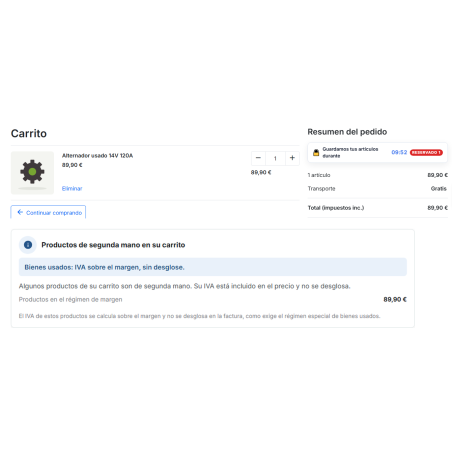
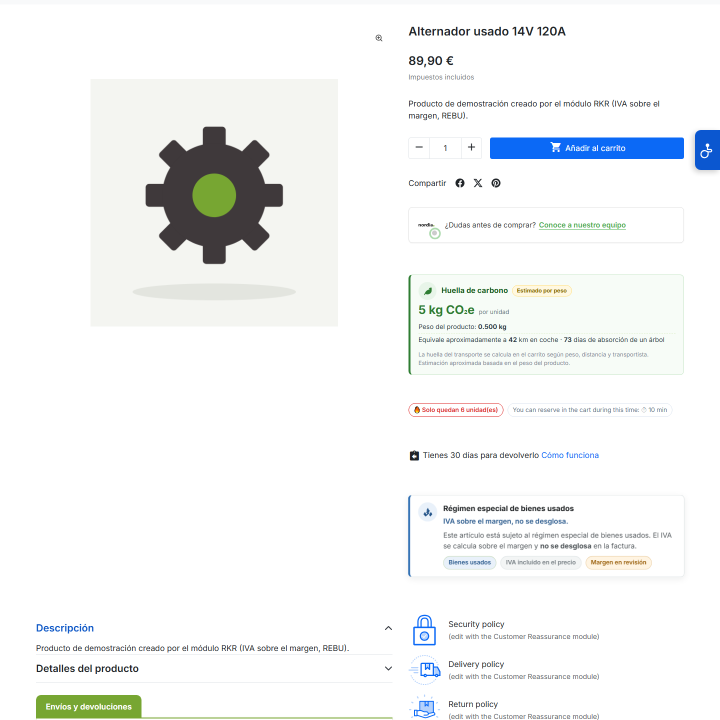
Notice on the product page, shopping cart, checkout and order confirmation, with the texts that you edit by language.
In the PDF invoice
Replace the VAT breakdown with the mention of the regime, both in the PDF engine of PrestaShop 1.7 and 8 as well as in version 9, without duplication.
In the order emails
The mention also appears in order emails.
Public explanatory page
An indexable page (by default, /margin-vat) which explains the system with numerical examples and the legal reference for your country.
Mentions by country. In automatic mode, the module uses the default country for each store: Spain, Germany, and France use their respective regulations (Articles 136 to 138 of the VAT Law, Section 25a of the German VAT Act, Article 297 A of the General Tax Code), while any other country uses Directive 2006/112/EC. You can manually set the jurisdiction. The texts are editable: review them with your advisor.
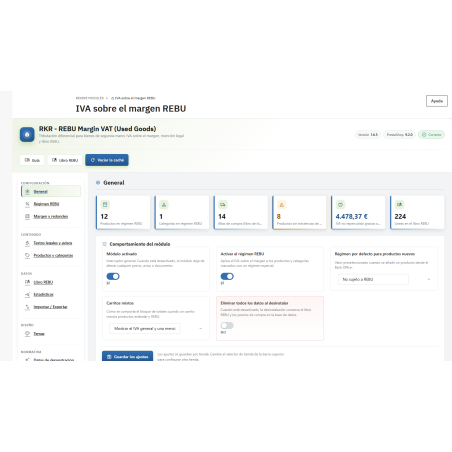
/ It's managed from one panel, not three screens.
Product
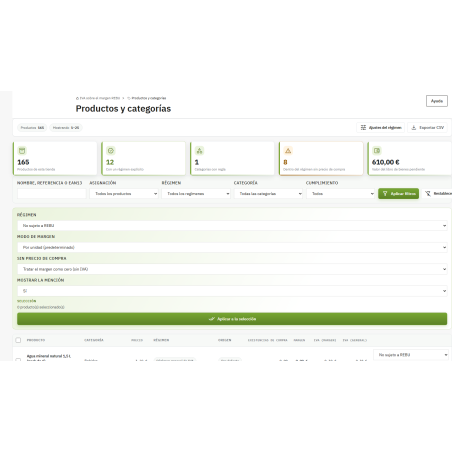
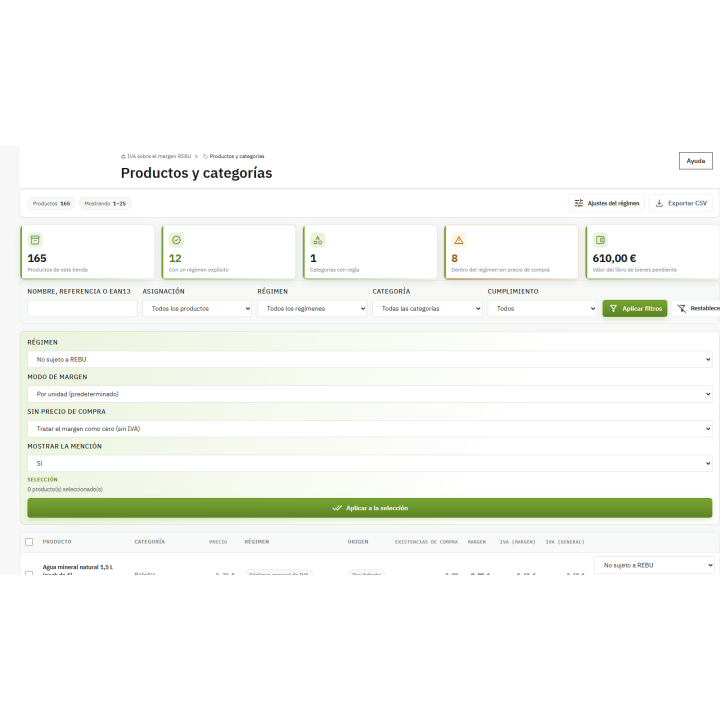
REBU tab within the product sheet (native in PrestaShop 8.1 and 9, classic block in 1.7.8), map of regimes and mass allocation by category.
Statistics
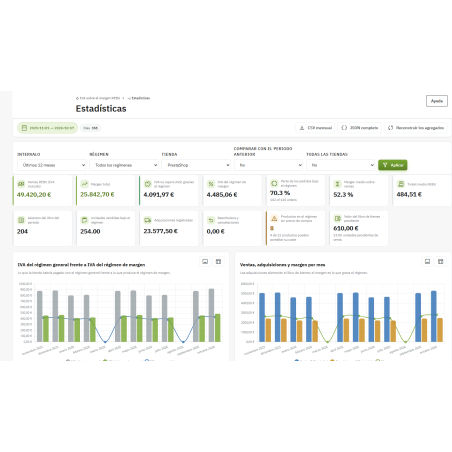
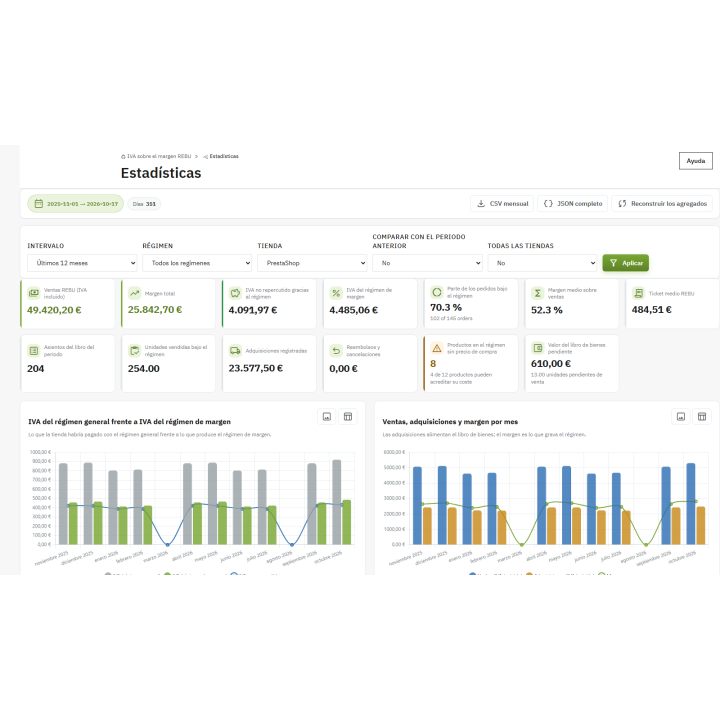
Monthly and daily charts, by regime, by margin bands and with the best-selling products, served from a snapshot so that the panel opens quickly.
Multistore
Each store has its own configuration, its own book, and its own chain; the security keys are common to the facility.
Example data
You install a demo to train your team and remove it with the touch of a button.
Diagnosis
An exportable JSON report (without keys) with versions, chain status, hooks, and tabs, for when you need to ask for help.
/ What you should know
Calculation tool, not consulting
The module applies the rules you configure and keeps a record of them. You and your tax advisor decide which products qualify for REBU (Special Regime for Second-Hand Goods) and when a purchase qualifies.
REBU products without VAT rule
To prevent the PrestaShop invoice from itemizing VAT, second-hand products are not subject to any tax rules; the module calculates the VAT on the margin using your store's standard rate (21% by default).
In your language
Panel and store in Spanish and English.
If you uninstall it
By default, it retains your book, purchases, and notifications: deleting your data doesn't erase your record. Complete deletion must be expressly requested.
Security
Each back-office action requires a token, employee permission, and, if enabled, a list of allowed IPs.
Compatible with PrestaShop 1.7.8 a 9.x
Developed and maintained by REQUIRE









![Deepest default category in PrestaShop [Gratis]](https://rekire.com/157-default_md/deepest-level-default-category-module-improved-ux-and-seo-free-.jpg "Deepest default category in PrestaShop [Gratis]")