- New

RKR Video Call: Sales video calls with shared shopping cart for PrestaShop
€157.18
€129.90 Sin impuesto€157.18 Con impuestoBlog


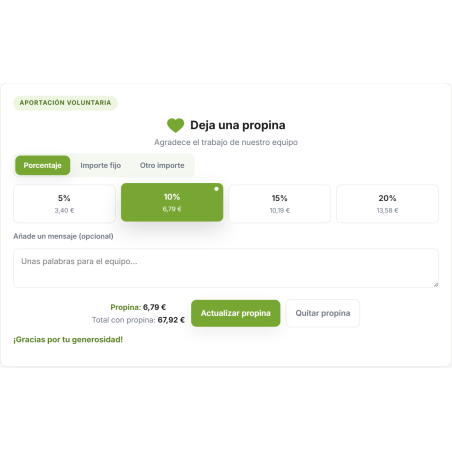
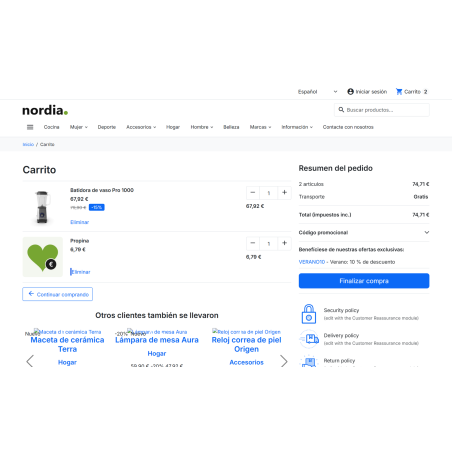
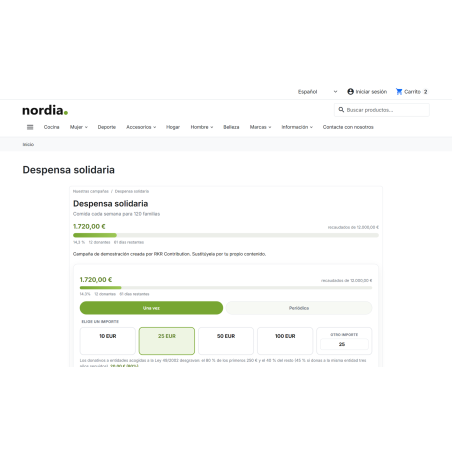
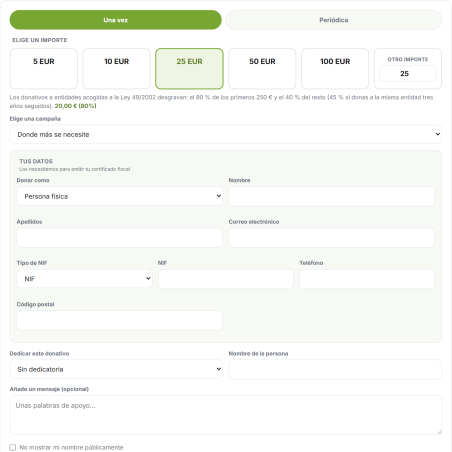
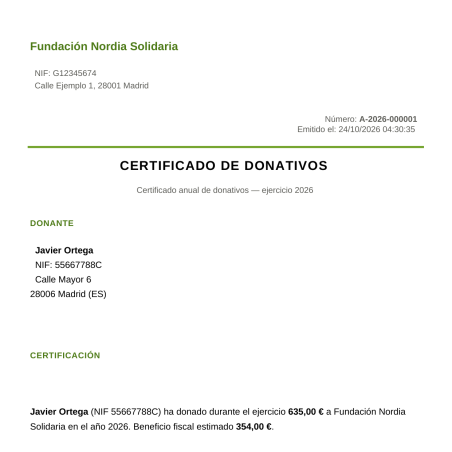
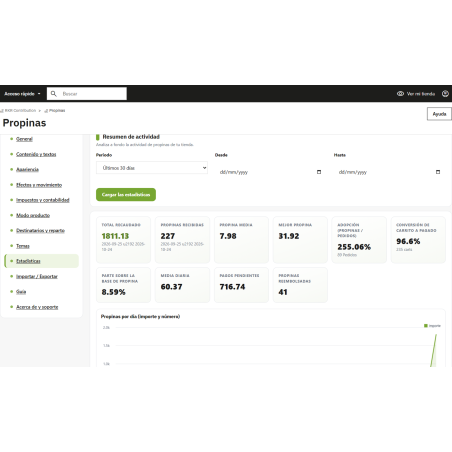
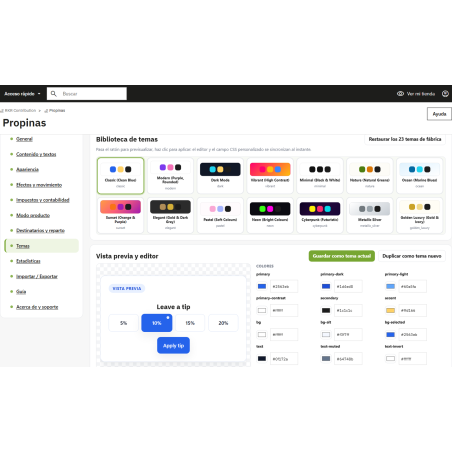
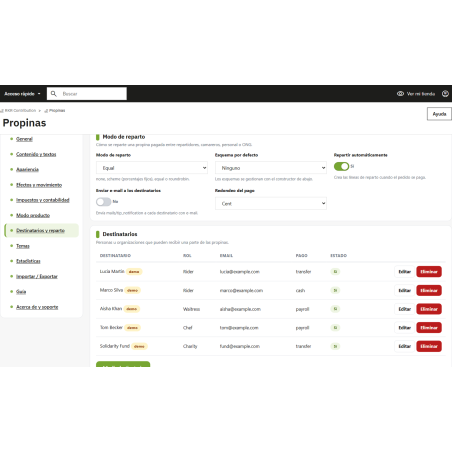
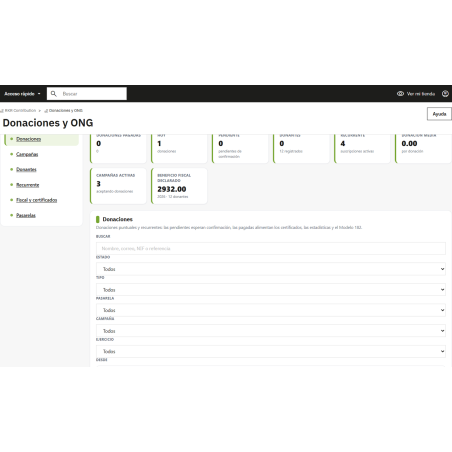
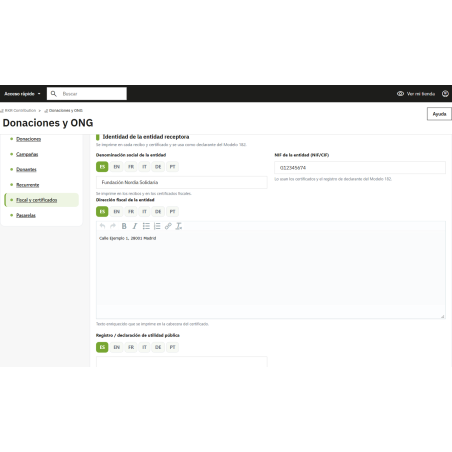
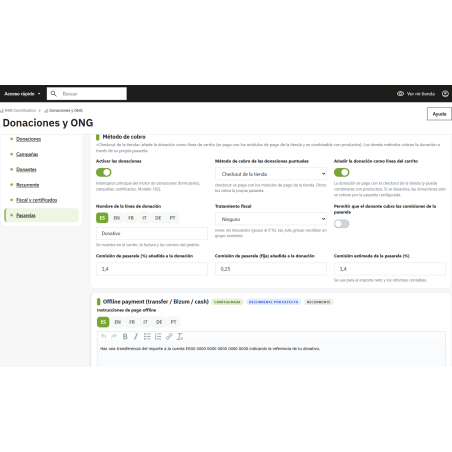
Collect tips in the shopping cart and checkout as a real line item in the order, and if you are an NGO, receive one-time and recurring donations with PDF certificates and export of the Model 182, with 23 design themes.
Compatible with PrestaShop 1.7.8 to 9.2. Rekire module, tested on PrestaShop 1.7.8 , 8.2, 9.0 and 9.2.
Tips and donations
A tip for the team or a donation to your cause is lost when the customer has to leave the store to find out how to do it. RKR Contribution collects them directly in the shopping cart and at checkout, as just another line item in the order, and if you're an NGO, it adds the complete donation engine, with certificates and Form 182.
The customer chooses a percentage, a fixed amount, or enters their own amount, in the shopping cart and at checkout, and if you activate it, also on the product page. You set minimums, maximums, and rounding.
The 23 themes also include appearance effects, so the block can grab attention without disrupting your design.
Activate the donation engine and your store becomes your organization's fundraising channel: donation page and blocks in the footer, cart, checkout, product page and customer account.
Donations and tips in the shopping cart are only counted as received when the order reaches a paid status , not when a bank transfer or cash on delivery is validated. This ensures your reports and certificates don't include money that hasn't yet been received.
If you collect recurring donations via bank transfer or a payment gateway without its own recurring payment system, schedule the cron job located in Donations > Recurring . These payments will not be processed without the cron job .
Try it in the demo
Log in to the back office with the data already entered ( dashboard demo ) or view it in the store ( store demo ): add any product to your cart to see the tip amount and click "Donate" at the bottom. The demo refreshes automatically every 6 hours.
Compatible with PrestaShop 1.7.8 to 9.2 and PHP 7.2 to 8.3
Developed and maintained by REKIRE



¿La propina sale en el pedido y en la factura o es solo visual?
Es una línea real del pedido, sin IVA por defecto, y aparece en el pedido, en la factura y en los correos. El cliente elige porcentaje, importe fijo o el que quiera en el carrito y el checkout (y, si lo activas, en la ficha de producto), y tú pones mínimos, máximos y redondeo.
¿Cuándo cuenta una propina o donación como cobrada?
Solo cuando el pedido llega a un estado pagado, no al validar una transferencia o un contrarreembolso. Si el pedido se cancela o se reembolsa, la propina se cancela con él. Así tus informes y certificados no recogen dinero que aún no ha entrado.
Somos una ONG, ¿qué nos ofrece para las donaciones?
Un motor de donaciones completo: campañas con objetivo y barra de progreso, donaciones puntuales o periódicas (semanal, mensual, trimestral o anual), validación de NIF, NIE y CIF, justificante de cada donativo, certificado anual en PDF en el idioma del donante y exportación de datos para el Modelo 182 desde el back-office. El donante tiene un portal «Mis donaciones» para descargar certificados y pausar o cancelar sus periódicas.
¿Con qué pasarelas puedo cobrar las donaciones?
En el propio checkout de tu tienda, por transferencia/Bizum, o con Stripe, PayPal, Redsys o Mollie. Los webhooks de las pasarelas solo se aceptan con firma verificada, y antes de dar una donación por pagada se comprueba que importe y moneda coinciden. Si cobras periódicas con transferencia o con una pasarela sin recurrencia propia, programa el cron de Donaciones > Recurrentes: sin él no se lanzan esos cobros.
¿Puedo repartir las propinas entre el equipo?
Sí. Puedes repartir lo recaudado entre tu personal por esquema, a partes iguales o por rotación. Tienes además estadísticas con gráficos propios dentro del módulo, sin cargar nada de Internet, y exportación a CSV o JSON.
¿Qué versiones de PrestaShop y PHP admite?
PrestaShop 1.7.8 a 9.2 con PHP 7.2 a 8.3, con una sola versión del módulo; se ha probado en 1.7.8, 8.2, 9.0 y 9.2. Funciona en multitienda y multiidioma, con español incluido.

Be the first to hear what is new at Rekire
New modules, important updates for your PrestaShop and subscriber-only offers. No email, no personal data, and you can unsubscribe in one click.
Add this shop to your home screen
It opens like an app, works offline and loads faster.
Add to home screen on iPhone or iPad









