
Attributes module with general or specific images Blog
Blog
€60.50
€50.00 Sin impuesto€60.50 Con impuestoProduct Videos






RKR Offer Next Buy – Coupon for your next purchase images
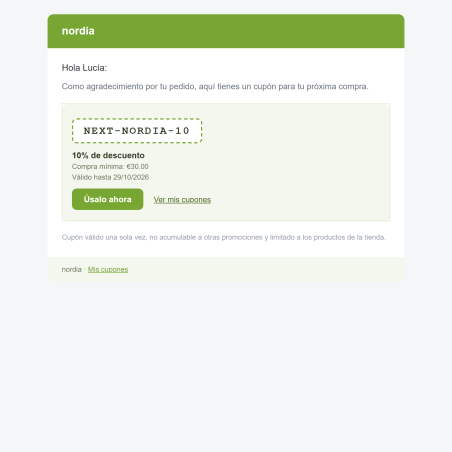
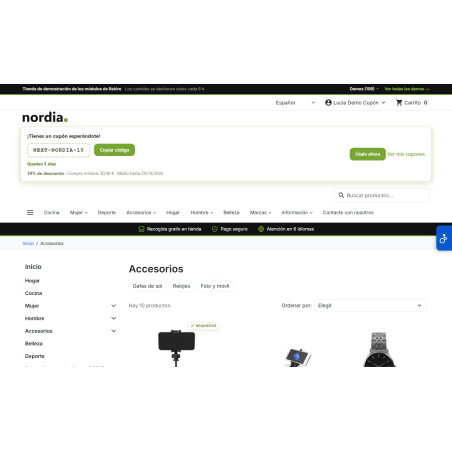
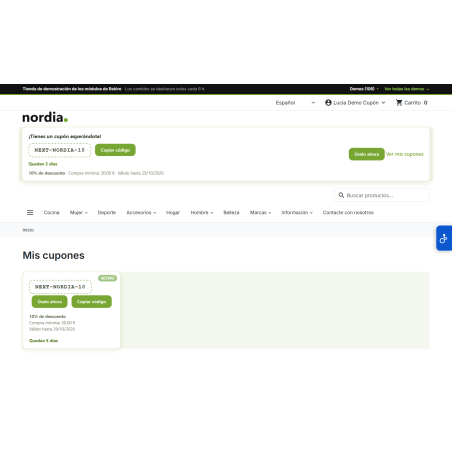
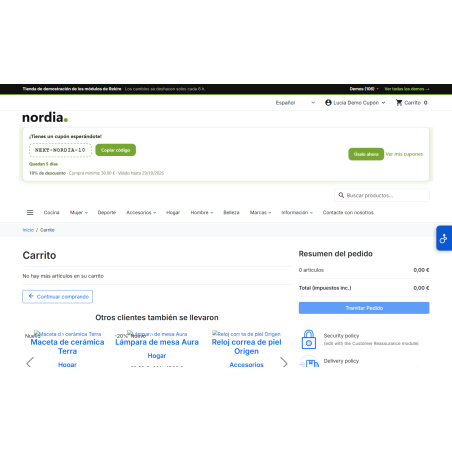
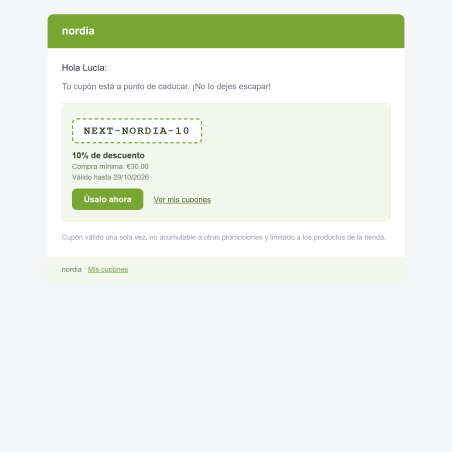
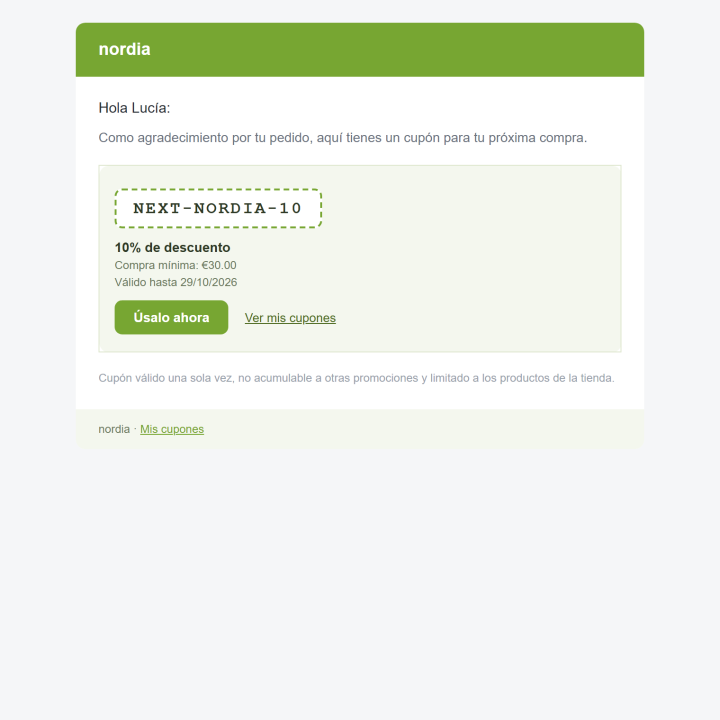
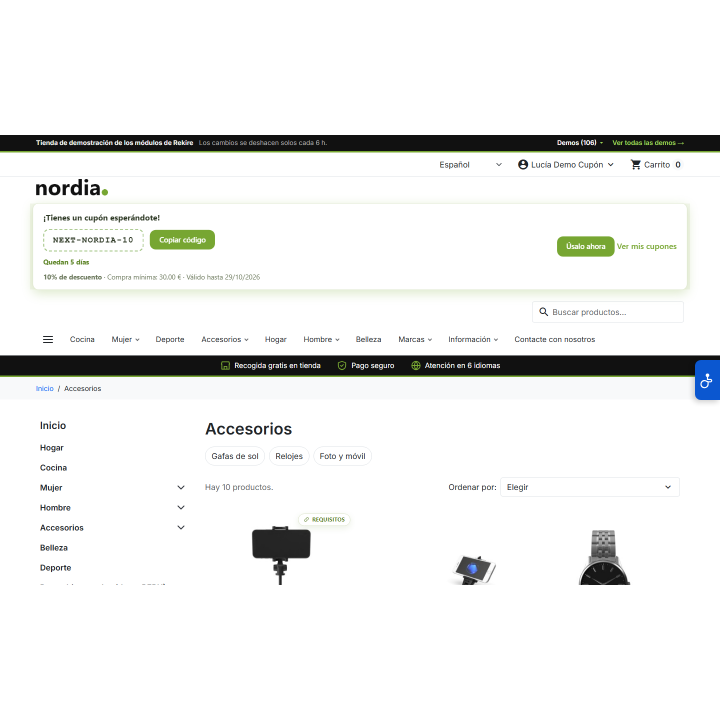
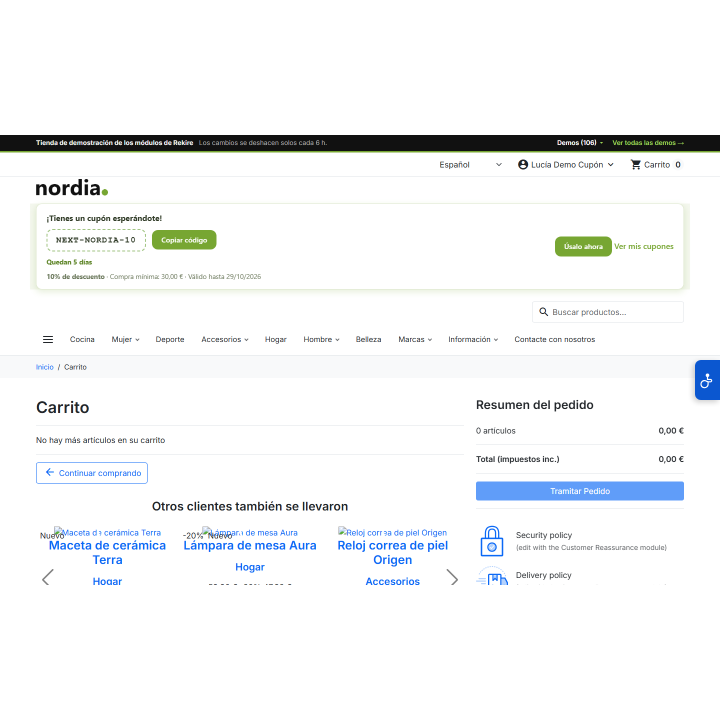
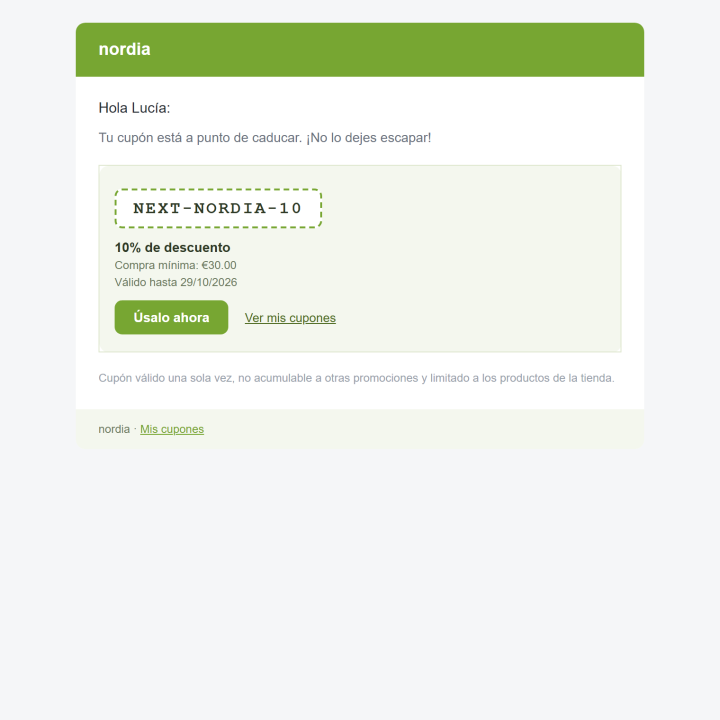
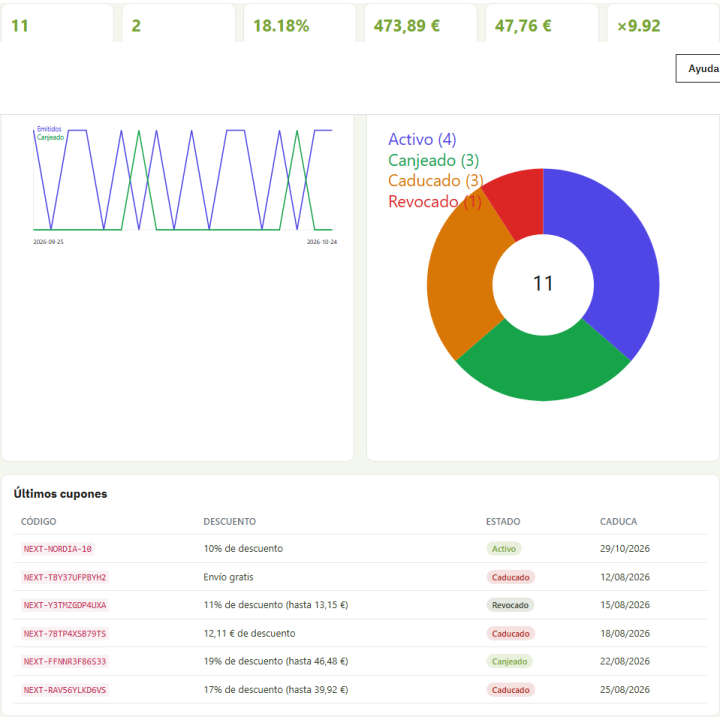
The second purchase is the most challenging: each paid order generates a unique coupon for the next one, with a discount scaled to the customer's previous spend. It arrives via email with a "Use it now" button, appears in their account, and is displayed in a countdown banner, reminding them before it expires. You can then track how many coupons are redeemed and how much they sell.
Compatible with PrestaShop 1.7.8 to 9.2. Rekire module, tested in real stores.
Customer loyalty
A customer who has just paid knows you best and needs you least: they already have what they wanted. RKR Offer Next Buy gives them, with each order, a coupon for their next purchase, with a short expiration date and a discount proportional to what they just spent.
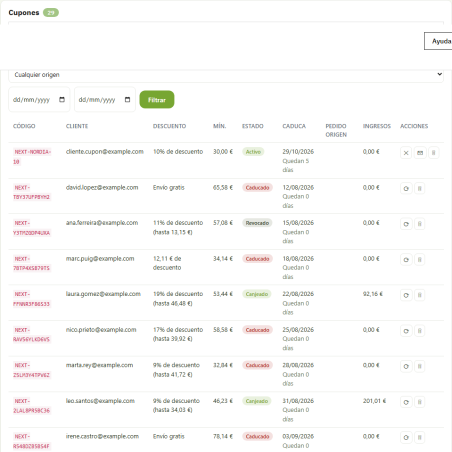
When an order changes to "Payment Accepted" (also "Remote Payment Accepted" and "Paid, Pending Stock," and you decide which statuses apply), the module creates a unique coupon in that customer's name. An order issues its coupon only once, even if its status changes multiple times, and if the order is canceled or refunded, its coupon is revoked.
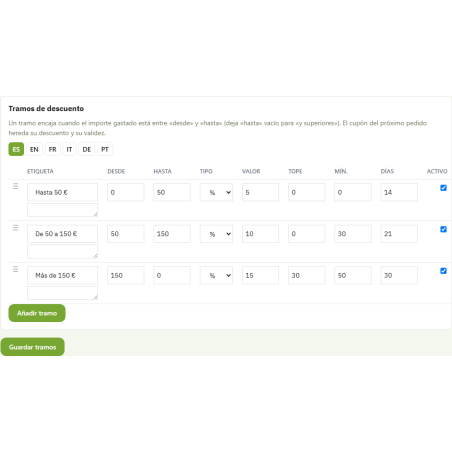
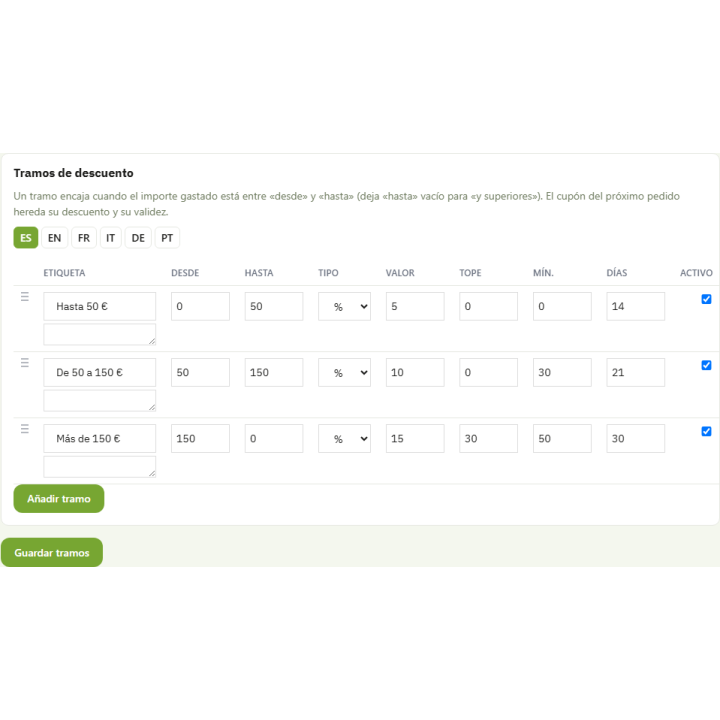
You define a tiered system, and each customer falls into their corresponding tier. For example: 5% off purchases from €0 to €50, 10% off purchases from €50 to €150, and 15% off purchases over €150, capped at €30. Each tier has its own minimum purchase amount and validity period, so the short, specific coupon encourages customers to return soon instead of letting it get lost in a drawer.
Rules to avoid unintentionally giving away margin: minimum previous orders, customer groups, countries, carriers and payment methods, daily coupon limit, "one active coupon per customer" and "skip orders that have already used a promotion." The coupon cannot be combined with other promotions, is for single use only, and is limited to your store.
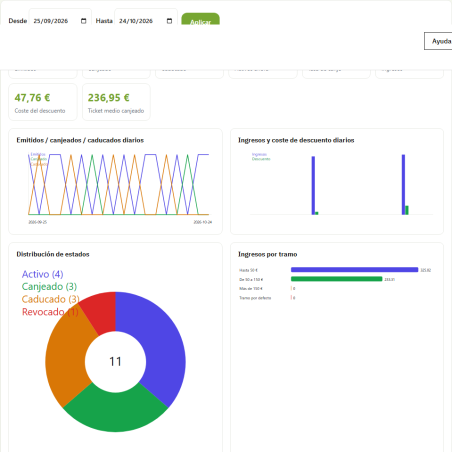
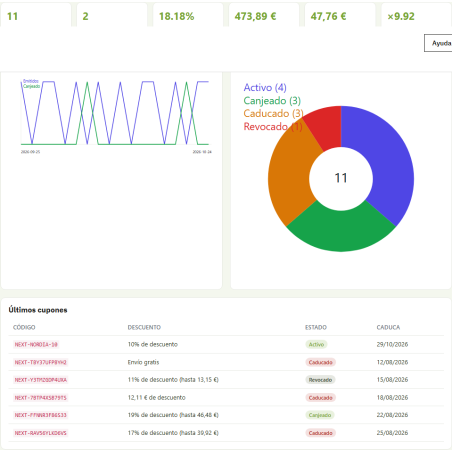
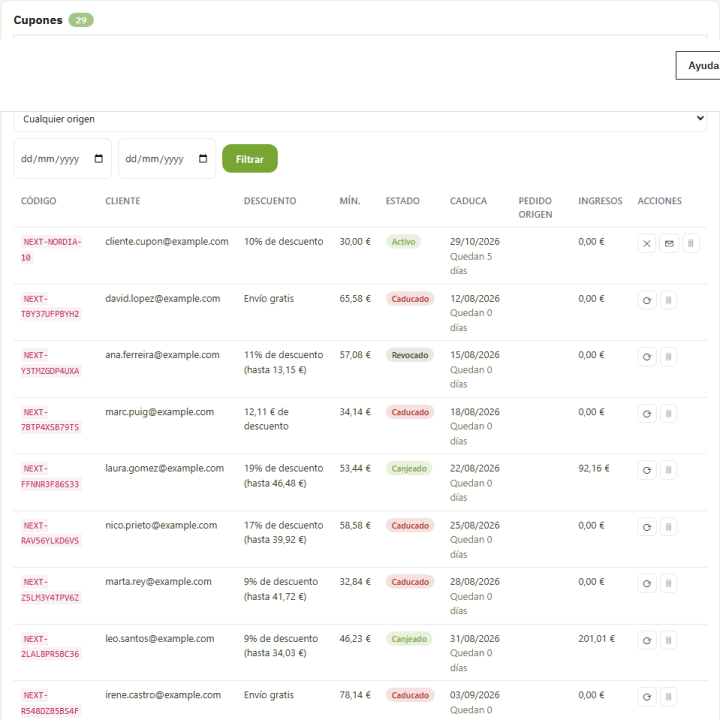
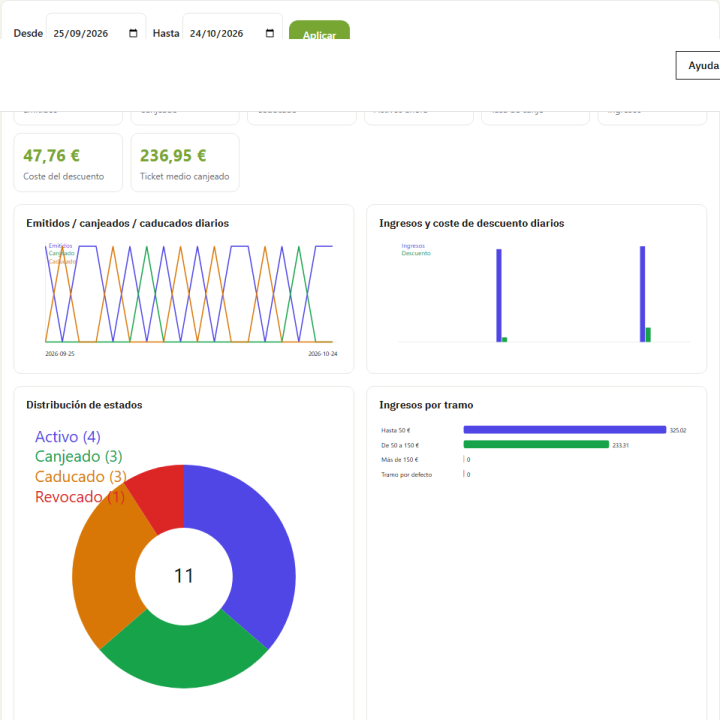
The statistics tab tracks issued, redeemed, and expired coupons, redemption rate, revenue attributed to coupons, discount granted, results by tier, and your top customers, with daily and weekly charts. When a customer uses their coupon, the module records the order amount and the discount granted, in your store's default currency. You can export coupons to CSV and settings to JSON.
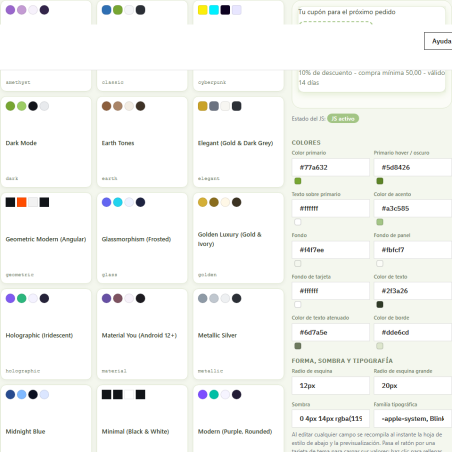
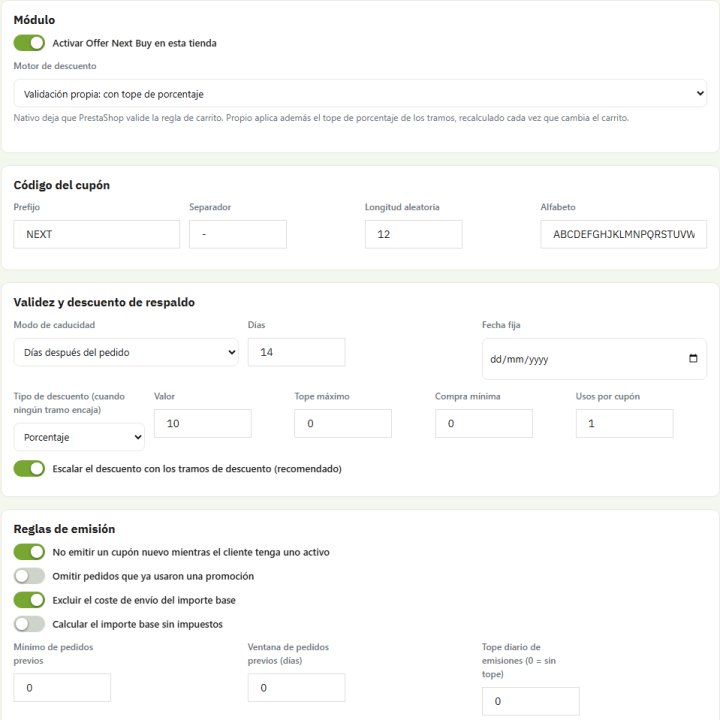
Choose between the native engine, which creates a standard PrestaShop cart rule, or custom validation, which adds a cap to the percentage (for example, 15% up to €30). Title, description, legal notice, banner, and email texts are language-specific and come with default translations in Spanish and English. It works with multiple stores and multiple currencies: the amounts for each tier are set in the default currency, and PrestaShop converts them to the cart currency.
A button installs 28 fictitious historical customer coupons so you can see the dashboards and statistics pop up. They don't create real discounts or send emails, and they're removed with the same button. If something isn't issuing a coupon, the diagnostics tab tells you why: each skipped order leaves a reason in the internal log ("the customer already has an active coupon," "there aren't enough previous orders," etc.).
Version 1.1.0 is a complete overhaul of the module: issuance upon payment (including bank transfers) with blocking against simultaneous status changes, email and coupon blocking in the order language, redemption and statistics in the default currency, and respect for back-office permissions. It installs cleanly on PrestaShop 1.7.8 , 9.0, and 9.2.
Compatible with PrestaShop 1.7.8 to 9.2
Developed and maintained by REKIRE





¿Cuándo se genera el cupón y cuántos recibe cada cliente?
Cuando un pedido pasa a un estado de pago que tú eliges (por defecto «Pago aceptado», «Pago remoto aceptado» y «Pagado, pendiente de stock»), se crea un cupón único a nombre de ese cliente. Cada pedido emite su cupón una sola vez aunque cambie varias veces de estado, y si el pedido se cancela o se reembolsa, el cupón se revoca.
¿Puedo dar más descuento a quien más gasta?
Sí. Defines una escala de tramos y cada cliente cae en el suyo, por ejemplo un 5 % hasta 50 €, un 10 % hasta 150 € y un 15 % con tope de 30 € por encima. Cada tramo tiene su tipo de descuento (porcentaje, importe fijo o envío gratis), su compra mínima y sus días de validez.
¿Cómo se entera el cliente de que tiene un cupón?
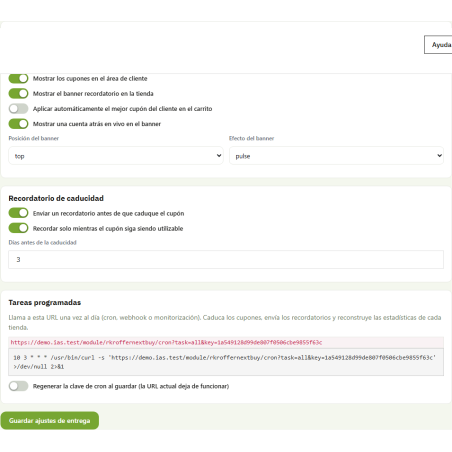
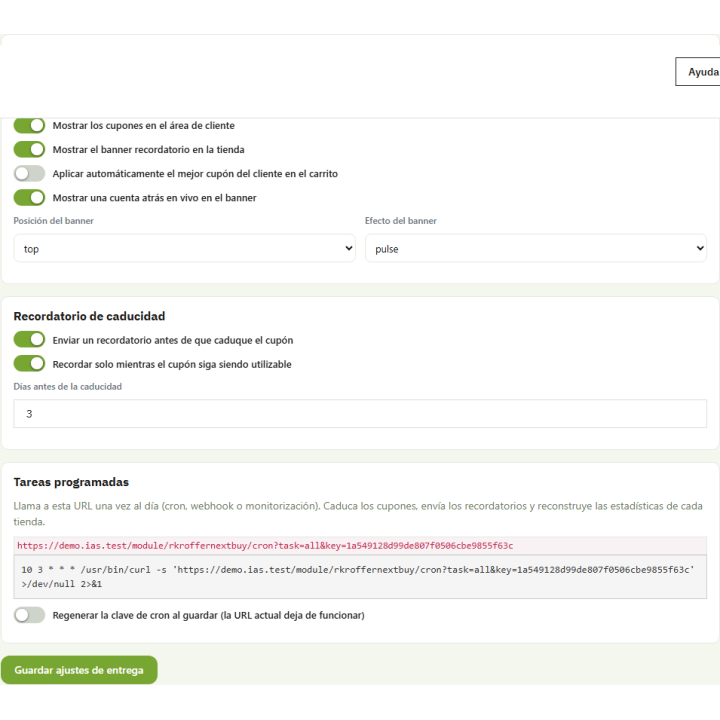
Por un correo propio en el idioma del pedido con el botón «Úsalo ahora», que lleva al carrito con el cupón ya puesto. También lo ve en Mi cuenta → Mis cupones, en un banner con cuenta atrás (cabecera, portada, pie o carrito), en la factura en PDF y, unos días antes de que caduque, en un correo de recordatorio que se envía con una tarea cron diaria.
¿Cómo evito regalar margen sin querer?
Puedes exigir pedidos anteriores mínimos y limitar por grupos de clientes, países, transportistas y métodos de pago, poner un tope diario de cupones, permitir un solo cupón activo por cliente y omitir pedidos que ya usaron una promoción. El cupón es de un solo uso, no se acumula con otras promociones y se limita a su tienda.
¿Cómo sé si los cupones me traen ventas?
La pestaña de estadísticas muestra cupones emitidos, canjeados y caducados, tasa de canje, ingresos atribuidos, descuento concedido, resultados por tramo y tus mejores clientes, con gráficos por día y semana. Y si un pedido no emite cupón, la pestaña de diagnóstico te dice el motivo.
¿Funciona en mi versión de PrestaShop y con varias monedas?
Es compatible de PrestaShop 1.7.8 a 9.2 y se instala en limpio en 1.7.8, 9.0 y 9.2. Funciona en multitienda y multimoneda: los importes de los tramos se fijan en la moneda por defecto y PrestaShop los convierte a la del carrito. Los textos se escriben por idioma y vienen traducidos al español y al inglés.

Be the first to hear what is new at Rekire
New modules, important updates for your PrestaShop and subscriber-only offers. No email, no personal data, and you can unsubscribe in one click.
Add this shop to your home screen
It opens like an app, works offline and loads faster.
Add to home screen on iPhone or iPad
















