

Sin impuesto Con impuesto
RKR Recambios: Sell your used spare part on Ovoko from PrestaShop without selling twice

RKR Recambios: Sell your used spare part on Ovoko from PrestaShop without selling twice

Price: €181.38
First year:€181.38tax incl.
From the second year:€45.35/yeartax incl.
  • One year of technical support and lifetime updates; from the second year, support is extended for €45.35/year and includes taking on your general improvement ideas for the module.
  • Renews automatically; cancel whenever you want, with no minimum term.
One-time payment:€181.38tax incl.
  • One year of technical support and lifetime updates; after that, support ends (with the subscription it is extended for €45.35/year).
  • A single payment, with no automatic charges.
€149.90 + VAT = €181.38

List your salvage yard parts on Ovoko (formerly RRR.lt) with photos, OEM number, quality, and original vehicle. If a part sells in your shop, it's instantly reserved on Ovoko; Ovoko orders appear in your dashboard and deduct from your stock. Rekire module, tested in real shops.

Compatible with PrestaShop 1.7.8 to 9.2.

Share

Sell used spare parts on Ovoko without selling the same part twice.

If you have a scrap yard, each part is unique: you sell it in your store or on Ovoko, but not both.

RKR Spare Parts List your parts on Ovoko (formerly RRR.lt), the European marketplace for used spare parts, with photos, OEM reference, quality, and original vehicle information. And if one sells in your shop, reserve it on Ovoko instantly.

Book instantly
If the item runs out of stock in your store, it is reserved on Ovoko at that moment and is not sold twice.
6 webhook events
Order created, prepared, shipped, delivered, cancelled and change of part status: Ovoko notifies and your store finds out
23 design themes
so that the module panel fits with the back-office you already use
1.7.8 → 9.2
a single version of the module for all your PrestaShop stores

/ Publish your pieces without writing them twice.

Your PrestaShop catalog is the single source. You choose which products go to Ovoko, and the module sends each part with what a spare parts buyer is looking for.

Photos, OEM and quality
The cover photo comes first, the OEM code is sent as a reference from the manufacturer, and the quality of the part is chosen when creating the listing.
Vehicle of origin
You register the cars you scrap (make, model from the Ovoko list, year, VIN, engine code, fuel, body, gearbox...) and upload each part of your vehicle.
Ovoko categories paired
You match your categories with those of Ovoko, with its complete path ("Engine › Fuel system › Injector").
No duplicates on retry
If a shipment is repeated, Ovoko returns the same part instead of creating another one.
Update in Ovoko with one button
You change the price or details in your store and apply them to the already published item.

/ One piece, one buyer

Sold in your store
As soon as the stock reaches zero, due to a sale, an adjustment or a return, the piece is reserved at Ovoko.
Sold at Ovoko
The order enters your store via cron or webhook, with its lines, and the stock is deducted (optional).
Cancelled in Ovoko
The stock is returning to your store.
One order, once
Each Ovoko order is saved only once, no matter how it arrives.

/ Ovoko orders in your panel

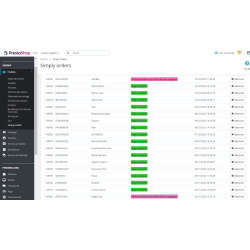
You download orders by date or receive them instantly via webhook. The webhook is protected with a secret key in the header and rejects any requests that don't include it. You schedule a single cron URL, and the module executes only what it needs to: synchronization, orders, publishing queue, and cleanup.

/ Less work with the AI assistant

Always in draft
You can connect your own AI provider (compatible with OpenAI, Anthropic, Gemini, or other endpoints). The result is saved as a draft, which you can review before applying.
Translation of the short description
You request a language and the module writes the short description in that language.

/ You know how it all works

Statistics
Orders, revenue, successful and failed synchronizations, API calls, and published pieces, in graphs.
Import and export
Parts and configuration in CSV and JSON, without exposing keys.
Record
What was sent, what went wrong, and why.
Distinctive mark on the card
If you'd like, a notice can be added to the product page of the listed items. You write the text.
Demonstration data
They are installed to test the flow and can be removed whenever you want.

/ What you need from me

You need a seller account on Ovoko With access to its API: username, password, and token. Enter them in the connection tab, click "Test connection," and choose between the Ovoko production and test environments. Ovoko only displays an item if it has a price greater than zero and at least one photo.

/ What worries you

Compatibility
PrestaShop 1.7.8 up to 9.2 with PHP 7.1 to 8.3, multi-store and multi-language.
Language
Full panel in Spanish.
EBay mirror (optional)
Send stock and pricing information for your parts to a custom JSON service of your choosing. This is not a direct connection to eBay.

/ Designed for scrap yards and used spare parts dealers

Scrap yards and used spare parts stores that want to reach European Ovoko buyers without maintaining a second catalog.

Compatible with PrestaShop 1.7.8 9.2

Developed and maintained by REQUIRE

  • Reference
    rkrrecambios

v1.2.0

Full review against the official Ovoko API ( api.rrr.lt/openapi/swagger.yaml ): version 1.1.0 did not work with a real account.

The real API

  • Actual paths: crm/importCar , crm/importPart , crm/updatePart , crm/changePartStatus , crm/deletePart , get/ , get/car_models /{marca} and v2/get/orders /{desde} /{hasta} (version 1.1.0 called *.php files that do not exist). Production or testing (staging) environment.
  • Quality, sale status, fuel, bodywork, gearbox, steering wheel, traction and car condition are sent as Ovoko's numeric ids (previously, texts like used or on_sale that the API rejects).
  • Part: the OEM goes in manufacturer_code , the main photo in photo (= photos [0] , cover first), original_currency (EUR/PLN; other currency is converted to euros), notes with the name and short description, and external_id : a retry returns the same part instead of duplicating it.
  • Vehicle: car_years of one year, car_body_number (VIN), car_engine_code , car_wheel_type , model chosen from the Ovoko list by brand (loaded when choosing the brand).
  • Reference lists read in all three formats; level 3 categories only with their path ("Engine › Fuel System › Injector").
  • An answer without status_code is no longer considered correct.

Orders and webhook

  • Download by date from export v2 with the actual fields ( item_list , client_* , total_price.seller , tracking_url ); an order is not saved twice (unique key).
  • Webhook by events ( order.created/prepared/sent/delivered/cancelled , part.status.changed ), secret only in the header X-RKR-SECRET , 401 if it doesn't match.
  • Sales on Ovoko are deducted from PrestaShop stock (optional) and refunded if cancelled.

No double selling

  • A published item that runs out of stock (store sale, adjustment, return…) is reserved in Ovoko at the moment ( actionUpdateQuantity , actionValidateOrder , actionOrderStatusPostUpdate ); actionOrderStatusUpdateAfter does not exist in the kernel.

Bugs in version 1.1.0 that prevented its use

  • The cron and webhook controllers had their class names reversed: always a fatal error.
  • Db::IGNORE (does not exist): any call to the API ended in a fatal error.
  • Product::getImages() and Product::getLinkRewrite() : fatal error when creating an ad.
  • Recreating an ad for a published product disconnected him from his piece on Ovoko.
  • A piece without a vehicle was hung from the first car on the list (or from a demonstration car).
  • Importing JSON/CSV wrote to kernel tables ( ps_log …) without escaping (SQL injection).
  • Ads saved with store 0 in stores without multi-store: the stock read was always 0.
  • Deleting a published ad left the item for sale on Ovoko.
  • "Translate" did nothing; now write the short description of the requested language.
  • The AI research URLs could read files from the server ( file:// ) or the internal network.
  • A cron job error left the lock on for 15 minutes.
  • The statistics for the demonstration data were not visible (they were stored in a store that was never read).
  • Empty sidebar menu icons in PrestaShop 9; the quality and category graphs show names, not ids.

Besides

  • Ovoko quality and category are chosen when creating the ad; "Update in Ovoko" button.
  • Match categories with a dropdown of Ovoko level 3 categories (previously, the id manually).
  • Complete panel in Spanish (125 missing chains).
  • Without nofilter , .htaccess , templates in views/templates/admin , PrestaShop style.
  • The update converts the texts saved by 1.1.0 into Ovoko ids, and the module completes it only if the console upgrades the version without running upgrade/ .

4 other products in the same category

Questions and answers

Nobody has asked anything about this product yet.

Loading...
Cookie consent
Back to top