

Sin impuesto Con impuesto
RKR VAT Rounding Adjustment

RKR VAT Rounding Adjustment

Price: €99.90
First year:€99.90tax incl.
From the second year:€24.98/yeartax incl.
  • One year of technical support and lifetime updates; from the second year, support is extended for €24.98/year and includes taking on your general improvement ideas for the module.
  • Renews automatically; cancel whenever you want, with no minimum term.
One-time payment:€99.90tax incl.
  • One year of technical support and lifetime updates; after that, support ends (with the subscription it is extended for €24.98/year).
  • A single payment, with no automatic charges.
€99.90

Ensure that the taxable amount plus VAT exactly matches what the customer paid. The module rewrites the order breakdown without affecting the total paid, with preview, backup, exact reversal, history, and optional automatic correction when creating, invoicing, or editing the order.

Compatible with PrestaShop 1.7.7 to 9.x, with PHP 7.1 to 8.4. Rekire module, tested with real orders in PrestaShop 1.7.8 , 8.2 and 9.0.

Try the demo

Black Friday, 7 to 30 November: spend €50 or more on modules (VAT included) and we give you a €200 voucher (VAT included) to spend on more modules for one month. Ends in until 30 November at 23:59.

Billing and accounting

The invoice says one thing and the order another. By pennies.

The base price plus VAT doesn't add up to what the customer has paid, and your accountant refunds it. RKR VAT Rounding Adjustment rewrites the order breakdown so that the base price and VAT amount exactly match the amount collected.

4,000 out of 4,000
Simulated orders (1 to 3 VAT rates, shipping, discounts and equivalence surcharge) with base + installments equal to the total paid
€0.000166
Maximum deviation of unit price by quantity versus total line, measured over 200,000 combinations
1.7.7 → 9.x
A single version of the module for all your PrestaShop stores, with 6 languages

Why don't your invoices add up?

PrestaShop calculates with 6 decimal places, rounds to 2 in some cases, and then rounds back up to 6. It sets the unit price and multiplies it, so it carries over up to half a cent of error per unit: with 1,000 units, about €5 on a single line. Then it adds the base price and VAT separately, and the result no longer matches the total, nor the fee with base price x rate.

What you earned is untouchable.

The module works backward from the amount paid. The total paid does not appear in any module writes ; it is only read as a target. Neither the actual total paid nor any payment data is modified.

Bases to 2 decimal places
The taxable amount of the order and of each type is left to 2 decimal places, and the fee is calculated on it.
Units to 6 decimal places, derived from the total
The calculation is reversed: the line total is the correct data and the unit price is obtained by dividing it by the quantity, with 6 decimal places.
Group by invoice and tax type
The equivalence surcharge shares a group with its VAT, because they share a base.
Offer discounts and free shipping
The coupons are distributed among the groups according to their weight, and the free shipping coupon goes entirely to the shipping group.
Exact combination search
With two or more VAT rates, it finds the combination of tax bases that adds up to exactly the amount paid, the one that deviates least from the natural amount of each group. Then it distributes the base among the lines without losing or gaining a cent.

You see it, you try it, and you undo it.

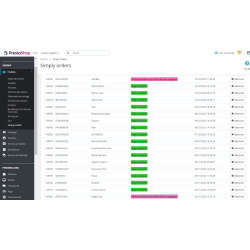
Each order details includes a panel with the diagnostic information (base price, installments, calculated total, total paid, and difference). You can preview the correction line by line without typing anything, and then make corrections or revert changes.

Exact backup and revert
Before correcting, the original state is saved. Reverting returns the exact previous values, and applying the correction twice yields the same result.
Change history
Each transaction leaves a row showing the before and after values, and a detailed breakdown of the adjustment. Amounts are stored in whole cents.
Automatic correction, if you want it
This feature is disabled by default: try it manually first. If it fails, the order will remain as PrestaShop created it, and the error will be recorded.
Discrepancy notice
With the warning tolerance you set, the module alerts you when an order is out of balance by more than that amount before correcting it.

There are amounts that no two-decimal-place base can account for. For example: €1.30 with a single rate of 21%. In that case, the module respects the amount paid, maintains the two-decimal-place base, sets the fee 1 cent above the base × rate, and notifies you in the dashboard . In the 4,000 simulated orders, this only occurred in 49 (1.2%), all with a single rate.

What you should know before installing it

To avoid surprises: the eco-tax is not itemized separately (the module will notify you if the order includes it), partial refunds and credits are not recalculated, and for orders with multiple invoices, the amount paid is divided proportionally among them, so it's worth checking. Depending on the payment module, the PDF attached to the confirmation email may be generated before the correction is made: verify this with your payment gateways before activating automatic processing in production.

/ Languages and maintenance

Module texts in Spanish, English, French, Italian, German, and Portuguese, with amounts in the order format and currency. It creates only two tables (backup and history). Updating involves uploading the ZIP file.

Compatible with PrestaShop 1.7.7 to 9.x, with PHP 7.1 to 8.4

Developed and maintained by REKIRE

  • Reference
    rkrtaxround

v1.5.0

  • Equivalence Surcharge module (Innovadeluxe, idxrrecargoe ). This module leaves the line item with the 21% VAT in order_detail_tax , adds the surcharge to its amounts (base × 1.262), and records it in its tables. This module was only seeing the 21%: the dashboard warned that "the base 38.85 × rate gives 8.16 fee, but the lines total 10.18 (+2.02)," and the correction included the surcharge in the base (38.85 → 40.52). Now it reads the surcharge rate from its tables and treats it accordingly; with the surcharge on shipping costs, it's also included there. Orders are processed correctly: nothing to change.
  • Compatible with RKR Equivalent Surcharge ( rkrrecargoequiva ). Your orders already included the surcharge as a PrestaShop tax; now, after correcting or reverting, the copy saved in your tables is recreated. Orders imported from another module, with the surcharge only in their tables, are read as Innovadeluxe orders, and their surcharge amounts are updated with the correction and returned with "Revert".

v1.4.2

  • Orders exempt from VAT with an invoice: VAT is no longer applied to shipping costs. When creating the invoice, PrestaShop saves the shipping costs with the carrier's tax rate for the delivery country, even if VAT isn't charged (for example, an intra-community customer with delivery to Germany). The module used to treat this 19% as correct, warn that "the shipping amounts didn't match," and split the €9.90 into €8.32 + €1.58 VAT. Now, shipping charged without VAT is left as is, with or without an invoice. This practice predates version 1.4.1 ; version 1.4.0 did the same thing, without warning.

v1.4.1

  • The VAT on shipping was incorrectly saved, for example, because another module changed the amounts. In an order without an invoice or delivery note, the rate was deducted from those same amounts: the resulting rate was just as incorrect, everything seemed to balance, and nothing was corrected. Now, the rate that PrestaShop saved in the order is used: €3.99 with a base of €3.00 becomes €3.30 + €0.69. The amount including VAT doesn't change, and a warning appears if the base changes by more than one cent.
  • Shipping without VAT using the carrier's rate: do not change this, as it may be an exempt order. If the items do include VAT, you will be notified.
  • Shipping with VAT not included in the order: it is still deducted and you are notified.

v1.4.0

The amounts including VAT that the customer saw never change: only the bases and fees are adjusted.

  • Shipping, discounts, and lines with VAT remain unchanged. To find exact base amounts, the calculation adjusted those amounts by cents, also in order_carrier and order_cart_rule : €3.99 shipping became €3.98, a €5.00 coupon became €4.99, and the delivery note was issued with those amounts. The total paid did not change, nor does it change now. If an amount does not fall within any base of two decimal places plus its tax rate (€5.50 at 21%), its tax rate is set to 1 cent of the base x rate; among items of the same rate, the base that yields the tax rate for the entire rate is chosen, and if no such base exists, a warning is displayed.
  • Orders that cannot be reconciled: they are left untouched, and a notification is displayed on the panel. If items minus discounts plus shipping do not add up to the total (for example, a line item with a €0 entry and a full header), the calculation previously applied the difference to the installment, even with negative bases and the coupon changed. Now, the panel indicates this, removes the "correct" button, and the history is recorded. A backup is also not created.
  • A typo is no longer considered correct. Every script is checked, and any error, including PHP errors, will undo the entire request.
  • Respect the transaction of the caller : before, it confirmed it, and its ROLLBACK no longer undid anything.
  • If the history fails after correction , the order remains valid: previously, PrestaShop would save the old amounts over the correction.
  • "Revert" with the invoice created after correcting also returns it, and in an order edited since then it no longer puts an old header on new lines: it leaves it as is and warns.
  • The history records the discount remaining on the order.
  • The diagnosis does not consider a single cent wrong that cannot be fixed without changing what the customer paid.

v1.3.2

  • No changes to functionality: key of the module for PrestaShop Addons and internal adjustment of the order button controller requested by the official validator (PHPStan).

v1.3.1

  • The panel's diagnostic tool also alerts you when the tax base multiplied by the rate doesn't equal the total amount due on its lines (the invoice breakdown cannot be reproduced), even if the order total is correct. Previously, it would say "The order balances to the cent" in that case.

4 other products in the same category

Questions and answers

Nobody has asked anything about this product yet.

Loading...
Cookie consent
Back to top