






Recommended

€96.79

€181.50

€120.88

€60.50

€363.00

€60.50

€108.90

€36.30

€108.90


€84.70
RKR Floating Bar Add to Cart images
What it does for your store
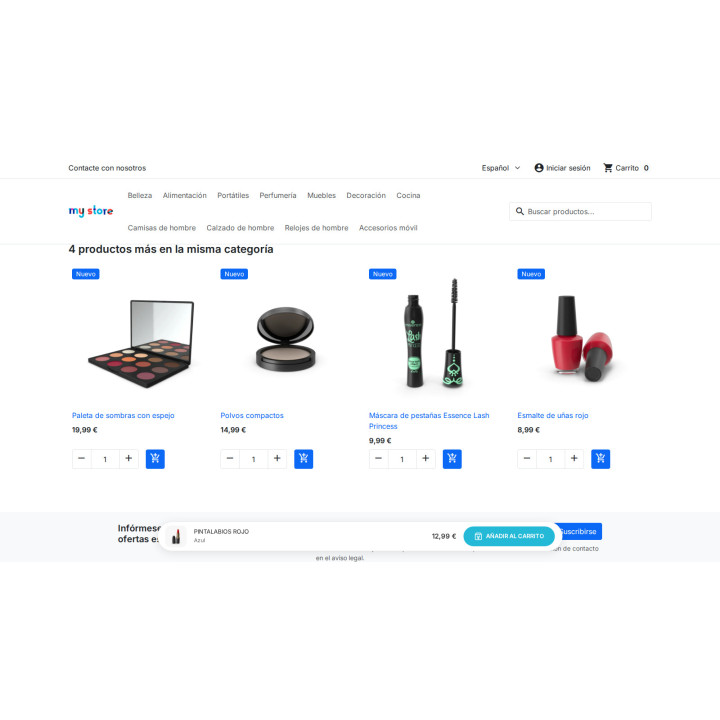
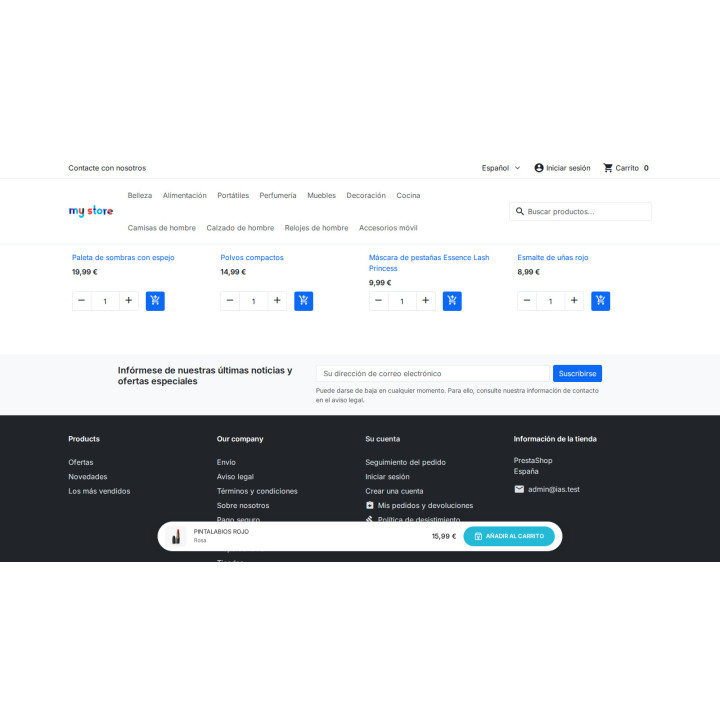
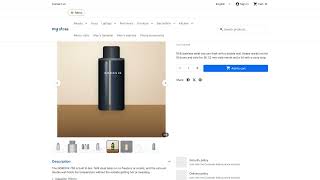
- Buy, always at hand. When the original button disappears from the screen, a bar appears with the photo, name, variant, price and its own button.
- The chosen combination is followed. When changing size or color, the price, crossed-out price, variant, and image are updated, and the bar continues adding to the cart.
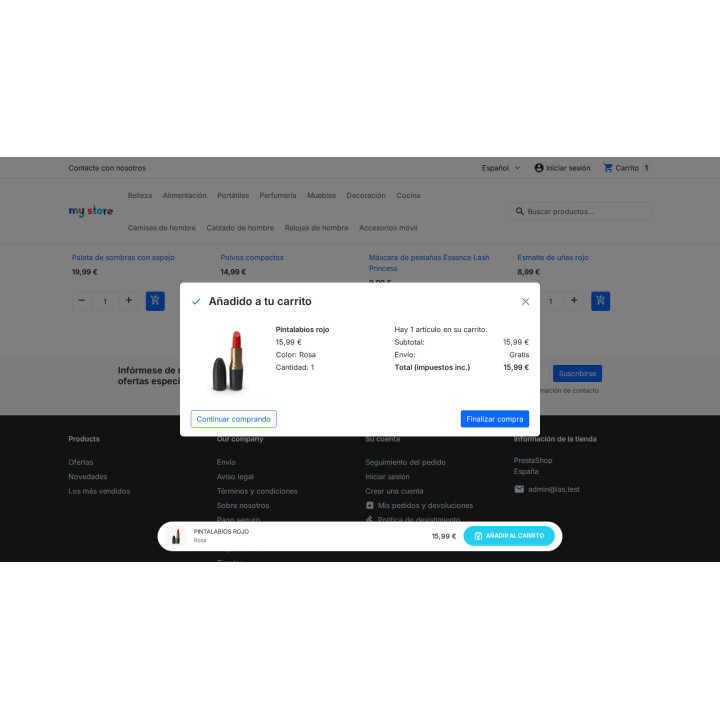
- Use your theme's button. Pass the click to the original button, thus respecting the quantity, stock, and cart notification of your template.
- No page jumps. It appears without moving the layout and works with pure JavaScript, without jQuery, in Classic and Hummingbird.
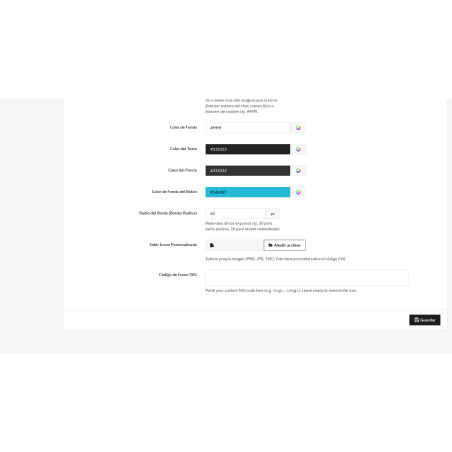
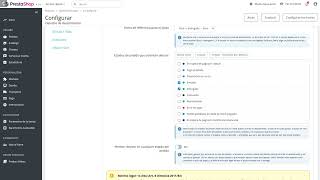
- Match your store colors, corners, width, position up or down, custom icon and layer, all from a single settings screen.
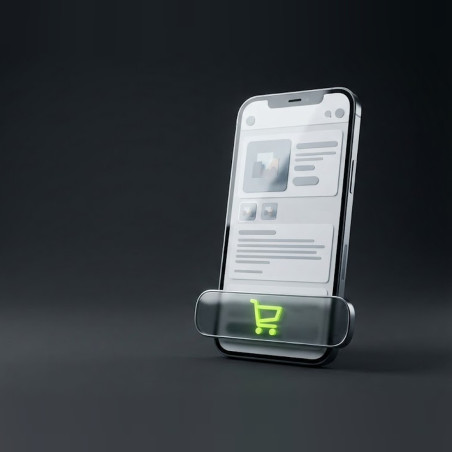
- Designed for mobile phones. On small screens it automatically shrinks while keeping the photo, price and button.
RKR Floating Bar Add to Cart
Price:
€48.28
This product can be bought as a subscription. Below you can see what each option includes and what it costs.
First year:
€48.28
tax incl.
From the second year:
€12.08/year
tax incl.
- One year of technical support and lifetime updates; from the second year, support is extended for €12.08/year and includes taking on your general improvement ideas for the module.
- Renews automatically; cancel whenever you want, with no minimum term.
One-time payment:
€48.28
tax incl.
- One year of technical support and lifetime updates; after that, support ends (with the subscription it is extended for €12.08/year).
- A single payment, with no automatic charges.
€39.90 Sin impuesto
€48.28 Con impuesto
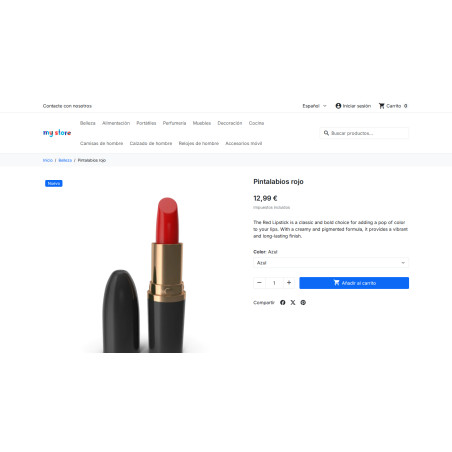
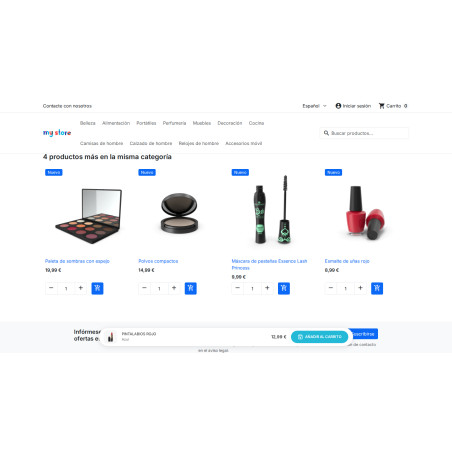
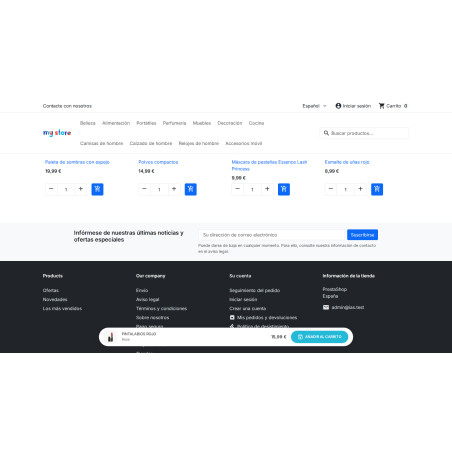
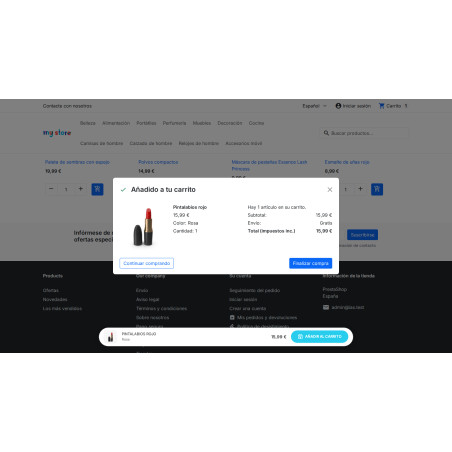
The "Buy" button is always visible. When the original button disappears from the screen, a floating bar appears with the photo, name, selected variant, and price, and its "Add to Cart" button uses the one from your own template. It tracks the combination the customer is viewing: price, variant, and image update when the size or color changes. No template modifications, no jQuery, and no layout changes.
Installation, updates and support
Free installation
We'll do it for you! We'll install and configure the module in your store completely free of charge , guaranteeing a quick and hassle-free start.
Lifetime updates
Get permanent access to the latest version of your module. Your investment is protected and it will always be compatible with new versions of PrestaShop.
Certified quality
Our modules have passed the official PrestaShop validation, ensuring their security, performance and compatibility with the platform's standards.
Premium support (1 year)
You have a full year of dedicated support . Any questions or problems that arise regarding the module will be resolved by our expert team.
Why did we create this module?
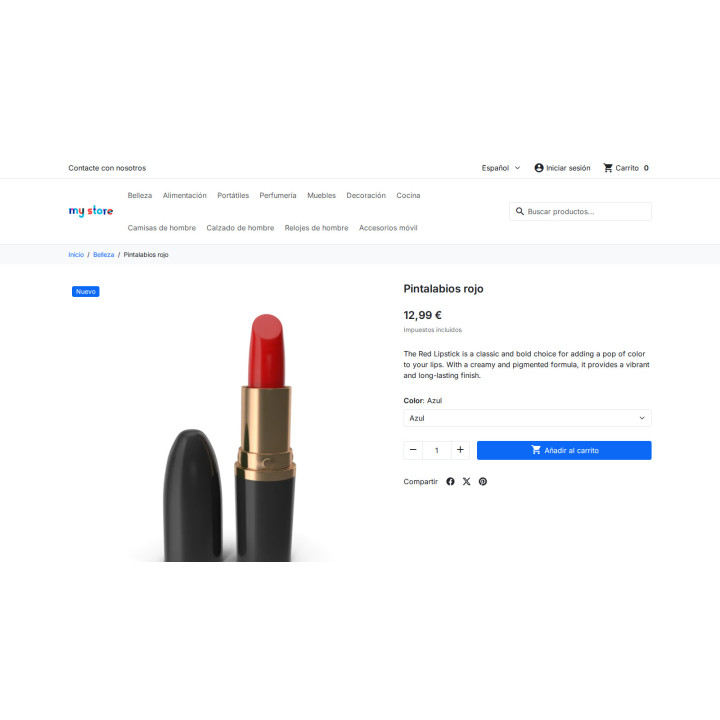
On the product page, the "buy" button stays at the top. The customer scrolls down to read the description, reviews, or dimensions, and then, once they've decided to buy, they have to scroll back up to find it.
We made this bar so that the button appears right when the original goes off screen, with the photo, variant and price of what you are looking at, and using your own theme's button so as not to miss anything.
You gain a more convenient purchase, especially on mobile, without having to touch templates or the core.
Conversion
The decision has been made. And the buy button is two screens up.
The customer scrolls down to read the description, checks the reviews, and compares sizes. By the time they decide to buy, they have to scroll back up. The Floating Add to Cart bar puts it right in front of them at the exact moment they make their decision.
0 lines
template to touch: it installs and works on the theme you already have
8.x → 9.x
Pure JavaScript, without jQuery: works equally well in classic and hummingbird
1 screen
configuration, without tabs or wizards
It only appears when needed.
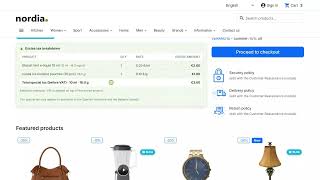
While the buy button is visible, the bar isn't there: it would unnecessarily obscure the product. As soon as it leaves the screen, it reappears at the bottom—or top, you choose—with the product photo, its name, the selected variant, the price, and its own button.
It doesn't monitor scrolling, which is what causes the jumps that slow down the page. It uses IntersectionObserver : the browser alerts you when the button disappears from view. Virtually no cost and no layout disruption .
/ Follow the combination the customer is looking at
This is what breaks in almost all floating toolbars. When you choose a size or color, PrestaShop doesn't update the shopping cart block; it replaces the entire thing. A toolbar that retains the old button stops adding items to the cart from that point on, and nobody notices until orders go missing.
Price
It is refreshed with the one for the chosen combination, including the crossed-out price if there is a sale.
Variant
The name of what you have chosen, below the product: "Pink", "M · White".
Image
The photo changes with the combination, just like on the card.
Stock
If the original one shuts down due to lack of stock, the one on the bar shuts down with it.
/ Purchase using the button from your own template
The bar doesn't add items to the cart automatically; it passes the click to the button you already have. This ensures that the selected quantity, stock control, theme notification, and anything else you've added to that button are preserved. If you change the theme tomorrow, the bar will continue to function.
And it adapts to your store without touching any code.
Colors
Background, text, price and button, each with its selector.
Shape
Corner radius, from pill to card, and maximum width or full width.
Icon
Either the one it comes with, one of your own in SVG format, or an image you upload. Or neither.
Layer
If you have support chat or cookie notice, raise the Z-Index and stop stepping on it.
The theme has been heavily modified? The buy button selector is just another setting: it's changed from the configuration, without touching a file.
/ On mobile, where it's most noticeable
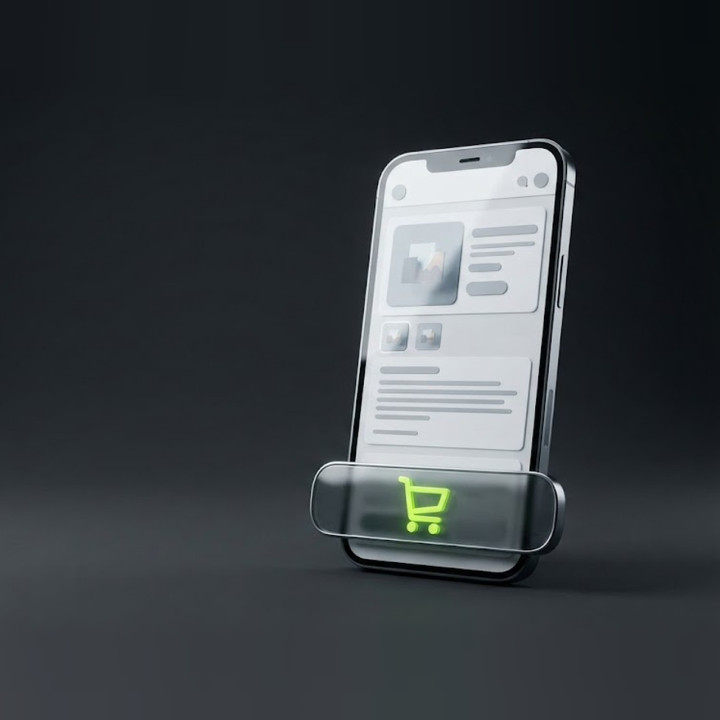
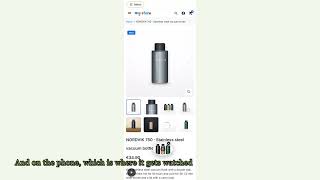
On a phone screen, the buy button disappears with the first swipe. The bar shrinks automatically: it keeps the photo, the price, and the button, leaving the text for larger screens.
Compatible with PrestaShop 8.x and 9.x · Classic and Hummingbird themes
Developed and maintained by REKIRE
-
Referencerkr_stickycart
| Version | 1.1.6 |
|---|---|
| Compatibility | PrestaShop 8.0 – 9.1 · Classic and Hummingbird themes |
| Languages included | English and Spanish |
| Modify the core | No: no overrides |
| Own tables | None |
| Documentation | README in English |
v1.2.0
[destacado]
Five fixes that came up when installing it in a store with PrestaShop 9.2 and a Hummingbird child theme with a fixed header . Two new settings.
Corrected
- With a fixed header, the bar wouldn't appear when the button disappeared. The button hidden beneath the header was counted as visible, and the bar waited for it to emerge from behind it as well (in that store, 113px more scrolling). Now, the bar measures the fixed or top header on each scroll—its height changes when scrolling down and rotating the phone—and subtracts its height. With the top header, it's positioned below the header instead of above it. New Fixed Header Height setting to manually enter if the automatic measurement doesn't work for a particular theme.
- The bar appeared as soon as a long tab loaded , with the button even further down the page (at 1440px, the button was at approximately 1200px). The new setting , "Show only after hovering over the button ," is enabled by default: the bar appears when the button hovers above the tab as it scrolls down. Disabled, it behaves as before. The upgrade leaves it enabled , even in stores that are running version 1.1.8.
- The default selector was compatible with buttons other than the product card button.
.add-to-cartis also the class for card buttons (accessories, related); it only worked because the product card button is usually placed first on the page. The new selector is limited to the checkout form:#add-to-cart-or-refresh [data-button-action="add-to-cart"](Classic and Hummingbird), with.product-add-to-cartas a fallback. The upgrade only changes the old selector where it was still present; a custom selector is retained. An empty selector reverts to the default. - A filled icon pasted into "SVG Icon Code" was showing up empty. The stylesheet was forcing
fill: noneandstroke: currentColorwith!importanton the icon class, so Font Awesome, Phosphor Bold, and any other filled icons were rendered useless. Now the CSS only provides the size; the default icon already has its stroke in its attributes, and an SVG without its own color takes the color of the button's text. - The default z-index was 9999 , which meant the bar was positioned above the Bootstrap windows (modal 1055, sidebar menu 1045), specifically above "Product added to cart." This has been changed to 1030. The upgrade replaces the default 9999; any other value is retained. If the z-index is empty or non-numeric, it reverts to 1030.
For whoever installs it
- Tested on PrestaShop 9.0.0 (install 1.1.8 → update to 1.2.0 ) and against the store with a fixed header at 1440px and 390px.
-
upgrade/ upgrade-1.2.0.phpdoes not use anything new from the module class: if the hosting still serves the old class when uploading the ZIP, the upload does not fail.
v1.1.8
No changes in behavior: the bar does exactly the same as in 1.1.7. What is fixed is everything surrounding the module.
Corrected
- The settings screen was partially in English in a Spanish store. Of the module's 37 proprietary chains, the catalog only covered 23. The following remained in English: Top , Bottom , Enabled , Disabled , Max Width , Enable Max Width , and the six error messages for the icon —precisely the ones that appear when something goes wrong, which is when it's most frustrating not to understand them. Now, all 37 out of 37 are in English.
- Four texts in the template weren't being translated even though they were in the catalog.
configure.tplwas requesting them with{ls='...' mod='rkr_stickycart'}, the old format, which readstranslations/es.php—a file this module doesn't have—and never looks at the.xlffile. This was visible on the same card: the title was translated, but the phrase below it was in English. They're now being moved tod=' Modules.Rkrstickycart.Admin ', which is what the Add to Cart bar was already using. - The SVG field help was also not being applied due to double escaping. The code string contains the literal entities.
because it's rendered as HTML; in the.xlfthey were written aswhich the XML parser converts intoThe key no longer matched the code, and the translation was silently discarded.
Added
-
LICENSE.txt— AFL 3.0, the same text as the rest of the modules from the company. The file headers already said "bundled with this package in the file LICENSE.txt" and that file did not exist. - License header in all 13 PHP files (missing in 11, all
index.phpprotection files). -
README_ES.mdandREADME_EN.md, instead of a single EnglishREADME.mdthat documented 4 of the 15 settings in the module, and explained the installation as if you had to compress the folder yourself.
Changed
- The copyright notice for the headers stated
2007-2026 PrestaShop SA, which is the boilerplate copyright for the PrestaShop module template. The copyright holder is Rekire Web Technology , as stated in theLICENSE.txt.
v1.1.6
- Fixed: Installation no longer fails with debug mode enabled, which previously left the module installed but not appearing in the store.
- Fixed: When changing size or color, the bar continues adding to the cart and now updates price, crossed-out price, variant, and image.
- Fixed: The SVG icon you paste into the settings is now saved, and the errors in the settings are displayed on screen.
- Security: Security correction in the module configuration.
v1.1.5
- New floating "Add to Cart" bar on the product page, with configurable position, colors, radius, maximum width, icon, and text.
At Rekire we want to make things easy for you. That's why our PrestaShop modules come with a flexible usage license:
- Unlimited use in your projects. You can use the module in as many of your own installations as you want, even if you are an agency and manage several websites (without needing to be in multi-store mode).
- Distribution restrictions. It is not permitted to exchange, distribute, sell, or republish the module to third parties.
Professional ethics. This software is our livelihood. We ask for your professional ethics and that you make new purchases if the volume of projects requires it: it's the only way for us to make it worthwhile to continue developing such great modules and maintain our constant improvements.
Technical support
In order to provide you with the best service, module support is governed by these conditions:
- Support is provided exclusively on the website declared as the main site .
- If you have not declared a primary site, support is automatically applied to the first installation where the module is activated.
You might also like

Attributes module with general or specific images
 Blog
Blog
€60.50
€50.00 Sin impuesto
€60.50 Con impuesto
Product Videos


Email reminders and notifications module
€84.70
€70.00 Sin impuesto
€84.70 Con impuesto
Product Videos



More than just a social login module
 Blog
Blog
€108.90
€90.00 Sin impuesto
€108.90 Con impuesto
Product Videos



RKR Messaging: flows, push notifications and installable store (PWA)
Blog
€72.60
€60.00 Sin impuesto
€72.60 Con impuesto


Seller Plus module by categories, brands, and date ranges
 Blog
Blog
€96.79
€79.99 Sin impuesto
€96.79 Con impuesto
Product Videos

Simple product module as if they were combinations + canonical + related + accessories
 Blog
Blog
€96.79
€79.99 Sin impuesto
€96.79 Con impuesto
Product Videos

Visual Search Module (No SaaS): The self-hosted Intelligent Search Engine with Meilisearch option
Blog
€363.00
€300.00 Sin impuesto
€363.00 Con impuesto
Product Videos
4 other products in the same category
- New

RKR Vape & Nicotine Excise Tax: Special Tax and Form 573 for PrestaShop
 Blog
Blog
€157.18
€129.90 Sin impuesto
€157.18 Con impuesto
Product Videos



También podría interesarte


€60.44
€49.95 Sin impuesto
€60.44 Con impuesto

€12.09
€9.99 Sin impuesto
€12.09 Con impuesto
- On sale!

€96.79
€79.99 Sin impuesto
€96.79 Con impuesto

€96.79
€79.99 Sin impuesto
€96.79 Con impuesto


€84.69
€69.99 Sin impuesto
€84.69 Con impuesto

€120.99
€99.99 Sin impuesto
€120.99 Con impuesto


€60.50
€50.00 Sin impuesto
€60.50 Con impuesto


€96.79
€79.99 Sin impuesto
€96.79 Con impuesto


€302.50
€250.00 Sin impuesto
€302.50 Con impuesto

€181.50
€150.00 Sin impuesto
€181.50 Con impuesto
Questions and answers
Nobody has asked anything about this product yet.

