





Recommended

€96.79

€181.50

€120.88

€60.50

€363.00

€60.50

€48.28

€36.30

€108.90


€84.70
RKR Product Gallery images
RKR Product Gallery
Price:
€108.90
This product can be bought as a subscription. Below you can see what each option includes and what it costs.
First year:
€108.90
tax incl.
From the second year:
€27.23/year
tax incl.
- One year of technical support and lifetime updates; from the second year, support is extended for €27.23/year and includes taking on your general improvement ideas for the module.
- Renews automatically; cancel whenever you want, with no minimum term.
One-time payment:
€108.90
tax incl.
- One year of technical support and lifetime updates; after that, support ends (with the subscription it is extended for €27.23/year).
- A single payment, with no automatic charges.
€90.00 Sin impuesto
€108.90 Con impuesto
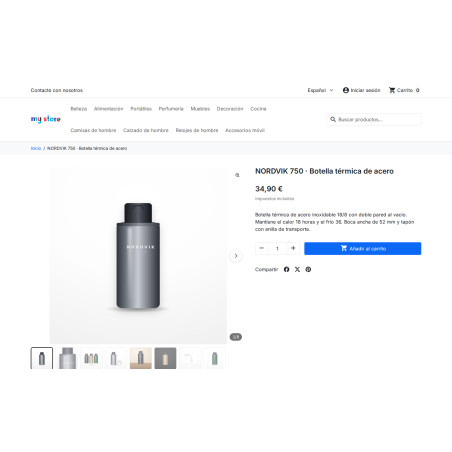
Six gallery styles for the product page, with a viewer for all photos and zoom to the original image without white borders. Different styles for mobile and desktop, rules that select based on the number of photos or orientation, and video within the gallery that doesn't load the player until clicked. PrestaShop 1.7.8 to 9.x.
Product sheet
The photo is the only thing your client can't touch.
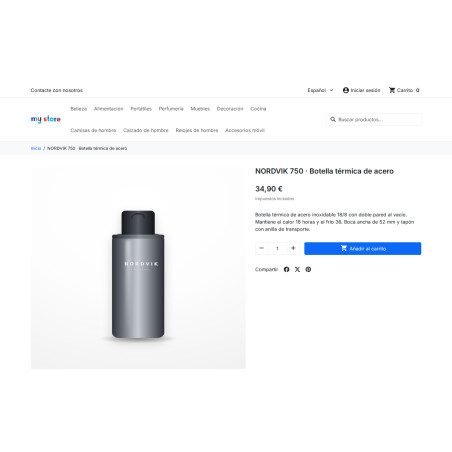
And the gallery that comes with your theme is the same for the entire catalog: one image, tiny thumbnails, and a zoom that displays the photo with white borders. RKR Product Gallery replaces this with six styles, lets you choose the one that suits each product, and adds a viewer that shows the full original.
6 styles
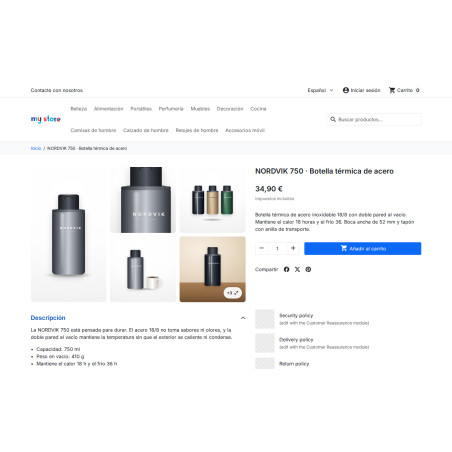
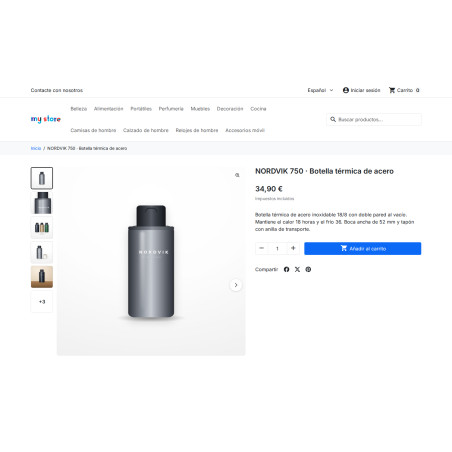
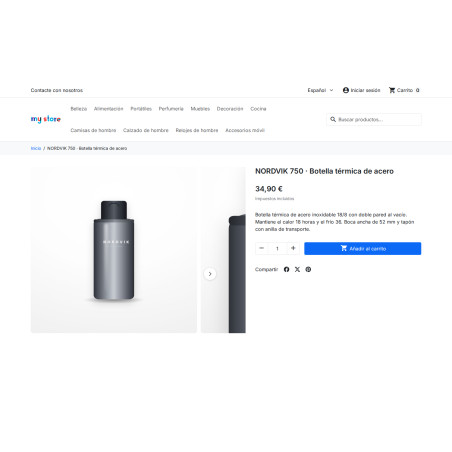
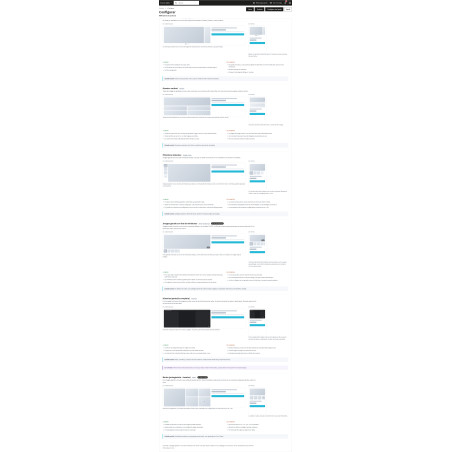
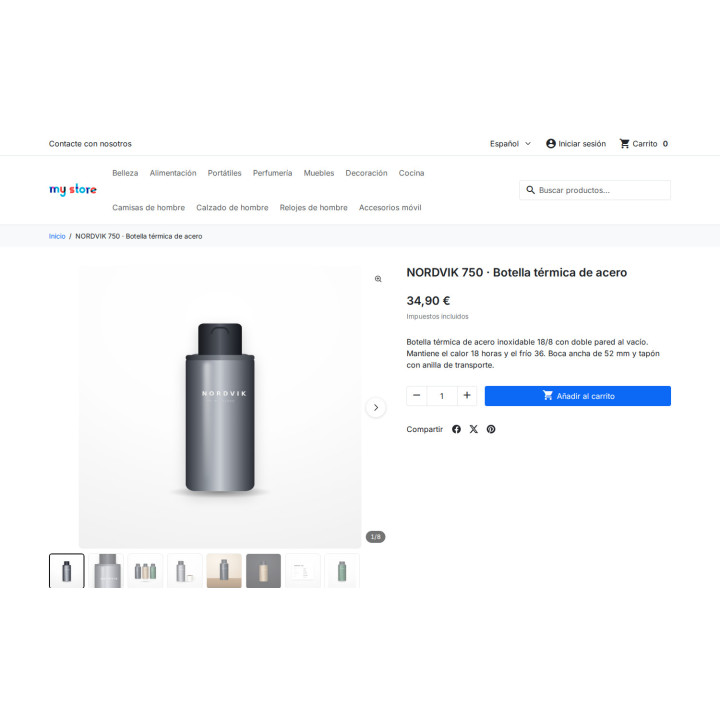
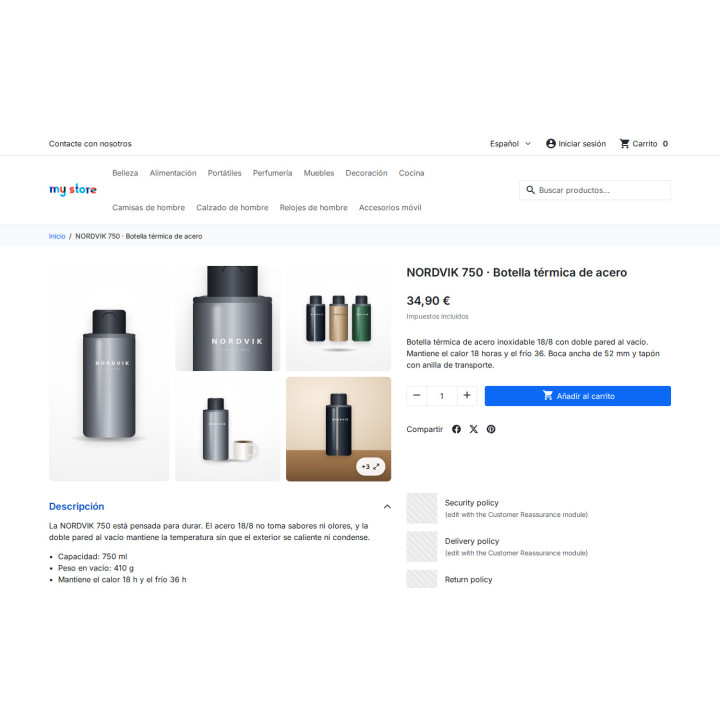
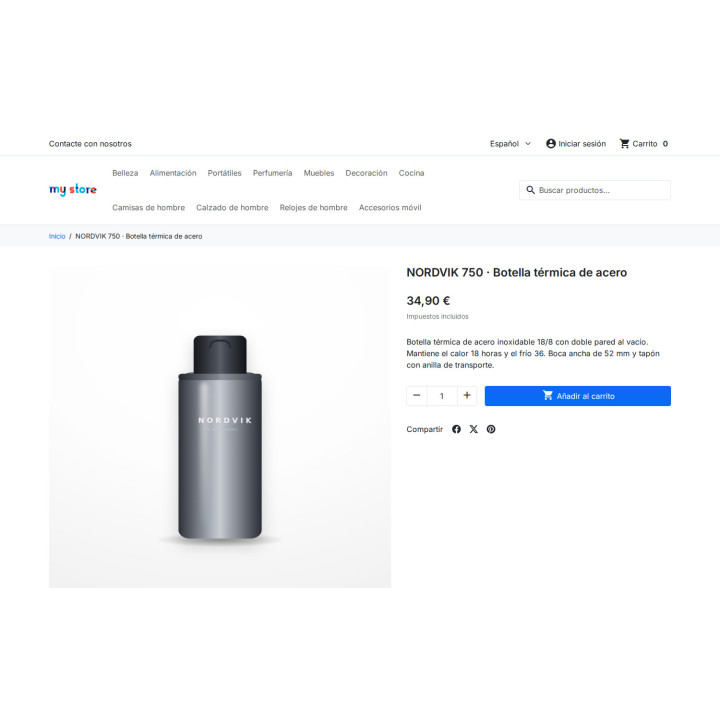
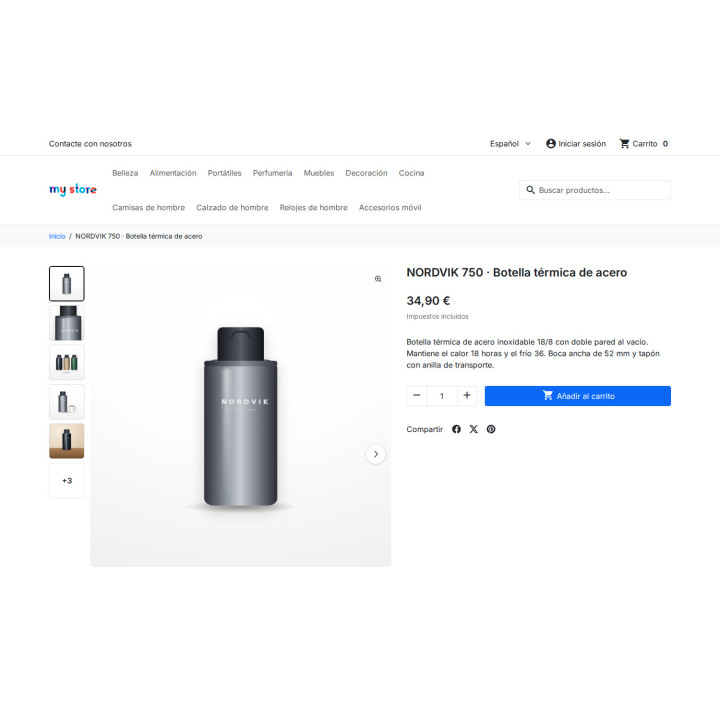
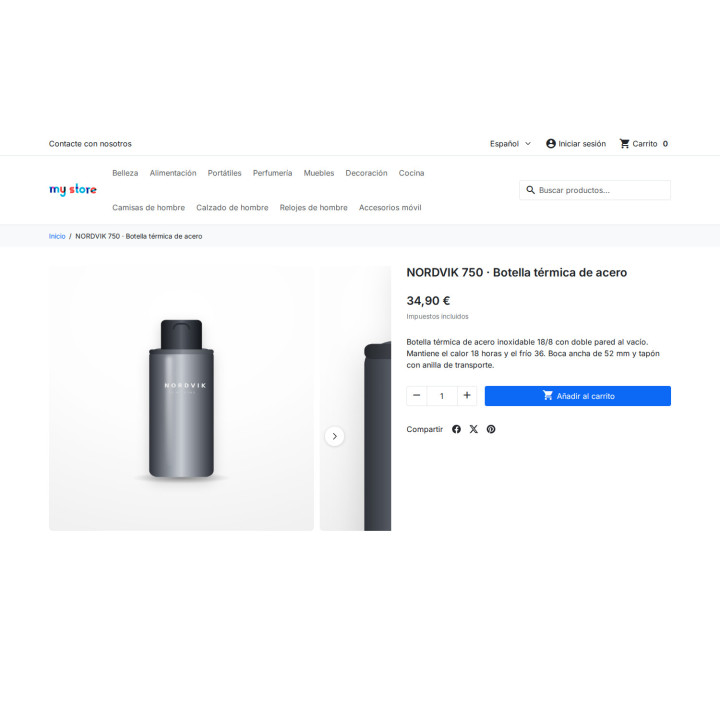
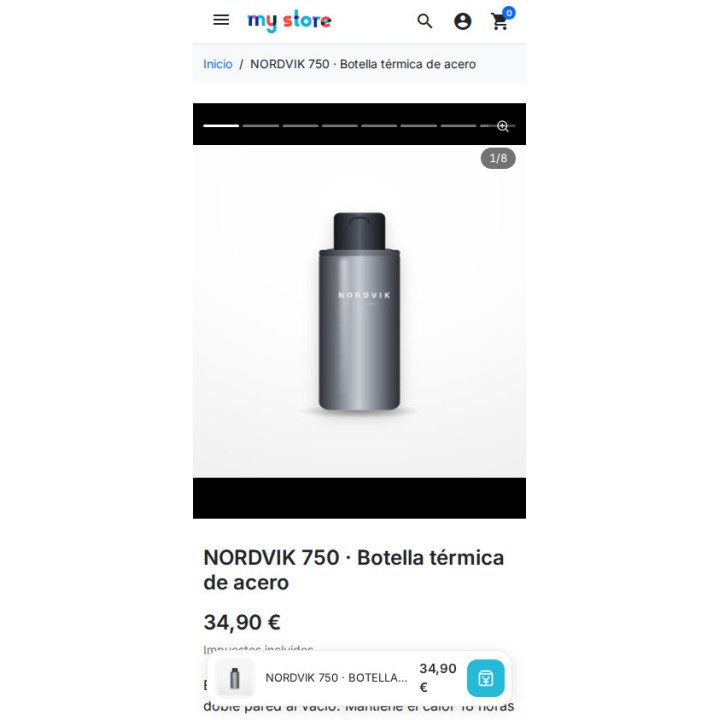
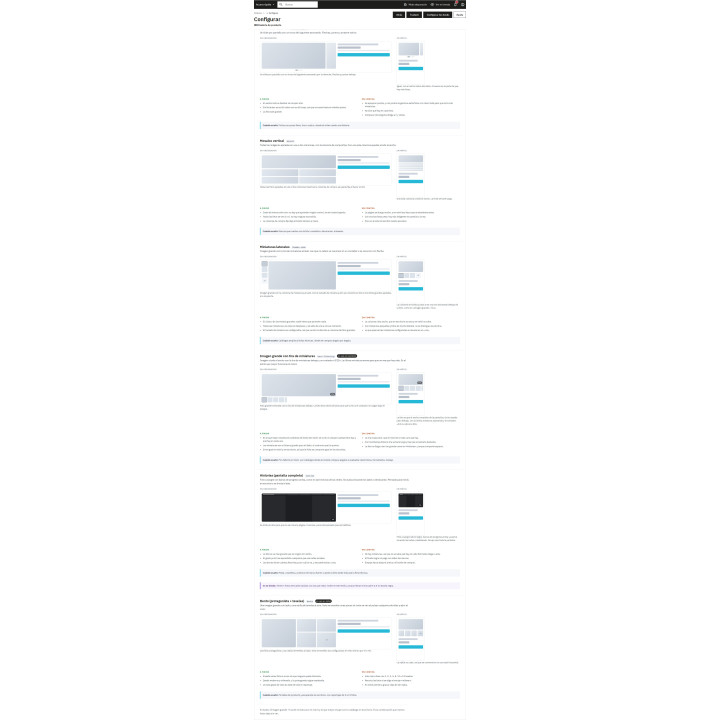
Large image with thumbnail strip, side thumbnails, bento, vertical mosaic, peek-a-boo carousel, and full-screen stories.
2 screens
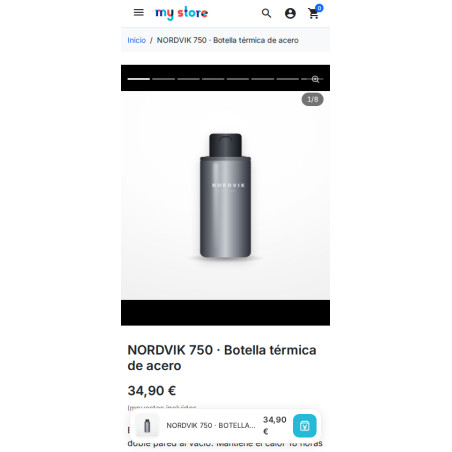
The desktop and phone styles are different settings. Detection happens on the server, so the HTML is already correct and there's no repainting to slow things down.
0 lines of code
Don't touch the theme, the kernel files, or overrides. And if something goes wrong, it doesn't break: it returns empty and your theme displays the gallery as usual.
Zoom, without white borders
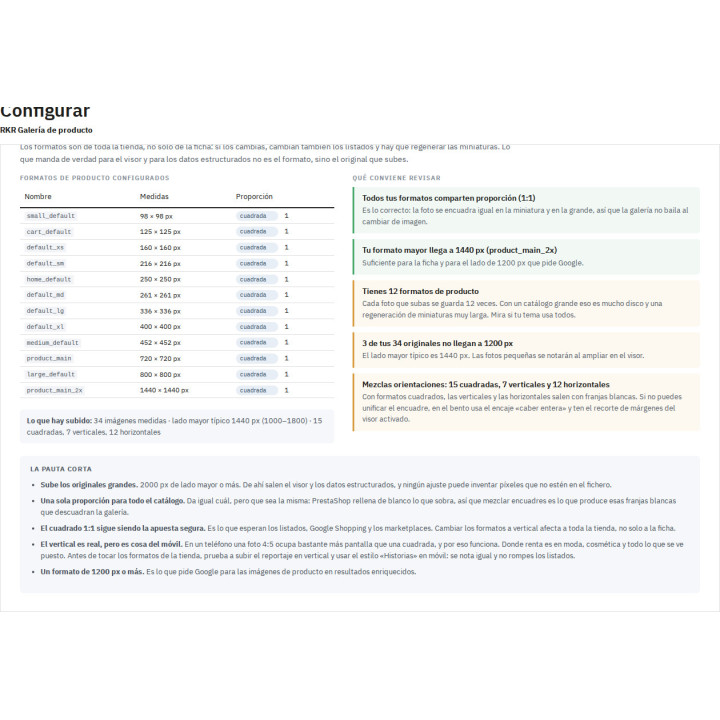
PrestaShop generates each format with the exact dimensions of the image type and fills the excess with white. That frame remains within the JPEG: no matter how much you zoom in, you'll only be zooming in on the frame.
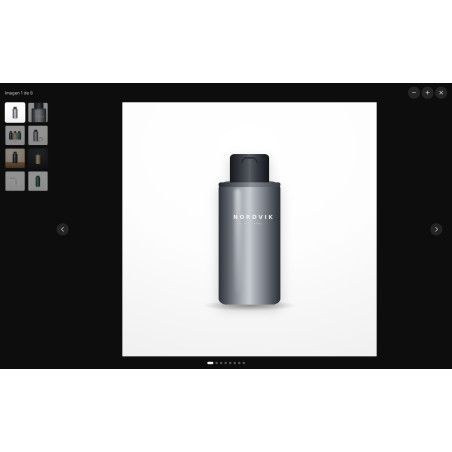
The module starts with the original image ( img/p/ , preserving its aspect ratio, and generates a zoomed-in copy at the size and quality you specify. It enlarges the image itself, not the surrounding area.
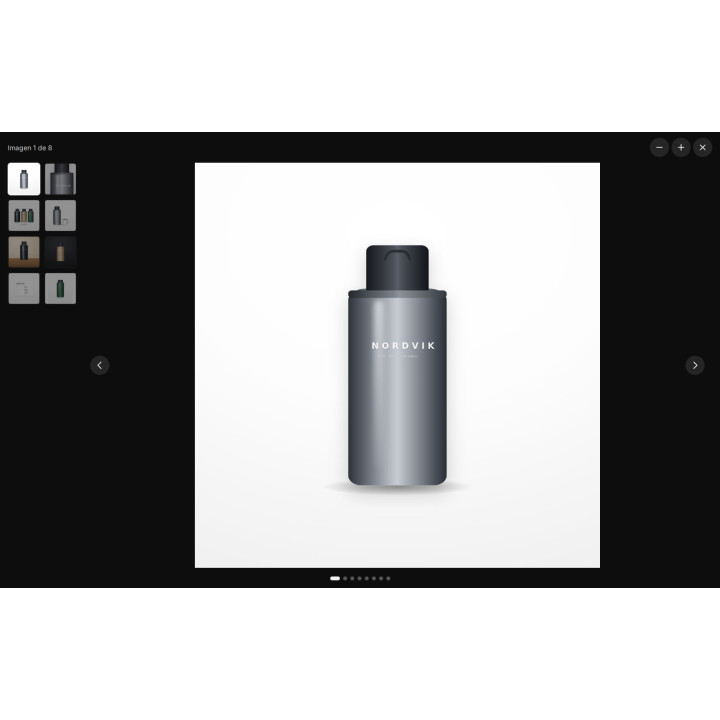
A viewer with all the photos
When you open it, all the product images appear, not just those that fit in the gallery: grid of thumbnails on desktop, dots on mobile, arrows, keyboard, zoom wheel, double click and pinch.
The style chooses itself.
The rules are evaluated from top to bottom and the first one that fits wins: by number of images, by the dominant orientation of the set, by the orientation or width of the cover, or by categories.
A product with two photos shouldn't use the same style as one with fourteen. The priority is clear: the style manually set in the product listing always wins; if not, the first rule that fits; and if none fit, the default style.
Designed for mobile, with data
In the desktop index cards analyzed by Baymard, 100% use thumbnails, while in mobile versions only 24% do. With dots instead of thumbnails, people skip over photos, and besides, the dot is a tiny target for the finger.
That's why the recommended mobile style places the list below the photo, with a "3/12" counter and the last thumbnail partially visible: a sign that the list still doesn't take up screen time. The targets increase to 44px, and the animation is reduced if the system requests it.
Video within the gallery
The video is placed alongside the photos, not below the description where almost no one scrolls down. The slide shows a photo with a play button, and the player only loads when it's pressed: measured in a real YouTube test, one request to a third party before pressing the button versus twenty after .
YouTube loads from the domain without cookies, and Vimeo requests not to be tracked. Videos with titles and thumbnails are entered into the structured data as VideoObject .
An assistant who watches your store
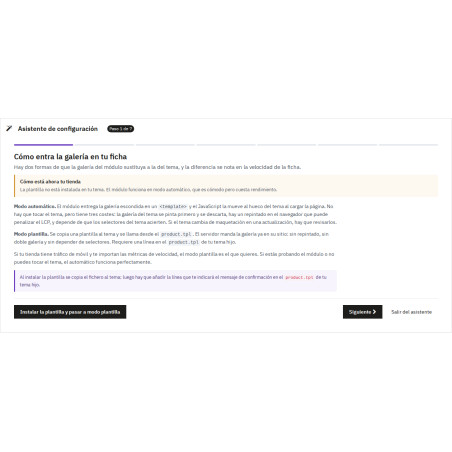
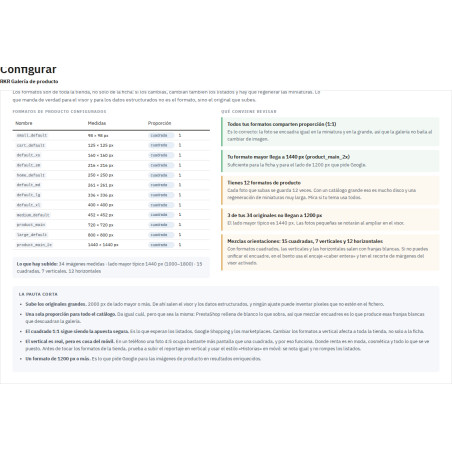
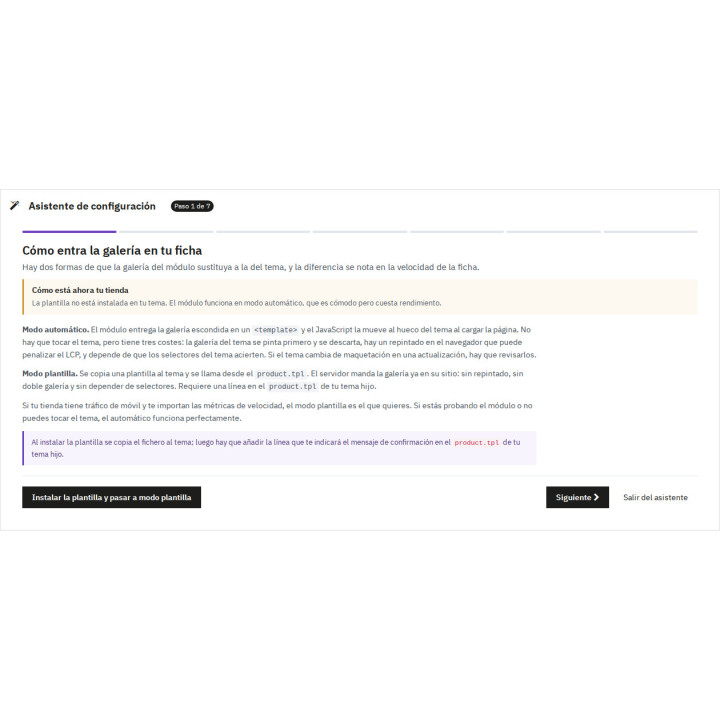
Seven steps that don't replace the form: you can open them if you want and abandon them wherever you like. Each one checks the actual state of your store—whether the template is installed in the theme, what image formats you have, what photos are uploaded—explains what each option entails, and offers to apply the recommendations with one click.
It includes a diagnostic panel that measures your images and tells you which ones fall short, and a guide with a mockup of each style on both screens.
What comes standard
ImageGallerystructured data with all photos, actual dimensions, and the cover marked as representative of the page.- Template mode (without repainting) or automatic mode (without touching the theme).
- Optional automatic scrolling, only on mobile if you want, respecting
prefers-reduced-motion. - Without jQuery and without third-party libraries on the front end.
- User guide for the back-office, in Spanish and English.
Compatibility
PrestaShop 1.7.8 to 9.x, with PHP 7.4 or higher. Tested on Hummingbird and classic themes.
-
Referencerkrgallery
You might also like

Attributes module with general or specific images
Blog
€60.50
€50.00 Sin impuesto
€60.50 Con impuesto






RKR Messaging: flows, push notifications and installable store (PWA)
Blog
€72.60
€60.00 Sin impuesto
€72.60 Con impuesto

Seller Plus module by categories, brands, and date ranges
Blog
€96.79
€79.99 Sin impuesto
€96.79 Con impuesto

Simple product module as if they were combinations + canonical + related + accessories
Blog
€96.79
€79.99 Sin impuesto
€96.79 Con impuesto

Visual Search Module (No SaaS): The self-hosted Intelligent Search Engine with Meilisearch option
Blog
€363.00
€300.00 Sin impuesto
€363.00 Con impuesto
4 other products in the same category

- New

RKR Order Prep Calendar – Gift Reminders with Coupon
€108.78
€89.90 Sin impuesto
€108.78 Con impuesto

Nutrition Full Info Module - Nutritional information, allergens, and EU labeling with AI
Blog
€302.50
€250.00 Sin impuesto
€302.50 Con impuesto

También podría interesarte

€60.44
€49.95 Sin impuesto
€60.44 Con impuesto

€12.09
€9.99 Sin impuesto
€12.09 Con impuesto
- On sale!

€96.79
€79.99 Sin impuesto
€96.79 Con impuesto

€96.79
€79.99 Sin impuesto
€96.79 Con impuesto

€84.69
€69.99 Sin impuesto
€84.69 Con impuesto

€120.99
€99.99 Sin impuesto
€120.99 Con impuesto

€60.50
€50.00 Sin impuesto
€60.50 Con impuesto

€96.79
€79.99 Sin impuesto
€96.79 Con impuesto

€302.50
€250.00 Sin impuesto
€302.50 Con impuesto

€181.50
€150.00 Sin impuesto
€181.50 Con impuesto
Questions and answers
-
¿Qué estilos de galería trae?
0-
Seis: imagen grande con tira de miniaturas, miniaturas laterales, bento, mosaico vertical, carrusel con asomo e historias a pantalla completa. Todos incluyen un visor que muestra todas las fotos del producto, con flechas, teclado, rueda para ampliar, doble clic y pellizco.
-
-
¿Puedo usar un estilo en móvil y otro en ordenador, o uno según el producto?
0-
Sí. El estilo de escritorio y el de móvil son ajustes distintos, y la detección se hace en el servidor para que no haya repintado. Además, unas reglas eligen el estilo por número de fotos, orientación, ancho de la portada o categoría; el estilo fijado a mano en la ficha gana siempre.
-
-
¿Por qué el zoom no muestra los márgenes blancos de siempre?
0-
Porque no amplía las miniaturas de PrestaShop, que llevan el relleno blanco dentro del JPEG. El módulo parte del original guardado en img/p/, que conserva su proporción, y genera una copia de zoom a la medida y calidad que le indiques.
-
-
¿Puedo meter vídeos en la galería? ¿Ralentizan la ficha?
0-
Sí, el vídeo va junto a las fotos. En la diapositiva se muestra una imagen con un botón de play y el reproductor solo se carga al pulsarlo. YouTube se carga desde el dominio sin cookies y Vimeo pidiendo no rastrear, y los vídeos con título y miniatura entran en los datos estructurados como VideoObject.
-
-
¿Tengo que tocar mi tema para instalarlo?
0-
No. Tiene modo plantilla, sin repintado, y modo automático, sin tocar el tema; no usa overrides ni toca ficheros del núcleo. Si algo falla, no rompe la ficha: devuelve vacío y tu tema pinta su galería de siempre. Un asistente de siete pasos comprueba tu tienda y te propone la configuración recomendada.
-
-
¿Con qué versiones y temas es compatible?
0-
Con PrestaShop 1.7.8 a 9.x y PHP 7.4 o superior. Está probado en Hummingbird y en los temas clásicos, y en el front no usa jQuery ni librerías de terceros.
-

