









Pro Burger Menu Module images
What it does for your store
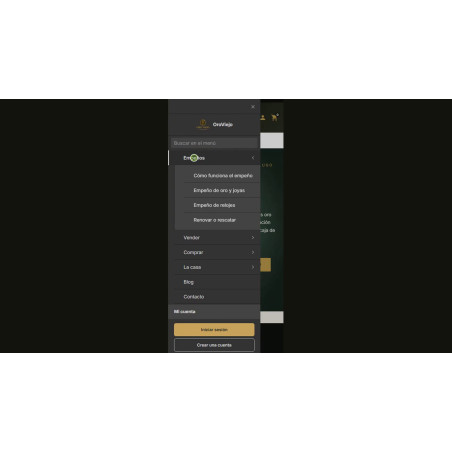
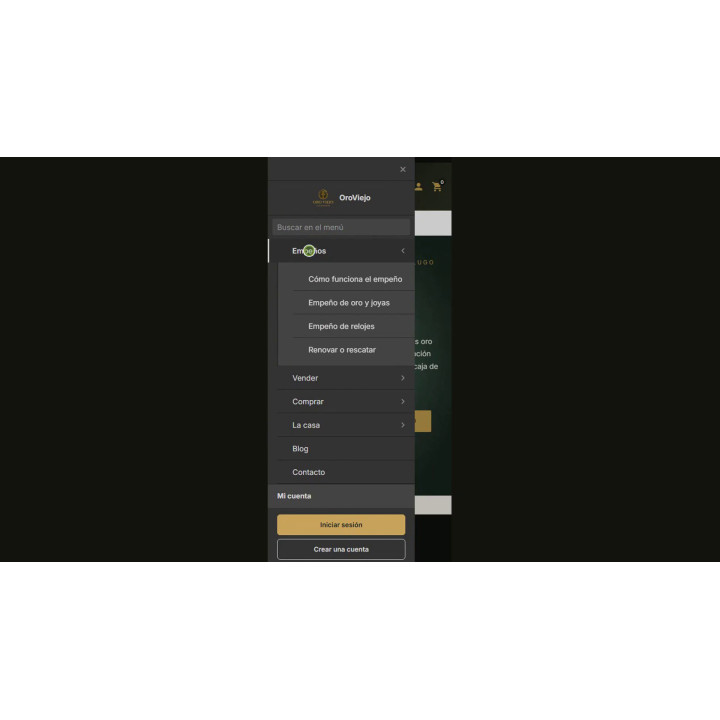
- Dedicated menu for desktop and mobile. A side menu independent of your theme's menu, with an unlimited number of levels and different content on mobile if you wish.
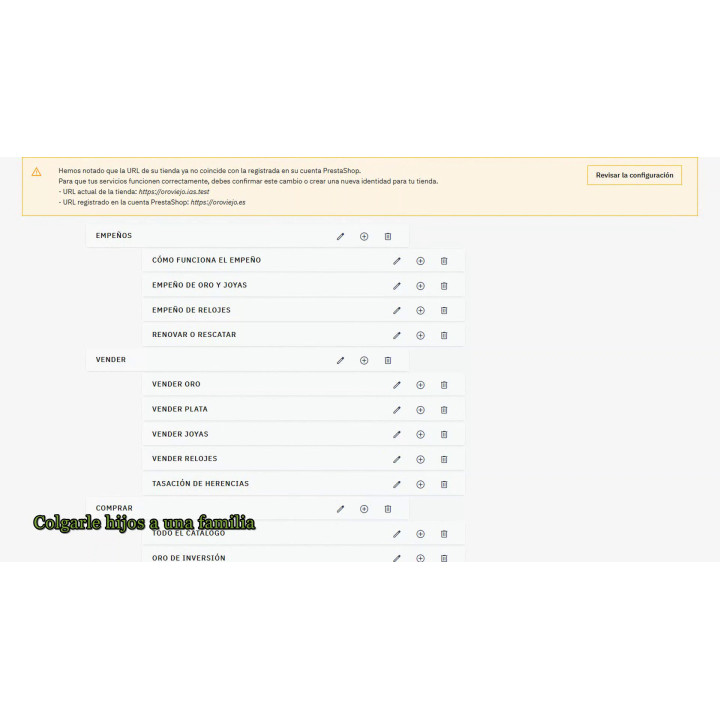
- Categories that hang automatically. Subcategories and brands are added automatically: if you create a category tomorrow, it will appear in the menu without you having to touch anything.
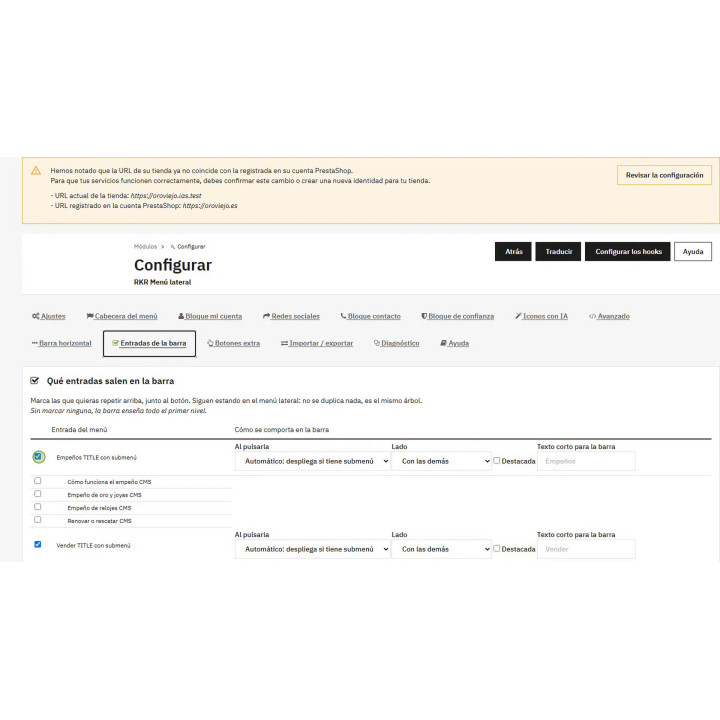
- Horizontal bar of the same tree. You choose which entries appear in the header, with a group on the right and a featured one, without maintaining another menu.
- Deferred loading by levels The menu stops weighing on each page: branches are requested when opened and structured data remains complete.
- Blocks that help you sell: Under the tree, WhatsApp contact, shipping and returns, account access, networks and your own buttons.
- Matching to your store: Five palettes, your colors with a warning if the text is not legible, and catalog icons, yours or created with AI.
Pro Burger Menu Module
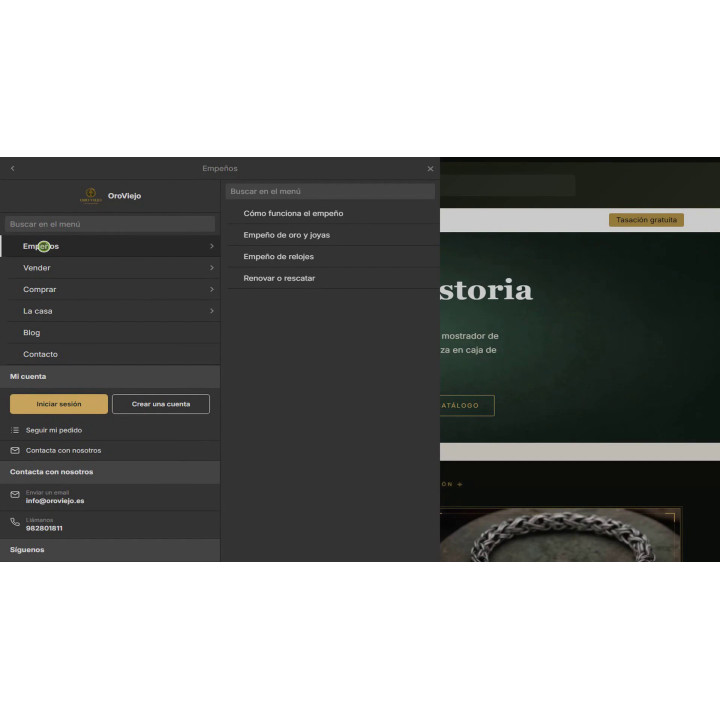
A dedicated side menu, independent of your theme's, with an unlimited number of levels and two separate menus: desktop and mobile . Categories are automatically populated and updated.
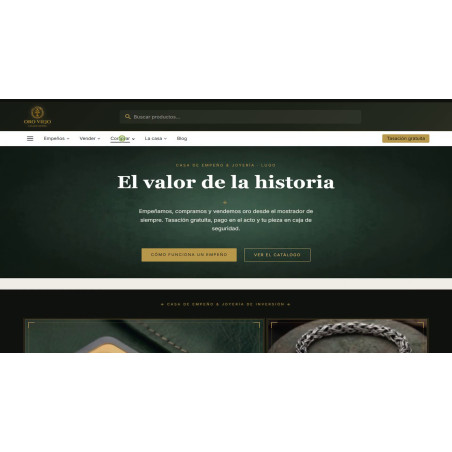
And a horizontal bar at the top that comes out of the same tree , with the entries you choose, a separate group on the right and a featured one.
Three submenu modes, staggered loading by levels to reduce menu size on each page, search bar, icons, contact and trust blocks, structured data, and GA4 measurement. PrestaShop 8 and 9.
Installation, updates and support
Free installation
We'll do it for you! We'll install and configure the module in your store completely free of charge , guaranteeing a quick and hassle-free start.
Lifetime updates
Get permanent access to the latest version of your module. Your investment is protected and it will always be compatible with new versions of PrestaShop.
Certified quality
Our modules have passed the official PrestaShop validation, ensuring their security, performance and compatibility with the platform's standards.
Premium support (1 year)
You have a full year of dedicated support . Any questions or problems that arise regarding the module will be resolved by our expert team.
Why did we create this module?
A theme's header menu works well with eight entries. With a large catalog, the cuts begin: categories that don't appear, submenus that are truncated, and, on mobile, a dropdown menu where it's difficult to find anything.
That's why we created our own sidebar menu, independent of the theme, with an unlimited number of levels in the tree that feeds from your categories and brands, and with a separate menu for mobile if you need it.
You gain a navigation system that grows with the catalog without manual redoing, that doesn't weigh down each page, and that adapts to the look of your store.
Four hundred categories don't fit on one bar
The theme's horizontal menu can hold eight entries. From there, the cuts begin: categories that don't appear, submenus that are cut off, and on mobile, a dropdown menu where nobody can find anything.
RKR Side Menu creates its own drop-down menu, Independent of your theme, with its unlimited level tree, icons, and blocks. And create two: one for desktop and one for mobile, with different content if you wish.
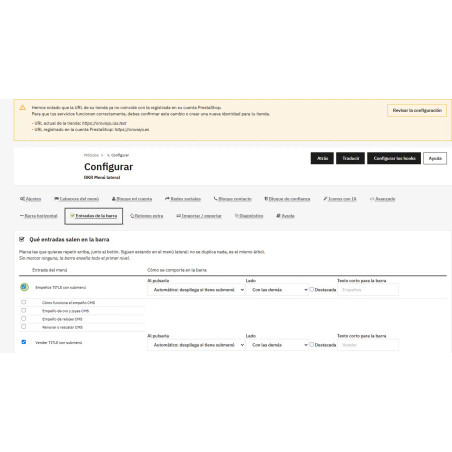
And above, a horizontal bar from the same tree
Next to the menu button, the entries you choose, horizontally, with the behavior expected of a header menu. It's not a separate menu.It comes from the same tree, so it is still managed in one place and there is nothing to maintain twice.
It's drawn wherever you say —in your theme's hook or manually from the template—, it's collected in the usual button when the screen narrows, and it has its own appearance screen: height, font, spacing, rounding, underlining, and colors.
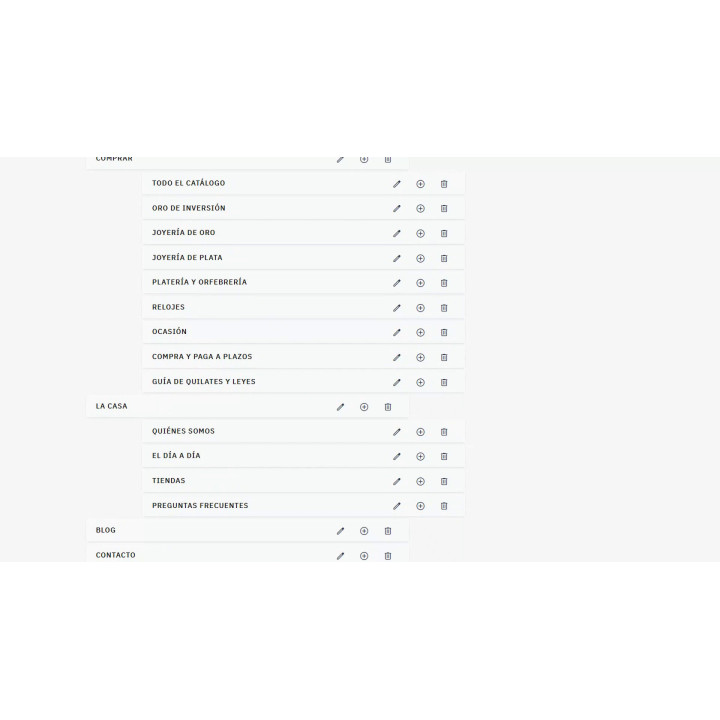
The tree: unlimited levels and automatic children
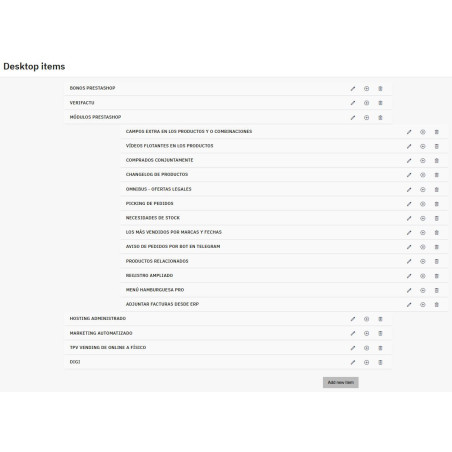
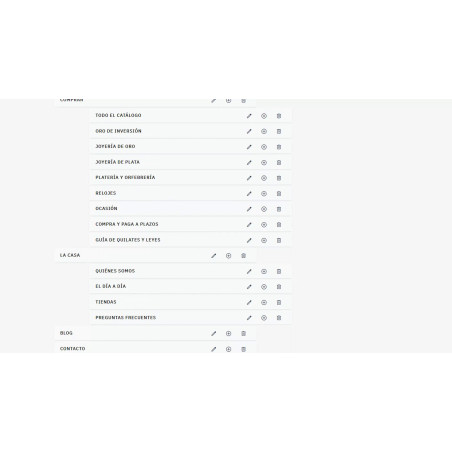
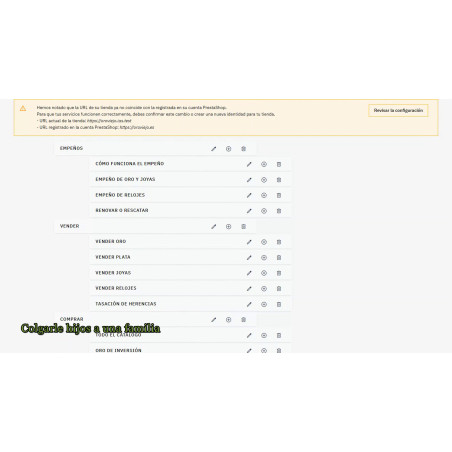
The elements are rearranged by dragging and can be nested without limit. Each row has three buttons: edit, delete, and hang a child on that entrance.
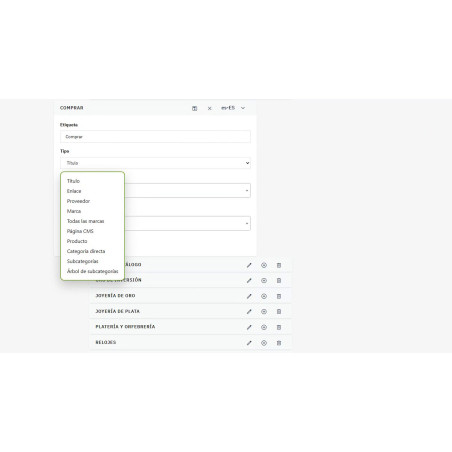
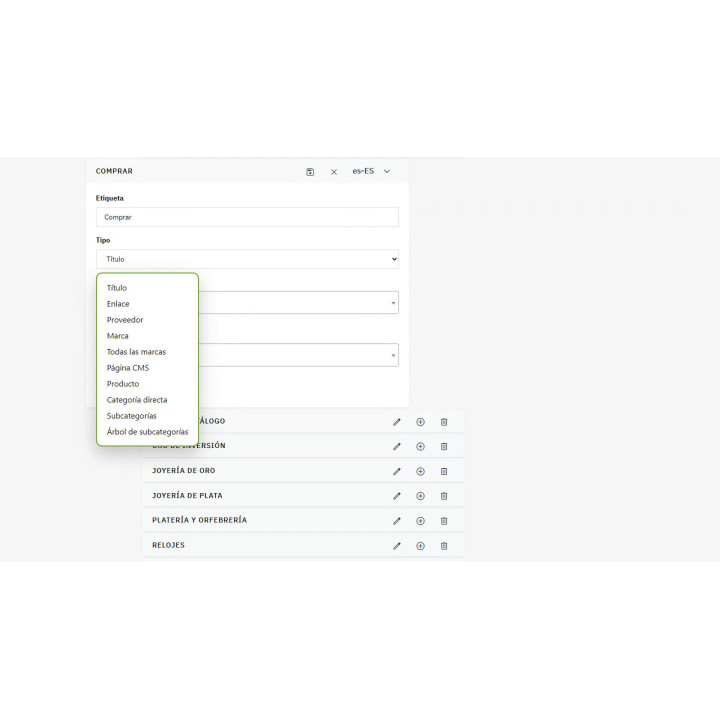
And there are three types who do the work alone, who are the ones who save the afternoon:
It's not a copy, it's a consultation. If you create a new category tomorrow, it will appear in the menu automatically. And entries that point to categories respect access groups: they are not shown to clients without permission—it's not that they are there but malfunctioning, it's that they are not there at all.
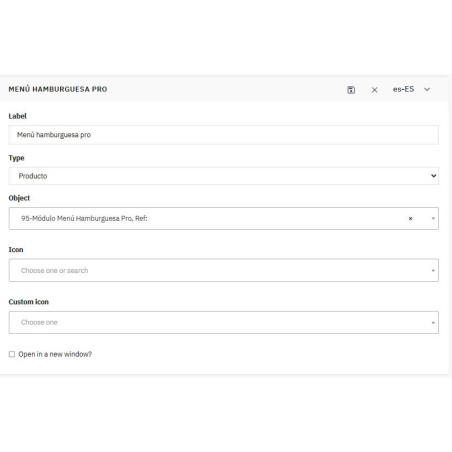
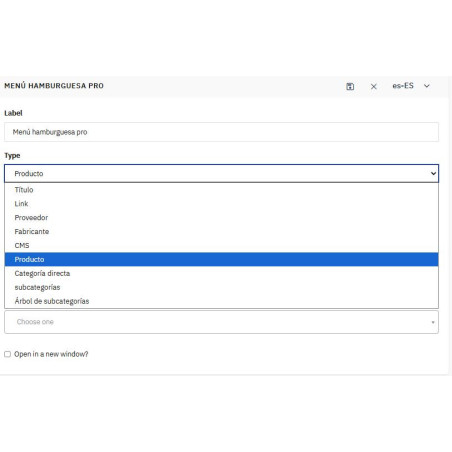
The other seven are the usual ones: title (groups and does not link), free link with option to open in another tab, direct category without dragging its children, product, brand, supplier and CMS page.
How to open a submenu: three ways, and the right one depends on the screen
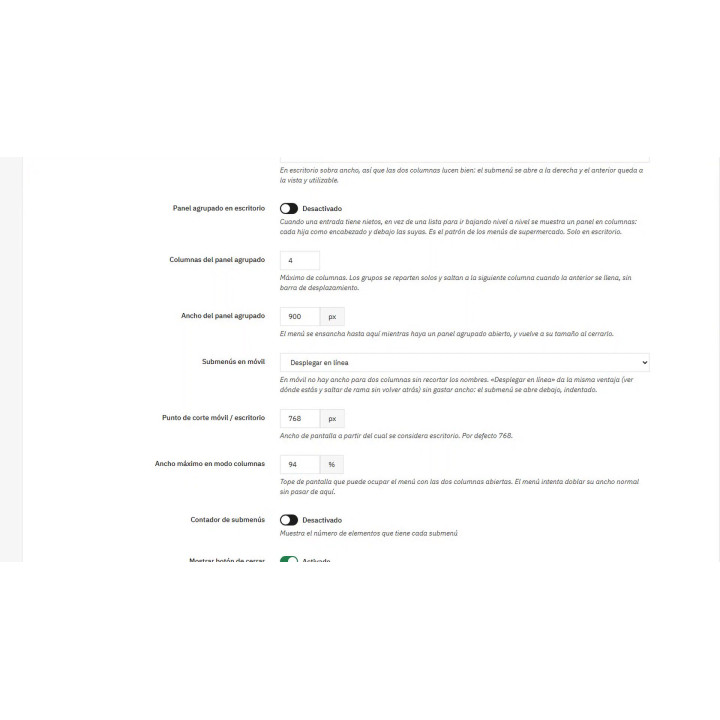
The mode is chosen separately for desktop and mobile, and the cutting point You set it (768 pixels by default).
With the grouped panel, A branch with grandchildren is presented in columns: each child as a header, with its own below, automatically jumping to the next column when the previous one is full. And to prevent the left column from shrinking, the menu doubles its width without exceeding the limit you set—if, with that limit, a column would fall below 150px, the columns are automatically deactivated.
Deferred loading: the menu stops loading on all pages
A large menu is hundreds of kilobytes in HTML. each page, even if no one opens it. Lazy loading decides how much travels, in levels; the rest is requested when the visitor opens that branch, and only once per page.
- Deactivated — the full menu. For short menus: the simplest options without any special requests.
- Level 1 — nothing; the menu is requested with the first gesture on the button.
- Level 2 — the first level, and the submenus when you open them. The usual balance: in a large store, the weight is on the deeper branches.
- Level 3 or 4 — the first two or three levels, for very deep trees.
- And besides, defer any branch that goes beyond N entries even if it's within the served level: the convenient way to extract a long list like that of all brands from HTML.
The Structured data is always issued in its entirety. to the depth you set, regardless of what the deferred loading commands: Google sees the entire tree even if the visitor only receives the first level.
Under the tree, which makes them buy
It should match your store, and it should be legible.
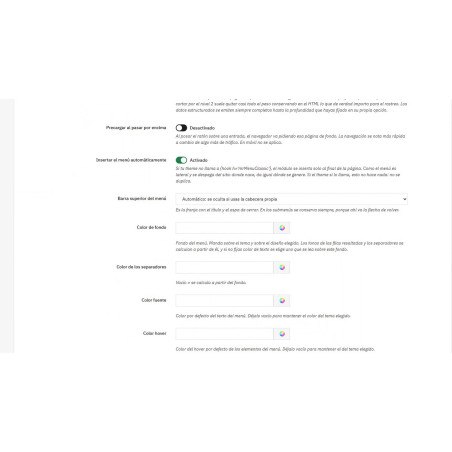
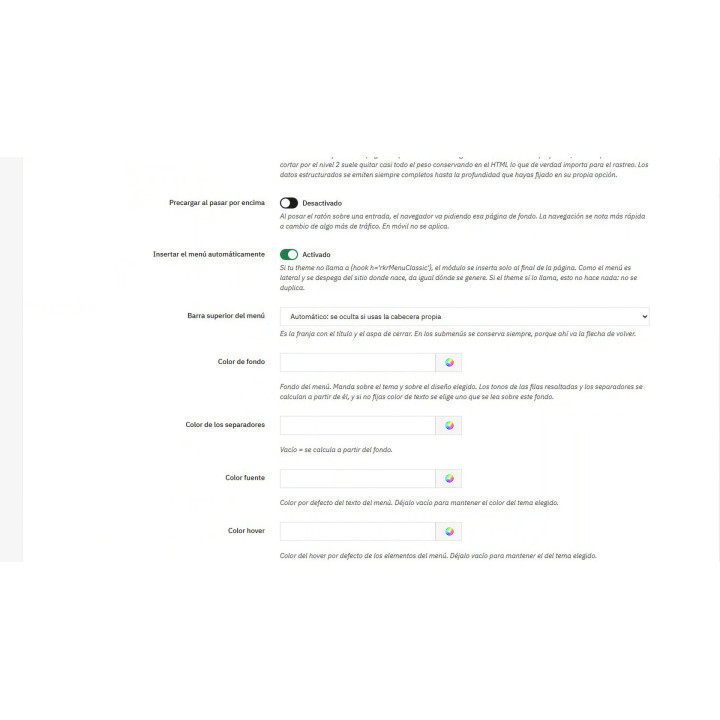
Dark or white theme; on top, a pre-assembled palette —Rekire, Midnight, Soft, High Contrast, or Warm—and on top of that, if needed, your background, text, highlight, and separator colors. The module calculates what you leave empty based on the background, choosing a legible tone.
And when saving measure the contrastIf it doesn't reach the 4.5:1 aspect ratio recommended by accessibility guidelines, it will warn you. An illegible menu isn't a matter of taste.
The icons come from Material Icons —searched by name from the editor— or they are your own: PNG, JPG, GIF or SVG at 24×24.
Details that are noticeable when using it
- Search within the menuFilter entries as you type. With a large tree, the difference between finding something and giving up is significant.
- Mark your location: highlights the open page entry and its branch. If there's no exact match, it tries the parent path, so a tab marks its category.
- And mark the open branchBackground, bold text, and a small bar on the left throughout the entire branch, not just at the last level. In column view, and especially when accessing from the bar—where the visitor hasn't clicked anything in the menu—this is the only indication of where the content is located.
- The mobile phone's submenu mode is truly respectedThe columns ask for the current width instead of deciding on their own, so they also react when you rotate your phone. Those who want columns on their mobile devices can still find them.
- Close by sliding On touch: the menu follows the finger and reappears if you don't release it far enough. A vertical scroll never closes it.
- Preload on hoverThe browser prompts for the entry page in the background under the mouse cursor. This only works with a mouse, never with a touchscreen.
- Submenu counter, close button, and the page content scrolls instead of being covered.
- Import and export The entire menu: it is assembled in testing and taken to production without repeating the work.
Installation: no need to touch the subject
With automatic insertion enabled—as it comes this way—the module is placed automatically. Since the menu is a sidebar and detaches from its origin, the result is identical to calling it from the theme. If you prefer to place it manually, it has its own hook.
The button that opens it is a link to the menu anchor, and nothing more: Menu for desktop and #rkrmenu-mobile for mobile.
The menu shifts the content when it opens and needs to know which element to move: by default main. If your theme doesn't have one, you specify another selector — and if it doesn't exist, the module starts anyway without scrolling instead of breaking the page.
What you customize is not lost when you update
Your custom CSS, the HTML for the menu footer, and the icons you uploaded were all located within the module's folder, and the module manager replaces that folder during updates, removing them all. The menu reverted to its default appearance. without a single warning, And just then, nobody suspects the module.
They now reside in a folder that PrestaShop maintains, and during the update, the files remaining in the old location are transferred without overwriting any of the new ones. If the transfer fails due to permissions, it is said —in the registry and in the Diagnostics panel, with the specific folder—, because keeping quiet about it would leave the merchant one update away from losing his job.
-
Brand

-
Referencemod95
-
Compatible PrestaShop versions8.1
8.2
9.0
9.1
| Version | 2.22.1 |
|---|---|
| Compatibility | PrestaShop 8.0 – 9.1 |
| PHP | 8.1 or higher |
| Languages included | Spanish and English |
| Modify the core | No: no overrides |
| Own tables | 5: Menus, entries, texts by language and icons |
| Requirements | None. To generate icons with AI, you'll need an API key from Anthropic, OpenAI, or Google Gemini. |
| Documentation | User guide in Spanish included in the ZIP file |
| Demo | It's not ready yet, but on this same website you can see the menu working in the store. |
v2.28.0
The menu can be generated from the catalog. New tab, Generate the menuIt reads the categories, brands, and content pages and suggests a complete menu. This is what used to have to be set up manually, entry by entry, in each store.
- Seeing and applying are two steps. "View the proposal" He doesn't write anything.It shows the entire tree—which entry, of what type, and at what level—and only "Apply" writes it. A generated menu changes the navigation of a store that is selling, and that is checked beforehand.
- Before writing, the menu that was there is saved., And there's a button to return it as is. If that copy can't be saved, nothing appliesIt is preferable to not generate anything than to generate something with no way back.
- The rules are chosen: how many entries at the first level, how far down it goes, the order of the families, the minimum number of products, and whether brands, content pages and contact information are added. What is generated sustains itself. Subcategories aren't written one by one: the family is created as "Subcategories," which are displayed on each visit. Brands are listed as "All Brands," and contact information as "Contact Page." A menu that simply lists items becomes outdated after the first category you create—and no one ever regenerates it—while one that delegates follows the catalog automatically. Two details that prevent a poorly generated menu:
- Products are counted by entire branch. A family without its own products, whose subcategories do have them, is not empty: counting only its own products, it would be left out of the menu and would take half a branch with it.
- The same catalog always offers the same menu. Two families tied for products are sorted alphabetically, so regenerating doesn't shuffle the store menu. And a fix unrelated to the generator but discovered along the way: with the store in development mode, the settings screen responded 500 As soon as there was an extra button saved and a language added LATER —the button has no label in that language and the PHP warning becomes an exception—. In production it wasn't visible; in development mode it crashed the entire screen.
v2.22.1
- New You choose which entries appear in the horizontal bar, at any level, and whether each one expands or leads to its page.
- New In the bar, a separate group on the right, a highlighted entry with its color and a short text per language.
- Corrected The mobile submenu mode selected is respected, even when rotating the phone.
- Improved The open branch is marked with a background, bold text, and a sidebar, to show where each submenu hangs from.
v2.21.0
- Improved Your CSS, menu footer HTML, and icons are no longer lost when you update the module.
- Improved If they cannot be moved due to permissions, the diagnostic tells you which folder to check.
v2.20.1
- New Horizontal bar in the header that comes from the same menu tree, with thirty-two appearance settings.
- New A bar entry with a submenu opens the side menu right by that branch.
- Improved On narrow screens the bar retracts and only the menu button remains; you choose the width.
- Improved Back-office fully translated into English.
v2.19.4
- Corrected Importing the menu works with any type of input, and a failed attempt no longer leaves the menu empty.
- Corrected Link-type entries display the submenus you attach to them in the store.
- Corrected The menu is no longer located below the fixed theme header.
- Improved The module returns to its place within the group of Rekire in the back-office menu.
v2.18.4
- Corrected The module's entry in the back-office menu is always visible, with its sections and permission for all profiles.
- New Button to rebuild the back-office menu from the diagnostic panel.
- Corrected Custom SVG icons no longer appear broken; saved icons are repaired upon update.
v2.17.4
- Improved All the settings in a single form with tabs and a single save button.
- New Button to repair the back-office menu from the diagnostics, which explains what prevents it from being created.
- Corrected The module entries in the back-office become visible again when updating from previous versions.
- Corrected The settings tabs are no longer all displayed at once.
v2.16.0
- New New Settings section in the back-office menu, next to Menu Items and Custom Icons.
v2.15.1
- Improved The module is grouped with the rest of the modules of Rekire in the back-office menu.
- Corrected It no longer gives an error when installed alongside another module of Rekire.
v2.14.0
- New The menu is inserted automatically on the page even if the theme does not call for it, without being duplicated.
v2.13.2
- Improved The menu also starts with themes that don't include all the usual hooks.
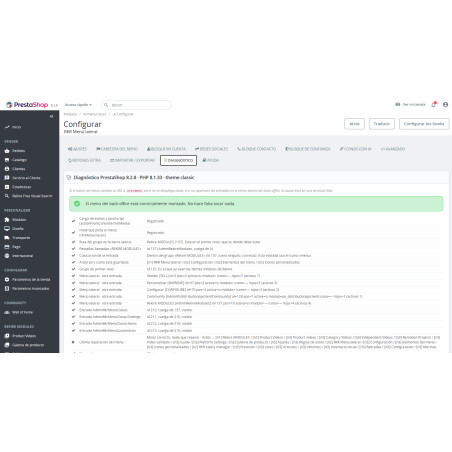
- New Diagnostic panel that checks the installation and tells you what's missing if the menu doesn't appear.
- Improved When you save the configuration, the module reconnects itself to the theme points that are missing.
v2.12.0
- New New entry type "All brands", with optional logos and configurable limit.
- New Option to load separately any branch that exceeds a certain number of entries, regardless of its level.
- Corrected The links in the blocks no longer appear more dimmed than the rest of the menu.
v2.11.0
- New Panel grouped in columns for desktop: each subcategory as a header and its children below, distributed individually in columns.
v2.10.1
- Improved Deferred loading is chosen by levels: the first ones go on the page and the deeper branches are requested when opening them.
- Improved The menu header can be displayed on desktop, on mobile, on both, or on neither.
- Corrected The animated button icon has been removed, which in some themes left the page blank.
v2.9.0
- New Close the menu by swiping your finger on touchscreens.
- New Optional delayed menu loading, without losing structured data.
v2.8.0
- New The entry of the page where the visitor is located and its branch are marked.
- New Optional preloading of menu pages on mouse hover.
- Improved More accessible: the menu closes with Esc and the focus returns to the button.
v2.7.1
- New Set your own background color for the menu; if you don't set the text color, it will be calculated automatically.
- New Option to hide the top bar with the title and close button.
- Improved The module appears in the back office within the modules section of Rekire.
v2.6.4
- New "Inline display" submenu mode, recommended on mobile, and a separate mode for desktop and mobile.
- New Structured menu data for search engines, with a depth limit.
- New Google Gemini as a provider for generating icons with AI.
- Corrected There is no longer a need to install the module twice when uploading it.
v2.5.2
- New AI-powered icon generator based on the text of each entry, with review before application.
- Improved The fixed header remains throughout the scrolling, without any flickering of the logo.
- Corrected Column mode: correct width on mobile and is only deactivated if the columns do not fit.
v2.4.2
- New Menu header with logo, store name and custom colors.
- New Five predefined designs: Rekire, Midnight, Soft, High contrast and Warm.
- New Submenus in two columns, with the previous panel in view.
- Improved Store texts translated into Spanish and English.
v2.3.1
- New Import and export the complete menu to a file.
- Improved Extra buttons with four colors, rounding, and icons uploaded by you.
- Corrected The list and menu blocks scroll together, and the hand-pasted SVG is already saved.
v2.2.0
- New Extra buttons above or below the menu, with their color and icon.
- Improved Uninstalling no longer deletes your menu or settings, unless you choose a full cleanup.
- New Ten new icons in the catalog.
v2.1.0
- Improved Compatible with PrestaShop 8 as well as PrestaShop 9.
- New My account blocks, contact, social networks, trust and opinions.
- New Search engine within the menu and click measurement in GA4 or Google Tag Manager.
- Corrected The mobile menu no longer appears empty in some cases.
v1.5.2
- Corrected The menu checks that the linked categories, products, and brands exist before displaying them.
- Corrected Fixed possible errors when obtaining category names in each language.
At Rekire we want to make things easy for you. That's why our PrestaShop modules come with a flexible usage license:
- Unlimited use in your projects. You can use the module in as many of your own installations as you want, even if you are an agency and manage several websites (without needing to be in multi-store mode).
- Distribution restrictions. It is not permitted to exchange, distribute, sell, or republish the module to third parties.
Professional ethics. This software is our livelihood. We ask for your professional ethics and that you make new purchases if the volume of projects requires it: it's the only way for us to make it worthwhile to continue developing such great modules and maintain our constant improvements.
Technical support
In order to provide you with the best service, module support is governed by these conditions:
- Support is provided exclusively on the website declared as the main site .
- If you have not declared a primary site, support is automatically applied to the first installation where the module is activated.
4 other products in the same category

- New

También podría interesarte

Product Videos



Product Videos


Product Videos

Product Videos


Product Videos


Product Videos


Product Videos

Questions and answers
Nobody has asked anything about this product yet.
