€60.44








Recommended







Carbon footprint module for products and orders images
Display the carbon footprint (CO₂e) of each product and each order, and let the customer offset it from the shopping cart with a single click: a line item is added to the order with the exact amount, or you can cover it yourself. Includes a seal on the confirmation, customer account, back-office, and PDF invoice, as well as an annual dashboard with monthly breakdown and CSV export. Distance is displayed by country, postal code, or carrier. This is an indicative estimate, not a certified document.
Sustainability
And you don't have an answer at hand. RKR Carbon Footprint It calculates the carbon footprint (CO₂e) of each product and each order, displays it clearly, and allows the customer to offset it with a click in the shopping cart.
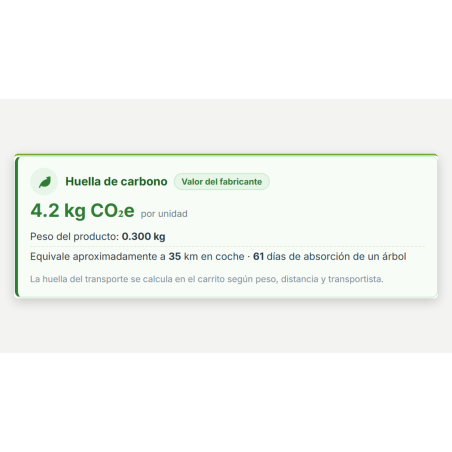
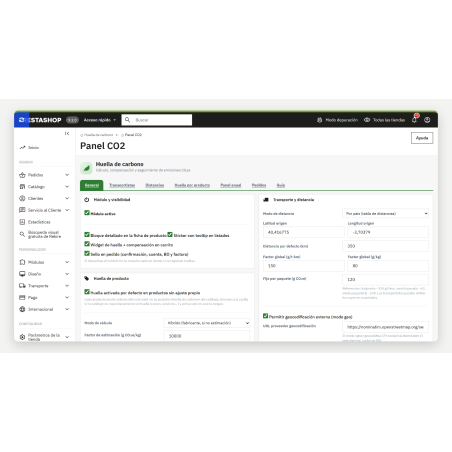
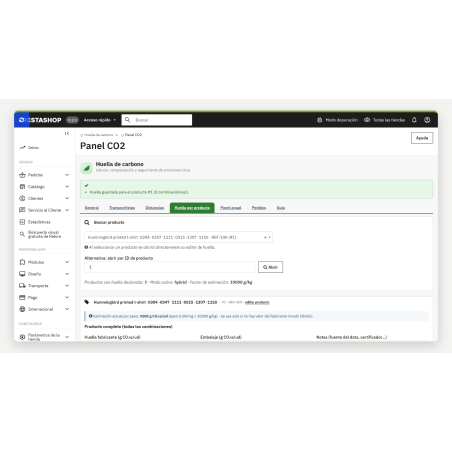
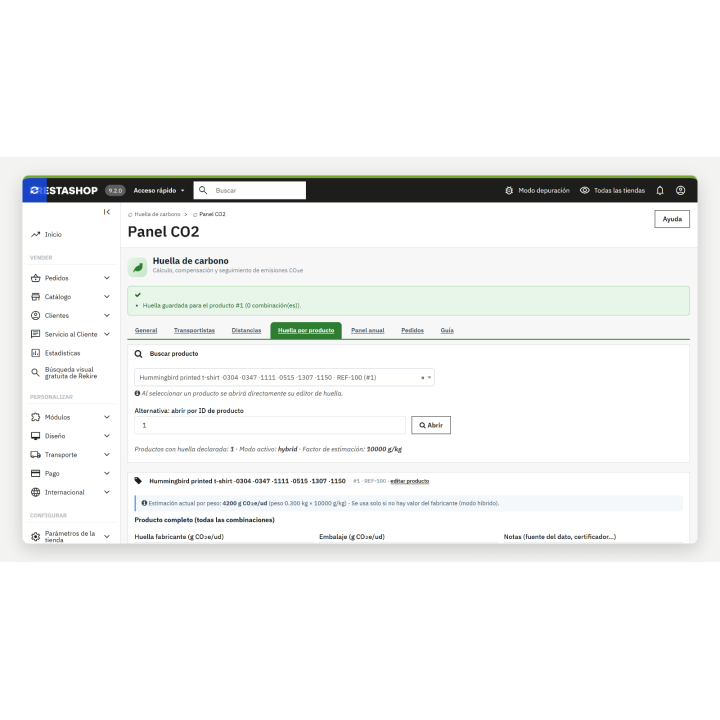
If the manufacturer provides the data, you enter it per product or per combination. If you don't have it, the module estimates it by weight—10,000 g of CO₂e per kilogram by default, adjustable—and indicates this: the data sheet shows whether it's "manufacturer's value" or "estimated by weight." You can choose to only use the manufacturer's data, to always use estimates, or to combine both.
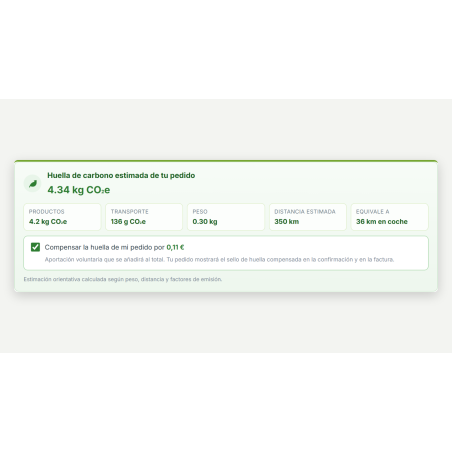
To make the figure clearer, it's translated into equivalents: kilometers driven by car (120 g per km) and days a tree absorbs carbon (25 kg per year). Both values are editable.
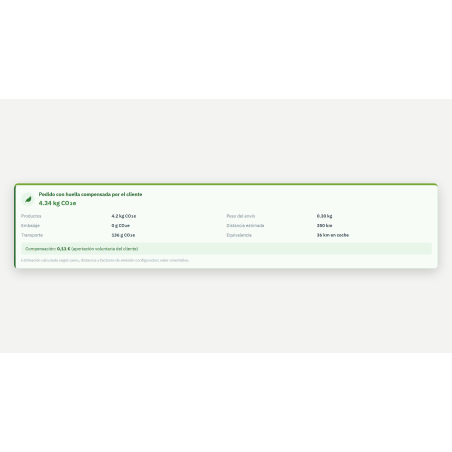
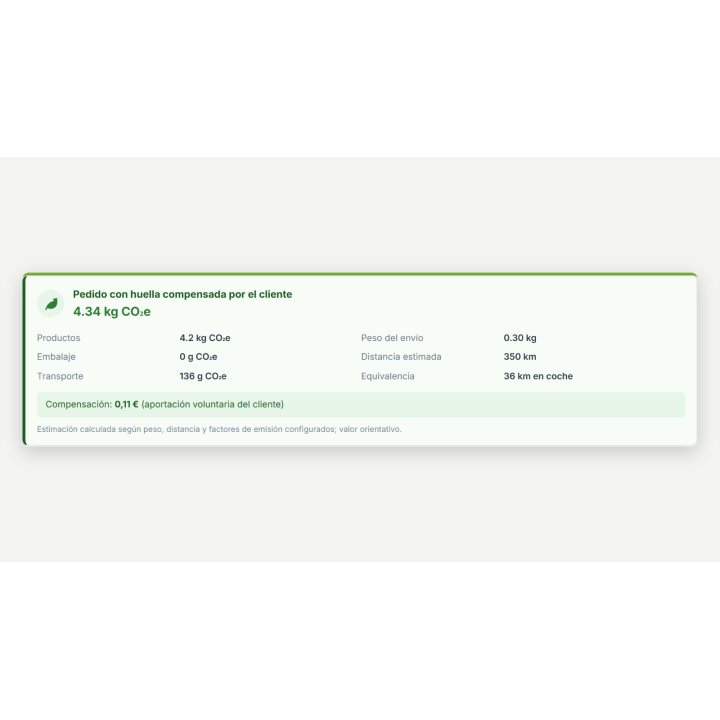
The shopping cart displays the total carbon footprint of the order—products, packaging, and shipping—with a breakdown and a checkbox to offset it. If the customer selects this option, a "Carbon Footprint Offset" line item is added to the order with the exact amount, which also appears on the invoice.
The amount is calculated using the price per ton, accepts the tax you choose, and, in multi-currency transactions, is converted to the currency of the shopping cart.
When you validate your order, a photo of your fingerprint and the compensation status is saved. This appears as a stamp on the confirmation, in your customer account, on the back-office order, and on the PDF invoice. If you change any factors later, orders that have already been registered will not be overwritten.
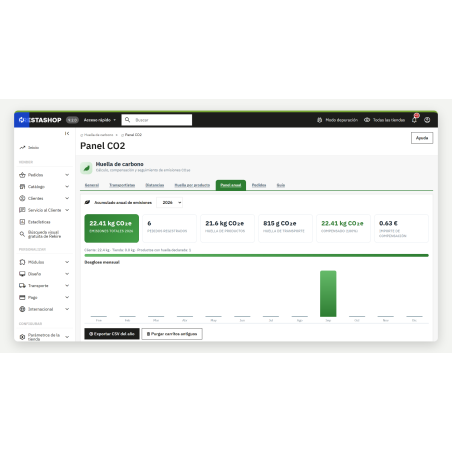
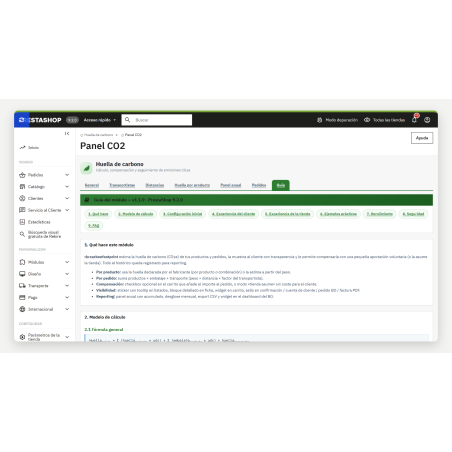
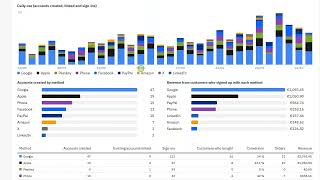
In the side menu, under "Carbon Footprint › CO2 Panel," you'll find the year's total, orders, breakdown by product and shipping, the amount offset (by customers and by the store), and a month-by-month breakdown. With one click, you can export orders as a CSV file, ready to open in Excel. There's also a widget on your desktop displaying the year's total.
The transport formula uses 150 g per ton-km and a fixed 120 g per package by default, and each carrier can have their own. The Guide tab of the module itself contains the formulas and numerical examples.
Privacy. Only in postal code mode is the postal code and city of the delivery address sent to Nominatim, using the store's email address as identification. The customer's name, street address, and email address are not sent. If you don't want to send anything outside the postal code mode, use country or carrier mode, or point the module to your own Nominatim-compatible server.
Compatible with PrestaShop 8.0 to 9.x version 1.1.9
Developed and maintained by REQUIRE
v1.7.2
Revision of 1.7.1 (LFR). Tested on PrestaShop 8.2.8 and 9.2.0 , with and without rkrmixmatchbox 2.23.0 , and the update 1.1.9 → 1.7.1 → 1.7.2.
Serious flaws in version 1.7.1 :
selftest feature used to return the contents of ANY shopping cart by its number, with a token that was the same for all visitors and published on the page. Now it only exists in debug mode and only for the user's own shopping cart.?rkrcf_diag=1 panel could be opened by any visitor (PrestaShop and PHP version, cart configuration and contents). Only in debug mode.var/logs . Additionally:error_log on each render.displayProductPriceBlock ) and the menu are no longer repaired on every request: upgrade-1.7.2.php does it once (there was no upgrade from 1.1.9 to 1.7.1 ).Context::getContext() , Tab::getIdFromClassName , nofilter (the data of the boxes and the order lines go in a data-json attribute), HTML within the PHP (to templates), PHPStan and formatting.logs/ , config_es.xml and a translation catalog in the translations/ root that PrestaShop does not read.v1.1.9
Full revision of version 1.1.8 , tested on PrestaShop 8.2.8 , 9.0.0 and 9.1.5.
Failures that affected money or data:
allow_url_fopen .index.php in each folder, .htaccess , LICENSE.txt , no nofilter , no removed functions, PHPStan and PHP CS Fixer without warnings.












Nobody has asked anything about this product yet.